
Introduction to Kirby's Adventure
Welcome to the world of Kirby's Adventure! This classic platformer for the Nintendo Entertainment System (NES) introduces players to Kirby, a small, pink, spherical creature with the unique ability to inhale enemies and copy their powers. Your mission is to help Kirby recover the stolen Star Rod from King Dedede and restore peace to Dream Land. This manual provides essential information for setting up, playing, maintaining, and troubleshooting your game.
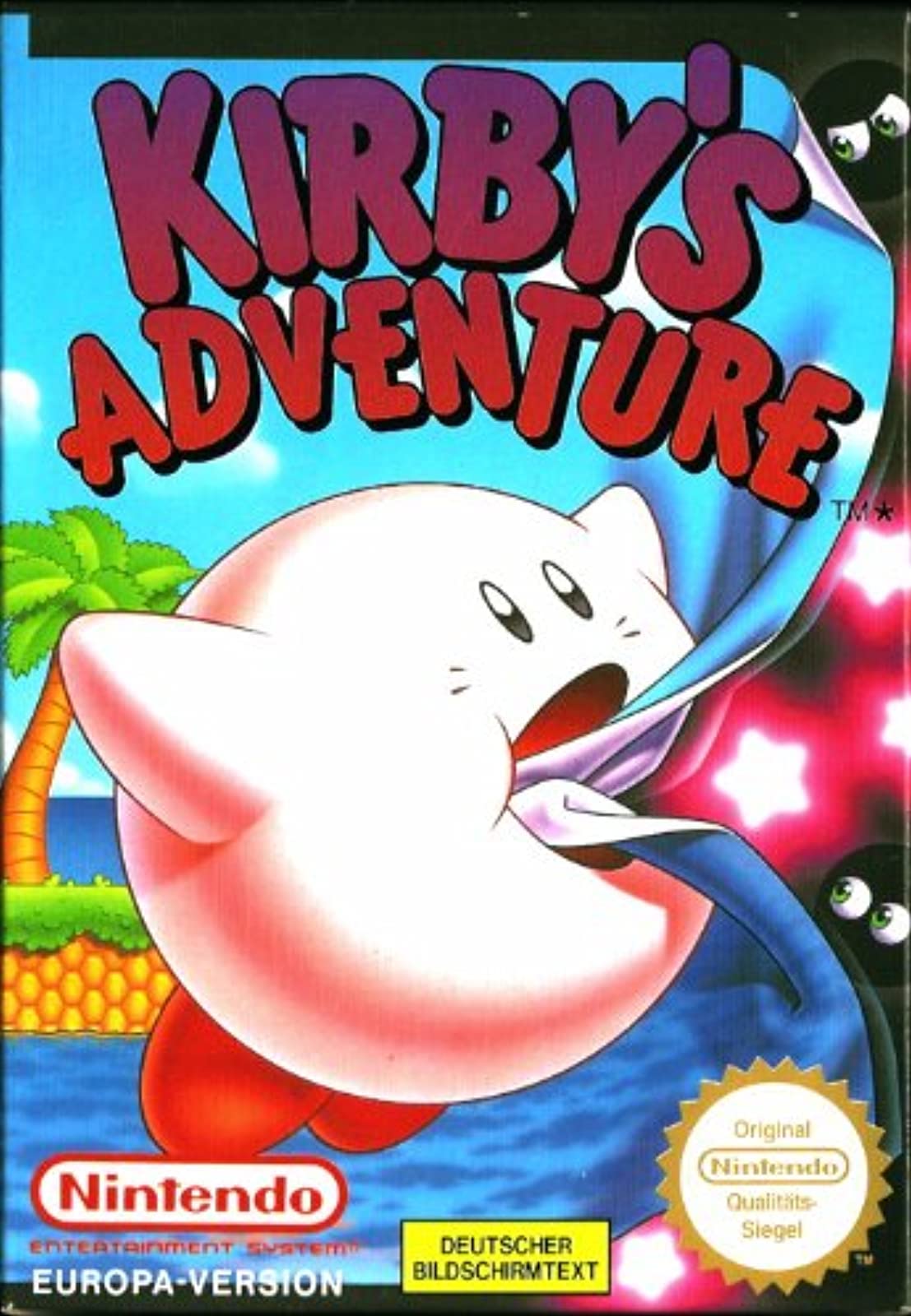
Image: The Kirby's Adventure game cartridge for the Nintendo Entertainment System.
Орнотуу нускамалары
Follow these steps to set up your Nintendo Entertainment System and begin playing Kirby's Adventure:
- NES консолун туташтырыңыз: Ensure your NES console is properly connected to your television set using the RF switch or AV cables. Refer to your NES console's manual for detailed connection instructions.
- Контроллерлерди туташтыруу: Plug your NES controllers into the controller ports on the front of the console.
- Оюн картриджин салыңыз:
- Gently insert the Kirby's Adventure game cartridge into the cartridge slot of the NES console. Ensure the label faces forward (towards you).
- Press the cartridge down firmly until it clicks into place.
- Lower the front flap of the console.
- Күйгүзүү: Turn on your television and select the correct input channel (e.g., Channel 3 or 4 for RF, or AV input). Then, press the POWER button on your NES console.
- The game's title screen should appear. If not, refer to the Troubleshooting section.
Оюнду иштетүү
Негизги башкаруу элементтери
| баскыч | Функция |
|---|---|
| Багыттоочу такта (D-Pad) | Move Kirby left, right, up, or down. |
| Баскыч | Jump. When holding an enemy, press A to spit it out. |
| B баскычы | Inhale enemies. If Kirby has a copy ability, press B to use it. |
| START баскычы | Pause the game; access the pause menu. |
| SELECT баскычы | Drop current copy ability. |
Gameplay Objective
King Dedede has shattered the Star Rod, the source of all dreams in Dream Land, and distributed its pieces among his loyal henchmen. Kirby must travel through seven unique worlds, defeat King Dedede's minions, and collect all seven pieces of the Star Rod to restore peace.
Kirby's Abilities
- Inhale: Press the B button to inhale enemies. You can then spit them out as projectiles by pressing the A button.
- Copy Abilities: When Kirby inhales certain enemies, he can swallow them to gain their unique powers. These "copy abilities" grant Kirby new attacks and movement options. Experiment with different enemies to discover new abilities. Press B to use the copied ability.
- Учуу: Press the A button repeatedly to inflate Kirby and fly. You can move freely while flying, but you cannot use copy abilities. Press the D-Pad down to deflate.
Ийгиликтериңизди сактоо
Kirby's Adventure features a battery-backed save system. Your progress will be automatically saved at key points in the game, typically after completing a level or defeating a boss. You can also save your game manually from the pause menu in certain areas. Ensure the game cartridge is not removed while the console is powered on to prevent data corruption.
Техникалык тейлөө жана кам көрүү
Оюн картриджиңизге туура кам көрүү анын узак мөөнөттүү жана ишенимдүү иштешин камсыз кылат.
- Картридждин контакттарын тазалоо: If the game fails to load, the gold connector pins on the bottom of the cartridge may be dirty.
- Power off the NES console before handling the cartridge.
- Кебезди жеңил колдонуңуз dampened with isopropyl alcohol (rubbing alcohol) to gently clean the gold contacts.
- Allow the contacts to dry completely before re-inserting the cartridge into the console.
- Сактагыч: Store the game cartridge in a cool, dry place, away from direct sunlight, extreme temperatures, and excessive humidity. Keep it in its original case or a protective sleeve to prevent dust and physical damage.
- Колдонуу: Картриджди ар дайым анын пластикалык капкагынан кармап кармаңызasing. Алтын туташтыргыч төөнөгүчтөргө түз тийбеңиз, анткени териңизден чыккан майлар убакыттын өтүшү менен коррозияга алып келиши мүмкүн.
- Күчтөн качуу: Do not force the cartridge into the console. If it doesn't insert smoothly, check for obstructions or incorrect orientation.
Жалпы көйгөйлөрдү чечүү
If you encounter problems while playing Kirby's Adventure, try the following solutions:
- Game Does Not Load / Flashing Screen:
- Ensure the cartridge is fully inserted and pressed down into the console.
- Clean the cartridge's gold connector pins as described in the Maintenance section.
- Try re-inserting the cartridge multiple times.
- Сүрөт же үн жок:
- Verify that your NES console is properly connected to your TV and that the TV is set to the correct input channel.
- Check all power and video cables for secure connections.
- Контроллер жооп бербей жатат:
- Консольдун контроллерине бекем сайылганын текшериңиз.
- Try using a different controller or plugging the controller into the other port to rule out a faulty controller or port.
- Save Data Lost / Game Not Saving:
- Kirby's Adventure uses a battery inside the cartridge to retain save data. If save data is consistently lost, the internal battery may need replacement. This is an advanced procedure and should only be attempted by experienced individuals or professional repair services.
- Always ensure the console is powered off before removing the cartridge.
Продукт спецификациялары
| Продукт аталышы | Кирбинин укмуштуу окуясы |
| Платформа | Nintendo Entertainment System (NES) |
| Manufacturer/Publisher | Nintendo |
| Date First Available (Amazon) | 1-январь, 2000-жыл |
| Продукциянын өлчөмдөрү | 5.3 x 4.8 x 0.9 дюйм |
| Элемент Салмагы | 4 унция |
| Тил | Англисче |
| UPC | 045496630720 |
| ASIN | B00004SVR9 |
Кепилдик жана колдоо
As Kirby's Adventure is a vintage game for the Nintendo Entertainment System, direct manufacturer warranty support from Nintendo for this specific product is generally no longer available. The game was originally released decades ago.
For technical assistance or repair of vintage gaming equipment, it is recommended to consult:
- Specialized Retro Gaming Repair Shops: These businesses often have expertise in repairing older consoles and cartridges.
- Online Retro Gaming Communities: Forums and communities dedicated to retro gaming can provide valuable troubleshooting advice and resources for common issues.
- Original Nintendo Documentation: While specific product support is limited, general NES console manuals may offer additional insights into system operation.
Please note that any repairs or modifications to the game cartridge, such as battery replacement, should be performed by qualified individuals to avoid further damage.