
Продукт бүттүview
The C2G 02798 DB25 Male to Centronics 36 Male Parallel Printer Cable provides a reliable connection between your personal computer and uni-directional, dot-matrix, or older laser printers. This cable is designed for durability and data integrity, suitable for various environments.
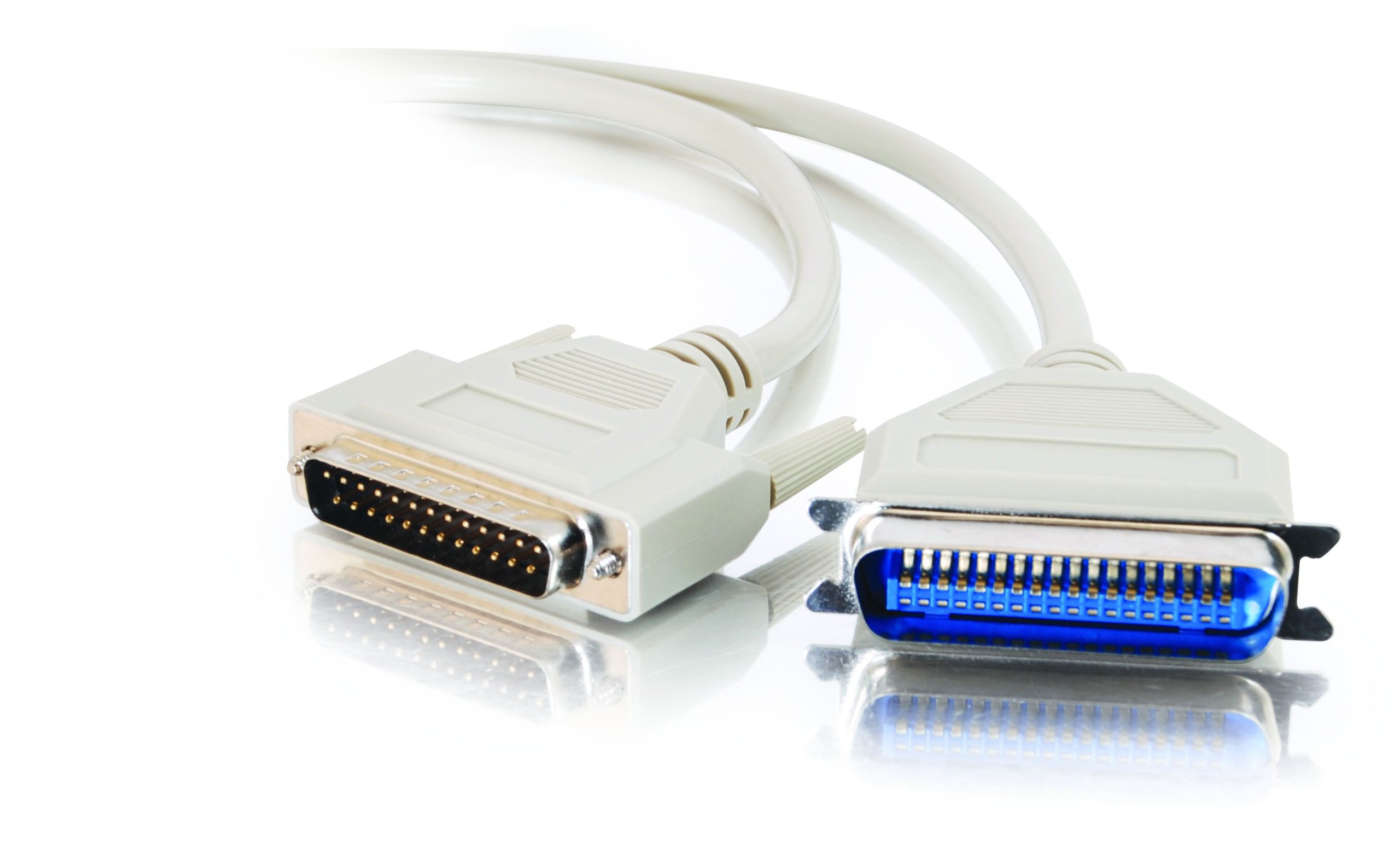
Image: The C2G 02798 DB25 to Centronics 36 Parallel Printer Cable, beige in color, coiled to show both connectors.
Негизги өзгөчөлүктөрү
- Туташтыргычтар: DB25 Male to Centronics 36 Male.
- Шайкештик: Designed for connecting PCs to parallel dot-matrix printers, older laser printers, or other uni-directional Centronics peripherals.
- Узактыгы: Fully molded design for excellent strain relief, ensuring longevity.
- Маалыматтарды коргоо: Features foil shielding to protect valuable data from EMI/RFI interference.
- Колдонуунун жөнөкөйлүгү: Connectors include slotted, textured thumbscrews for easy attachment and removal.
- Зымдар: All 25 conductors are wired for broad compatibility.
Видео: Бүттүview of the C2G Professional Printer Cable, highlighting its features and compatibility with various printers and PCs.
Орнотуу нускамалары
- Портторду аныктоо: Locate the DB25 parallel port on your computer (often a D-shaped port with 25 pins) and the Centronics 36 parallel port on your printer (a larger port with 36 pins).
- Connect DB25 End: Carefully align the DB25 male connector of the cable with the DB25 port on your computer. Gently push it in until it is seated firmly.
- Secure DB25 End: Tighten the slotted thumbscrews on the DB25 connector to secure the cable to the computer port. Do not overtighten.
- Connect Centronics 36 End: Align the Centronics 36 male connector of the cable with the Centronics 36 port on your printer. Push it in until it is fully seated.
- Secure Centronics 36 End: If your Centronics port has clips or screws, ensure the connector is secured.
- Күйгүзүү: Once the cable is securely connected at both ends, power on your printer and computer.
- Драйверлерди орнотуу: Ensure the correct printer drivers are installed on your computer for the connected printer model. Refer to your printer's manual for driver installation instructions.

Сүрөт: жакын план view of the DB25 Male connector, showing the 25 pins.
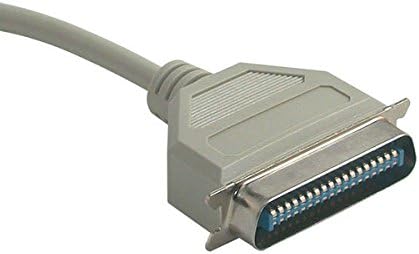
Сүрөт: жакын план view of the Centronics 36 Male connector, showing the 36 pins.
Иштөө нускамалары
After successful physical connection and driver installation, your computer should recognize the printer. You can now send print jobs from your applications. Ensure the printer is powered on and has paper and ink/toner.
- Select your connected printer from the print dialog box in your application.
- Керектүү учурда басып чыгаруу жөндөөлөрүн тууралаңыз (мисалы, кагаздын өлчөмү, багыты, басып чыгаруу сапаты).
- Басып чыгаруу ишин баштаңыз.
Техникалык тейлөө
To ensure the longevity and optimal performance of your C2G parallel printer cable, follow these simple maintenance guidelines:
- Тазалыкты сактоо: Periodically wipe the cable and connectors with a dry, soft cloth to remove dust and debris. Avoid using liquid cleaners directly on connectors.
- Ийилгенден качыңыз: Do not sharply bend or crimp the cable, especially near the connectors, as this can damage internal wires and shielding.
- Туура сактоо: When not in use, coil the cable loosely and store it in a dry, cool place away from direct sunlight and extreme temperatures.
- Этияттык менен мамиле кылуу: Кабелди сайганда же сууруп алганда, ар дайым туташтыргычтын корпусун кармаңыз, кабелдин өзүн тартпаңыз.
- Үзгүлтүксүз текшерүү: Check the cable and connectors for any signs of wear, fraying, or damage. Replace the cable if any damage is observed to prevent potential issues.
Проблемаларды чечүү
If you encounter issues while using your parallel printer cable, consider the following troubleshooting steps:
- Басып чыгаруу жок:
- Ensure both the computer and printer are powered on.
- Verify the cable is securely connected to both the computer's parallel port and the printer's Centronics port. Tighten thumbscrews.
- Check if the printer has paper and ink/toner.
- Confirm that the correct printer is selected in your computer's print dialog.
- Restart both the computer and the printer.
- Garbled Print Output:
- This often indicates a driver issue. Reinstall or update your printer drivers.
- Бош байланыштарды текшериңиз.
- Ensure the cable is not damaged. Try a different parallel cable if available.
- Принтер аныкталган жок:
- Verify the cable is fully inserted and secured.
- Check your computer's Device Manager (Windows) or System Information (macOS) to see if the parallel port is recognized and functioning correctly.
- Ensure the printer is set to the correct interface (parallel) if it has multiple connection options.
- Жай басып чыгаруу:
- Parallel connections are generally slower than modern USB connections. This is normal for this type of cable.
- Ensure your printer drivers are up to date.
Продукт спецификациялары
| Өзгөчөлүк | Спецификация |
|---|---|
| Бренд | C2G |
| Модель аты | 02798 |
| Туташтыргыч түрү | DB25 Male, Centronics 36 Male |
| Кабель түрү | Параллель |
| Шайкеш түзмөктөр | Personal Computer, Printer (dot-matrix, older laser, uni-directional Centronics peripherals) |
| Өзгөчө өзгөчөлүк | Маалыматтарды өткөрүү |
| Түс | Беж |
| Connector Gender | Эркектен эркекке |
| Pins саны | DB25 (25 pins), Centronics 36 (36 pins) |
| Бирдик саны | 1 Сан |
| Элемент Салмагы | 2.4 унция |
| Продукциянын өлчөмдөрү | 9 x 5 x 1 дюйм |
| Максималдуу томtage | 5 вольт (ток) |
| Сырткы материал | Поливинилхлорид (PVC) |
Кепилдик маалымат
This C2G product is covered by a manufacturer's warranty. For specific details regarding warranty duration and terms, please refer to the documentation included with your purchase or visit the official C2G webсайт. Кепилдик дооматтар үчүн сатып алганыңыздын далилин сактаңыз.
Кардарларды колдоо
For further assistance, technical support, or inquiries about the C2G 02798 Parallel Printer Cable, please contact C2G customer service through their official webсайтына же продуктуңуздун таңгагында берилген байланыш маалыматына кайрылыңыз. Ошондой эле, төмөнкү дарекке кирсеңиз болот C2G Store on Amazon көбүрөөк продукт маалымат алуу үчүн.