
Introduction
This manual provides detailed instructions for the setup, operation, and maintenance of your Universal Remote Control MX-350 Osiris IR/RF Remote Control. Please read this manual thoroughly before using your remote to ensure proper functionality and to maximize your user experience. Keep this manual for future reference.
Продукт бүттүview
The Universal Remote Control MX-350 Osiris is a versatile IR/RF remote designed to consolidate control of up to 10 of your home entertainment devices. It features both Infrared (IR) and Radio Frequency (RF) capabilities, allowing for flexible control options, including devices hidden from line-of-sight when used with an RF base station (sold separately).
Негизги өзгөчөлүктөрү:
- Universal IR/RF control for multiple devices.
- 10гө чейин түзмөктөрдү колдойт.
- Customizable macros for multi-command sequences.
- Backlit buttons and LCD screen for low-light operation.
- Learning function to capture commands from original remotes.
Алыстан башкаруунун схемасы:
The MX-350 features a clear button layout with an LCD screen at the top for device selection and function display.

Сүрөт 1: Алдыңкы view of the MX-350 remote with LCD screen and primary controls.

Figure 2: The MX-350 remote with its blue backlight engaged.
The top of the remote houses the IR and RF emitters, ensuring broad compatibility and range.
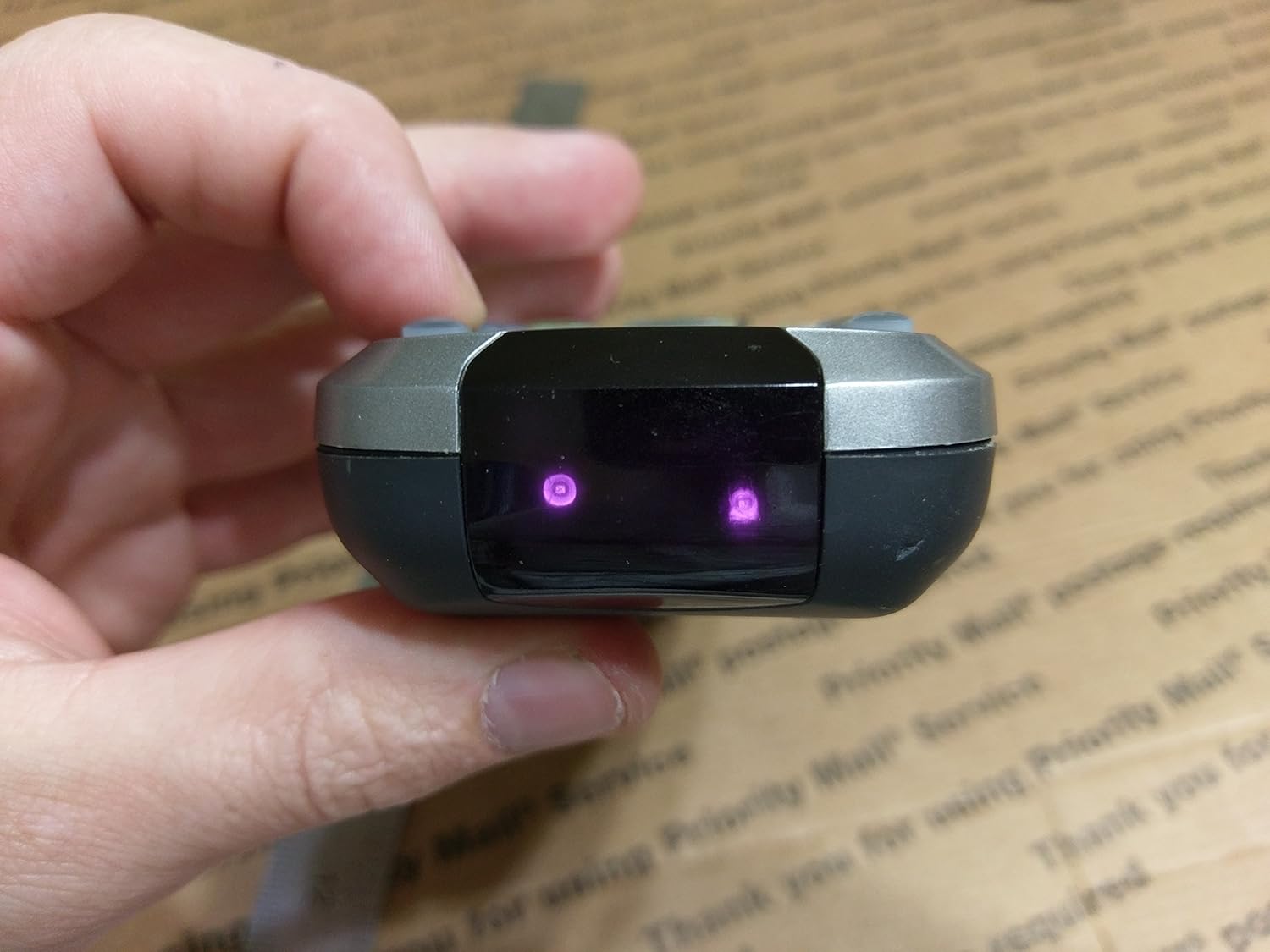
3-сүрөт: Жогорку view showing IR/RF emitters.
Жайгашуу
1. Батареяны орнотуу
- Пульттун артындагы батарея бөлүкчөсүнүн капкагын табыңыз.
- Кулпуну басып, капкакты жылдырып ачыңыз.
- Бөлүмдүн ичинде көрсөтүлгөндөй, туура полярдуулукту (+/-) камсыз кылып, төрт (4) AAA батарейкасын салыңыз.
- Батареянын капкагын бекем чыккыча ордуна жылдырыңыз.
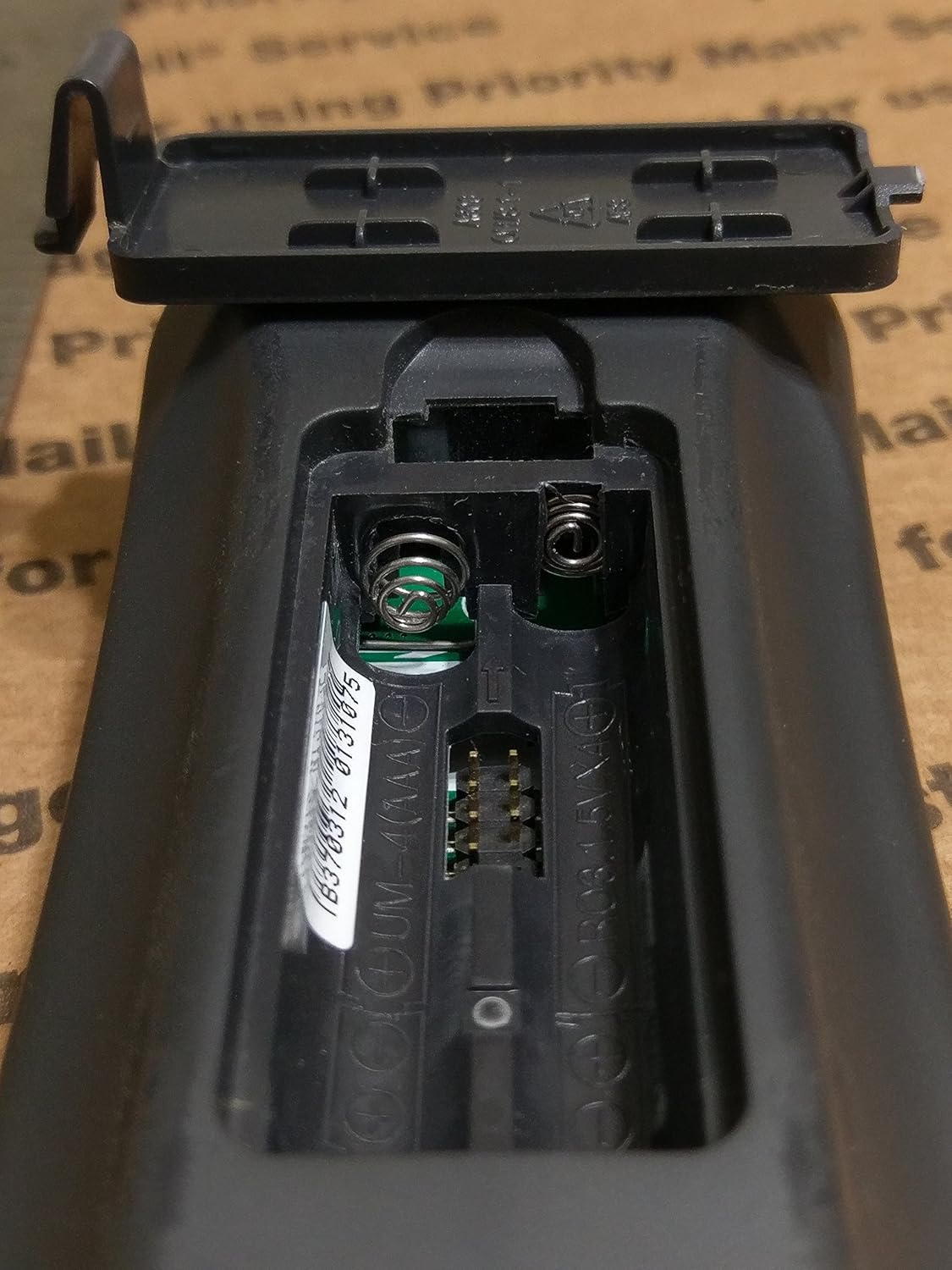
Figure 4: Battery compartment for 4 AAA batteries.
2. Баштапкы программалоо
The MX-350 can be programmed using pre-programmed codes or by learning commands directly from your original device remotes.
- Code-Based Programming: Refer to the separate code list provided with your remote or available from the manufacturer's website. Select the device type (e.g., TV, DVD) and enter the corresponding code.
- Окуу функциясы: This allows the MX-350 to 'learn' commands from your existing remote controls. Position the MX-350 and your original remote face-to-face, typically 1-3 inches apart. Follow the on-screen prompts on the MX-350's LCD to enter learning mode and transfer commands.
For detailed programming steps, consult the full programming guide or contact customer support.
Иштөө нускамалары
1. Device Selection
To control a specific device, press the corresponding device button (e.g., TV, CABLE, DVD) located near the top of the remote. The LCD screen will display the selected device.
2. Негизги функциялар
- Кубат (КҮЙГҮЗҮҮ/ӨЧҮРҮҮ): Use the dedicated ON and OFF buttons to power your selected device.
- Volume (VOL +/-): Adjust the volume of your audio device.
- Канал (CH +/-): Change channels on your TV or cable box.
- Үнсүз: Аудиону үнсүз кылуу же кайра коюу.
- Navigation (Arrow Keys & SEL): Use the directional pad to navigate menus and the SEL (Select) button to confirm choices.
- Меню/Чыгуу: Access and exit device menus.
- Guide/Info: Display program guides or information.
3. Advanced Functions (Macros)
Macros allow you to program a sequence of commands to be executed with a single button press. For example, a macro can turn on your TV, cable box, and audio receiver, switch to the correct input, and set a preferred volume level. Refer to the full programming guide for detailed instructions on creating and assigning macros.
4. Арткы жарык
The MX-350 features a blue backlight for all buttons and the LCD screen, enhancing visibility in dim lighting conditions. The backlight typically activates with any button press and remains on for a few seconds.
Техникалык тейлөө
Тазалоо
To clean your remote, use a soft, dry cloth. Do not use abrasive cleaners, waxes, or solvents. Avoid getting moisture into any openings.
Батареяны алмаштыруу
Replace the batteries when the remote's performance degrades, the backlight dims significantly, or the LCD display becomes faint. Always replace all four AAA batteries at the same time with new ones. Dispose of used batteries according to local regulations.
Проблемаларды чечүү
- Пульт жооп бербей жатат:
- Батареялар туура салынганын жана заряды жетиштүү экендигин текшериңиз. Керек болсо алмаштырыңыз.
- Ensure there is a clear line of sight between the remote's IR emitter and the device's IR receiver (for IR control).
- Verify that the correct device mode is selected on the remote.
- Түзмөк буйруктарга жооп бербей жатат:
- Confirm the remote is programmed with the correct code for the device. Try alternative codes if available.
- If using the learning function, ensure the commands were learned correctly. Repeat the learning process if needed.
- Check the device itself to ensure it is powered on and functioning correctly with its original remote.
- Backlight or LCD display issues:
- Low battery power can affect backlight brightness and LCD clarity. Replace batteries.
- If the display is completely blank or shows unusual characters after battery replacement, contact customer support.
If issues persist after following these troubleshooting steps, please contact Universal Remote Control customer support for further assistance.
Техникалык шарттар
| Өзгөчөлүк | Спецификация |
|---|---|
| Бренд | Универсал |
| Модель аты | MX-350 Osiris (Model 8056) |
| Байланыш технологиясы | Инфракызыл (ИК), Радио жыштык (РЖ) |
| Колдоого алынган түзмөктөрдүн максималдуу саны | 20 (typically programmed for 10 devices) |
| Button Quantity | 35 |
| Максималдуу диапазон | 100 Feet (RF) |
| Батарея түрү | 4 x AAA батарейкалар |
| Түс | Кара |
Кепилдик жана кайтаруу
This product is sold as brand new. Returns are accepted but may be subject to a return service charge of up to 25% if the item has been opened, used, and/or otherwise handled in a way that renders it not in "brand new" condition. If the item is tampered with, a refund will not be issued. This information pertains to return conditions and does not constitute a product warranty. For specific warranty details, please refer to the documentation provided at the time of purchase or contact the manufacturer directly.