1. Киришүү
This manual provides essential information for the safe and efficient use of your Nokia 8800 Unlocked Cell Phone. Please read this guide carefully before operating the device to ensure proper functionality and to understand its features.

Image: The Nokia 8800 phone in a partially slid-open position, revealing the keypad and screen.
2. Орнотуу
2.1 SIM картаны жана батарейканы орнотуу
- Remove the back cover of the phone by sliding it downwards or pressing the release button, if present.
- Insert your SIM card into the designated slot with the gold contacts facing down and the cut corner aligned correctly.
- Place the battery into the battery compartment, ensuring the contacts align with those on the phone.
- Арткы капкакты чыкылдатмайынча ордуна коюңуз.

Image: The Nokia 8800 phone with its back cover removed, revealing the internal battery compartment and SIM card slot. A separate back cover is shown next to it.
2.2 Батареяны заряддоо
Before first use, fully charge the phone's battery. Connect the charger to the phone's charging port and plug it into a power outlet. The battery indicator on the screen will show the charging status.

Image: The Nokia 8800 phone placed upright in a dedicated charging dock.
2.3 Күйгүзүү/өчүрүү
To power on, press and hold the power key (usually the red end call key) until the Nokia logo appears. To power off, press and hold the same key until the 'Power off' option appears, then select it.
3. Иштөө нускамалары
3.1 Чалууларды кабыл алуу жана кабыл алуу
- Чакыруу: Ариптакта аркылуу телефон номерин киргизип, жашыл чалуу баскычын басыңыз.
- Чалууга жооп берүү: Телефон шыңгыраганда жашыл чалуу баскычын басыңыз.
- Чалууну аяктоо: Чакырууну аяктоо кызыл баскычын басыңыз.
3.2 Кабарларды жөнөтүү
Navigate to the 'Messages' menu. Select 'Create new message' or 'New SMS/MMS'. Enter your text, add multimedia content if sending an MMS, and then enter the recipient's number or select from contacts before sending.
3.3 Камераны колдонуу
Access the camera from the main menu. Frame your shot using the display and press the dedicated camera key or the center navigation key to capture an image. The integrated SVGA camera supports still images and improved video recording quality (QCIF).
3.4 Интернетте серептөө
The Nokia 8800 features an integrated xHTML browser that connects over TCP/IP. Access the browser from the main menu to navigate web pages. Data transfer is supported via EDGE/E-GPRS (Class 8) and GPRS (Class 8).

Image: The Nokia 8800 phone with its screen displaying 'Telekom.de', indicating network or service provider information.
4. Өзгөчөлүктөрү
The Nokia 8800 is designed with a focus on premium materials and functionality:
- Дисплей: High-resolution TFT display with 256K colors and 208 x 208 pixel resolution.
- Сүрөттөө: Integrated SVGA camera (0.5 megapixels) with improved video recording quality (QCIF).
- Билдирүү: Supports text, audio, image, and video clips (MMS up to 300 KB). Email support for SMTP, POP3, and IMAP4 protocols. Predictive text input for major languages.
- Эстутум: 64MB internal NAND flash memory.
- Байланыш: Bluetooth (Stereo, Plug & Play connector, SIM Access Profile), EDGE/E-GPRS, GPRS.
- Үн өзгөчөлүктөрү: Integrated handsfree speaker.
- Медиа: 64 polyphonic MIDI, AAC, MP3 ringing tones. Video recording and streaming. Digital music player and FM Radio.
- Тиркемелер: Java MIDP 2.0 for applications and games.
- Өзгөчөлүктөр: Exclusive 3D graphics and UI themes, Mobile Wallet 2.0 application, device-to-device synchronization.

Image: The Nokia 8800 phone in its closed, compact form, showcasing анын кооз дизайны.
5. Техникалык тейлөө
5.1 Аппаратты тазалоо
Use a soft, lint-free cloth to clean the phone's screen and body. Avoid using harsh chemicals or abrasive materials, as these can damage the finish and display.
5.2 Батареяга кам көрүү
To prolong battery life, avoid exposing the phone to extreme temperatures. Do not leave the battery fully discharged for extended periods. Use only Nokia-approved chargers and batteries.
5.3 Жалпы иштетүү
Protect your phone from drops, impacts, and moisture. Keep it away from magnetic fields and direct sunlight.
6. Кыйынчылыктарды
6.1 Жалпы маселелер жана чечимдер
- Телефон күйбөй жатат: Батареянын заряддалганын жана туура салынганын текшериңиз. Кубаттоочу түзүлүштү туташтырып көрүңүз.
- Тармак сигналы жок: SIM карта туура салынганын текшериңиз. Тармактын камтуусу жакшыраак аймакка көчүңүз. Эгерде көйгөй чечилбесе, кызмат көрсөтүүчүңүзгө кайрылыңыз.
- Батарея кубатталбай жатат: Verify the charger connection. Ensure the charger is functional. Check for any damage to the charging port.
- Экран жооп бербейт: Try restarting the phone. If the issue continues, contact support.
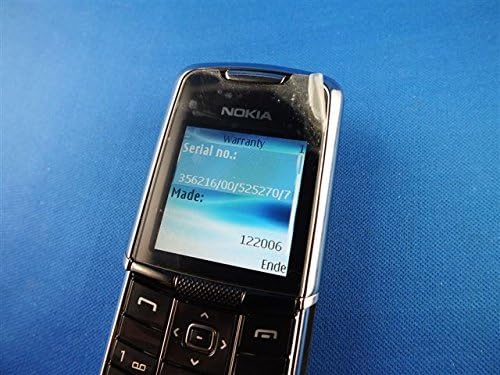
Image: The Nokia 8800 phone with its screen displaying 'Warranty' and 'Serial no.' information, useful for troubleshooting or support inquiries.
7. Техникалык шарттар
| Өзгөчөлүк | Деталь |
|---|---|
| Модель аты | Nokia 8800 |
| Иштөө жыштыгы | Tri-band GSM 900/1800/1900 |
| Өлчөмдөрү (L x W x T) | 107 mm x 45 mm x 15.0 - 16.5 mm |
| Салмагы | 134 г (4.7 унция) |
| Дисплей | High-resolution TFT, 256K colors, 208 x 208 pixels, 2 inches |
| Камера | SVGA (0.5 megapixels), QCIF video recording |
| Ички эс тутум | 64 МБ NAND флеш |
| Операция системасы | Java-based (proprietary) |
| Байланыш | Bluetooth, EDGE/E-GPRS Class 8, GPRS Class 8 |
| Браузер | Integrated xHTML browser |
| Аудио Jack | Наушник уячасы жок |
| Форма фактору | Слайдер |
| Түс | Silver |
| Дата биринчи жеткиликтүү | 13-февраль, 2007-жыл |
8. Кепилдик жана колдоо
For warranty information and customer support, please refer to the documentation provided at the time of purchase or visit the official Nokia webсайт. Ар кандай кепилдик дооматтары үчүн сатып алганыңыздын далилин сактаңыз.