
1. Introduction to the HP 48SX
This document serves as Volume II of the comprehensive user manual for the HP 48SX Scientific Expandable Calculator. It is designed to guide users through the advanced functionalities, programming capabilities, and intricate operations of this powerful scientific instrument. Familiarity with basic calculator operations, as covered in Volume I, is recommended for optimal use of this manual.
The HP 48SX is renowned for its Reverse Polish Notation (RPN) entry system, extensive graphing capabilities, and expandability via memory cards. This volume delves deeper into these features, enabling users to unlock the full potential of their calculator for complex scientific, engineering, and mathematical tasks.
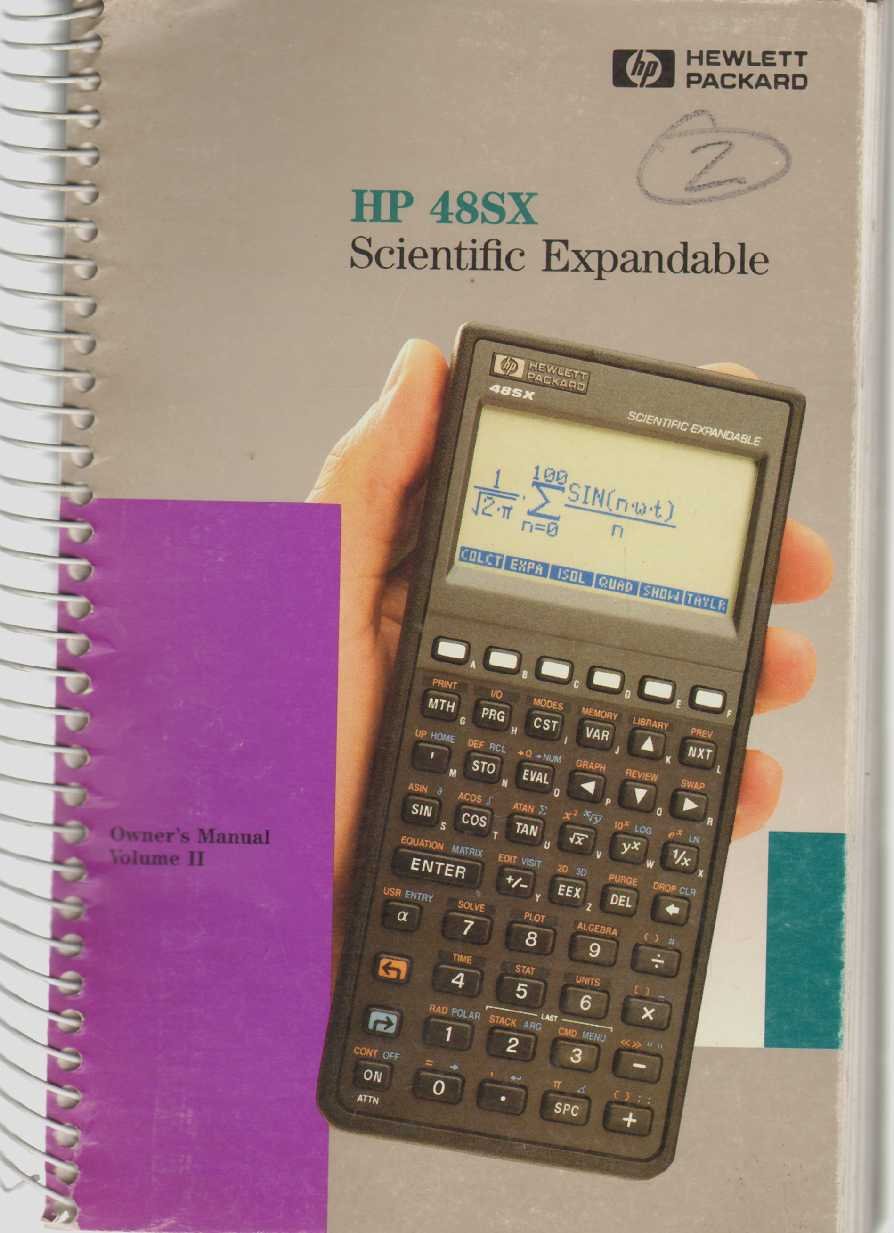
Figure 1: The HP 48SX Scientific Expandable Calculator. This image displays the calculator's physical layout, including its keypad, display, and expansion slots.
2. Орнотуу жана баштапкы конфигурация
2.1 Батареяны орнотуу
The HP 48SX operates on three AAA batteries. Proper installation is crucial for functionality.
- Калькулятордун артындагы батарея бөлүкчөсүнүн капкагын табыңыз.
- Капкакты жебе көрсөткөн багытта жылдырыңыз.
- Insert three fresh AAA batteries, ensuring correct polarity (+/-) as marked inside the compartment.
- Батарея уясынын капкагын ордуна коюңуз, анын ордуна бекем чыкылдатыңыз.
2.2 Initial Power-On and Display Adjustment
After battery installation, press the ON key to power on the calculator. The display contrast can be adjusted for optimal viewing.
- To increase contrast: Press and hold the ON баскычын, андан кийин басыңыз + ачкыч.
- To decrease contrast: Press and hold the ON баскычын, андан кийин басыңыз - ачкыч.
2.3 Эстутум картасын орнотуу (милдеттүү эмес)
The HP 48SX features two expansion slots for memory cards, allowing for increased storage and specialized applications.
- Калькулятордун өчүрүлгөнүн текшериңиз.
- Locate the expansion slots on the top edge of the calculator.
- Carefully insert the memory card into an available slot, ensuring the correct orientation. Do not force the card.
- Press firmly until the card is seated securely.
- Power on the calculator. The system should detect the new memory card.
3. Operating the HP 48SX: Advanced Functions
This section covers advanced operations, building upon the basic functions detailed in Volume I.
3.1 Understanding the RPN Stack
The HP 48SX utilizes Reverse Polish Notation (RPN), where operands are entered before the operator. The stack is a fundamental concept in RPN, holding intermediate results.
- Entering Numbers: Type the number, then press ENTER. This pushes the number onto the stack.
- Performing Operations: Enter the operands, then press the desired operator key (e.g., +, -, *, /). The operation is performed on the top two stack levels, and the result replaces them.
- Stack Manipulation: сыяктуу баскычтар DROP, SWAP, ROLL, жана DUP are used to manage stack contents.
3.2 Advanced Mathematical Functions
Access advanced functions via the SHIFT keys (left-shift LS and right-shift RS) and menus.
- Тригонометриялык функциялар: КҮНӨӨ, COS, ТАН and their inverses are directly accessible or via shifted keys. Ensure the correct angle mode (degrees, radians, grads) is selected using the режимдерин меню.
- Логарифмдик функциялар: LN (natural logarithm) and LOG (base 10 logarithm) are available.
- Татаал сандар: The HP 48SX supports complex number arithmetic. Enter complex numbers as (real, imaginary).
- Матрицалык операциялар: Create and manipulate matrices using the MATRIX menu. Operations include addition, subtraction, multiplication, inversion, and determinants.
3.3 Графикалык функциялар
The calculator can plot various types of graphs.
- Басыңыз ПЛОТ to access the plotting menu.
- Select the desired plot type (e.g., ФУНКЦИЯ, PARAMETRIC, POLAR, КОНИК).
- Enter the function(s) to be plotted.
- тууралаңыз viewing window (X-RANGE, Y-RANGE) as needed.
- Басыңыз ТАРТ графикти көрсөтүү үчүн.
3.4 Programming with RPL
The HP 48SX uses RPL (Reverse Polish Lisp) for programming. Programs are stored as objects.
- To create a new program, enter << (left-shift ALPHA [) followed by the program commands, and then >> (right-shift ALPHA ]).
- Store the program by typing its name (e.g., 'MYPROG') and pressing СТО.
- To execute a program, type its name and press БААЛОО, or press the corresponding softkey if assigned.
- Common programming constructs include IF...THEN...ELSE...END, FOR...NEXT, жана DO...UNTIL...END.
4. Техникалык тейлөө жана кам көрүү
4.1 Cleaning the Calculator
To ensure longevity and proper function, keep your HP 48SX clean.
- Бир аз жумшак, түксүз кездемени колдонуңуз dampсуу же жумшак, абразивдик тазалоочу каражат менен тазалаңыз.
- Avoid harsh chemicals, solvents, or abrasive materials, as these can damage the display or casing.
- Do not spray cleaning solutions directly onto the calculator.
4.2 Батареяны алмаштыруу
Replace batteries promptly when the low battery indicator appears on the display to prevent data loss.
- 2.1 бөлүмүндө көрсөтүлгөн батареяны орнотуу кадамдарын аткарыңыз.
- It is recommended to replace all three AAA batteries simultaneously.
- Эски батареяларды жергиликтүү эрежелерге ылайык жок кылыңыз.
4.3 Сактоо
When not in use for extended periods, store the calculator in a cool, dry place, away from direct sunlight and extreme temperatures. Consider removing batteries if storing for several months to prevent leakage.
5. Жалпы көйгөйлөрдү чечүү
Бул бөлүмдө кеңири таралган көйгөйлөр жана алардын чечимдери каралат.
5.1 Calculator Does Not Turn On
- Батареяларды текшерүү: Батареялардын туура орнотулганын жана түгөнүп калбагандыгын текшериңиз. Керек болсо алмаштырыңыз.
- Батареянын байланыштары: Verify that battery contacts are clean and free of corrosion.
- Катуу баштапкы абалга келтирүү: If the calculator is unresponsive, perform a hard reset by removing all batteries for a few minutes, then reinserting them. Note that this may clear user data.
5.2 Дисплей маселелери
- Adjust Contrast: колдонуу ON + жана ON - key combinations to adjust display contrast (refer to Section 2.2).
- Алсыз дисплей: Бул көбүнчө батареянын кубаттуулугу аз экенин билдирет. Батареяларды алмаштырыңыз.
- Бузулган дисплей: A hard reset (see 5.1) may resolve temporary display glitches.
5.3 Incorrect Calculation Results
- Бурч режими: For trigonometric functions, ensure the calculator is in the correct angle mode (degrees, radians, or grads). Check the режимдерин меню.
- RPN Stack: Verify the order of operations and contents of the RPN stack. Incorrect stack manipulation is a common source of errors.
- Бирдиктер: Confirm that units are consistent for physical calculations.
- Program Errors: If using a program, review the program code for logical or syntax errors.
6. Техникалык шарттар
The following specifications pertain to the HP 48SX Scientific Expandable Calculator.
| Өзгөчөлүк | Деталь |
|---|---|
| Модел | HP 48SX |
| Type | Scientific Expandable Graphing Calculator |
| Кирүү тутуму | Тескери поляк жазуусу (RPN) |
| Дисплей | LCD, 8 lines x 22 characters (approx. 131 x 64 pixels) |
| Эс | 32 KB RAM (expandable via memory cards) |
| Кеңейтүү уячалары | 2 (for RAM or ROM cards) |
| Power Source | 3 x AAA батарейкалар |
| Байланыш | Serial port (for data transfer to computers or other HP calculators) |
| Өлчөмдөрү (болжол менен) | 180 x 80 x 25 мм (7.1 x 3.1 x 1.0 дюйм) |
| Салмагы (болжол менен) | 200 г (7.1 унция) |
Эскертүү: Техникалык мүнөздөмөлөр эскертүүсүз өзгөртүлүшү мүмкүн.