
1. Киришүү
This manual provides essential information for the safe and efficient operation of your Sharp AQUOS LC-52E77U LCD HDTV. Please read these instructions thoroughly before using the television and retain them for future reference.
The Sharp AQUOS LC-52E77U features a 52-inch Full HD 1080p display with 120Hz Fine Motion Enhanced technology for smooth motion. It incorporates a 10-Bit AVS Superlucent LCD Panel and Spectral Contrast Engine XD to deliver deep black levels and vibrant, accurate colors. This model includes built-in ATSC/QAM/NTSC tuners and a variety of connectivity options to integrate with your home entertainment system.
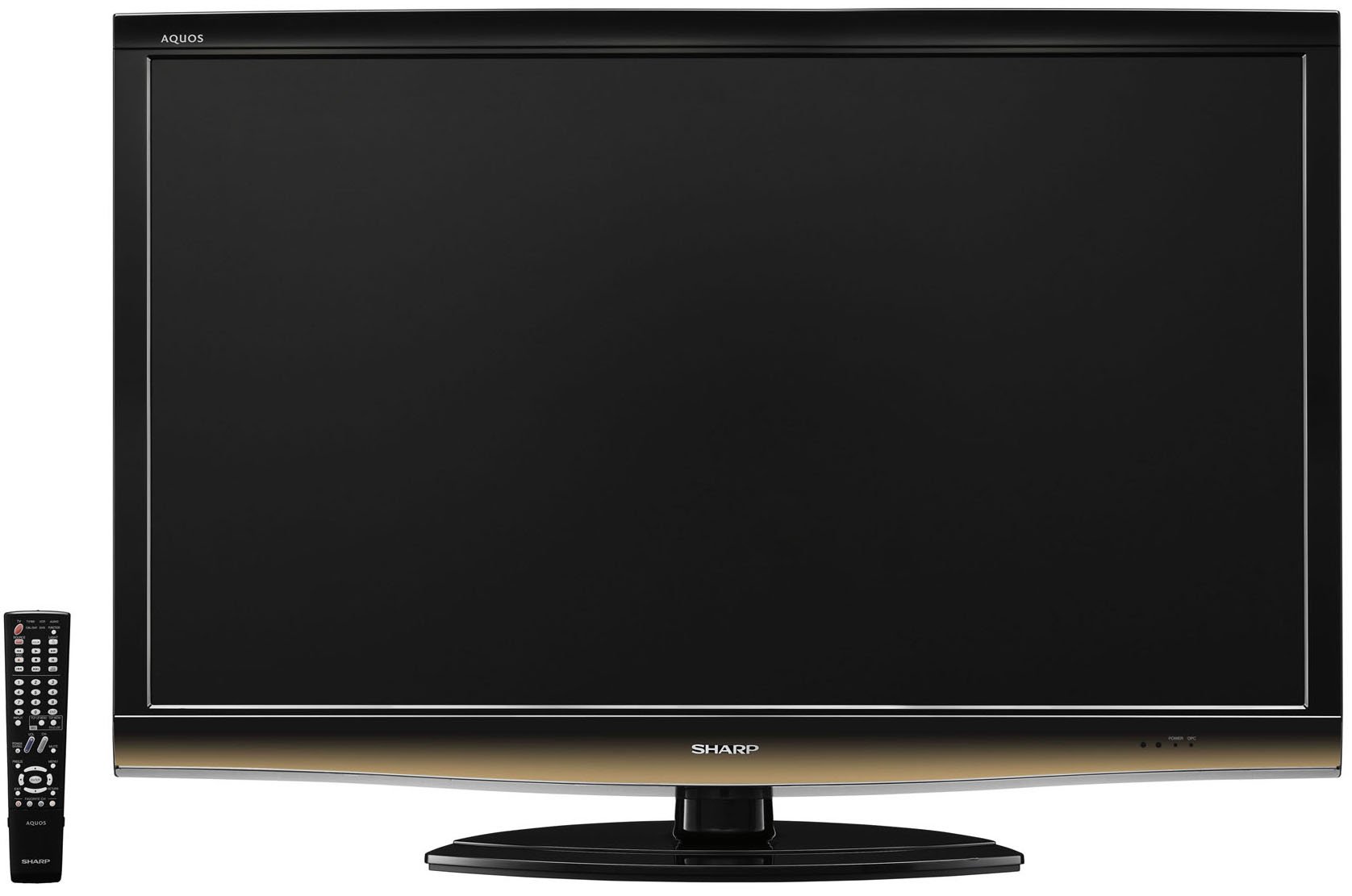
Фронт view of the Sharp LC-52E77U AQUOS LCD HDTV, showcasing its slim bezel and screen.
2. Коопсуздук маалыматы
Өрт, электр шок жана адамдардын жаракат алуу коркунучун азайтуу үчүн бул телевизорду колдонууда ар дайым негизги коопсуздук чараларын сактаңыз.
- Do not block ventilation openings. Ensure adequate space around the television for proper airflow.
- Телевизорду туруксуз арабага, стендге, штативге, кронштейнге же столго койбоңуз.
- Электр шнурунун басылып кетүүсүнөн же кысып калуудан сактаңыз, өзгөчө сайгычтарда, розеткаларда жана алар аппараттан чыга турган жеринде.
- Бул аппаратты чагылгандуу бороондордо же узак убакыт бою колдонбогондо электр розеткасынан ажыратыңыз.
- Бардык тейлөөлөрдү квалификациялуу тейлөө кызматкерлерине тапшырыңыз. Аппарат кандайдыр бир зыянга учураганда, мисалы, кубат берүүчү шнур же сайгыч бузулганда, суюктук төгүлгөндө же аппараттын ичине нерселер түшкөндө, аппарат жамгырга же нымдуулукка дуушар болгондо, нормалдуу иштебей калганда тейлөө талап кылынат. , же түшүрүлгөн.
3. Пакеттин мазмуну
Пакетте бардык буюмдар бар экенин текшериңиз:
- Sharp AQUOS LC-52E77U LCD HDTV
- Батареялар менен алыстан башкаруу
- Detachable Table Stand
- Электр кабели
- Колдонуучунун Колдонмосу (бул документ)
- Кепилдик картасы (эгер бар болсо)
4. Орнотуу
4.1 Физикалык орнотуу
Your television can be installed on its included table stand or mounted on a wall using a compatible VESA wall mount (sold separately).
Стол стенди орнотуу:
- Carefully place the television screen-down on a soft, flat surface to prevent damage.
- Attach the stand base to the television using the provided screws. Ensure all screws are tightened securely.
- The table stand features swivel capability for adjusting the viewбурч.
Дубалга орнотуу:
If wall-mounting, remove the table stand. Consult the instructions provided with your wall mount bracket for proper installation. Ensure the wall mount is rated for the weight and size of this television (approximately 59.5 pounds).
4.2 Түзмөктөрдү туташтыруу
The LC-52E77U offers various input terminals for connecting external devices.
- HDMI кириштери (x5): Connect Blu-ray players, game consoles, cable/satellite boxes, and other HDMI-compatible devices. These inputs are compatible with 1080p signals.
- Component Video Inputs (x2): Connect devices using component video cables (YPbPr) for high-definition signals up to 1080p.
- PC киргизүү: Connect a computer to use the television as a monitor.
- RS-232C киргизүү: For advanced control systems.
- Антенна/кабель киргизүү: Connect an antenna or cable TV feed for accessing built-in tuners.
Ensure all cables are securely connected to the correct ports on both the television and your external devices.
4.3 Баштапкы күйгүзүү
- Plug the power cord into the television and then into a wall outlet.
- Press the Power button on the television or the remote control.
- Follow the on-screen prompts for initial setup, including language selection, channel scanning (for antenna/cable), and time zone settings.
5. Иштөө нускамалары
5.1 Негизги башкаруу каражаттары
- Күч: Телевизорду күйгүзөт же өчүрөт.
- Көлөмү (+/-): Үн деңгээлин тууралайт.
- Канал (өйдө/ылдый): Changes the television channel when using the built-in tuners.
- Киргизүү/Булак: Cycles through available input sources (HDMI 1, Component 1, PC, etc.).
- Меню: Орнотууларды тууралоо үчүн экрандагы дисплей (OSD) менюсуна кирет.
5.2 Сүрөт орнотуулары
Access the Picture menu to customize your viewтажрыйба. Негизги өзгөчөлүктөргө төмөнкүлөр кирет:
- Сүрөт режими: Select from preset modes (e.g., Standard, Movie, Game) or customize your own.
- Контраст: Adjusts the difference between light and dark areas of the picture. The Spectral Contrast Engine XD enhances deep black levels.
- Жарыктык: Экрандын жалпы жарыктыгын көзөмөлдөйт.
- Color/Saturation: Түстөрдүн интенсивдүүлүгүн тууралайт.
- Түсү: Adjusts the green-to-red balance (primarily for NTSC signals).
- Айкындыгы: Enhances or softens the edges of objects in the picture.
- 120Hz Fine Motion Enhanced: This feature processes fast-moving images to reduce motion blur, providing a smoother viewing experience. It can be adjusted or disabled in the picture settings.
- OPC (Optical Picture Control): This feature senses ambient room light and automatically adjusts the screen brightness. While designed for power saving and backlight longevity, some users may prefer to disable it for consistent brightness.
For optimal picture quality, consider calibrating your television using a calibration disc or professional service.
5.3 Үн орнотуулары
The LC-52E77U features built-in speakers. Access the Audio menu to adjust settings such as:
- Үн режими: Select from preset audio modes (e.g., Standard, Music, Movie).
- Бас/жогорку: Adjust low and high-frequency audio levels.
- Баланс: Adjust the volume balance between left and right speakers.
- Көлөмдүү үн: Enable or disable virtual surround sound effects.
For enhanced audio, connect the television to an external audio system (e.g., soundbar, AV receiver) via the available audio output ports.
5.4 Киргизүүнү тандоо
To switch between connected devices, press the 'Input' or 'Source' button on your remote control. A list of available inputs will appear on the screen. Navigate using the arrow keys and press 'Enter' or 'OK' to select the desired input.
5.5 Тюнердин иштеши
The television includes built-in ATSC (digital terrestrial), QAM (digital cable), and NTSC (analog terrestrial) tuners. After connecting an antenna or cable feed and performing a channel scan during initial setup, you can use the Channel Up/Down buttons to browse available channels.
6. Техникалык тейлөө
6.1 Экранды тазалоо
Экранды тазалоо үчүн аны жумшак, түксүз чүпүрөк менен акырын сүртүңүз. өжөр белгилери үчүн, жеңил гampчүпүрөккө суу же атайын экран тазалоочу каражат. Эч качан тазалагычты түздөн-түз экранга чачпаңыз.
6.2 Кабинетти тазалоо
Wipe the television cabinet with a soft, dry cloth. Do not use abrasive cleaners, waxes, or solvents as they may damage the finish.
6.3 Жалпы кам көрүү
- Avoid exposing the television to direct sunlight or extreme temperatures.
- Телевизордун үстүнө оор буюмдарды койбоңуз.
- Keep the television away from sources of strong magnetic fields.
7. Кыйынчылыктарды
If you experience issues with your television, refer to the following common troubleshooting steps before contacting customer support.
| Көйгөй | Мүмкүн болгон себеп / Чечим |
|---|---|
| Күч жок | Кубат шнуру телевизорго жана иштеп жаткан электр розеткасына бекем сайылганын текшериңиз. Розеткада кубат бар же жок экенин текшериңиз. |
| Сүрөт жок, бирок үн бар | Туура киргизүү булагы тандалганын текшериңиз. Тышкы түзмөктөргө кабелдик байланыштарды текшериңиз. |
| Үн жок, бирок сүрөт бар | Check the volume level and ensure the TV is not muted. If using external speakers, check their connections and power. |
| Пульт иштебей жатат | Пульттагы батарейкаларды алмаштырыңыз. Пульт менен сыналгынын IR сенсорунун ортосунда эч кандай тоскоолдуктар жок экенин текшериңиз. |
| Сүрөт бурмаланган же түшүнүксүз | Check cable connections for looseness or damage. Adjust picture settings (e.g., sharpness, picture mode). If using an antenna, check its position and signal strength. |
8. Техникалык шарттар
- Модел: LC-52E77U
- Экрандын өлчөмү: 52 дюйм (диагоналдык)
- Дисплей технологиясы: LCD (10-Bit AVS Superlucent LCD Panel)
- Чечим: 1920 x 1080 (Full HD 1080p)
- Жаңыртуу ылдамдыгы: 120 Hz (with Fine Motion Enhanced)
- Жооп убактысы: 4ms
- Viewбурчтар: 176°H x 176°V
- Контраст: Spectral Contrast Engine XD
- Түнерлер: Built-in ATSC / QAM / NTSC
- Байланыш:
- HDMI Inputs: 5 (compatible with 1080p signals)
- Component Video Inputs: 2 (HD 1080p compatible)
- PC Input: 1
- RS-232C Киргизүү: 1
- Динамик түрү: Built-In, bottom-mounted
- Элемент Салмагы: Approximately 59.5 Pounds (without stand)
- Продукциянын өлчөмдөрү (W x Y x D): Болжол менен 49.38 x 33.94 x 12.78 дюйм (стенд менен)
- Энергия үнөмдүүлүгү: Energy Star шайкеш келет
9. Кепилдик жана колдоо
This product typically comes with a 15-month warranty from the date of purchase. For specific warranty terms and conditions, please refer to the warranty card included with your product or visit the official Sharp webсайт.
As part of the AQUOS Advantage Program, Sharp provides customer support for its AQUOS televisions. If you require technical assistance, service, or have questions regarding your LC-52E77U, please contact Sharp customer support through their official channels.
Көбүрөөк маалымат алуу жана колдоо алуу үчүн, сиз төмөнкү дарекке кайрылсаңыз болот Amazon'догу Sharp дүкөнү or the official Sharp webсайт.