
1. Киришүү
This manual provides essential information for the proper setup, operation, and maintenance of your Sony BRAVIA KDL-52XBR9 52-inch LCD HDTV. The KDL-52XBR9 features a 16:9 Full HD 1080p resolution panel, Motionflow 240Hz technology for smooth motion, and BRAVIA Internet Video for accessing online content. Please read this manual thoroughly before using your television to ensure optimal performance and safety.
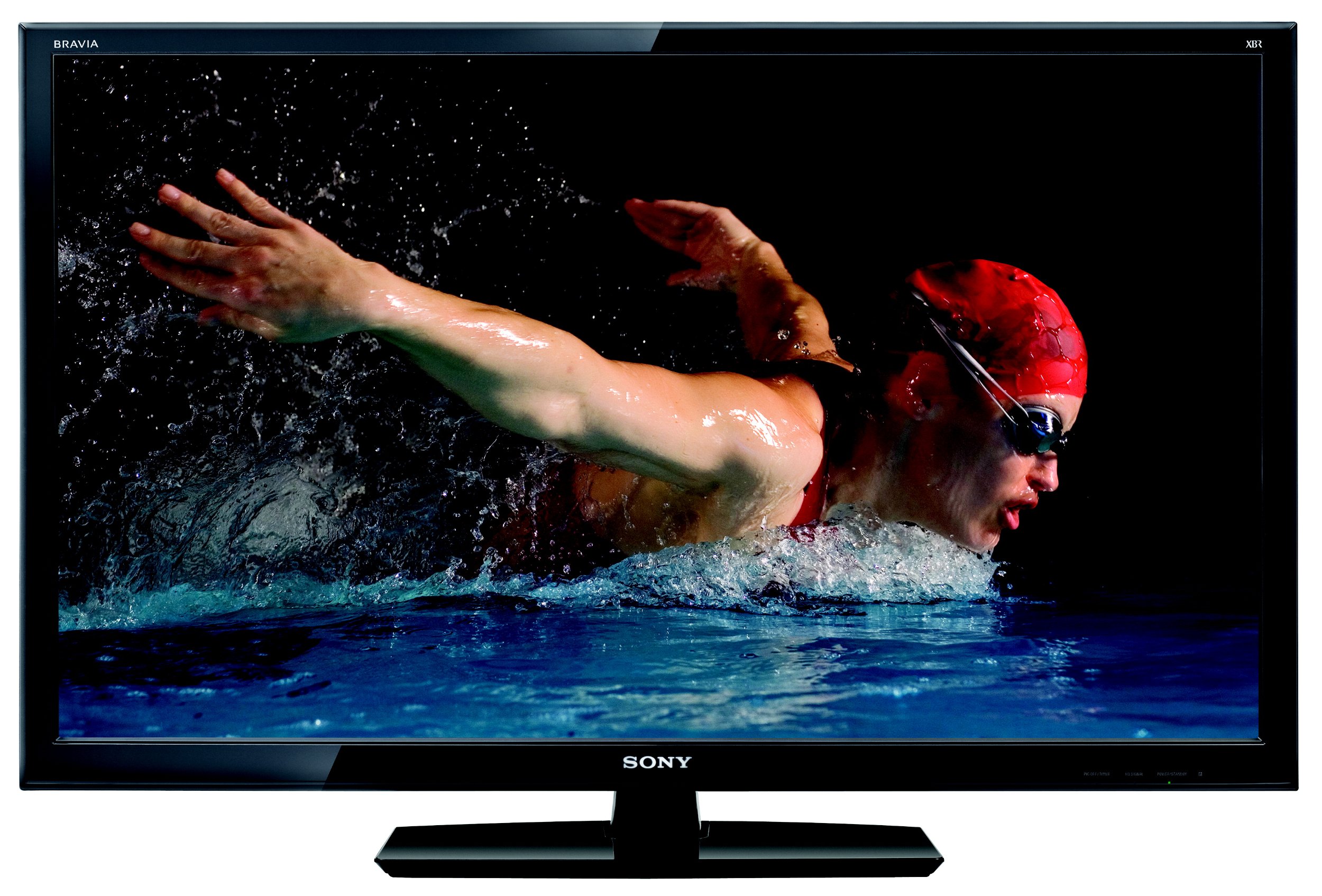
Сүрөт 1: Алдыңкы view of the Sony BRAVIA KDL-52XBR9 52-inch LCD HDTV with its stand.
2. Кутуда эмне бар
Таңгакта бардык буюмдар бар экенин текшериңиз:
- Sony BRAVIA KDL-52XBR9 Television
- Remote Control (RM-YD029)
- Телевизордук стенд
- Электр кабели
- Documentation (Quick Setup Guide, Safety Information)
3. Орнотуу
3.1 Пакеттен чыгаруу жана жайгаштыруу
Carefully remove the television and all accessories from the packaging. It is recommended that two people handle the TV due to its size and weight. Place the TV on a stable, level surface or mount it securely to a wall (wall mount sold separately). Ensure adequate ventilation around the TV to prevent overheating.

Figure 2: Dimensions of the Sony BRAVIA KDL-52XBR9 TV for placement planning.
3.2 Стендди орнотуу
If using the included TV stand, align the stand with the mounting holes on the bottom of the television. Secure the stand using the provided screws. Refer to the Quick Setup Guide for detailed instructions and screw types.
3.3 Түзмөктөрдү туташтыруу
Connect your external devices such as Blu-ray players, game consoles, cable/satellite boxes, and USB storage devices to the appropriate ports on the TV. Ensure all cables are securely connected.
- HDMI: For high-definition video and audio. The KDL-52XBR9 features multiple HDMI inputs.
- Компоненттик видео: For high-definition video from devices without HDMI.
- Композиттик видео: Стандарттык сапаттагы видео үчүн.
- USB: USB сактагыч түзүлүштөрүн туташтыруу үчүн view photos, music, and videos.
- Антенна/кабель: Connect your antenna or cable TV feed to the ANT/CABLE input.

Figure 3: Rear panel connections of the Sony BRAVIA KDL-52XBR9.

4-сүрөт: Каптал view showing additional input ports on the Sony BRAVIA KDL-52XBR9.
3.4 Кубат туташтыруу
After all connections are made, plug the power cord into the AC inlet on the TV, then into a wall outlet. The TV will enter standby mode.
4. Иштөө нускамалары
4.1 Алыстан башкарууview
The supplied remote control (RM-YD029) allows you to operate all functions of your television. Insert two AA batteries, ensuring correct polarity.

Figure 5: Sony RM-YD029 Remote Control.
4.2 Негизги операция
- Күйгүзүү/өчүрүү: басыңыз КҮЧ пульттун же сыналгыдагы баскычты басыңыз.
- Киргизүүнү тандоо: басыңыз INPUT button to cycle through connected sources (HDMI, Component, etc.).
- Үндү көзөмөлдөө: колдонуу VOL +/- баскычтар.
- Канал тандоо: колдонуу CH +/- баскычтар же сан баскычы.
- Меню навигациясы: басыңыз ҮЙ or МЕНЮ button to access the TV's settings and features. Use the arrow buttons to navigate and ENTER ырастоо үчүн.
4.3 BRAVIA Internet Video
The KDL-52XBR9 supports BRAVIA Internet Video, allowing access to various online content providers. Connect your TV to a broadband internet connection (wired or wireless, depending on model features and accessories). Press the BRAVIA INTERNET VIDEO button on your remote to access this feature.
4.4 USB медиа ойнотуу
Insert a USB storage device into the TV's USB port. The TV will typically detect the device and prompt you to select media type (photos, music, or videos). Navigate through your files алыстан башкаруу пультун колдонуп жатат.
5. Техникалык тейлөө
5.1 Экранды тазалоо
Экранды тазалоо үчүн аны жумшак, кургак, түксүз чүпүрөк менен акырын сүртүңүз. өжөр белгилери үчүн, жеңил гampчүпүрөккө суу же атайын экран тазалоочу каражат. Do not use harsh chemicals, abrasive cleaners, or alcohol-based solutions as these can damage the screen surface.
5.2 Кабинетти тазалоо
Wipe the TV cabinet with a soft, dry cloth. If necessary, use a soft cloth lightly dampened with a mild detergent solution, then wipe dry immediately. Avoid spraying liquids directly onto the TV.
6. Кыйынчылыктарды
Кардарларды колдоо кызматына кайрылуудан мурун, жалпы маселелер боюнча төмөнкү чечимдерди колдонуп көрүңүз:
| Көйгөй | Чечим |
|---|---|
| Күч жок | Кубат шнуру телевизорго да, иштеп жаткан электр розеткасына да бекем сайылганын текшериңиз. Розеткада кубат бар же жок экенин текшериңиз. |
| Сүрөт же үн жок | Verify the correct input source is selected. Check all cable connections between the TV and external devices. |
| Пульт иштебей жатат | Replace the batteries with new ones. Ensure there are no obstructions between the remote and the TV's IR sensor. |
| Сүрөттүн сапаты начар | Check antenna/cable connections. Adjust picture settings in the TV menu. Ensure the source device is outputting a high-quality signal. |
| Интернетке туташпай жатат | Check network cable connection (if wired). Verify Wi-Fi settings and password. Restart your router and modem. |
7. Техникалык шарттар
Key technical specifications for the Sony BRAVIA KDL-52XBR9:
| Өзгөчөлүк | Деталь |
|---|---|
| Модель аты | KDL-52XBR9 |
| Screen Size | 52 дюйм |
| Дисплей технологиясы | LCD |
| Резолюция | 1080p (1920x1080) |
| Жаңыртуу ылдамдыгы | 240 Hz (Motionflow 240Hz) |
| Байланыш технологиясы | Smart (BRAVIA Internet Video) |
| Колдоого алынган Интернет кызматтары | BRAVIA Internet Video |
| Number of Component Inputs | 2 |
| Number of Composite-Video Inputs | 1 |
| Number of VGA Inputs | 1 |
| Аппараттык интерфейс | USB |
| Тюнер түрү | ATSC, NTSC |
| Элемент Салмагы | 57.1 фунт |
| Түс | Кара |
| Модель жылы | 2010 |
8. Кепилдик маалыматы
The Sony BRAVIA KDL-52XBR9 television comes with a 1 жылдык чектелген кепилдик from the date of purchase. This warranty covers manufacturing defects under normal use. For full terms and conditions, please refer to the warranty card included with your product or visit the official Sony support webсайт.
9. Кардарларды колдоо кызматы
If you encounter issues that cannot be resolved using the troubleshooting guide, or if you require further assistance, please contact Sony customer support. You can find contact information and additional resources on the official Sony website. Please have your model number (KDL-52XBR9) and serial number ready when contacting support.
Онлайн ресурстар: Visit www.sony.com/electronics/support продукт боюнча колдонмолор, Көп берилүүчү суроолор жана программалык камсыздоону жаңыртуу үчүн.