
Маанилүү коопсуздук маалыматы
Please read this instruction manual thoroughly before installation and use. Improper installation or use may cause damage to the product, TV, or personal injury. Keep this manual for future reference.
- Орнотуучу бети орнотуунун жана телевизордун жалпы салмагын коопсуз көтөрө ала тургандыгын текшериңиз.
- 70 кг (154 фунт) максималдуу салмактан ашпаңыз.
- Use appropriate tools and follow all steps carefully. If unsure, consult a qualified installer.
- Орнотуу учурунда балдарды жана үй жаныбарларын алыс кармаңыз.
Пакеттин мазмуну
Verify all components are present before beginning installation. If any parts are missing or damaged, do not proceed with installation and contact customer support.
- Дубалга орнотулган кронштейн чогултуу
- TV Mounting Arms (2x)
- Mounting Hardware Kit (screws, washers, spacers for various TV types and wall fixings)
- Instruction Manual
Note: Specific screw sizes and quantities may vary. Refer to the hardware kit for exact contents.
Талап кылынган куралдар (камтылган эмес)
- Бургулоо
- Drill Bits (appropriate for wall type and screw size)
- Stud Finder (for stud wall installation)
- Деңгээл
- Карандаш
- Өлчөө лентасы
- Филлипс баш бурагычы
- Розетка ачкычы же гайка ачкычы
Орнотуу нускамалары
This mount is designed for flat screens up to 65 inches (165cm) and 70kg (154lbs). It supports VESA and non-VESA mounting patterns. The installation process involves mounting the wall plate and then attaching the TV with its arms.
1-кадам: Телевизорду даярдаңыз
- Carefully place the TV face down on a soft, clean surface.
- Attach the TV mounting arms to the back of your TV using the appropriate screws, washers, and spacers from the hardware kit. Ensure the arms are securely fastened and evenly spaced.
- Verify the VESA pattern compatibility. This mount fits various VESA patterns.
2-кадам: Дубал тешиктерин белгилеп, бургулаңыз
- Телевизоруңуз үчүн керектүү бийиктикти аныктаңыз.
- Position the wall mount bracket against the wall at the desired location. Use a level to ensure it is perfectly horizontal.
- Mark the drilling points through the holes on the wall mount bracket with a pencil.
- For concrete/brick walls: Drill pilot holes using an appropriate drill bit. Insert wall anchors (if provided and necessary for your wall type).
- For stud walls (up to 32 inches apart): Locate the center of the studs using a stud finder. Drill pilot holes into the center of the studs.
Step 3: Mount the Wall Bracket
- Align the wall mount bracket with the drilled holes.
- Secure the bracket to the wall using the provided wall screws and washers. Tighten all screws firmly, but do not overtighten.
- Double-check that the wall bracket is securely fastened and level.
4-кадам: Телевизорду илип коюңуз
- With assistance, carefully lift the TV with the attached mounting arms.
- Hook the TV mounting arms onto the wall mount bracket. This is a simple 'hook-on' installation.
- Ensure both TV arms are securely seated on the wall bracket.
- Engage any safety locking mechanisms on the TV arms to prevent accidental dislodgement.
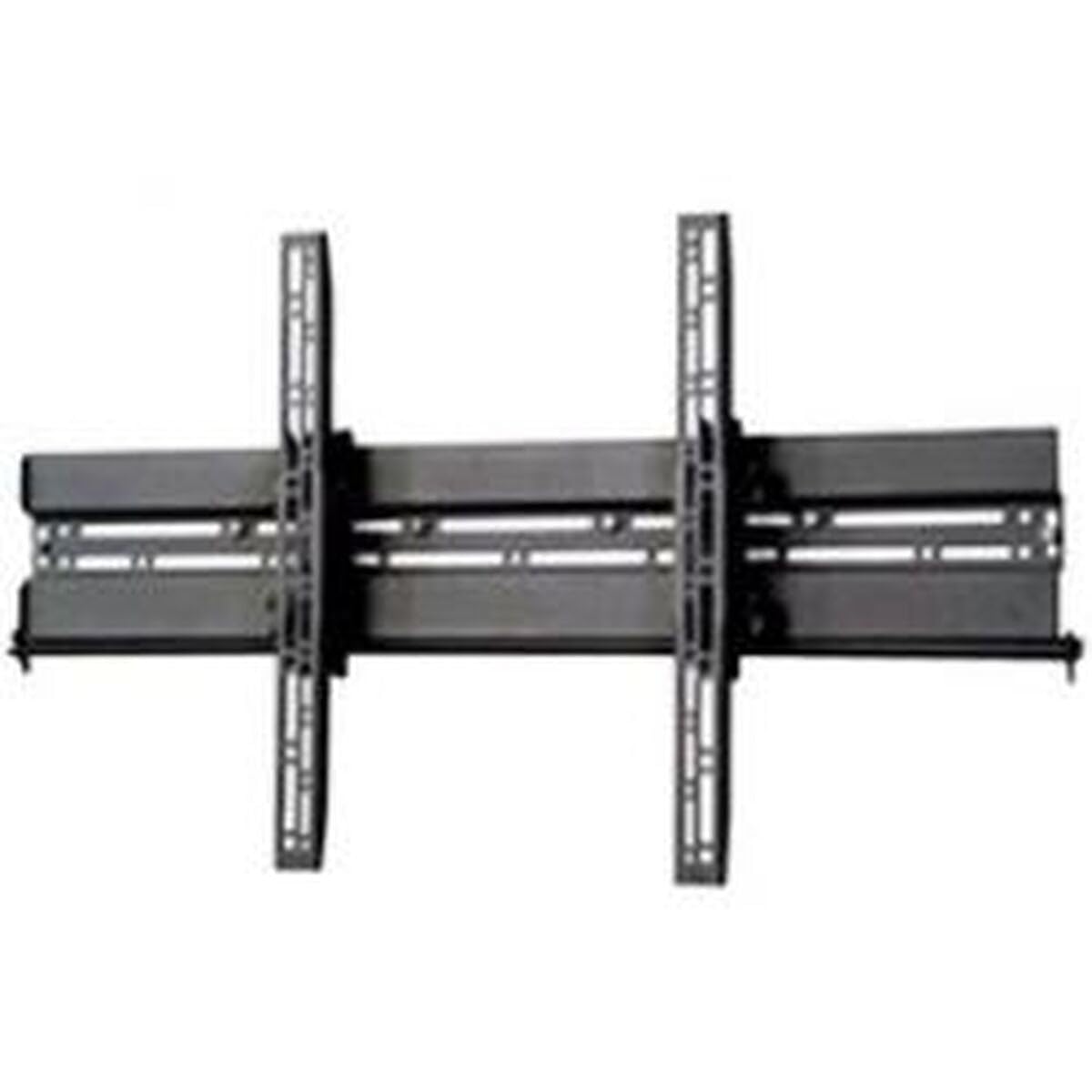
Сүрөт: Мисample of a TV mounted using a similar flat screen wall mount. The BT8432 mounts the screen approximately 80mm (3.1 inches) from the wall.
Иштөө нускамалары
Тилтти тууралоо
The BT8432 mount features a simple tilt adjustment of +/-15 degrees. This allows you to optimize your viewкөз чаптыруу бурчун жана жаркыроону азайтат.
- Locate the tilt adjustment knobs or bolts on the side of the TV mounting arms.
- Loosen the knobs/bolts slightly.
- Телевизорду керектүү бурчка этияттык менен кыйшайтыңыз.
- Tighten the knobs/bolts firmly to secure the TV in the new position. Do not overtighten.
Техникалык тейлөө
- Тазалоо: Орноткучту тазалоо үчүн жумшак, кургак чүпүрөктү колдонуңуз. Абразивдүү тазалоочу каражаттарды же эриткичтерди колдонбоңуз.
- Мезгилдүү текшерүүлөр: Periodically check all screws and bolts to ensure they remain tight and secure. Re-tighten if necessary.
- Салмак сыйымдуулугу: Do not hang additional items or exceed the maximum weight capacity of the mount.
Проблемаларды чечүү
Телевизор орнотулгандан кийин тегиз эмес:
- Ensure the wall mount bracket was installed perfectly level. If not, you may need to adjust its position.
- Check if the TV mounting arms are attached evenly to the back of the TV.
Дубалда монтаж бошоп калгандай сезилет:
- Immediately remove the TV from the mount.
- Check all wall screws for tightness.
- Verify that the wall anchors (if used) are properly seated and suitable for your wall type.
- Ensure the wall material is strong enough to support the mount and TV.
Телевизорду кыйшайтуудагы кыйынчылык:
- Ensure the tilt adjustment knobs/bolts are sufficiently loosened before attempting to adjust the angle.
- Do not force the tilt mechanism.
Техникалык шарттар
| Модель номери | BT8432 |
| Экрандын максималдуу өлчөмү | 65 дюйм (165см) |
| Максималдуу Салмак сыйымдуулугу | 70 кг (154 фунт) |
| Монтаж түрү | Дубалга орнотуу |
| Кыймыл түрү | Тит |
| Тилтти тууралоо | +/-15 градус |
| Дубалга чейинки аралык | 80мм (3.1 дюйм) |
| Шайкеш келген дубал түрлөрү | Concrete / Brick, Stud Walls (up to 32 inches) |
| Материал | Акрилонитрил бутадиен стирол (ABS) |
| Продукциянын өлчөмдөрү | 5.83 x 27.56 x 16.54 дюйм |
| Элемент Салмагы | 11.22 фунт |
| Өндүрүүчү | B-Tech |
| ASIN | B002C1OZYC |
| GTIN | 05019318084294 |
Кепилдик жана колдоо
Specific warranty information for the B-Tech BT8432 wall mount may vary by region and retailer. Please refer to your purchase documentation or contact the retailer where you purchased the product for details regarding warranty coverage.
For technical support or inquiries, please visit the official B-Tech website or contact their customer service department. Keep your proof of purchase handy when seeking support.