
1. Киришүү
This manual provides essential information for the proper installation, operation, and maintenance of the OPTEX OP-08CW Automatic Door PIR Sensor. The OP-08CW is a passive infrared detector designed to sense motion and facilitate the automatic opening of doors or to serve as a request-to-exit device in access control systems. Please read this manual thoroughly before installation and retain it for future reference.
2. Коопсуздук маалыматы
Коопсуз эксплуатацияны камсыз кылуу жана зыян келтирбөө үчүн төмөнкү коопсуздук чараларын сактаңыз:
- Электр коопсуздугу: Installation and wiring must be performed by qualified personnel in accordance with all local and national electrical codes. Disconnect power before performing any wiring or maintenance.
- Экологиялык шарттар: Do not expose the sensor to extreme temperatures, high humidity, or direct water spray. Avoid installing in locations with excessive vibration.
- Туура колдонуу: Use the sensor only for its intended purpose as an automatic door or request-to-exit motion detector.
- Тазалоо: Тазалоо үчүн жумшак, кургак чүпүрөктү колдонуңуз. Абразивдүү тазалагычтарды же эриткичтерди колдонбоңуз.
3. Продукт бүтүп калдыview
The OPTEX OP-08CW is a compact, white-colored Passive Infrared (PIR) sensor. It detects changes in infrared radiation caused by moving objects within its detection zone. This detection triggers an output signal, typically used to activate an automatic door mechanism or signal an access control system for an exit request.
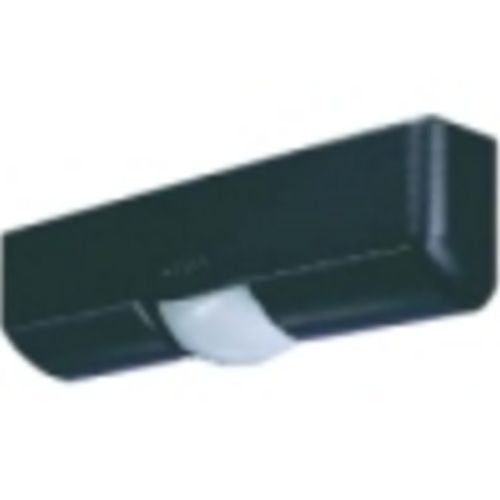
Figure 1: OPTEX OP-08CW Automatic Door PIR Sensor. This image displays the white casing of the sensor, highlighting its compact design suitable for various installations.
4. Орнотуу жана орнотуу
Proper installation is crucial for optimal performance. While the product specifications mention "Tabletop" mounting, for an automatic door PIR sensor, typical installations involve wall or ceiling mounting above the door. Always refer to the detailed installation guide provided with the product for specific mounting instructions and wiring diagrams.
4.1 Монтаждалуучу жер
- Mount the sensor in a location that provides an unobstructed view каалаган аныктоо аймагынын.
- Avoid aiming the sensor directly at heat sources (e.g., heaters, direct sunlight) or areas with rapid temperature changes, which can cause false triggers.
- Ensure the mounting surface is stable and free from vibration.
4.2 Электр зымдары
The OP-08CW is a corded electric device. Connect the sensor to a compatible power supply and the automatic door controller or access control panel according to the wiring diagram provided in the full installation manual. Ensure all connections are secure and insulated.
- Кубат туташуу: Connect to the specified voltagэ энергия булагы.
- Чыгуу туташуу: Connect the sensor's output terminals to the input of the automatic door controller or request-to-exit input of the access control system.
4.3 Баштапкы конфигурация
After mounting and wiring, power on the device. Some sensors may have adjustable settings for sensitivity or detection area. Refer to the detailed product manual for instructions on adjusting these parameters to suit your specific application and environment.
5. Иштөө нускамалары
Once properly installed and configured, the OPTEX OP-08CW operates automatically. The sensor continuously monitors its detection zone for changes in infrared energy. When a moving object (e.g., a person) enters this zone, the sensor detects the change and activates its output relay.
- Automatic Door Activation: When used with an automatic door system, the sensor's output signal will command the door to open. The door will remain open for a set duration (controlled by the door operator) and then close once the detection zone is clear.
- Request-to-Exit (REX): In access control applications, the sensor's output provides a signal to the access control panel, indicating a request to exit the secured area. This typically unlocks the door for a brief period, allowing egress.
Ensure the detection area is clear of obstructions that could block the sensor's view or cause unintended activations.
6. Техникалык тейлөө
The OPTEX OP-08CW sensor requires minimal maintenance to ensure reliable operation.
- Тазалоо: Periodically clean the sensor lens and housing with a soft, dry, lint-free cloth. Do not use liquid cleaners, aerosols, or abrasive materials, as these can damage the sensor's components or affect its performance.
- Текшерүү: Regularly inspect the sensor for any signs of physical damage, loose wiring, or obstructions that might interfere with its detection capabilities.
- Функционалдык тест: Periodically test the sensor's operation by walking through its detection zone to ensure it triggers the connected device (door or access control) as expected.
7. Кыйынчылыктарды
If you encounter issues with your OPTEX OP-08CW sensor, refer to the following common problems and solutions:
| Көйгөй | Мүмкүн себеп | Чечим |
|---|---|---|
| Сенсор кыймылды аныктабай жатат. |
|
|
| False triggers (door opens without presence). |
|
|
| Door does not open after detection. |
|
|
For more complex issues, consult the comprehensive product manual or contact Optex technical support.
8. Техникалык шарттар
| Өзгөчөлүк | Деталь |
|---|---|
| Бренд | Оптекс |
| Модель номери | OP-08CW |
| Продукт түрү | Automatic Door PIR Sensor / Passive Infrared Detector |
| Түс | Ак |
| Power Source | Электр зымдары |
| Элемент Салмагы | 16 унция (болжол менен 453 грамм) |
| Өндүрүүчү | OPTEX |
| UPC | 788924037011 |
| GTIN | 788924037011 |
9. Кепилдик маалыматы
OPTEX products are manufactured to high-quality standards. For detailed warranty terms and conditions, please refer to the warranty card included with your product or visit the official Optex webсайт. Кепилдик дооматтар үчүн сатып алганыңыздын далилин сактаңыз.
10. Техникалык колдоо
If you require technical assistance, have questions regarding installation, or need further troubleshooting, please contact Optex customer support. Contact details can typically be found on the Optex official webсайтында же продуктунун таңгагында.
Webсайт: www.optexamerica.com (Чыгampле, актуалдуу URL айырмаланышы мүмкүн)
Телефон: чиновникке кайрылыңыз webаймактык байланыш номерлери үчүн сайт.