
1. Киришүү
This manual provides instructions for the Verbatim 47418 4GB Micro USB Drive. This compact and lightweight USB flash drive is designed for portable data storage and transfer. It features a 4GB capacity, suitable for documents, photos, and other digital files.
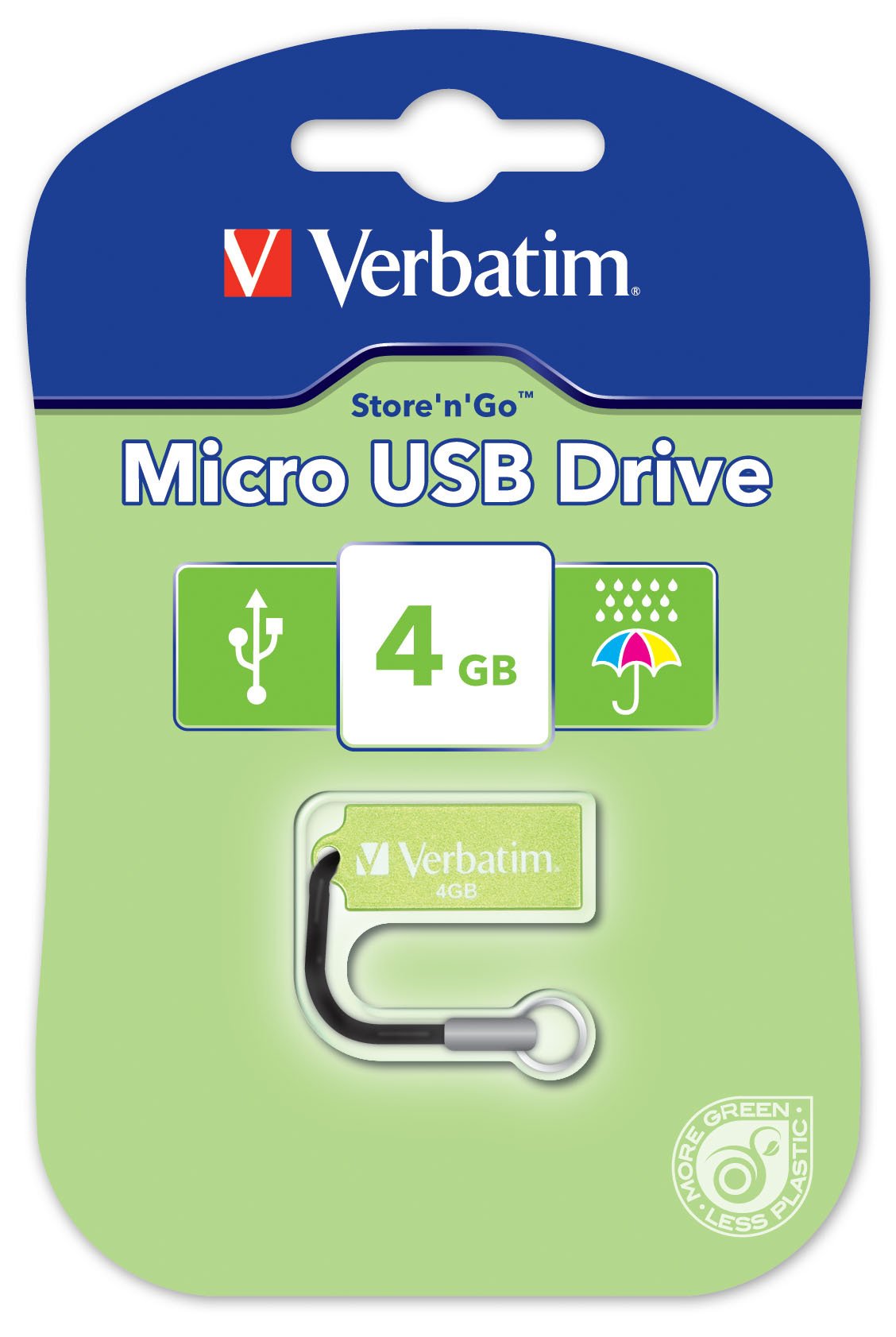
Image 1.1: The Verbatim 47418 4GB Micro USB Drive, shown in its green color.
The drive is equipped with a small loop for attaching a lanyard, enhancing portability and reducing the risk of loss. A lanyard is included with the product.

Image 1.2: The Verbatim 4GB Micro USB Drive with its included lanyard, ready for attachment to keychains or bags.
2. Орнотуу
The Verbatim 47418 Micro USB Drive is designed for plug-and-play functionality with most operating systems. No special drivers are typically required for basic operation.
2.1 Дискти туташтыруу
- Компьютериңизден жеткиликтүү USB портун табыңыз.
- Insert the Verbatim Micro USB Drive firmly into the USB port.
- Your operating system should automatically detect the new hardware and install any necessary generic drivers. A notification may appear indicating the drive is ready for use.

Image 2.1: The Verbatim Micro USB Drive correctly inserted into a laptop's USB port, ready for data transfer.
2.2 Password Protection Software
This product includes free password protection software. For instructions on how to download, install, and use this software, please refer to the Verbatim official website or the documentation provided with the software itself. This software allows you to secure your data on the drive.
3. Операция
Once the drive is connected and recognized by your computer, it will appear as a removable storage device (e.g., "Removable Disk" or "Verbatim USB Drive") in your file изилдөөчү же иш тактасы.
3.1 Өткөрүп берүү Files
- Көчүрүү үчүн fileдискке чейин: камтыган папканы ачыңыз files you wish to transfer. Drag and drop the files or folders into the Verbatim USB Drive window. Alternatively, right-click the files, select "Copy," then navigate to the USB drive, right-click, and select "Paste."
- Көчүрүү үчүн fileдисктен: Open the Verbatim USB Drive. Drag and drop the files or folders from the drive to your desired location on your computer. Alternatively, right-click the files on the drive, select "Copy," then navigate to your desired location, right-click, and select "Paste."
3.2 Коопсуз алып салуу
To prevent data corruption, always safely remove the USB drive before physically disconnecting it from your computer.
- Windows: Click the "Safely Remove Hardware and Eject Media" icon in the system tray (usually near the clock). Select the Verbatim USB Drive from the list and wait for the "Safe to Remove Hardware" message.
- MacOS: Drag the USB drive icon from your desktop to the Trash icon, or right-click the drive icon and select "Eject."
- Once the safe removal notification appears, you can safely unplug the drive.
4. Техникалык тейлөө
Proper care of your Verbatim Micro USB Drive ensures its longevity and the safety of your data.
4.1 Физикалык кам көрүү
- Тазалоо: Use a soft, dry, lint-free cloth to clean the exterior of the drive. Avoid liquid cleaners or solvents.
- Коргоо: While the drive is designed to be durable, avoid exposing it to extreme temperatures, direct sunlight, or strong magnetic fields. Keep the USB connector free from dust and debris.
- Суу каршылык: The Verbatim Micro USB Drive is designed with some resistance to water splashes, as shown in Image 4.1. However, it is not fully waterproof. Avoid submerging the drive in liquids. If it gets wet, ensure it is completely dry before connecting it to a computer.
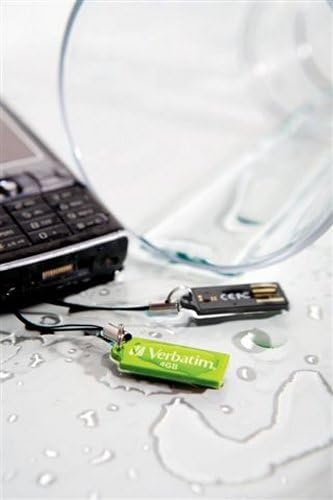
Image 4.1: The Verbatim Micro USB Drive positioned near spilled water, illustrating its design for splash resistance. It is important to note that the drive is not fully waterproof and should not be submerged.
4.2 Маалыматтарды башкаруу
- Regularly back up important data stored on the USB drive to another storage medium (e.g., your computer's hard drive, cloud storage) to prevent data loss in case of drive malfunction or damage.
- Periodically check the drive for errors using your operating system's disk utility tools.
5. Кыйынчылыктарды
If you encounter issues with your Verbatim Micro USB Drive, try the following solutions:
5.1 Диск таанылган жок
- USB портун текшерүү: Try plugging the drive into a different USB port on your computer. Ensure the port is functioning correctly by testing it with another USB device.
- Компьютерди кайра иштетүү: Кээде жөнөкөй өчүрүп-күйгүзүү аныктоо көйгөйлөрүн чече алат.
- Түзмөк башкаргычын (Windows) / Система маалыматын (macOS) текшериңиз: Verify if the drive is listed, even if it doesn't appear in File Explorer/Finder. This can indicate a driver issue or a problem with drive letter assignment.
- Драйверлерди жаңыртуу: Although typically plug-and-play, ensure your computer's USB drivers are up to date.
5.2 Жай өткөрүү ылдамдыгы
- USB порт түрү: Ensure you are using a USB 2.0 port for optimal performance, as this drive is a USB 2.0 device. Using older USB 1.1 ports will result in slower speeds.
- File Size/Quantity: Көптөгөн майда которуулар fileс бир нече чоң өткөрүп караганда жайыраак болушу мүмкүн fileжалпы көлөмү бирдей s.
- Фондук процесстер: Тутум ресурстарын талап кылган бардык керексиз тиркемелерди же фондо процесстерди жабыңыз.
- Дисктин фрагментациясы: While less common for flash drives, defragmenting the drive (Windows) or ensuring it's not excessively full can sometimes help.
5.3 Маалыматтын бузулушу
- Коопсуз алып салуу: Always use the "Safely Remove Hardware" option before unplugging the drive to prevent data corruption.
- Disk Check: Run a disk check utility (e.g., "Error Checking" in Windows properties for the drive) to scan for and attempt to repair bad sectors.
- Реформат: As a last resort, if data is not critical or has been backed up, reformatting the drive can resolve persistent corruption issues. Warning: This will erase all data on the drive.
6. Техникалык шарттар
The following are the technical specifications for the Verbatim 47418 4GB Micro USB Drive:
| Өзгөчөлүк | Деталь |
|---|---|
| Бренд | Сөзмө-сөз |
| Модель номери | 47418 |
| Эстутум сактоо сыйымдуулугу | 4 ГБ |
| Аппараттык интерфейс | USB 2.0 |
| Байланыш технологиясы | USB |
| Өзгөчө өзгөчөлүк | Компакт |
| Flash эс тутум түрү | NAND |
| Түс | Жашыл |
| Элемент Салмагы | 0.01 фунт |
| UPC | 023942474180 |
7. Кепилдик жана колдоо
7.1 Чектелген Кепилдик
The Verbatim 47418 4GB Micro USB Drive is covered by a Verbatim 2 Year Limited Warranty. This warranty covers defects in materials and workmanship under normal use. For full details regarding warranty terms, conditions, and limitations, please refer to the official warranty statement available on the Verbatim webсайтында же продуктунун таңгагында камтылган.
7.2 Техникалык колдоо
For technical assistance, product inquiries, or warranty claims, please contact Verbatim customer support. Support contact information, including phone numbers and online resources, can typically be found on the official Verbatim webсайт (www.verbatim.com) or in the product packaging.
Колдоо кызматына кайрылганда, продуктуңуздун моделинин номери (47418) жана бардык тиешелүү сатып алуу маалыматы даяр болсун.