
1. Киришүү
Thank you for choosing the Funkey 61 SL Electronic Keyboard. This instrument is designed for beginners and offers a wide range of features to explore the world of music. With 61 keys, 100 tones, 100 rhythms, and various functions, it provides an engaging learning experience. This manual will guide you through the setup, operation, and maintenance of your new keyboard.
2. Пакеттин мазмуну
Пакетте бардык буюмдар бар экенин текшериңиз:
- Funkey 61 SL Electronic Keyboard
- Электр менен жабдуу бирдиги
- Музыкалык стенд
- User Manual
3. Орнотуу
Follow these steps to set up your Funkey 61 SL Electronic Keyboard:
3.1 Баскычтопту иштетүү
The keyboard can be powered using the included AC adapter or by batteries.
AC адаптерин колдонуу:
- Connect the power supply unit to the DC IN jack on the back of the keyboard.
- AC адаптерин стандарттуу розеткага сайыңыз.

Image: The included power adapter for the Funkey 61 SL Electronic Keyboard.
Батареяларды колдонуу:
- Баскычтоптун астыңкы жагындагы батарея бөлүкчөсүн табыңыз.
- Insert the required number of batteries (typically AA or D, refer to the compartment label) ensuring correct polarity.
- Батарея уясынын капкагын бекем жабыңыз.

Image: Rear panel of the Funkey 61 SL Keyboard showing the RCA output, headphone jack, and a close-up of the battery compartment.
3.2 Музыкалык стендди бекитүү
Slide the music stand into the designated slot on the top panel of the keyboard. This provides a convenient place to hold sheet music or a tablet.
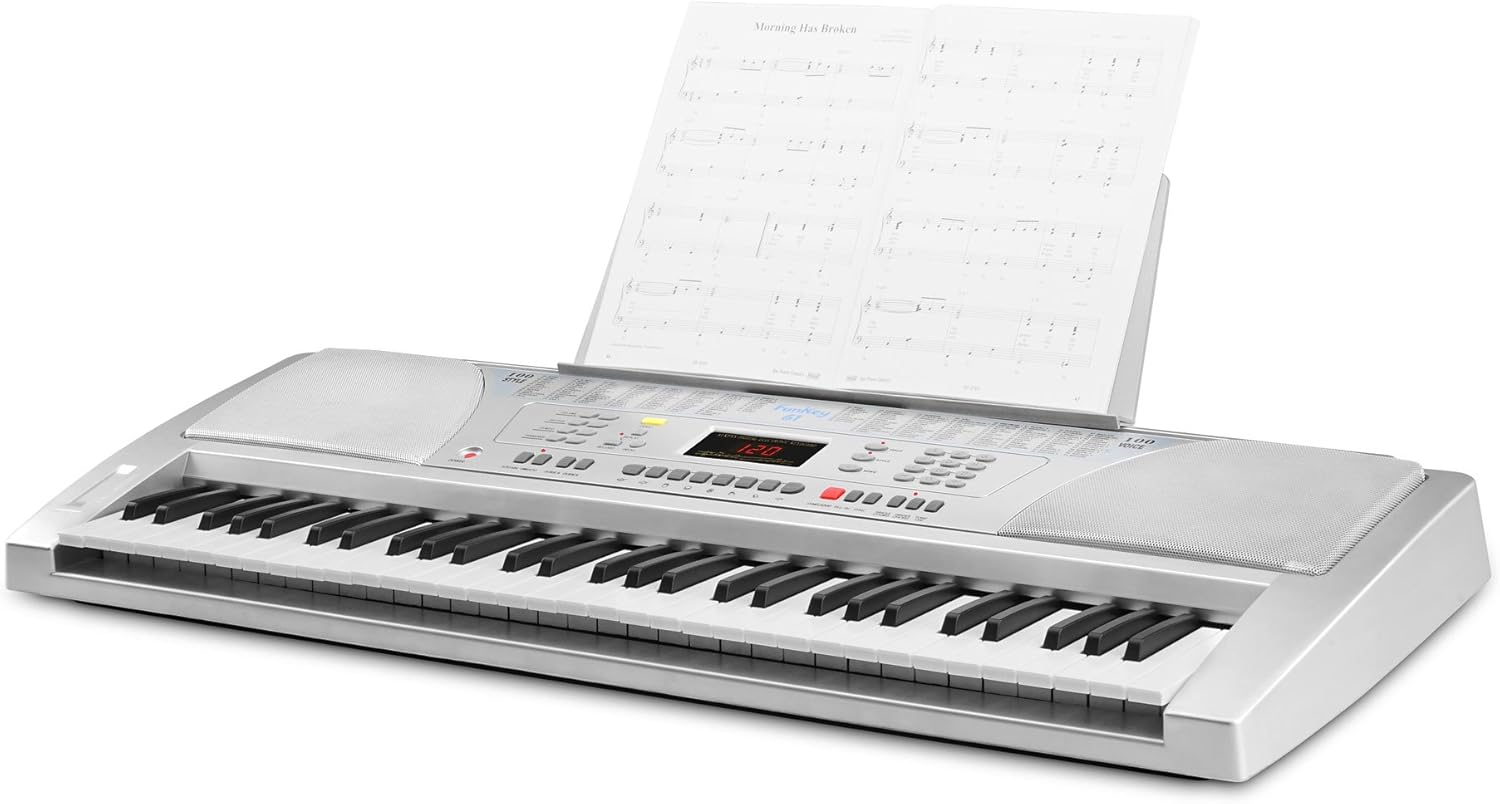
Image: The Funkey 61 SL Keyboard with the music stand attached, holding sheet music.
3.3 Наушниктерди же тышкы динамиктерди туташтыруу
For private practice, connect standard 3.5mm headphones to the HEADPHONE jack. To connect to an external stereo system or amplifier, use RCA cables with the RCA OUT (R/L) jacks on the rear panel.
4. Иштөө нускамалары
Familiarize yourself with the control panel to utilize the keyboard's features.

Сүрөт: Жакын план view of the Funkey 61 SL Keyboard's control panel, showing buttons for volume, rhythm, tempo, transpose, voice, style, and song selection.
4.1 Күйгүзүү/өчүрүү
басыңыз КҮЧ button located on the left side of the control panel to turn the keyboard on or off.
4.2 Selecting Tones (Voices)
The keyboard features 100 different tones. Use the VOICE section buttons (numbered 0-9) to select a desired instrument sound. The currently selected voice number will be displayed on the LED screen.
4.3 Selecting Rhythms (Styles)
The keyboard includes 100 rhythms. Use the СТИЛЬ section buttons (numbered 0-9) to choose a rhythm. Press START/STOP ритмди ойнотууну баштоо же токтотуу үчүн.
4.4 Adjusting Tempo
колдонуу ТЕМПО buttons (up/down arrows) to increase or decrease the speed of the selected rhythm or demo song.
4.5 демо ырлар
The keyboard has 8 integrated demo songs. Press the DEMO button to cycle through and play the demo songs. These can be used for listening or for practicing with the Intelligent Guide function.
4.6 Жазуу жана ойнотуу
The record function allows you to capture your performances:
- Басыңыз ЖАЗУУ to start recording your playing.
- Басыңыз ОЙНОО to listen to your recorded performance.
4.7 Special Effects and Functions
- ТУРУШ: Adds a decaying effect to notes, similar to a piano pedal.
- ВИБРАТО: Adds a slight pitch variation to notes for expressive playing.
- ТРАНСПОЗ: Allows you to shift the pitch of the entire keyboard up or down in semitone steps, useful for playing in different keys without changing finger positions.
- ЖЕТЕКЧЕ: The Intelligent Guide function helps you learn the 8 integrated demo songs note by note.
- CHORD FUNCTIONS: Includes Single Finger Chord and Fingered Chord modes for automatic accompaniment.
5. Техникалык тейлөө
To ensure the longevity and optimal performance of your Funkey 61 SL Electronic Keyboard, follow these maintenance guidelines:
- Тазалоо: Баскычтоптун бетин сүртүү үчүн жумшак, кургак чүпүрөктү колдонуңуз. өжөр кир үчүн, бир аз гampen the cloth with water and a mild soap, then wipe dry immediately. Avoid abrasive cleaners, solvents, or waxes.
- Сактагыч: Клавиатураны күн нурунан, өтө температурадан жана жогорку нымдуулуктан алыс, салкын, кургак жерде сактаңыз.
- Колдонуу: Баскычтопту түшүрүүдөн же катуу соккулардан сактаныңыз. Анын үстүнө оор нерселерди коюуга болбойт.
- Күч: Disconnect the power adapter when the keyboard is not in use for extended periods. Remove batteries if the keyboard will not be used for a long time to prevent leakage.
6. Кыйынчылыктарды
If you encounter any issues with your Funkey 61 SL Electronic Keyboard, refer to the following common problems and solutions:
- Үн жок:
- Баскычтоп күйгүзүлгөнүн текшериңиз.
- Негизги үн деңгээлин текшериңиз.
- Эгер гарнитуралар туташтырылган болсо, динамиктин чыгышын текшерүү үчүн аларды ажыратыңыз.
- Verify external speaker connections if applicable.
- Ачкычтар жооп бербейт:
- Баскычтоп күйгүзүлгөнүн текшериңиз.
- Check if any specific mode (e.g., Guide mode) is active that might restrict normal playing.
- Rhythm/Accompaniment Not Playing:
- Ensure a rhythm (style) is selected.
- басыңыз START/STOP баскычы.
- Check the rhythm volume level.
- Бурмаланган үн:
- Негизги үн көлөмүн азайтыңыз.
- Тышкы динамиктерге же кулакчындарга туташуулардын туура отургузулганын текшериңиз.
7. Техникалык шарттар
Detailed technical specifications for the Funkey 61 SL Electronic Keyboard:
| Модель аты | FunKey 61 |
| Элемент моделинин номери | 00015909 |
| Ачкычтардын саны | 61 |
| Обондор | 100 |
| Ритмдер | 100 |
| Демо ырлар | 8 |
| Дисплей | LED |
| Баяндамачылар | 2 x 6 W (12 Watts Output) |
| Power Source | Батарея менен иштейт / AC адаптер |
| Наушник уясы | 3.5 мм Jack |
| Output Connectors | RCA |
| Продукциянын өлчөмдөрү | 95.5 x 38.0 x 13.5 см |
| Элемент Салмагы | 5 кг |
| Өндүрүүчү | FunKey |
| Country Produced In | Кытай |
8. Кепилдик жана колдоо
For warranty information, please refer to the documentation provided at the time of purchase or contact your retailer. For technical support or further assistance, please reach out to Funkey customer service through their official webсайт же продуктуңуз менен кошо берилген байланыш маалыматтары.