
Introduction
This manual provides essential information for the safe and efficient use of your Doro PhoneEasy 105wr cordless phone. Please read these instructions carefully before using the phone and retain them for future reference.
Пакеттин мазмуну
Баштоодон мурун, пакетте бардык элементтер бар экенин текшериңиз:
- Doro PhoneEasy 105wr Handset
- Негизги бирдиги
- Негизги блок үчүн кубат адаптери
- Телефон линиясы
- Заряддалуучу батареялар (NiMH)
- Колдонуучунун Колдонмосу (бул документ)
Жайгашуу
1. Негизги блокту туташтыруу
- Кубат адаптерин туташтыруу: Plug the small end of the power adapter into the DC IN socket on the back of the base unit. Plug the other end into a wall power outlet.
- Телефон линиясын туташтыруу: Plug one end of the telephone line cord into the LINE socket on the back of the base unit. Plug the other end into your telephone wall socket.
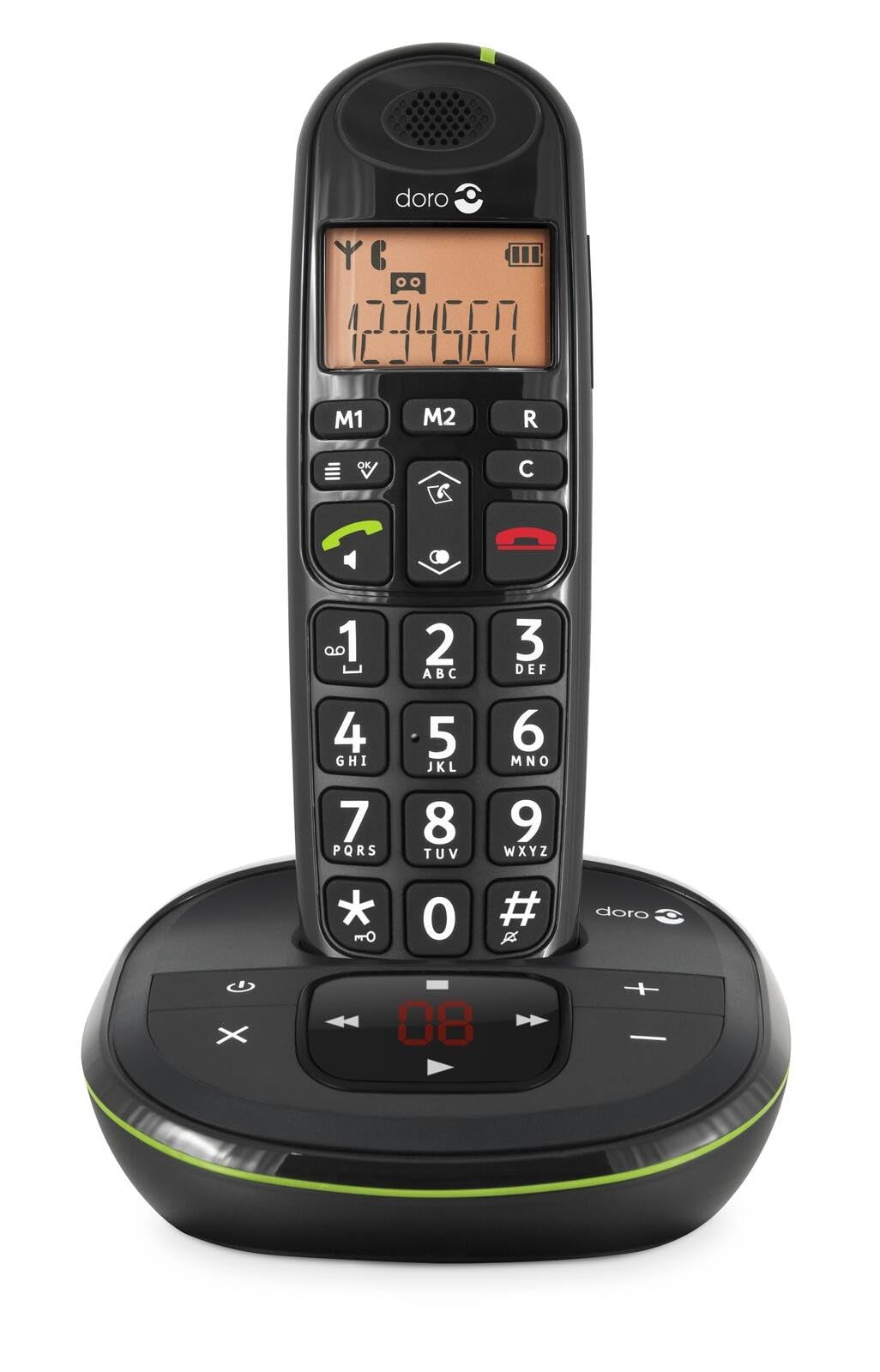 Image: The Doro PhoneEasy 105wr handset docked in its base unit, showing the keypad and display.
2. Installing Batteries in the Handset
- Батарея бөлүмүн ачуу: Slide the battery compartment cover on the back of the handset downwards and remove it.
- Батареяларды салыңыз: Insert the supplied rechargeable NiMH batteries, observing the correct polarity (+ and -) as indicated inside the compartment.
- Бөлүктү жабуу: Батарея бөлүгүнүн капкагын ордунан чыккыча өйдө жылдырыңыз.
3. Телефонду заряддоо
Place the handset on the base unit. The battery icon on the handset display will animate to indicate charging. For optimal battery performance, charge the handset for at least 10-12 hours before its first use, even if the display indicates a full charge sooner.
 Image: A slightly angled view of the Doro PhoneEasy 105wr handset in its charging cradle, highlighting its ergonomic design.
Иштөө нускамалары
Чакыруу
- Терүү: Телефонду алыңыз же баскычты басыңыз Жашыл чалуу баскычы. Enter the phone number using the keypad.
- Чалууну аяктоо: басыңыз Кызыл түстөгү чалууну аяктоо баскычы же телефонду кайра базалык блокко коюңуз.
Чакыруу кабыл алуу
Телефон шыңгыраганда, басыңыз Жашыл чалуу баскычы to answer. To end the call, press the Кызыл түстөгү чалууну аяктоо баскычы or return the handset to the base unit.
Үндү тууралоо
Чалуу учурунда колдонуңуз Up жана Төмөн navigation buttons on the handset to adjust the earpiece volume.
Телефон китепчеси
Your Doro PhoneEasy 105wr can store up to 20 entries in its phonebook.
- Киргизүүнү кошуу:
- басыңыз Меню баскычы.
- "Телефон китепчесине" өтүп, "Жаңы кошууну" тандаңыз.
- Атын жана номерин киргизип, андан кийин сактаңыз.
- Телефон китебинен чалуу:
- басыңыз Телефон китепчеси button (often a book icon).
- Scroll through the entries using the navigation buttons.
- басыңыз Жашыл чалуу баскычы тандалган жазууну терүү үчүн.
Answering Machine (if applicable)
The Doro PhoneEasy 105wr features a digital answering machine with a recording capacity of 20 minutes.
- Ойнотулган билдирүүлөр: басыңыз Ойнотуу/Токтоо негизги бирдиктеги баскыч.
- Кабарларды жок кылуу: Билдирүүнү ойнотуу учурунда, баскычын басыңыз Жок кылуу негизги бирдиктеги баскыч.
- Чыгуучу билдирүүнү жаздыруу: Refer to the handset menu for options to record or select a pre-recorded outgoing message.
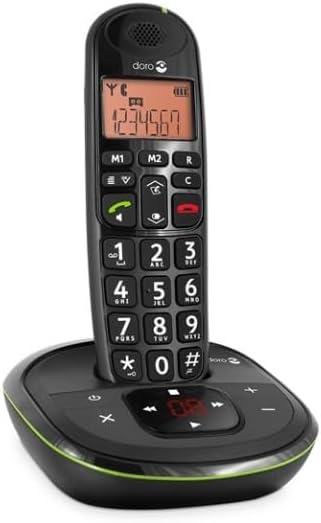 Сүрөт: түз фронт view of the Doro PhoneEasy 105wr cordless phone, showing the large buttons and clear display on the handset, and the answering machine controls on the base.
Техникалык тейлөө
- Тазалоо: Телефонду жана негизги блокту жумшак менен сүртүңүз, damp кездеме. Абразивдүү тазалагычтарды же эриткичтерди колдонбоңуз.
- Батареяга кам көрүү: Белгиленген кайра заряддоого болгон батарейкаларды гана колдонуңуз. Эгер телефон узак убакыт бою колдонулбаса, агып кетпеш үчүн батарейкаларды алып салыңыз.
- Экологиялык шарттар: Телефонду өтө жогорку температурага, түз күн нуруна же нымдуулукка дуушар кылбаңыз.
Проблемаларды чечүү
| Көйгөй | Мүмкүн себеп | Чечим |
|---|---|---|
| Терүү үнү жок | Телефон линиясы туташкан эмес же бузулган. | Check the telephone line cord connection to the base unit and wall socket. Test with another phone if possible. |
| Телефон заряддалбай жатат | Handset not correctly placed on the base unit; dirty charging contacts; faulty batteries. | Ensure the handset is seated correctly. Clean charging contacts on both handset and base with a dry cloth. Replace batteries if old. |
| Үн сапаты начар | Handset too far from base unit; interference; low battery. | Move closer to the base unit. Avoid placing the base near other electronic devices. Charge the handset battery. |
| Чалууларды жасоо/кабыл алуу мүмкүн эмес | No power to base unit; handset not registered. | Check power adapter connection. Refer to the full manual for handset registration instructions if needed. |
Техникалык шарттар
| Өзгөчөлүк | Деталь |
|---|---|
| Бренд | Доро |
| Модель номери | 380102 |
| Түс | Кара |
| Телефон түрү | Зымсыз |
| Материал | Metal (internal components) |
| Power Source | Батарея менен иштейт (1 А батарейка камтылган) |
| Терүүчү түрү | Жалгыз баскычтоп |
| Элементтин өлчөмдөрү (L x W x Y) | 19.4 x 15.4 x 10.3 сантиметр |
| Элемент Салмагы | 706 грамм |
| Жооп берүү системасынын түрү | Санарип |
| Talk Time | 600 Minutes (10 hours) |
| Күтүү убактысы | 100 саат |
| Жаздыруу мүмкүнчүлүгү | 20 мүнөт |
| Чалуучунун ID | Ооба |
| Independent Test Certification | Energy Star |
Кепилдик жана колдоо
Information regarding specific warranty terms and customer support contact details is not available in this document. Please refer to the warranty card included with your product or visit the official Doro webэң акыркы маалымат үчүн сайт.
For further assistance, you may contact Doro customer service through their official channels.