
1. Продукт бүтүп калдыview
The Microsoft Wireless Desktop 800 offers the freedom and convenience of wireless technology for your computing needs. This set includes a wireless keyboard and mouse, designed for ease of use and reliable performance.
Негизги өзгөчөлүктөрү:
- Wireless keyboard and mouse combination
- Secure wireless connection & snap-in transceiver
- Easy-access hot keys for common functions
- 1000 DPI optical tracking for responsive cursor control
- Optimized power management for extended battery life
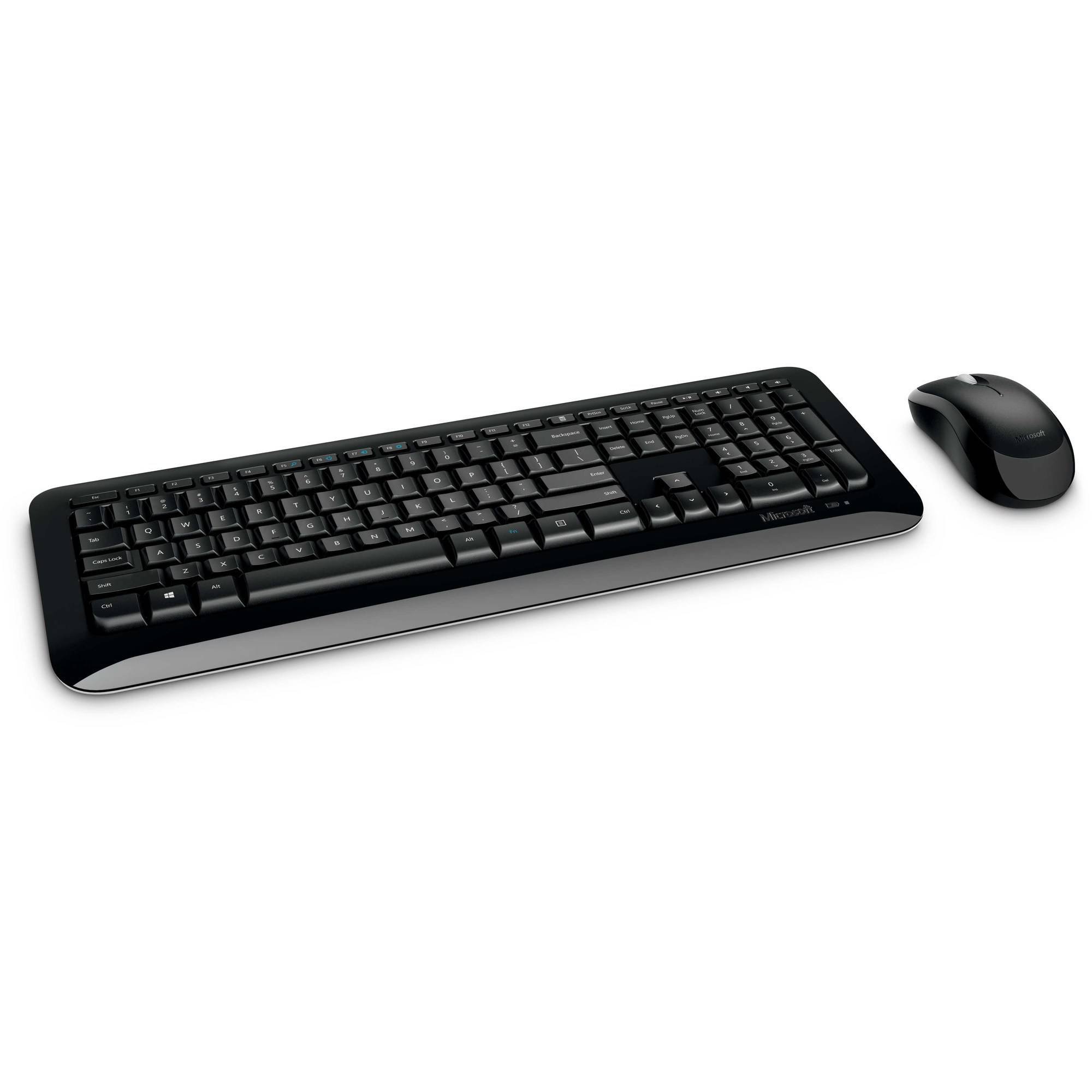
Figure 1: Microsoft Wireless Desktop 800 Keyboard and Mouse.
2. Орнотуу нускамалары
Setting up your Microsoft Wireless Desktop 800 is a straightforward process. Follow these steps to get started:
- Батареяны орнотуу: Insert the required batteries into both the keyboard and the mouse. The keyboard typically uses AAA batteries, and the mouse uses AA batteries. Ensure correct polarity.
- Трансиверди туташтырыңыз: Locate the tiny USB transceiver. Plug this wireless receiver into an available USB port on your computer.
- Күйгүзүү: Turn on the mouse using its power switch (usually located on the underside). The keyboard does not typically have a power switch and activates upon battery insertion and connection.
- Автоматтык туташуу: Your keyboard and mouse should automatically connect to your computer. If not, refer to the troubleshooting section.
The transceiver can be conveniently snapped into the bottom of the mouse for secure storage when traveling, which also automatically turns off the mouse to conserve battery life.

Figure 2: The compact USB transceiver.
3. Аппаратыңызды иштетүү
Баскычтоп функциялары:
- Коопсуз зымсыз туташуу: The keyboard utilizes 2.4 GHz wireless technology, providing a reliable connection with a range of up to 30 feet, minimizing interference.
- Easy Access Hot Keys: Quickly access frequently used tools such as zoom, audio controls, and the calculator using dedicated shortcut keys.
- Windows баштоо баскычы: Press the Windows Start button to quickly launch the Start menu on compatible Windows operating systems.
Чычкан функциялары:
- Microsoft Optical Technology: Experience responsive and precise cursor control with 1,000-dots-per-inch (DPI) tracking.
- Жылдыруу дөңгөлөгү: Документтер боюнча чабыттоо жана webpages efficiently using the integrated scroll wheel.
- Эки тараптуу дизайн: The mouse is designed for comfortable use in either the right or left hand.
4. Техникалык тейлөө жана батареяны башкаруу
- Батареянын иштөө мөөнөтү индикатору: The battery status indicator will glow red when the battery is running low, signaling that replacement is needed soon.
- Кубат которгучу: To extend the battery life of your mouse, use the power switch located on its underside to turn it off when not in use or during travel.
- Узартылган батареянын иштөө мөөнөтү: Enjoy fewer interruptions with up to 15 months of battery life for the keyboard and mouse (individual battery life may vary).
- Тазалоо: Клавиатуранын жана чычкандын беттерин тазалоо үчүн жумшак, кургак чүпүрөк колдонуңуз. Катуу химиялык заттарды же абразивдүү материалдарды колдонуудан алыс болуңуз.
5. Кыйынчылыктарды
If you encounter issues with your Microsoft Wireless Desktop 800, consider the following common solutions:
- Байланыш жок:
- Ensure the USB transceiver is securely plugged into a working USB port on your computer.
- Check that the batteries in both the keyboard and mouse are correctly installed and not depleted. Replace if necessary.
- Move the keyboard and mouse closer to the transceiver to rule out range issues.
- Үзгүлтүксүз туташуу:
- Avoid placing the transceiver near other wireless devices or large metal objects that could cause interference.
- Компьютериңиздин операциялык системасы жаңыртылганын текшериңиз.
- Чычкан курсору жылбай жатат:
- Check the mouse batteries.
- Ensure the optical sensor on the bottom of the mouse is clean and not obstructed.
- Use the mouse on a suitable surface; highly reflective or transparent surfaces may affect tracking.
6. Техникалык шарттар
| Өзгөчөлүк | Деталь |
|---|---|
| Бренд | Microsoft |
| Модел | Wireless Desktop 800 |
| Түс | Кара |
| Байланыш технологиясы | Радио жыштык (2.4 ГГц) |
| Шайкеш түзмөктөр | Ноутбук, персоналдык компьютер |
| Keyboard Description | Зымсыз клавиатура |
| Кыймылды аныктоо | Оптикалык (1000 DPI) |
| Баскычтоптун арткы жарыгы | No (Single Color support refers to key legends) |
| Операциялык системанын шайкештиги | Windows 8, Windows 7, Windows Vista, Windows XP |
| Колдун багыты (чычкан) | Эки тараптуу |
| Power Source | Батарея менен иштейт |
| Number of Keys (Keyboard) | 104 |
| Батареялар талап кылынат | 2 AAA (клавиатура), 2 AA (чычкан) - камтылган |
| Элемент Салмагы | 0.51 фунт |
| Баскычтоптун жайгашуусу | QWERTY |
7. Кепилдик маалыматы
The Microsoft Wireless Desktop 800 comes with a Manufacturer Warranty. For specific details regarding coverage, duration, and claims process, please refer to the warranty documentation included with your product or visit the official Microsoft support webсайт.
8. System Requirements and Support
Системалык талаптар:
- Операция системасы: Windows 8, Windows 7, Windows Vista, or Windows XP
- Башка: Жеткиликтүү USB порт
Кардарларды колдоо:
For further assistance, technical support, or to download the latest drivers, please visit the official Microsoft support webсайт. Ал жерден кошумча ресурстарды жана көп берилүүчү суроолорду таба аласыз.
Онлайн колдоо: support.microsoft.com