
1. Киришүү
Thank you for choosing the Andrea Communications NC-185VM USB Headset. This high-fidelity stereo USB computer headset is designed to provide superior audio performance for all your digital audio applications, including VoIP and speech recognition programs. It features a noise-canceling microphone and convenient in-line volume and mute controls. Please read this manual carefully to ensure proper use and optimal performance of your headset.
2. Продукт бүтүп калдыview
The Andrea Communications NC-185VM USB Headset is engineered for comfort and clarity. Its robust design includes a pro-flex wire microphone boom for precise placement and large, comfortable ear cushions for extended wear.
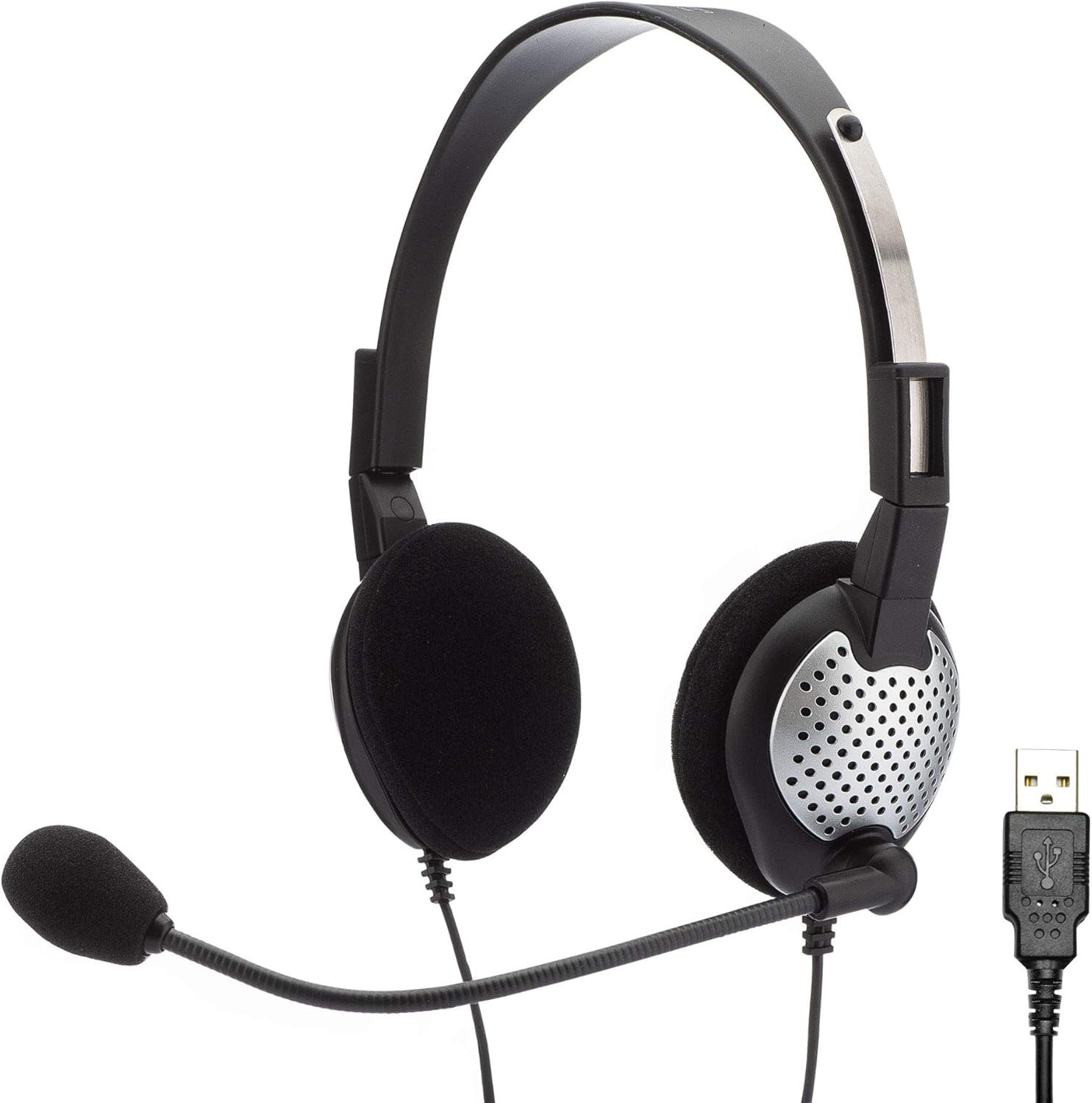
Figure 2.1: The Andrea Communications NC-185VM USB Headset, showing the headset with microphone and the USB connector.

2.2-сүрөт: Каптал view of the headset, highlighting the adjustable microphone boom.

2.3-сүрөт: жогорудан ылдыйга view гарнитуранын үстүндө, кулакчындарды жана баш боону көрсөтүп турат.

Сүрөт 2.4: Алдыңкы view of the headset, displaying the microphone positioned for use.

2.5-сүрөт: Side profile of the headset, showing the microphone boom's flexibility.

2.6-сүрөт: Детальдуу view of the USB connector for the headset.

Figure 2.7: Close-up of the in-line controls, featuring volume up/down and mute buttons.
3. Өзгөчөлүктөрү
- High Fidelity Stereo Audio: Delivers clear and rich sound for various applications.
- Ызы-чууну жокко чыгаруучу микрофон: Reduces background noise for improved voice clarity.
- Pro-Flex Wire Microphone Boom: Allows for precise and stable microphone positioning.
- Windsock: Minimizes breath popping sounds for clearer communication.
- 40mm Speakers: Provides CD-quality deep bass sound.
- Ыңгайлуу кулак жаздыкчалары: Large ear cushions designed for extended wear comfort.
- Adjustable Stainless Steel Headband: Ар кандай өлчөмдөгү баштар үчүн коопсуз жана ыңгайлуу туура келүүнү камсыздайт.
- Extra Long 8-Foot Shielded Cable: камсыз кылат ample reach and reduces interference.
- In-line Volume and Mute Controls: Conveniently adjust audio levels and mute the microphone.
- Reversible Дизайн: Can be worn with the microphone on either the left or right side.
- Бүктөлүүчү: Folds flat for easy storage and portability.
- USB туташуу: Bypasses the computer's integrated sound system for enhanced performance.
4. Пакеттин мазмуну
The Andrea Communications NC-185VM USB Headset package includes:
- Andrea Communications NC-185VM USB Headset (1 unit)
5. Орнотуу
5.1 Гарнитураны туташтыруу
- Компьютериңизде (компьютерде же ноутбукта) жеткиликтүү USB портун табыңыз.
- Insert the USB connector of the NC-185VM headset firmly into the USB port.
- Сиздин иштөө тутумуңуз керектүү драйверлерди автоматтык түрдө таап, орнотууга тийиш. Бул процесс бир нече мүнөткө созулушу мүмкүн.
- Once installed, the headset will be recognized as an audio input and output device.
5.2 Configuring Audio Settings (Windows)
- Right-click the speaker icon in the system tray (bottom-right corner of the screen).
- Select "Sound settings" or "Open Sound settings".
- Under "Output", select your Andrea Communications USB Headset as the output device.
- Under "Input", select your Andrea Communications USB Headset as the input (microphone) device.
- Adjust the volume levels as needed.
5.3 Configuring Audio Settings (macOS)
- Go to "System Preferences" (or "System Settings" on newer macOS versions).
- Click on "Sound".
- In the "Output" tab, select your Andrea Communications USB Headset.
- In the "Input" tab, select your Andrea Communications USB Headset.
- Adjust the input and output volume sliders.
6. Иштөө нускамалары
6.1 Гарнитураны тагынуу
Place the headset over your head so that the ear cushions comfortably cover your ears. The headband is adjustable; slide the earcups up or down to find a comfortable fit. The microphone boom is flexible and can be positioned on either the left or right side of your face. Adjust the microphone so it is approximately 1-2 inches from the corner of your mouth for optimal voice pickup.

Figure 6.1: A user wearing the headset comfortably while engaged in a task, demonstrating proper fit.

Figure 6.2: Multiple users demonstrating the headset's application in a professional environment.

Figure 6.3: A male user wearing the headset, illustrating its versatility for different users.
6.2 Сап ичиндеги башкаруу элементтерин колдонуу
The headset features an in-line control unit on the cable for easy access to audio functions:
- Үнүн жогорулатуу (+): Угуу үнүн жогорулатуу үчүн басыңыз.
- Үнүн төмөндөтүү (-): Угуу үнүн азайтуу үчүн басыңыз.
- Үнсүз баскычы: Press to mute or unmute the microphone. A blue LED indicator on the control unit will illuminate when the microphone is muted.
6.3 Software Enhancement (Optional)
For enhanced audio performance, you may download the patented audio enhancement software PureAudio Voice Solutions from the Andrea Communications webсайт. Note: This software is not recommended for use with voice recognition software like Dragon.
7. Техникалык тейлөө
- Тазалоо: Гарнитураны тазалоо үчүн жумшак, кургак чүпүрөктү колдонуңуз. Суюк тазалоочу каражаттарды же аэрозольдорду колдонбоңуз.
- Сактагыч: When not in use, fold the headset flat and store it in a clean, dry place to prevent damage.
- Кабельге кам көрүү: Avoid sharp bends or kinks in the cable. Do not pull the cable to disconnect the headset from the USB port; always grasp the USB plug.
8. Кыйынчылыктарды
| Көйгөй | Мүмкүн себеп | Чечим |
|---|---|---|
| No sound from headset speakers. | Headset not selected as default output device. Үн өтө төмөн. USB connection loose. | Check sound settings and select Andrea Communications USB Headset as output. Үндү линия ичиндеги башкаруу элементтерин же компьютердин жөндөөлөрүн колдонуп көбөйтүңүз. Re-insert USB plug firmly. Try a different USB port. |
| Микрофон үндү кабыл албай жатат. | Микрофондун үнү өчүрүлдү. Headset not selected as default input device. Microphone level too low. Микрофон туура эмес жайгаштырылган. | Press the mute button on the in-line control (blue LED off). Check sound settings and select Andrea Communications USB Headset as input. Increase microphone level in computer sound settings. Adjust microphone boom to be 1-2 inches from your mouth. |
| Үн сапаты начар же бурмаланган. | Көлөмү өтө жогору. Интерференция. Эскирген аудио драйверлер. | Үнүн азайтуу. Ensure USB connection is secure and away from other electronic devices. Check for and install the latest audio drivers for your computer's USB ports. |
| Headset not recognized by computer. | USB байланышы бош. USB порту туура эмес. Айдоочу маселеси. | Re-insert USB plug. Башка USB портун колдонуп көрүңүз. Restart your computer. Check Device Manager (Windows) or System Information (macOS) for USB device recognition. |
9. Техникалык шарттар
| Өзгөчөлүк | Деталь |
|---|---|
| Модель аты | NC-185VM |
| Элемент моделинин номери | C1-1022600-50 model NC-185 VM USB |
| Байланыш технологиясы | Зымдуу (USB) |
| Наушник уясы | USB |
| Noise Control | Активдүү ызы-чууну жокко чыгаруу (микрофон) |
| Динамик өлчөмү | 40мм |
| Жыштык диапазону | 20 Гц - 20 000 Гц |
| Импеданс | 140 Ом |
| Кабелдин узундугу | 8 фут (болжол менен 2.4 метр) |
| Материал | Дат баспас болот (баш боо) |
| Түс | Кара |
| Элемент Салмагы | 7.4 унция (болжол менен 0.21 кг) |
| Продукциянын өлчөмдөрү (LxWxH) | 2.25 x 7.25 x 6.5 дюйм (болжол менен 5.7 x 18.4 x 16.5 см) |
| Аппараттык платформа | PC |
| Өндүрүүчү | Andrea Electronics Corporation |
| Дата биринчи жеткиликтүү | 15-июль, 2010-жыл |
10. Кепилдик жана колдоо
For information regarding warranty coverage and technical support for your Andrea Communications NC-185VM USB Headset, please refer to the official Andrea Communications webсайтка же түздөн-түз кардарларды тейлөөгө кайрылыңыз. Сатып алуу квитанциясын кепилдик дооматтары үчүн сатып алуунун далили катары сактаңыз.
Өндүрүүчү: Andrea Electronics Corporation
Webсайт: www.andreaelectronics.com (Note: This is a general link, please refer to product packaging or official documentation for specific support contacts.)