
1. Киришүү
Thank you for choosing the Rocketfish RF-HDWEB 720p HD USB Webcam. This manual provides essential information for the proper installation, operation, and maintenance of your webcam. Designed for clear video communication and high-resolution photo capture, this webcam features a true 2 MP sensor with a wide-angle glass lens, delivering 720p HD video at up to 30 frames per second. It also supports photo capture up to 8 MP through interpolation. The integrated autofocus technology ensures sharp images, and the built-in microphone with noise cancellation provides clear audio. This device is compatible with both PC (32-bit) and Mac systems.

Figure 1: Rocketfish RF-HDWEB 720p HD USB Webкамера
2. Кутуда эмне бар
Сураныч, пакеттин мазмунун текшерип, бардык буюмдар бар экенин текшериңиз:
- USB кабели
- Camera Body (Rocketfish RF-HDWEB Webкамера)
- Installation CD (for optional drivers and software)

Figure 2: Retail packaging of the Rocketfish RF-HDWEB Webcam, showing the product and its features.
3. Орнотуу
- туташтыруу Webкамера: USB кабелин туташтыргычтан сайыңыз webкамераңызды компьютериңиздеги жеткиликтүү USB 2.0 портуна кошуңуз.
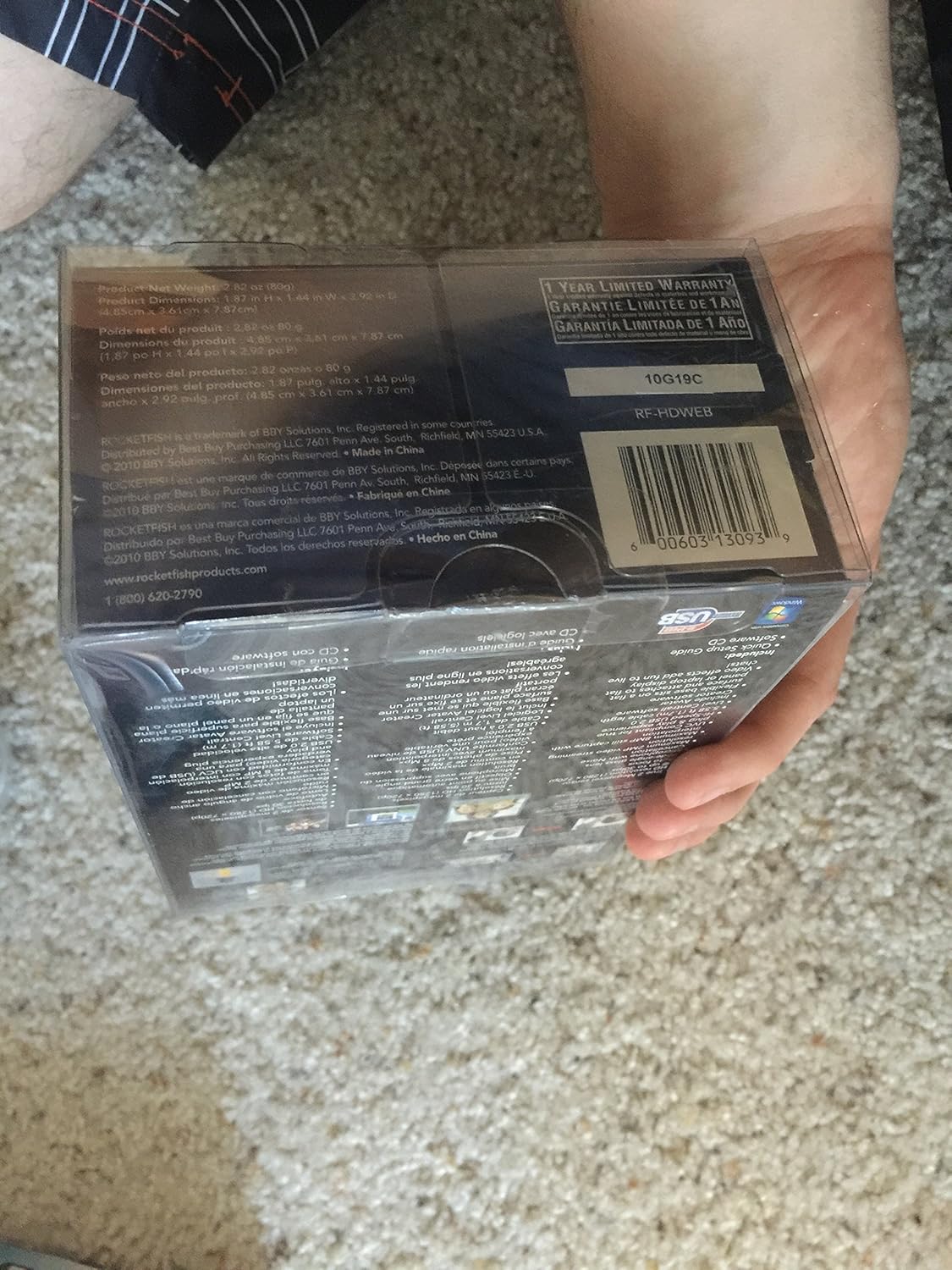
Figure 3: The Rocketfish RF-HDWEB Webcam, ready for connection.
- Driver Installation (Windows): For Windows 7 and newer operating systems, the computer should automatically detect the webcam and install default drivers within a few minutes. This allows basic functionality with most applications.
- Driver Installation (Mac): The webcam is compatible with Mac systems and typically works without additional driver installation for basic functions.
- Кошумча программалык камсыздоону орнотуу: An installation CD is included with the webcam. This CD contains additional drivers and software (e.g., Live! Central by Creative) that may offer more options, effects, and advanced settings.
- To install the optional software, first ensure any default Windows drivers for the webcam are uninstalled (via Device Manager > Imaging Devices > Rocketfish HD Webcam).
- Insert the installation CD and follow the on-screen prompts.
- Эскертүү: Some users have reported issues with the included software on Windows 7, leading to "error 15". If you encounter this, uninstall the software and rely on the default Windows drivers for basic functionality.
- жайгаштыруу Webкамера: The webcam features a sturdy base designed to fit securely on top of most monitor frames or to be placed flat on a desktop. Adjust the angle as needed for optimal viewing.
4. Иштөө нускамалары
Бир жолу webcam is connected and drivers are installed, you can begin using it with various applications.
- Video Communication: The Rocketfish RF-HDWEB webcam works seamlessly with most instant messenger services, including AIM, Yahoo! Messenger, MSN Messenger, and Skype.
- Open your preferred video communication application.
- Navigate to the video/audio settings and select "Rocketfish HD Web"cam" видео киргизүү түзмөгүңүз катары колдонуңуз.
- Select the integrated microphone as your audio input device if desired.
- The webcam provides HD resolution 720p (1280x720p) video streaming at up to 30 frames per second.
- Сүрөт тартуу: The webcam can capture still images up to 8 MP through interpolation.
- Use compatible software (e.g., the included Live! Central software, or third-party applications) to access photo capture features.
- Автофокус: The webcam features autofocus technology to maintain clear and detailed images.
- In some applications or with the optional software, you may have the ability to disable autofocus and set manual focus if preferred.
- Микрофон: The built-in microphone includes noise cancellation for clearer audio during calls.
- камсыз кылуу webcam's microphone is selected as the input device in your application's audio settings.
5. Техникалык тейлөө
To ensure the longevity and optimal performance of your Rocketfish RF-HDWEB webкамераны тейлөө үчүн, төмөнкү техникалык тейлөө көрсөтмөлөрүн аткарыңыз:
- Тазалоо: Gently wipe the lens with a soft, lint-free cloth. For the camera body, use a dry or slightly damp кездеме. Катуу химиялык заттардан же абразивдүү материалдардан алыс болуңуз.
- Сактагыч: Колдонулбаган учурда, дүкөндү сактаңыз webкамераны таза, кургак жерде, өтө жогорку температурадан жана түз күн нурунан алыс сактаңыз.
- Кабельге кам көрүү: Ички бузулууларды болтурбоо үчүн USB кабелин өтө ийилүүдөн же ийүүдөн сактаңыз.
6. Кыйынчылыктарды
| Көйгөй | Мүмкүн себеп | Чечим |
|---|---|---|
| Webкамера табылган жок же иштебей жатат. |
|
|
| Сүрөт бүдөмүк же фокуста эмес. |
|
|
| "Error 15" when installing or using included software. |
|
|
| Poor video quality or low frame rate. |
|
|
7. Техникалык шарттар
| Өзгөчөлүк | Деталь |
|---|---|
| Модель номери | RF-HDWEB |
| Сенсор түрү | True 2 MP Sensor (MOS Photo Sensor Technology) |
| Video Resolution | 720p HD (1280x720) up to 30fps (maximum 2MP video streaming resolution) |
| Сүрөттүн резолюциясы | Up to 8 MP (with interpolation) |
| Линзанын түрү | Wide-angle glass lens |
| Фокус | Автофокус технологиясы |
| Микрофон | Ызы-чууну жокко чыгаруу менен орнотулган |
| Байланыш | Жогорку ылдамдыктагы USB 2.0 |
| Шайкештик | PC (32-bit) and Mac compatible |
| Продукциянын өлчөмдөрү | 7.3 x 5.2 x 3.1 дюйм |
| Элемент Салмагы | 8.8 унция |
| Дата биринчи жеткиликтүү | 22-декабрь, 2010-жыл |
| UPC | 0600603130939 |
8. Кепилдик жана колдоо
The Rocketfish RF-HDWEB Webкамера менен келет 1 жылдык Чектелген Кепилдик. For specific terms and conditions, please refer to the warranty information provided with your product packaging or visit the official Rocketfish webсайт.
For technical support or customer service, you may contact Rocketfish directly:
- Телефон: 1 (800) 620-2790
- Webсайт: rocketfishproducts.com

Figure 4: Product packaging displaying warranty details and UPC (0600603130939).