
1. Киришүү
This manual provides essential instructions for the safe and effective use of your PWR+ Laptop Charger. Please read this manual thoroughly before using the product and retain it for future reference. This charger is designed to provide reliable power to compatible Dell Inspiron and XPS series laptops.
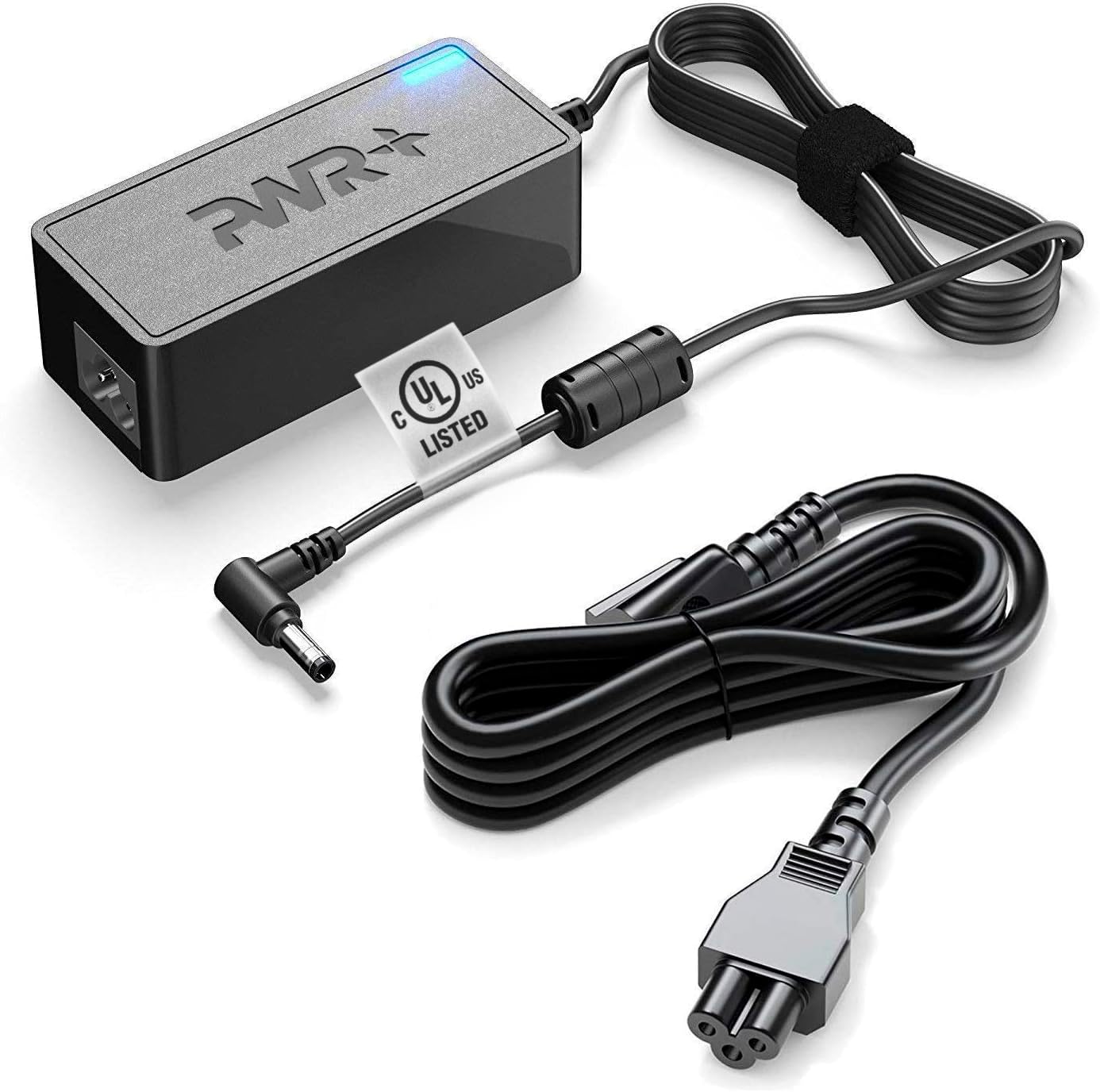
Image 1.1: The PWR+ Laptop Charger, including the main adapter unit, DC output cable with a 4.5mm tip, and the detachable AC input power cord.
2. Продукт бүтүп калдыview жана өзгөчөлүктөрү
The PWR+ Laptop Charger is engineered for efficiency and safety, featuring a robust design and multiple protective measures.
Негизги өзгөчөлүктөрү:
- Чыгуу кубаттуулугу: 19.5V, 3.33-3.34A, 65W/45W.
- Киргизүү көлөмүtage диапазону: 100-240V (universal compatibility).
- Extra Long Power Cords: Designed for extended reach and flexibility.
- UL тизмеси: Tested and certified for safety by Underwriters Laboratories.
- Камтылган коопсуздук коргоо: Кыска туташуудан коргоо (SCP), ашыкча ток коргоо (OCP), ашыкча агымдан коргоону камтыйтtage Protection (OVP), and Over Temperature Protection (OPT).

Image 2.1: An illustration detailing the high-grade copper wiring, aluminum foil shield, PVC cable jacket, and various built-in safety protections (SCP, OCP, OVP, OPT) within the PWR+ charger.
3. Шайкештик
This PWR+ Laptop Charger is compatible with a wide range of Dell Inspiron, Latitude, and XPS laptop models. Please verify your laptop's power requirements and connector type before use.
Compatible Dell Series:
- Dell Inspiron: 11, 13, 14, 15, 17 (3000, 5000, 7000 Series)
- Dell Latitude: 12, 13, 14, 15 (e.g., 3379, 3390, 3490, 3590, 7202, 7350)
- Dell XPS: 12, 13 (e.g., 9333, 9343, 9350, 9360, 9Q33, L221X, L321X, L322X)
- Dell Vostro: 14, 15 (e.g., 3458, 3558)
- Dell Optiplex: 3020, 7040, 9020, 3046
This charger supports Dell part numbers including 00285K, 0YTFJC, 3RG0T, DA45NM131, DA45NM140, AA45NM131, LA45NM121, 5NW44, HA45NM140, JT9DM, 03RG0T, HK45NM140, 04H6VH, LA45NM131, LA45NM140, FA45NE1-00, PA-1450-66D1, RFRWK, 0G6J41, 04H6NV, 0CDF57, 0X9RG3, 0MGJN, 09CGP4, 0JXC18, RWHHR, 070VTC, 0KXTTW, 0JHJX0, 44PV8, CC0DT, CDF57, D0KFY, 312-1307, 332-0971, JHJX0, 332-1827, 450-18066, X9RG3.
4. Коопсуздук маалыматы
Your safety is paramount. This PWR+ charger is UL Listed, ensuring it meets rigorous safety standards. Always follow these guidelines:
- Ensure the charger is used with compatible devices only.
- Заряддоочу түзүлүштү сууга же ашыкча нымдуулукка дуушар кылбаңыз.
- Ашыкча температурадан сактаныңыз.
- Заряддоочу түзүлүштү ажыратпаңыз же өзгөртпөңүз.
- Inspect the cables and adapter for damage before each use. Discontinue use if any damage is observed.
- Балдар жетпеген жерде сактаңыз.

Image 4.1: Close-up of the UL Listed certification mark on the charger cable, indicating compliance with safety standards.
5. Орнотуу
Follow these steps to set up your PWR+ Laptop Charger:
- AC кубат кабелин туташтыруу: Insert the three-prong end of the AC power cord into the power brick. Ensure it is firmly seated.
- Дубал розеткасына сайыңыз: Insert the two-prong end of the AC power cord into a standard wall electrical outlet. The indicator light on the power brick should illuminate, confirming power is supplied.
- Ноутбукка туташуу: Carefully insert the DC output connector (the smaller tip) into the charging port of your Dell laptop. Ensure a snug fit.
- Заряддоону текшерүү: Confirm that your laptop indicates it is receiving power and charging.

Image 5.1: The PWR+ laptop charger connected to a Dell laptop, demonstrating proper setup for charging.
6. Иштөө нускамалары
Once set up, the PWR+ Laptop Charger operates automatically to provide power to your laptop and charge its battery. The charger is designed for continuous use, but it is good practice to disconnect it when not in use for extended periods.
- The blue LED indicator on the power brick signifies that the charger is receiving power and is operational.
- The charger will automatically adjust its output to match your laptop's power requirements within its specified range (65W/45W).
- For optimal battery health, avoid frequently draining your laptop battery completely before recharging.
7. Техникалык тейлөө
Туура техникалык тейлөө кубаттагычыңыздын узак мөөнөттүү иштешин жана коопсуз иштешин камсыз кылат:
- Тазалоо: Disconnect the charger from the power outlet and laptop before cleaning. Use a dry, soft cloth to wipe the surfaces. Do not use liquid cleaners or solvents.
- Кабелдик башкаруу: Avoid sharp bends or kinks in the cables. Use the included Velcro strap to neatly coil the cables when storing or transporting the charger.
- Сактагыч: Заряддоо түзүлүштү күн тийбеген жана экстремалдык температурадан алыс, салкын, кургак жерде сактаңыз.
- Текшерүү: Periodically check the cables and connectors for any signs of wear, fraying, or damage.
8. Кыйынчылыктарды
If you encounter issues with your PWR+ Laptop Charger, refer to the following common problems and solutions:
| Көйгөй | Мүмкүн себеп | Чечим |
|---|---|---|
| Заряддоочу түзүлүштүн индикатору өчүк. | No power from outlet or loose connection. | Ensure AC cord is fully inserted into the brick and wall outlet. Test the outlet with another device. |
| Ноутбук заряддалбай жатат. | Loose DC connector, incompatible charger, or laptop issue. | Ensure DC connector is firmly seated in the laptop's charging port. Verify charger compatibility with your laptop model. Restart laptop. |
| Заряддоочу түзүлүш ысык сезилет. | Кадимки жүк астында иштөө, же начар желдетүү. | A slight warmth is normal. Ensure the charger is in a well-ventilated area and not covered. If excessively hot, disconnect immediately and contact support. |
| "AC power adapter type cannot be determined" error. | Laptop not recognizing the charger's wattage. | Ensure the charger is fully compatible with your specific Dell model's wattage requirements. Re-seat the DC connector. |
Эгерде бул чечимдерди колдонуп көргөндөн кийин да көйгөй чечилбесе, PWR+ кардарларды колдоо кызматына кайрылыңыз.
9. Техникалык шарттар
- Бренд: PWR+
- Модель номери: PWR-TAJ195333
- Киргизүү көлөмүtage: 100-240V
- Output Voltage: 19.5V
- Чыгуу ток: 3.33-3.34A (65W/45W)
- Туташтыргыч түрү: Proprietary (4.5mm tip)
- Элемент Салмагы: Болжол менен 1.54 фунт
- Кубат булагы: Электр зымдары
- Өзгөчөлүктөр: UL Listed, Extra Long Power Cord, Charging Indicator, Multiple Safety Features
10. Кепилдик жана колдоо
PWR+ өз продукцияларынын сапатын көзөмөлдөйт.
Кепилдик маалыматы:
- Төлөмдү кайтаруу саясаты: 30 күндүк кайтаруу.
- Алмашуу саясаты: 24 айлык алмашуу.

Image 10.1: The PWR+ charger displaying a '2 Year Extended Warranty' sticker, highlighting the product's warranty period.
Кардарларды колдоо:
For any questions, technical assistance, or warranty claims, please contact PWR+ customer support. PWR+ is a WA, USA based company dedicated to providing friendly customer support.
Сатуучу: PWRTECH LLC
Бизнес дареги: 15000 Woodinville-Redmond RD Ste B100, Woodinville, WA, US