
Introduction
The Amped Wireless High Power Wireless-N Smart Repeater (SR300) is designed to expand the range of your existing 802.11b/g/n wireless network. It repeats the signal from your home or office wireless router, redistributing it to eliminate wireless dead zones and extend network coverage. This device also provides wired connectivity for various network devices.
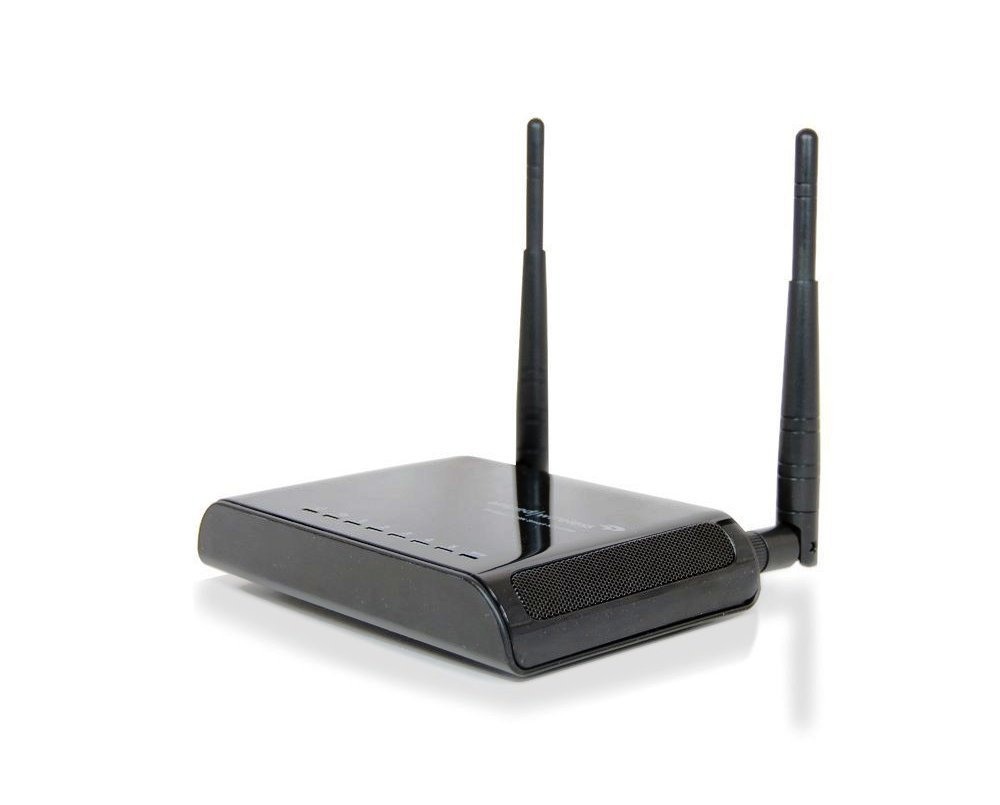
Сүрөт: Amped Wireless SR300 High Power Wireless-N Smart Repeater, shown with two external antennas and a sleek black design.
Пакеттин мазмуну
Пакетте бардык буюмдар бар экенин текшериңиз:
- High Power Wireless-300N Smart Repeater (SR300)
- 2 Detachable High Gain 3dBi Antennas
- Продукт стенди
- Ethernet кабели
- Ыкчам орнотуу колдонмосу
- CD with Manual and Instructional Videos
Негизги өзгөчөлүктөрү
- High Speed Wireless-300N: Supports speeds ideal for video streaming and high-traffic networks.
- Жалпы шайкештик: Works with most Wi-Fi routers (2.4GHz 802.11b/g/n).
- Зымдуу туташуу: Includes 5 Ethernet ports for connecting A/V devices and PCs without Wi-Fi capability.
- Оңой орнотуу: Features a Smart Setup Wizard for quick configuration.
- Жогорку күч Amplifier & Antennas: Equipped with a 100mW amplifier and two 3dBi high-gain antennas for extended range.
- Smart Security Features: Allows access restrictions, daily time scheduling, and adjustable wireless output power.
Орнотуу колдонмосу
Орнотуу үчүн төмөнкү кадамдарды аткарыңыз Amped Wireless SR300 Smart Repeater:
- Жайгашкан жери: Place the Smart Repeater approximately halfway between your existing wireless router and the area where you need extended Wi-Fi coverage. Ensure it receives a strong signal from your main router.
- Күйгүзүү: Connect the power adapter to the Smart Repeater and plug it into an electrical outlet.
- Компьютерге туташуу: Use the provided Ethernet cable to connect your computer directly to one of the LAN ports on the Smart Repeater.
- Кирүү орнотуу устасы: ачуу а web туташкан компьютериңиздеги браузерди колдонуп, ага өтүңүз жайгашуу.ampedwireless.com.
- Тармактарды издөө: Follow the on-screen instructions in the Smart Setup Wizard. It will scan for available wireless networks. Select your home Wi-Fi network from the list. It is recommended to connect to a network with greater than 70% signal strength for stability.
- Configure Security & Repeater Settings: Enter your existing Wi-Fi network's security password. You will then be prompted to configure the settings for your new extended network, including its name (SSID) and password.
- Review & Apply: Review the setup summary and apply the settings. The repeater will reboot, and your extended network will become active.
Окутуучу видео: Amped Wireless Smart Repeaters
Видео: Бүттүview of Amped Wireless Smart Repeaters, demonstrating how they extend Wi-Fi range and provide wired connections. This video covers the benefits and basic setup process.
Иштөө нускамалары
Extending Wireless Range
Once configured, the SR300 will automatically repeat your existing Wi-Fi signal, creating an extended network. Devices can connect to this extended network to access the internet and local network resources. The high-power amplifier and antennas ensure a strong, stable signal across a wider area, up to 5,000 square feet.
Adding Wired Connections
The SR300 features five RJ-45 10/100 LAN ports. These ports allow you to connect devices that require a wired connection or do not have Wi-Fi capabilities. Examples include desktop computers, gaming consoles (Xbox, Wii, PS3), Blu-ray players, smart TVs, and network printers. Simply connect an Ethernet cable from your device to one of the available LAN ports on the repeater.
Smart Security Features
The Smart Repeater includes various security options accessible through its web интерфейс:
- Access Restrictions: Control which users or devices can connect to your extended network.
- Wireless Access Scheduling: Set specific days and times when the network is available.
- Wireless Coverage Control: Adjust the output power (15% - 100%) to manage the reach of your extended wireless network.
- WPS Setup: Supports secure push-button setup for WPS-enabled devices.
- Шифрлөө: Supports WEP, WPA, WPA2, and WPA Mixed security protocols.
Техникалык шарттар
| Өзгөчөлүк | Деталь |
|---|---|
| Бренд | Amped Wireless |
| Модел | SR300 |
| Зымсыз стандарт | 802.11n, 802.11b/g |
| Frequency Band | 2.4 ГГц (бир тилкелүү) |
| Зымсыз ылдамдык | 300Mbps (Rx), 300Mbps (Tx) |
| Ampөмүрлүү | Low Noise Amplifier, 100mW Output Power |
| Антенналар | 2 x Detachable High Gain 3dBi Antennas, 2 x Reverse SMA Connectors |
| Порттар | 5 x RJ-45 10/100 LAN ports |
| Зымсыз коопсуздук | WEP, WPA, WPA2, WPA аралаш, WPS |
| Зымсыз кирүүнү пландаштыруу | Specific day and time |
| Зымсыз камтууну көзөмөлдөө | 15% - 100% Output Power |
| Диапазон | 5,000 чарчы футка чейин |
| Элемент Салмагы | 1 фунт |
| Түс | Кара |
| Шайкеш түзмөктөр | Wi-Fi enabled devices such as routers, smartphones, tablets, laptops, computers, smart TVs, gaming consoles, printers, and security cameras |
Проблемаларды чечүү
- Poor Wi-Fi Signal or Dead Zones: Ensure the repeater is placed optimally, roughly halfway between your main router and the weak signal area. Walls and other obstructions can degrade signals. Adjusting the repeater's position slightly can improve performance.
- Buffering or Lagging Internet: If you experience buffering during streaming or online gaming, check the signal strength between your repeater and the main router. A weak connection to the main router will result in a weak extended signal. Consider repositioning the repeater closer to the main router or adjusting its antennas.
- Cannot Access Setup Page: Эгер кире албасаңыз жайгашуу.ampedwireless.com, ensure your computer is directly connected to the repeater via Ethernet and that the repeater is powered on. Try restarting both your computer and the repeater.
- Программалык камсыздоонун жаңыртуулары: Мезгил-мезгили менен текшерип туруңуз Amped Wireless website for firmware updates. Firmware updates can improve performance, add features, and resolve known issues. Follow the instructions provided by Amped Wireless carefully when performing updates.
- No Internet Access on Extended Network: Verify that your main router has an active internet connection. Ensure the repeater is successfully connected to your main Wi-Fi network with the correct password.
Техникалык тейлөө
Сиздин оптималдуу иштешин жана узак өмүрүн камсыз кылуу үчүн Amped Wireless SR300, consider the following:
- Желдетүү: Ашыкча ысып кетүүнүн алдын алуу үчүн аппаратты жакшы желдетилген жерге жайгаштырыңыз.
- Акырын тазалоо: Use a soft, dry cloth to clean the exterior of the device. Avoid liquid cleaners.
- Кадимки кайра жүктөөлөр: Occasionally restarting the repeater (power cycling) can help resolve minor connectivity issues and improve performance.
Кепилдик маалымат
The Amped Wireless SR300 High Power Wireless-N Smart Repeater comes with a 1 жылдык өндүрүүчүнүн кепилдиги. Please retain your proof of purchase for warranty claims. For detailed warranty terms and conditions, refer to the documentation included with your product or visit the official Amped Wireless webсайт.
Техникалык колдоо
Amped Wireless provides free U.S. Based Technical Support for all its products. If you encounter any issues or have questions regarding the setup, operation, or troubleshooting of your SR300 Smart Repeater, please contact their support team. Contact information can be found in your Quick Installation Guide or on the official Amped Wireless webсайт.