
Introduction
The PreSonus AudioBox 22VSL is a 2-input, 2-output USB 2.0 audio/MIDI interface designed for professional-caliber 24-bit, 96 kHz audio recording. Its rugged, compact design makes it suitable for both home studios and mobile setups. This interface integrates seamlessly with the included PreSonus Studio One Artist DAW and works with most Mac and Windows audio-recording software.
The AudioBox 22VSL features two mic/instrument inputs with PreSonus' Class A XMAX preamps, ensuring high-quality sound capture. It also includes Virtual StudioLive (VSL) control software, which provides real-time effects and processing for monitoring and recording.

Сүрөт: алдыңкы view of the PreSonus AudioBox 22VSL audio interface, showing the two mic/instrument inputs, gain knobs, 48V phantom power button, main output and headphone level controls, and mixer knob.
Продукт өзгөчөлүктөрү
- 24-bit / 96 kHz 2 x 2 USB 2.0 recording interface
- 2 dual-purpose front-panel input channels (mic/instrument)
- Mixer control for blending input signal with computer playback stream for zero-latency monitoring
- Headphone jack with dedicated level control
- Main-output level control
- LED clip indicator for each channel
- PreSonus Studio One Artist digital audio workstation software included
- Virtual StudioLive™ (VSL) control software included
- Equipped with PreSonus Class A XMAX preamps
- Rugged, solid metal chassis for durability
Жайгашуу
Таңгактан чыгаруу жана алгачкы текшерүү
Carefully remove the AudioBox 22VSL and all accessories from its packaging. Verify that all components are present, including the USB cable, quick start guide, and software installation media. Inspect the unit for any signs of damage during shipping.

Image: Included accessories for the PreSonus AudioBox 22VSL, showing the USB cable, rubber feet, quick start guide, and software discs for Studio One Artist and AudioBox VSL.
Аппараттык байланыш
- USB туташуу: Connect the AudioBox 22VSL to an available USB 2.0 port on your computer using the provided USB cable. The device is powered via USB.
- Microphone/Instrument Inputs: Connect your microphones or instruments to the two combo XLR/TRS inputs on the front panel. If using condenser microphones, ensure 48V phantom power is enabled (see Operating Instructions).
- Негизги жыйынтыктар: Connect your studio monitors to the Main Out (L/R) 1/4-inch TRS jacks on the rear panel.
- Наушник: Plug your headphones into the 1/4-inch stereo jack on the front panel.
- MIDI байланыштары: If using MIDI devices, connect your MIDI controller or other MIDI hardware to the MIDI In and Out ports on the rear panel.
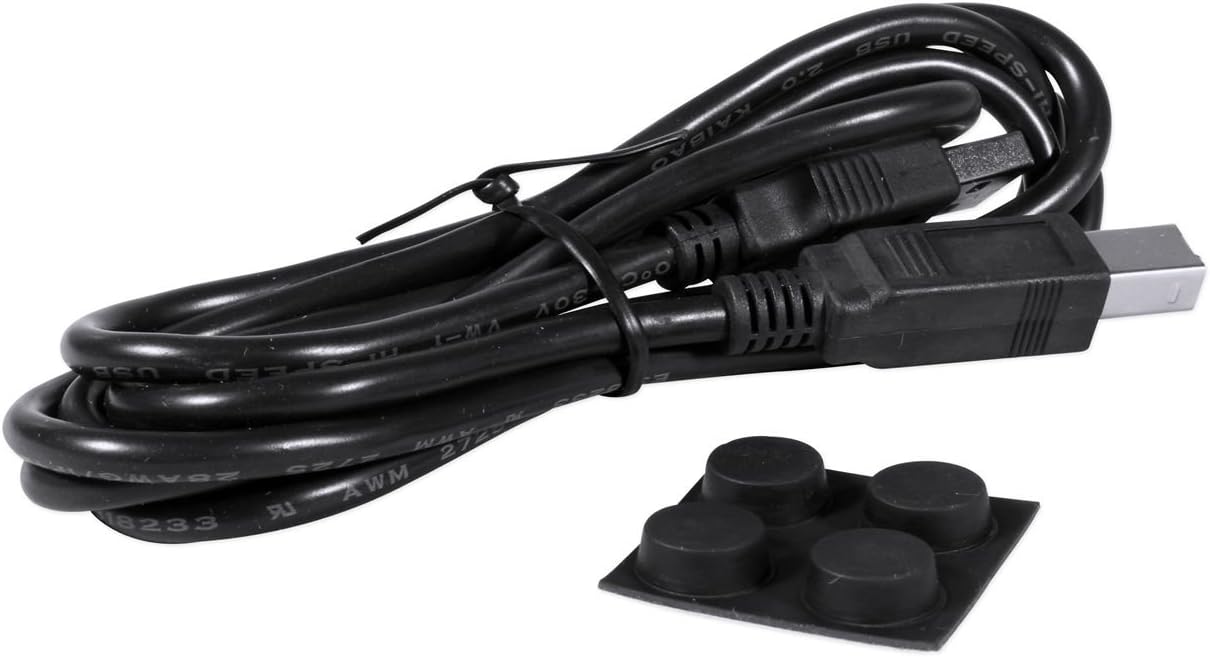
Image: Rear panel of the PreSonus AudioBox 22VSL, displaying the USB 2.0 port, MIDI In/Out ports, Main Out (L/R) TRS jacks, and Phones output.
Программалык камсыздоону орнотуу
Before connecting the AudioBox 22VSL, it is recommended to install the necessary drivers and software. Insert the included PreSonus AudioBox VSL software disc or download the latest drivers and Virtual StudioLive (VSL) software from the official PreSonus website. Follow the on-screen instructions for installation. Once the VSL software is installed, proceed with installing PreSonus Studio One Artist.
Иштөө нускамалары
Алдыңкы панелдин башкаруу элементтери
- Mic/Instrument Inputs (1 & 2): Combo jacks for XLR microphones or 1/4-inch instrument/line-level sources.
- Күчөткүч туткалары (1 жана 2): Adjust the input level for each channel. Set these to achieve a strong signal without clipping (indicated by the LED clip indicator).
- 48V фантом күчү: Press this button to supply 48V phantom power to the XLR inputs for condenser microphones. Ensure microphones are connected before engaging phantom power.
- Негизги тутка: Controls the output level of the Main Out (L/R) jacks.
- Телефондордун баскычы: Adjusts the output level for the headphone jack.
- Аралаштыргыч баскычы: Blends the direct input signal with the playback stream from your computer. Turn clockwise for more direct input (zero-latency monitoring) and counter-clockwise for more computer playback.
- Clip LEDs: Illuminate when the input signal is too high, indicating potential clipping. Reduce the gain if these LEDs light up consistently.
Арткы панелдик байланыштар
- USB 2.0: Connects the interface to your computer for data transfer and power.
- MIDI Кирүү/Чыгуу: Standard 5-pin DIN connectors for connecting MIDI devices.
- Негизги чыгуу (сол/оң): Balanced 1/4-inch TRS outputs for connecting to studio monitors or an external mixer.
- Телефондор: Stereo 1/4-inch output for headphones.
Using Virtual StudioLive (VSL) Software
The VSL software provides a virtual mixer interface that allows you to apply real-time effects and processing to your inputs with near-zero latency. This includes Fat Channel processing (compression, limiting, semi-parametric EQ, high-pass filter, noise gate) and customizable reverb and delay effects. These effects are applied to the monitoring path, allowing musicians to hear themselves with effects during tracking without affecting the recorded signal (unless specifically routed to do so).
Видео: Бүттүview of the PreSonus AudioBox VSL series, demonstrating the real-time effects processing capabilities of the Virtual StudioLive software and its application in recording and live performance scenarios.
The VSL software allows you to adjust parameters such as compression, limiting, EQ, and apply various reverb and delay effects. This enhances the monitoring experience, helping musicians perform better by hearing a more polished sound in their headphones.
Studio One Artist менен жаздыруу
The AudioBox 22VSL comes bundled with PreSonus Studio One Artist, a powerful and intuitive digital audio workstation. After installing Studio One Artist, launch the software and ensure the AudioBox 22VSL is selected as your audio device in the preferences. You can then create new songs, add audio tracks, and begin recording. The VSL effects can be recorded directly onto your tracks or used solely for monitoring, providing flexibility in your workflow.
Техникалык тейлөө
- Тазалоо: Use a soft, dry cloth to clean the exterior of the AudioBox 22VSL. Avoid using abrasive cleaners or solvents, as they may damage the finish.
- Сактагыч: Колдонулбаган учурда, интерфейсти салкын, кургак жерде, күндүн түз тийген нурларынан жана өтө жогорку температурадан алыс сактаңыз.
- Кабелдик башкаруу: Ensure all cables are properly routed and not under excessive strain to prevent damage to the connectors or the unit.
- Программалык камсыздоонун жаңыртуулары: PreSonus'ту мезгил-мезгили менен текшерип туруңуз website for firmware updates for your AudioBox 22VSL to ensure optimal performance and compatibility.
Проблемаларды чечүү
- No Power/No Connection:
- Ensure the USB cable is securely connected to both the AudioBox 22VSL and your computer.
- Башка USB портун же USB кабелин колдонуп көрүңүз.
- Verify that your computer's USB ports are functioning correctly.
- No Sound Input/Output:
- Бардык кабелдик туташууларды текшериңиз (микрофондор, аспаптар, мониторлор, кулакчындар).
- Ensure input gain knobs are turned up and output level knobs (Main, Phones) are not at minimum.
- Verify that the AudioBox 22VSL is selected as the input/output device in your operating system's sound settings and your DAW (e.g., Studio One Artist).
- If using condenser microphones, ensure 48V phantom power is engaged.
- Check the Mixer knob position; adjust it to hear more of your input or computer playback.
- Audio Clipping/Distortion:
- Reduce the input gain using the corresponding gain knob if the Clip LED illuminates frequently.
- Микрофонуңуздун же аспаптын чыгаруу деңгээли өтө жогору эмес экенин текшериңиз.
- Кечирүү маселелери:
- Adjust the buffer size in your DAW's audio settings. Lower buffer sizes reduce latency but require more CPU power.
- Utilize the Mixer knob on the AudioBox 22VSL for direct, zero-latency monitoring of your input signal.
- Ensure you are using the correct ASIO drivers on Windows or Core Audio drivers on macOS.
- Программа интерфейсти тааныбайт:
- PreSonus'тан эң акыркы драйверлерди кайра орнотуңуз webсайт.
- Restart your computer and the AudioBox 22VSL.
- Check for operating system compatibility.
Техникалык шарттар
- Бренд: PreSonus
- Модел: AudioBox 22VSL
- Байланыш технологиясы: USB 2.0
- Каналдардын саны: 2 киргизүү, 2 чыгуу
- Sample Rate/Bit Depth: Up to 96 kHz / 24-bit
- Preamps: 2 x Class A XMAX mic preamps
- Аудио киргизүү: USB (combo XLR/TRS inputs)
- Шайкеш түзмөктөр: Ноутбук, персоналдык компьютер
- Колдоого алынган программалык камсыздоо: PreSonus Studio One Artist, Virtual StudioLive (VSL)
- Операция системасы: Windows, macOS
- Элемент Салмагы: 1.6 фунт (болжол менен 0.73 кг)
- MIDI: In/out
Кепилдик
The PreSonus AudioBox 22VSL comes with a 1 жылдык тетиктерге жана эмгек гарантиясына. Please retain your proof of purchase for warranty claims. For detailed warranty terms and conditions, refer to the documentation included with your product or visit the official PreSonus webсайт.
Колдоо
For further assistance, technical support, or to download the latest drivers and software, please visit the official PreSonus support webсайт:
Ошондой эле, сиз кошумча ресурстарды, көп берилүүчү суроолорду жана коомчулук форумдарын алардын сайтынан таба аласыз webсайт.