
Продукт бүттүview
The Kanlux Elma 98081 is a compact LED night light designed for indoor use, featuring integrated USB charging ports. It provides a soft, ambient light suitable for bedrooms, hallways, or nurseries, while also offering convenient power for charging small electronic devices.
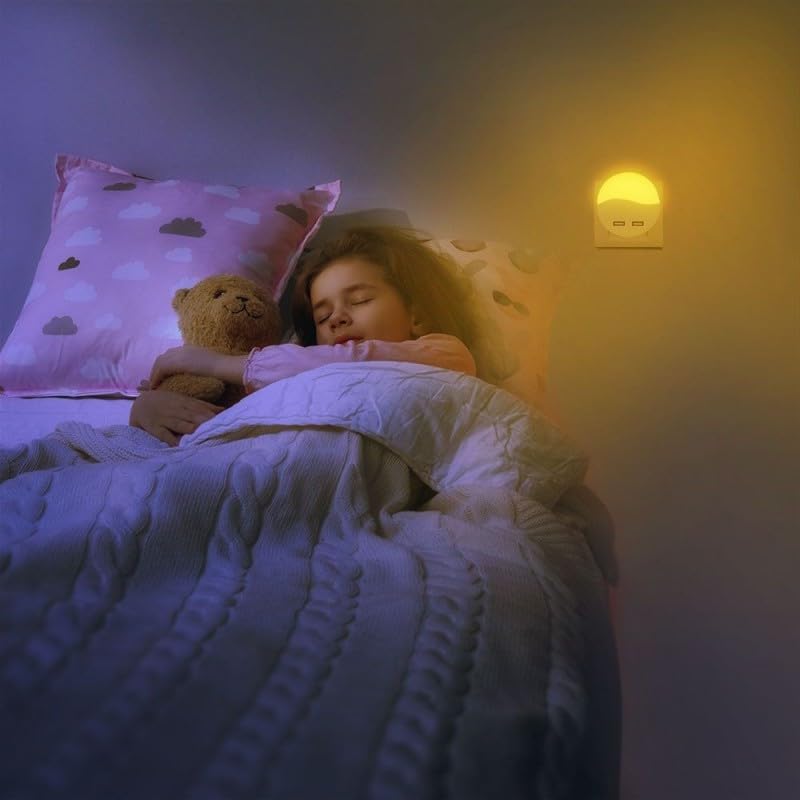
Image 1: The Kanlux Elma 98081 LED Night Light, showing its circular design and two front-facing USB charging ports.
Коопсуздук нускамалары
- Ensure the product is used only in dry, indoor environments.
- Аппаратты сууга же ашыкча нымдуулукка дуушар кылбаңыз.
- Продукцияны ажыратууга же өзгөртүүгө аракет кылбаңыз.
- Балдар жетпеген жерде сактаңыз.
- Only plug into a standard wall outlet with the correct voltage.
- Avoid covering the night light during operation to prevent overheating.
Жайгашуу
- Аппаратты таңгактан чыгаруу: Carefully remove the Kanlux Elma 98081 from its packaging.
- Жайгашкан жерди тандаңыз: Choose a standard wall outlet in your desired location. Ensure the outlet is easily accessible and not obstructed.
- Плагин: Insert the night light directly into the wall outlet. Ensure it is securely seated. The night light will illuminate automatically if it has a light sensor, or it may have a manual switch.

Image 2: The Kanlux Elma 98081 night light plugged into a wall socket, providing a warm glow in a bedroom setting.
Иштөө нускамалары
- Түнкү жарык функциясы: The LED night light typically operates automatically, turning on in low light conditions and off in brighter environments, thanks to an integrated light sensor. If there is a manual switch, refer to the product packaging for specific operation.
- USB кубаттоо порттору: To charge a device, connect your device's USB cable to one of the two USB ports on the front of the night light. Ensure your device is compatible with standard USB charging. The charging function operates independently of the night light.
Техникалык тейлөө
- Тазалоо: Disconnect the night light from the power outlet before cleaning. Wipe the surface with a soft, dry cloth. Do not use abrasive cleaners, solvents, or excessive moisture.
- Сактагыч: If storing the device, ensure it is clean and dry. Store in a cool, dry place away from direct sunlight.
Проблемаларды чечүү
- Жарык күйбөйт:
- Check if the night light is securely plugged into a working outlet.
- Ensure the room is dark enough for the light sensor to activate (if applicable).
- Verify if there is a manual switch and if it is in the "ON" position.
- USB порттору заряддалбай жатат:
- Ensure the night light is properly plugged into a live power outlet.
- Check the USB cable for damage and ensure it is correctly connected to both the night light and your device.
- Test with a different USB cable or device to rule out compatibility issues.
Техникалык шарттар
| Бренд | Kanlux |
| Модел | Эльма 98081 |
| Маалымдама номери | 505 |
| Түс | Ак |
| Өлчөмдөрү (Диаметр x Тереңдик) | Ø60 mm x 54.5 mm (approx.) |
| Салмагы | 500 g (approx. shipping weight) |
| Power Source | AC Wall Outlet |
| USB порттору | 2 (for charging compatible devices) |
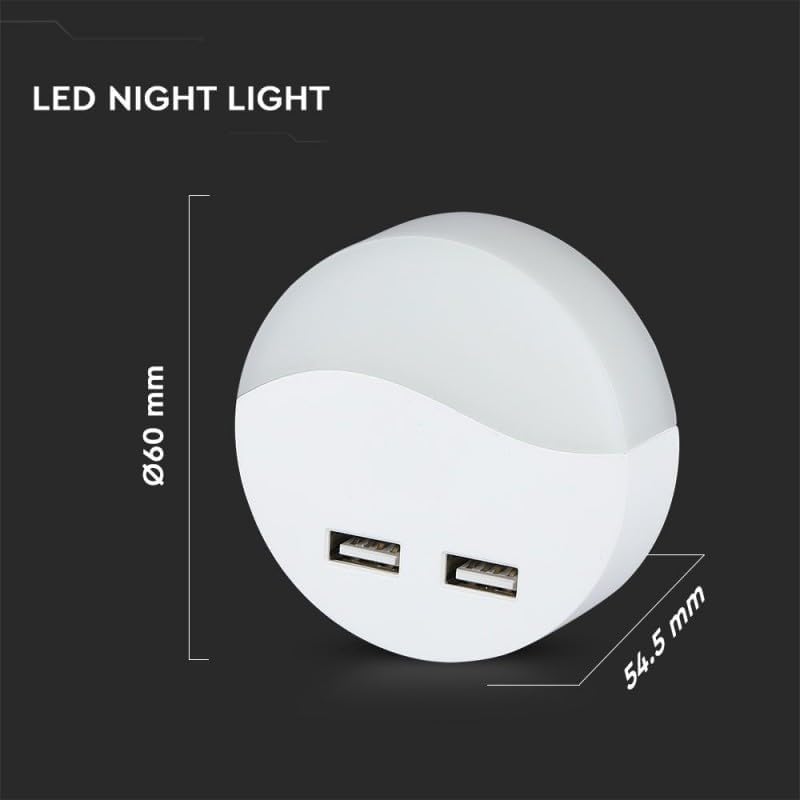
Image 3: Technical drawing of the Kanlux Elma 98081, indicating a diameter of 60mm and a depth of 54.5mm.
Кепилдик жана колдоо
Specific warranty details for the Kanlux Elma 98081 are not provided in this manual. For warranty information, please refer to the documentation included with your purchase or contact Kanlux customer service directly.
For technical support or further assistance, please visit the official Kanlux webсайтка же кардарларды колдоо бөлүмүнө кайрылыңыз. Байланыш маалыматы, адатта, продуктунун таңгагында же өндүрүүчүнүн дарегинде тапса болот webсайт.