
1. Киришүү
The TP-Link TL-R470T+ Load Balance Broadband Router is designed for small businesses requiring robust and flexible network connectivity. This device offers advanced features to ensure consistent network uptime and reliable Ethernet connectivity, optimizing internet access through multiple WAN connections.
2. Продукциянын өзгөчөлүктөрү
- Көп WAN порттору: Features three changeable WAN/LAN ports, allowing configuration for up to four WAN ports to meet diverse internet access requirements.
- Smart Load Balancing: Automatically distributes network traffic across multiple WAN connections based on load and bandwidth, ensuring optimal performance and reliability.
- Өркүндөтүлгөн коопсуздук: Includes Denial of Service (DoS) attack detection and blocking (TCP/UDP/ICMP flooding, Ping of Death), along with IP/MAC/URL/Web filtering functions to protect against intruders and viruses.
- Efficient Access Management: Supports PPPoE server functionality for user authentication and IP-based bandwidth control to manage bandwidth usage. The e-bulletin feature allows for periodic web-page notifications to user groups.
- Чагылгандан коргоо: Incorporates professional lightning protection technology designed to prevent electrical surges up to 4KV, safeguarding networking infrastructure.
- DDNS Support: Facilitates easy remote management using a domain name.
- IP and MAC Binding: Prevents ARP virus attacks by binding IP addresses to MAC addresses.
3. Пакеттин мазмуну
Пакетиңизде төмөнкү заттар бар экенин текшериңиз:
- TP-Link TL-R470T+ Load Balance кең тилкелүү роутер
- Электр кабели
- RJ-45 Ethernet кабели
- Ыкчам орнотуу колдонмосу
4. Орнотуу
Follow these steps to set up your TL-R470T+ router:
- Физикалык байланыш:
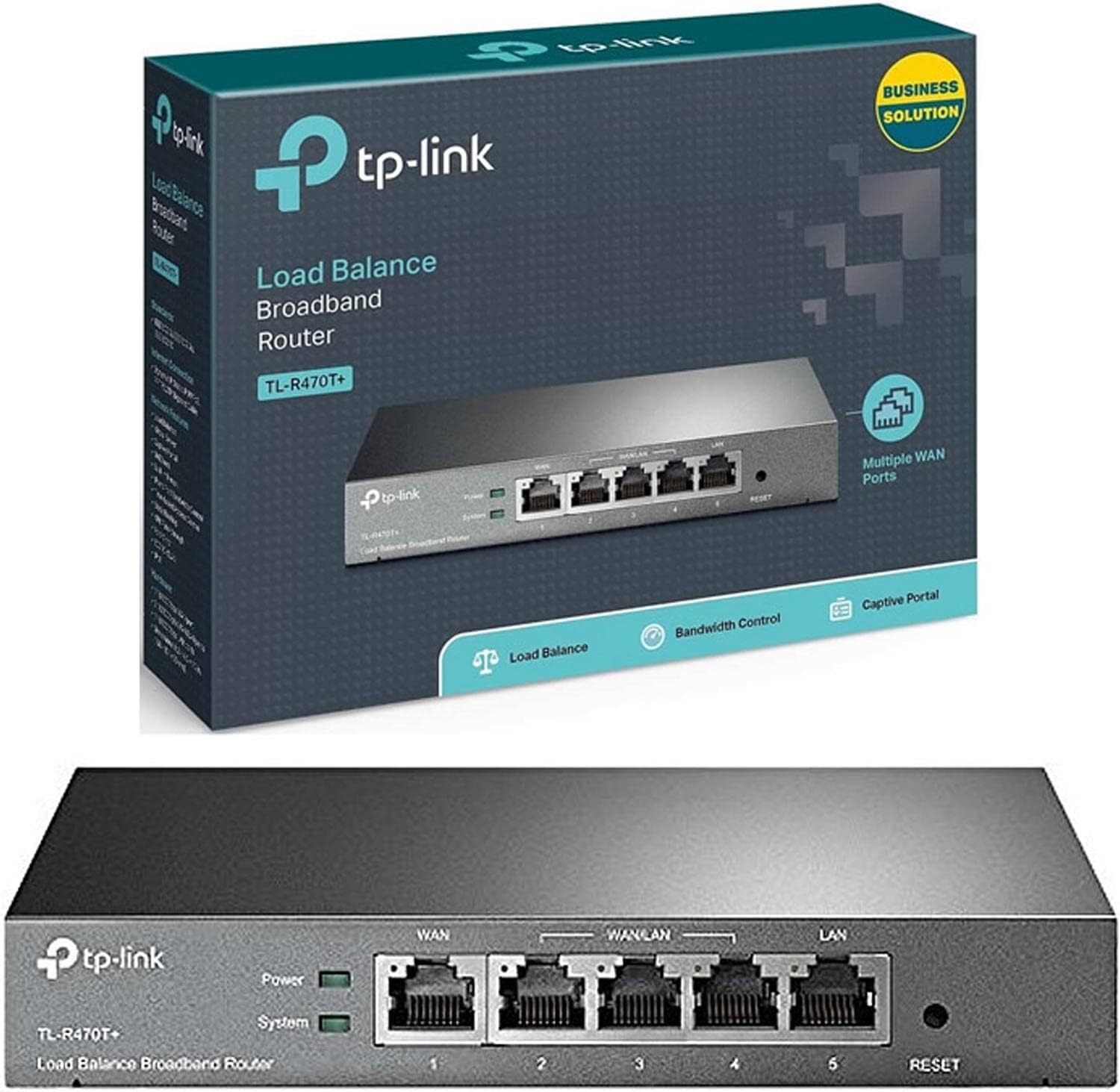
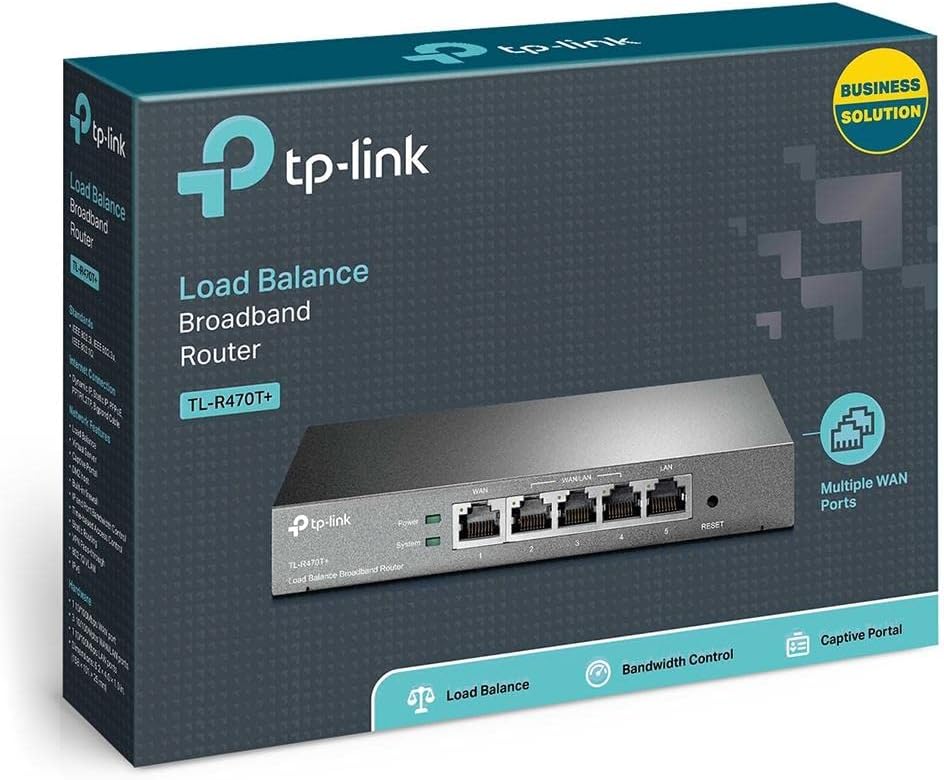
Сүрөт: алдыңкы view of the TL-R470T+ router, displaying the WAN port, three configurable WAN/LAN ports, and one dedicated LAN port, along with power and system LED indicators.
- Connect your modem's Ethernet cable to the router's dedicated WAN port (Port 1).
- If using additional WAN connections, connect them to the configurable WAN/LAN ports (Ports 2-4).
- Connect your local network devices (computers, switches) to the LAN port (Port 5) or other configurable ports set as LAN.
- Connect the power adapter to the router's power input and plug it into an electrical outlet.
Сүрөт: Артка view of the TL-R470T+ router, highlighting the power input (9V=0.6A) and a Kensington lock slot for physical security.
- Баштапкы конфигурация:
- ачуу а web browser on a computer connected to the router's LAN port.
- Демейки IP дарегин киргизиңиз (адатта 192.168.0.1) дарек тилкесине.
- Log in using the default username and password (refer to the Quick Installation Guide for details).
- Follow the on-screen wizard to configure your WAN connections and basic network settings.
5. Иштөө нускамалары
Once set up, the TL-R470T+ operates to manage your network traffic efficiently.
- Жүктүн тең салмактуулугу: The router intelligently distributes internet traffic across active WAN connections. You can configure load balancing policies via the web interface to prioritize certain connections or applications.
- Firewall and Filtering: Access the security settings in the web interface to configure IP/MAC/URL filtering rules and enable DoS attack protection. This helps secure your network from external threats.
- Өткөрүү жөндөмдүүлүгүн көзөмөлдөө: Utilize the IP-based bandwidth control feature to allocate specific bandwidth limits to different users or devices on your network, ensuring fair usage and preventing congestion.
- Port Forwarding (Virtual Servers): For applications requiring external access to internal network resources (e.g., FTP servers, gaming servers), configure Virtual Servers (Port Forwarding) in the router's settings.
- Dynamic DNS (DDNS): If you have a dynamic public IP address, configure DDNS to associate a fixed domain name with your router, enabling consistent remote access.
6. Техникалык тейлөө
Үзгүлтүксүз тейлөө сиздин роутериңиздин оптималдуу иштешин жана узак иштөөсүн камсыз кылат.
- Программалык камсыздоонун жаңыртуулары: Мезгил-мезгили менен TP-Link кызматкерин текшерип туруңуз webмикропрограммалык камсыздоону жаңыртуу сайты. Микропрограмманы жаңыртуу иштин натыйжалуулугун жакшыртып, жаңы функцияларды кошуп, коопсуздук кемчиликтерин оңдой алат.
- Конфигурациянын камдык көчүрмөсү: Роутериңиздин конфигурация жөндөөлөрүнүн камдык көчүрмөсүн үзгүлтүксүз сактап туруңуз web interface. This allows for quick restoration in case of accidental changes or a factory reset.
- Физикалык чөйрө: Ensure the router is placed in a well-ventilated area, away from direct sunlight, heat sources, and moisture. Keep the device clean and free from dust accumulation.
- Чагылгандан коргоо: While the device has built-in lightning protection, ensure proper grounding of your electrical system to maximize its effectiveness.
7. Кыйынчылыктарды
Бул бөлүм сиз кабылышы мүмкүн болгон жалпы көйгөйлөрдү карайт.
- Интернетке кирүү жок:
- Verify that your modem is working correctly and providing an internet connection.
- Check the WAN port LED indicators on the router; they should be lit.
- Ensure WAN settings (IP address, DNS) are correctly configured in the router's web интерфейс.
- Модемди да, роутерди да өчүрүп күйгүзүңүз.
- Жай Интернет ылдамдыгы:
- Интернет провайдериңиздин ылдамдыгын текшериңиз.
- Review load balancing settings to ensure optimal distribution across WANs.
- Check for any active bandwidth control rules that might be limiting speed for your device.
- Кирүү мүмкүн эмес Web Башкаруу баракчасы:
- Компьютериңиз роутердин LAN портуна туташкандыгын текшериңиз.
- Verify your computer's IP address is in the same subnet as the router (e.g., 192.168.0.x).
- Браузериңиздин кэшин тазалап көрүңүз же башка браузерди колдонуп көрүңүз.
- If the issue persists, perform a factory reset by pressing and holding the reset button for approximately 5-10 seconds while the router is powered on. Note: This will erase all custom configurations.
8. Техникалык шарттар
| Элемент моделинин номери | TL-R470T+ |
| Бренд | TP-Link |
| Interface Type | 1 Fixed Ethernet WAN Port, 1 Fixed Ethernet LAN Port, 3 Changeable Ethernet WAN/LAN Ports |
| Порттардын саны | 5 |
| Маалыматтарды өткөрүү ылдамдыгы | 100 Мегабит секундасына |
| Тtage | 240 вольт |
| Элемент Салмагы | 0.46 килограмм (1.02 фунт) |
| Продукциянын өлчөмдөрү | 8.3 x 1.1 x 5 дюйм |
| Операциялык системанын шайкештиги | Microsoft Windows 8, 7, Vista, XP or MAC OS, NetWare, UNIX or Linux |
| Зымсыз түрү | 802.11ac (Note: This device is a wired router, 802.11ac refers to internal component compatibility, not wireless functionality) |
| Flash эстутум өлчөмү | 4 MB |
9. Кепилдик жана колдоо
Кепилдик жөнүндө маалымат, техникалык колдоо жана андан аркы жардам алуу үчүн, расмий TP-Link сайтына кайрылыңыз. website or contact TP-Link customer service directly. The Quick Installation Guide included with your product may also contain specific warranty details for your region.