
Introduction
This manual provides detailed instructions for the installation, operation, and maintenance of your CORSAIR VENGEANCE C70 Mid-Tower Case. Designed for durability and extensive cooling, the C70 offers a robust platform for your PC build.
Орнотуу жана орнотуу
Follow these steps to set up your CORSAIR VENGEANCE C70 Mid-Tower Case.
1. Ишти даярдоо
The CORSAIR VENGEANCE C70 features quick-release side panels for easy access. To open, locate the latches on the top rear of each side panel and flip them open. Gently pull the panels away from the chassis.
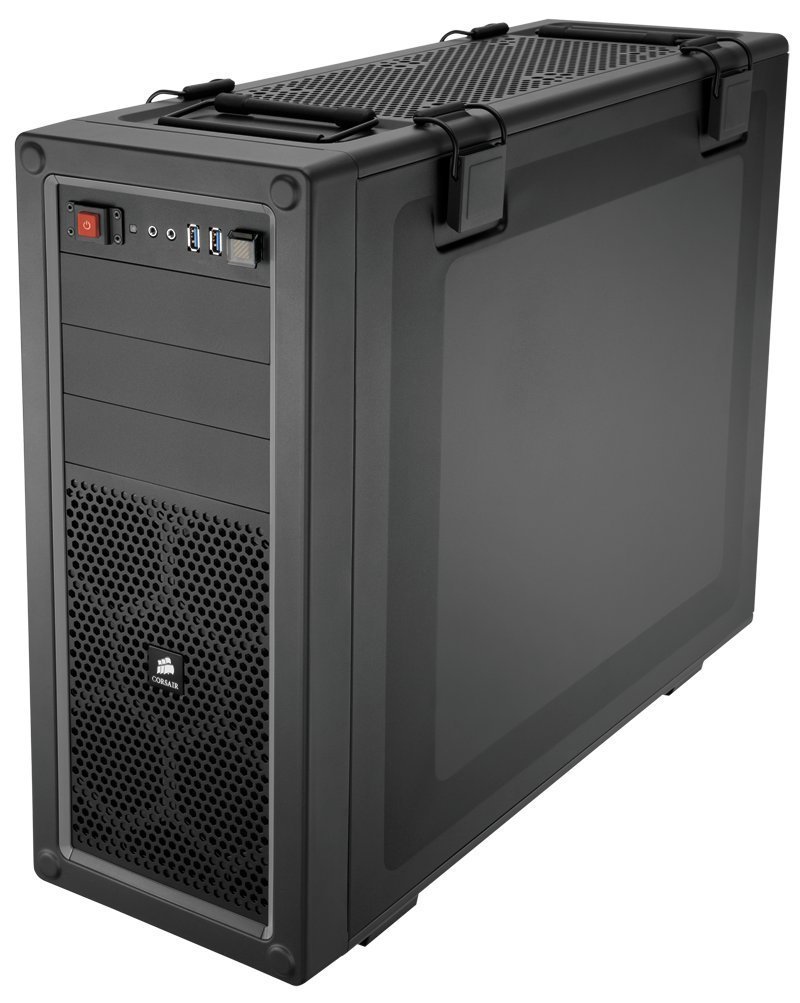
Сүрөт: Ички view of the Corsair Vengeance C70 Mid-Tower Case, showcasing the spacious interior with a motherboard, CPU cooler, graphics cards, power supply, and drive bays installed. Note the cable management and fan placements.
2. Motherboard орнотуу
- The C70 supports ATX and mATX motherboards.
- Киргизүү/чыгаруу калканчын корпустун арткы тешигине орнотуңуз.
- Align your motherboard with the pre-installed standoffs. Secure the motherboard using the provided screws. Ensure all mounting points are utilized for stability.
3. Электр энергиясы менен жабдууну орнотуу
- The case supports ATX power supplies, mounted at the bottom.
- Slide the power supply into its designated bay at the bottom rear of the case.
- Secure it with screws from the rear of the chassis.
4. Дискти орнотуу
- 5.25" Optical Drives: The case features three 5.25" external drive bays. Remove the front bezel cover, slide the drive in, and secure it using the tool-less locking mechanism.
- 3.5"/2.5" Hard Drives/SSDs: The case includes six 3.5"/2.5" drive caddies. These caddies support both 3.5" HDDs and 2.5" SSDs. Slide your drive into a caddy and then slide the caddy into one of the internal drive bays until it clicks into place. The drive cages are removable for increased space or custom cooling solutions.
5. Expansion Cards
- The C70 provides eight expansion slots.
- Remove the necessary slot covers, insert your expansion card (e.g., graphics card), and secure it with the provided screws or tool-less clips.
6. Муздатуу системасы
- The case comes with two 120mm intake fans and one 120mm exhaust fan pre-installed.
- Additional fan mounting locations are available for enhanced airflow, supporting up to 10 fans. These include locations on the top, bottom, and side panel.
- The case also supports 240mm radiators for liquid cooling solutions in the top, front (with drive cage removal), or bottom (with drive cage removal).
7. Кабелдик башкаруу
Utilize the routing holes and tie-down points behind the motherboard tray to organize cables. This improves airflow and maintains a clean internal appearance.
Операция
Алдыңкы I/O панели
Алдыңкы I/O панели маанилүү портторго жана башкаруу элементтерине ыңгайлуу мүмкүнчүлүк берет:
- Кубат баскычы: Located on the top front, used to power on/off the system.
- Калыбына келтирүү баскычы: Located near the USB ports, often protected by a clear cover to prevent accidental presses. Press to restart the system.
- USB 3.0 порттору (x2): шайкеш түзмөктөр менен жогорку ылдамдыктагы маалыматтарды берүү үчүн.
- Кулакчын уячасы (x1): Аудио чыгаруу үчүн.
- Microphone Jack (x1): Аудио киргизүү үчүн.
Техникалык тейлөө
Үзгүлтүксүз тейлөө сиздин PC компоненттеринин оптималдуу иштешин жана узак иштөөсүн камсыз кылууга жардам берет.
- Чаң чыпкасын тазалоо: The C70 includes dust filters to prevent dust buildup. Regularly check and clean these filters. The bottom filter is easily accessible. The front filter may require removing the front panel for thorough cleaning.
- Ички тазалоо: Periodically open the side panels and use compressed air to remove dust from internal components, especially fans, heatsinks, and radiators.
- Тышкы тазалоо: Корпустун сыртын жумшак менен сүртүңүз, гamp кездеме. Финишке зыян келтирүүчү катаал химиялык заттардан алыс болуңуз.
Проблемаларды чечүү
Бул бөлүм сиз кабылышы мүмкүн болгон жалпы көйгөйлөрдү карайт.
- Система күйбөй жатат:
- Ensure the power supply is properly connected to the wall outlet and the power switch on the PSU is in the 'ON' position.
- Бардык кубат кабелдеринин (24-пиндүү ATX, 8-пиндүү CPU, GPU үчүн PCIe) энелик платага жана компоненттерге бекем туташкандыгын текшериңиз.
- Check the front panel power switch connector on the motherboard.
- Ашыкча ызы-чуу:
- Inspect all fans (CPU, GPU, case fans) for obstructions or loose mounting.
- Ensure cables are not interfering with fan blades.
- Check for vibrations from loose components or side panels. The C70 side panel latches should be firmly closed.
- Начар аба агымы/Жогорку температура:
- Бардык чаң чыпкаларын жана ички компоненттерди "Техникалык тейлөө" бөлүмүндө сүрөттөлгөндөй тазалаңыз.
- Verify that fans are oriented correctly (intake vs. exhaust).
- Аба агымына тоскоол болбоо үчүн кабелдерди туура башкарыңыз.
Техникалык шарттар
| Бренд | Корсар |
| Модель аты | C70 |
| Модель номери | CC-9011016-WW |
| Иштин түрү | Ара Tower |
| Материал | Эритме болот |
| Түс | Gunmetal Black |
| Motherboard шайкештиги | ATX, mATX |
| Drive Bays | (x3) 5.25", (x6) 3.5"/2.5" Drive Caddies |
| Кеңейтүү уячалары | 8 |
| Cooling (Included) | (x2) 120mm Intake fans, (x1) 120mm Exhaust Fan |
| Желдетүүчү орнотулган жерлер | 10ге чейин |
| Front I/O | (x2) USB 3.0, (x1) Headphone, (x1) Mic |
| Электр булагы түрү | ATX (киргизилген эмес) |
| Элемент Салмагы | 18.3 фунт |
Кепилдик маалымат
The CORSAIR VENGEANCE C70 Mid-Tower Case comes with a 2 жылдык кепилдик from the date of purchase. Please retain your proof of purchase for warranty claims. This warranty covers defects in materials and workmanship under normal use.
Колдоо
For technical assistance or customer service, please contact Corsair support:
- Телефон: 1-888-222-4346 opt. 1
- Webсайт: Расмий Корсарга барыңыз website for additional resources, FAQs, and support tickets.