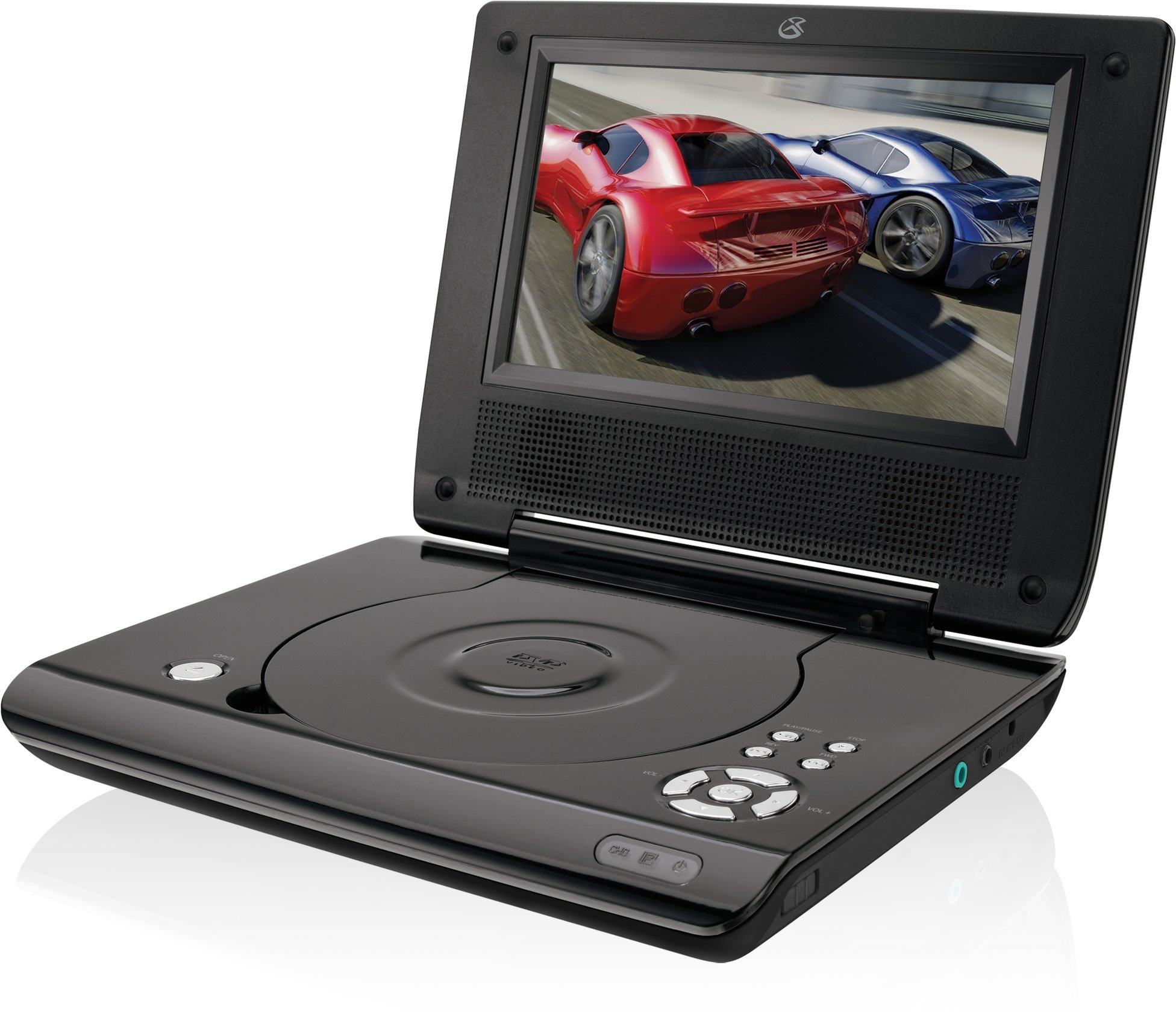
This manual provides essential instructions for the safe and efficient operation of your GPX PD730B 7-inch Portable DVD Player. Please read this manual thoroughly before using the device and retain it for future reference. The GPX PD730B is designed for portable entertainment, allowing you to enjoy DVDs, CDs, and JPEG files on its 7-inch TFT LCD screen.
Пакеттин мазмуну
Төмөндө тизмеленген нерселердин баары пакетиңизге камтылганын текшериңиз:
GPX PD730B Portable DVD Player
AC/DC кубат адаптери
DC Car Adapter (12V)
Стерео кулакчындар
Алыстан башкаруу (2 AAA батарейкасы менен)
Колдонуучунун Колдонмосу (бул документ)
Продукт бүттүview
Figure 1: GPX PD730B Portable DVD Player (Closed)
This image shows the GPX PD730B portable DVD player in its closed position, highlighting its compact and sleek design. The top surface is smooth and black, with control buttons visible on the right edge.
Башкаруу каражаттары жана байланыштар
Familiarize yourself with the various controls and connection ports on your portable DVD player.
Кубат баскычы: Агрегатты күйгүзөт же өчүрөт.
Ойнотуу/тындыруу баскычы: Ойнотууну баштайт же тындырат.
Токтотуу баскычы: Ойноону токтотот.
Өткөрүп жиберүү/Издөө баскычтары: Navigates tracks or chapters, or fast-forwards/rewinds.
Үндү көзөмөлдөө: Аудио чыгаруу деңгээлин тууралайт.
Гарнитура уячасы: For private listening with stereo earbuds or headphones.
DC In Port: Connects to the AC/DC or car power adapter for charging and power.
Жайгашуу
1. Батареяны заряддоо
Before initial use, fully charge the built-in rechargeable battery. A full charge provides approximately 2 hours of playback time.
Connect the AC/DC power adapter to the DC In port on the DVD player.
The charging indicator light (if present) will illuminate. Charging is complete when the light changes color or turns off (refer to device for specific indicator behavior).
Alternatively, use the 12V DC car adapter to charge the player in a vehicle.
2. Күйгүзүү / Өчүрүү
басып, кармап туруңуз Күч button on the unit to turn the player on or off. The screen will illuminate when powered on.
Иштөө нускамалары
1. Inserting and Removing Discs
Gently open the disc compartment lid.
Place a DVD or CD onto the spindle with the label side facing up. Press down gently on the center of the disc until it clicks into place.
Close the disc compartment lid firmly.
To remove a disc, open the lid, gently press the spindle button (if present) or lift the disc from the edges, avoiding touching the data surface.
2. Негизги ойнотуу
Дискти салгандан кийин, ойноткуч адатта автоматтык түрдө ойнотууну баштайт.
колдонуу Ойнотуу/Тыныгуу ойнотууну тындыруу же улантуу үчүн баскыч.
басыңыз Токто ойнотууну токтотуу үчүн баскыч.
колдонуу Өткөрүп жибер buttons (usually labeled with arrows) to navigate between chapters or tracks.
колдонуу издөө buttons (often combined with Skip) to fast-forward or rewind.
3. Пультту колдонуу
The included remote control provides convenient access to all player functions from a distance. Ensure the 2 AAA batteries are correctly installed. Point the remote control directly at the player's remote sensor.
4. Наушниктерди туташтыруу
For private listening, plug the stereo earbuds (or your own headphones) into the Наушник уясы on the side of the player. The built-in speakers will automatically mute when headphones are connected.
Figure 2: Portable DVD Player in use (Bedroom)
This image illustrates the portable DVD player being used by a girl in a bedroom setting, demonstrating its suitability for personal entertainment at home.
Figure 3: Portable DVD Player in use (Vehicle)
This image shows a boy watching the portable DVD player in the back seat of a car, highlighting its utility for entertainment during travel.
Figure 4: Portable DVD Player in use (Airplane)
This image depicts a woman using the portable DVD player with headphones on an airplane, showcasing its versatility for quiet, personal entertainment during flights.
Техникалык тейлөө
Cleaning the Player
Disconnect the player from all power sources before cleaning.
Сырткы беттерди сүртүү үчүн жумшак, кургак чүпүрөктү колдонуңуз. Абразивдүү тазалоочу каражаттарды, момдорду же эриткичтерди колдонбоңуз.
For the screen, use a soft, lint-free cloth specifically designed for LCD screens. Avoid excessive pressure.
Диск бөлүмүн чаңдан жана таштандылардан таза кармаңыз.
Батареяга кам көрүү
Батареянын иштөө мөөнөтүн узартуу үчүн, бат-баттан батарейканы толук зарядсыздандырбаңыз.
If the player will not be used for an extended period, charge the battery to about 50% before storing.
Store the player in a cool, dry place.
Проблемаларды чечүү
If you encounter issues with your GPX PD730B, refer to the following common problems and solutions:
Көйгөй
Мүмкүн себеп
Чечим
Ойноткуч күйбөйт.
Battery is discharged; Power adapter not connected properly.
Charge the battery; Ensure power adapter is securely connected to both the player and power source.
No disc playback.
Disc inserted incorrectly; Disc is dirty or scratched; Incorrect disc format.
Reinsert disc correctly (label side up); Clean disc with a soft cloth; Ensure disc is DVD, CD, or JPEG CD format.
Динамиктерден/наушниктерден үн чыкпайт.
Volume too low; Headphones not fully plugged in; Mute function active.
Increase volume; Ensure headphones are fully inserted; Check if mute is active on remote or player.
Пульт иштебей жатат.
Батареялар өлүп калган же туура эмес салынган; Алыстан жана оюнчунун ортосундагы тоскоолдук.
Replace remote batteries; Ensure correct polarity; Remove any obstructions and point remote directly at sensor.
Техникалык шарттар
Модель номери
PD730B
Screen Size
7 дюйм
Дисплей түрү
TFT LCD
Native Resolution
480x234
Аспект катышы
16:9
Шайкеш медиа
DVD, DVD+R/RW, CD, CD-R/RW, JPEG CD
Батареянын иштөө мөөнөтү (орточо)
2 саат
Power Input
AC/DC Adapter, 12V DC Car Adapter
Байланыш
Көмөкчү (кулакчын уячасы)
Элемент Салмагы
1.72 фунт
UPC
047323007309
Кепилдик жана колдоо
For warranty information, technical support, or service inquiries, please refer to the warranty card included with your product or visit the official GPX webсайт. Сатып алуу квитанциясын кепилдик дооматтары үчүн сатып алуунун далили катары сактаңыз.
Ask about setup, troubleshooting, compatibility, parts, safety, or missing instructions. Manuals+ will review the question and use this page’s manual context to help answer it.