
Introduction
The Spracht BluNote Pro is a versatile portable wireless speaker designed for both music playback and professional conference calls. It features Bluetooth connectivity, high-quality audio with a bass radiator, and advanced conferencing capabilities including dual MEMS microphones and echo/noise cancellation. Its compact design and rechargeable battery make it ideal for transport and extended use.
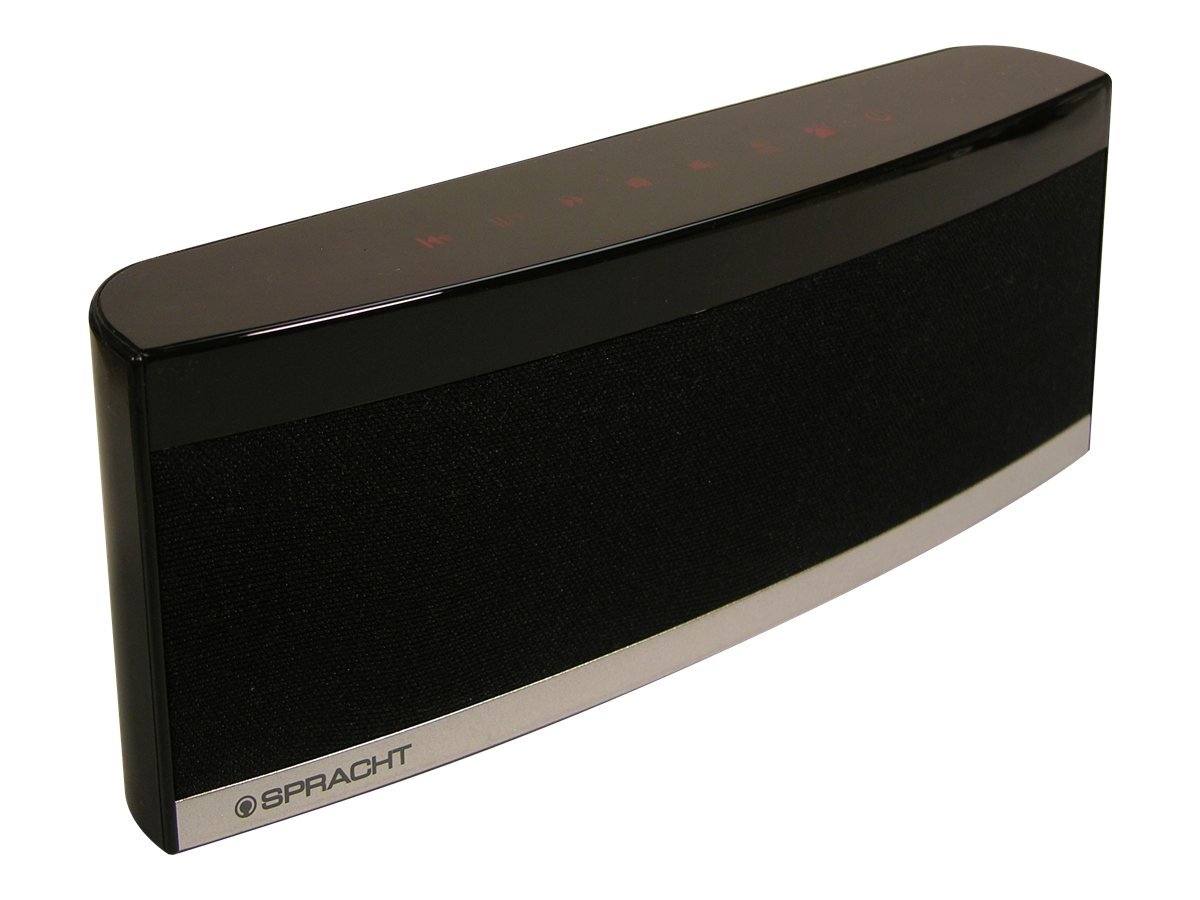
Image: The Spracht BluNote Pro speaker, a sleek black device with illuminated touch panel controls, shown on a surface.
Кутуда эмне бар
- Spracht BluNote Pro portable wireless speaker
- AC adapter (120-240V)
- Rechargeable 1500 mAh Li-ion battery (pre-installed or separate)
- 3.5mm audio jack cable (for non-Bluetooth devices)
- User guide/registration card
Өзгөчөлүктөрү
- Bluetooth Stereo Speaker: Advanced Audio Distribution Profile (A2DP) for wireless audio streaming.
- Жакшыртылган үн: Passive bass radiator and two high-quality speakers deliver up to 5 watts of full-frequency range sound.
- Сенсордук панелдин башкаруу элементтери: Modern design with intuitive touch-sensitive buttons.
- Узак мөөнөттүү батарея: Rechargeable 1500 mAh Lithium-Ion battery for extended music playback or conference calls.
- Superior Conferencing: Dual MEMS microphones with impedance matching, Digital Signal Processing (DSP) for noise and echo cancellation, and full-duplex communication.
- Чалууларды башкаруу: Answer and make phone calls using the Push-To-Talk (PTT) button. Features Caller ID display.
- Компакт жана жеңил: Designed for easy portability.
- iOS Equalizer App: Free application available to further customize your audio experience. This app can increase the speaker's volume by up to 25% and provide additional sound enhancements.
Видео: Бүттүview of the Spracht BluNote Pro speaker, demonstrating its features and compact design. This video highlights the touch panel controls, passive bass radiator, and its ability to handle phone calls.
Жайгашуу
- Батареяны заряддоо: Connect the provided AC adapter to the speaker's DC IN port and plug it into a power outlet. The battery indicator will show charging status. A full charge ensures maximum portability.
- Күйгүзүү/өчүрүү: басып, кармап туруңуз On/Off button on the touch panel until the unit powers on or off.
- Bluetooth жупташууда:
- Ensure the BluNote Pro is powered on.
- Смартфонуңузда, планшетиңизде же башка Bluetooth иштетилген аспабыңызда Bluetooth'ду жандырыңыз.
- Издөө available devices and select "BluNote Pro" from the list.
- Once paired, the Bluetooth indicator light on the speaker will confirm the connection.
- Connecting Non-Bluetooth Devices: Use the supplied 3.5mm audio jack cable to connect the BluNote Pro to devices without Bluetooth capability. Insert one end into the speaker's AUX IN port and the other into your device's headphone jack.
Иштөө нускамалары
Музыканы ойнотуу
- Ойнотуу/тындыруу: басыңыз Ойнотуу/Тыныгуу музыканы ойнотууну баштоо же тындыруу үчүн баскыч.
- Next/Back Track: колдонуу Кийинки трек жана Артка трек buttons to navigate through your music.
- Үндү тууралоо: басыңыз Үндү көтөрүү or Үндү төмөндөтүү үн деңгээлин тууралоо үчүн баскычтарды басыңыз.
- Бас жогорулатуу: басыңыз Bass Boost button to enhance low-frequency sounds.
Конференция чалуулары
- Чалууларга жооп берүү / аяктоо: When a call comes in, the BluNote Pro will ring. Press the Телефон чалууга жооп берүү button to accept the call. Press it again to end the call.
- Чалуучунун ID: The numeric Caller ID display on the front panel will show the incoming caller's number.
- Микрофондор: The dual MEMS microphones ensure clear voice pickup during calls, with integrated noise and echo cancellation for optimal communication.
- Толук дуплекс: The speaker supports full-duplex communication, allowing both parties to speak and hear simultaneously without interruption.
iOS Equalizer App
A free iOS Equalizer App is available to further customize your audio experience. This app can increase the speaker's volume by up to 25% and provide additional sound enhancements. Download it from the App Store and follow the in-app instructions for setup.
Техникалык тейлөө
- Тазалоо: Динамиктин сыртын тазалоо үчүн жумшак, кургак чүпүрөктү колдонуңуз. Абразивдүү тазалагычтарды же эриткичтерди колдонуудан алыс болуңуз.
- Батареяга кам көрүү: To prolong battery life, avoid fully discharging the battery frequently. Recharge the unit regularly, especially if it will be stored for an extended period.
- Сактагыч: Динамикти түз күн нурунан жана өтө температурадан алыс салкын, кургак жерде сактаңыз.
Проблемаларды чечүү
| Көйгөй | Чечим |
|---|---|
| Bluetooth аркылуу жупташтыруу мүмкүн эмес |
|
| Үн жок же үнү төмөн |
|
| Poor call quality (echo/noise) |
|
| Батарея заряддалбай жатат |
|
Техникалык шарттар
| Өзгөчөлүк | Деталь |
|---|---|
| Модель аты | BluNote+Chat |
| Модель номери | WS-4012 |
| Динамик түрү | Портативдик динамиктер |
| Байланыш технологиясы | Bluetooth |
| Зымсыз байланыш технологиясы | Bluetooth |
| Bluetooth диапазону | 10 метрге чейин (33 фут) |
| Динамиктин максималдуу чыгаруу күчү | 5 Ватт |
| Аудио чыгаруу режими | Стерео |
| Көлөмдүү үн каналынын конфигурациясы | 2.0 |
| Power Source | AC Adapter, Rechargeable Lithium Ion Battery |
| Батарея түрү | 1500 мАч литий-ион (кошулган) |
| Башкаруу ыкмасы | Touch Panel, App |
| Продукциянын өлчөмдөрү (D x W x Y) | 1.38" x 9" x 3.25" (3.5 см x 22.8 см x 8.2 см) |
| Элемент Салмагы | 9.6 унция (272 грамм) |
| Иштөө температурасы | 14 градустан 131 градуска чейин (-10 градустан 55 градуска чейин) |
| Өзгөчөлүктөр | Dual MEMS Mics, DSP Noise/Echo Cancellation, Caller ID, Bass Boost |
| Шайкеш түзмөктөр | Ноутбук, смартфон, планшет, телевизор |
Кепилдик жана колдоо
The Spracht BluNote Pro is covered by a Limited Warranty. For specific warranty terms and conditions, please refer to the documentation included with your product or visit the official Spracht webсайт.
For technical assistance, troubleshooting, or customer service inquiries, please contact Spracht customer support through their official channels. Contact information can typically be found on the manufacturer's webсайтында же продуктунун таңгагында.