
Introduction
This manual provides essential information for the safe and efficient use of your LG 42LM3400 42-inch 3D 1080p LED LCD TV. Please read it thoroughly before operating the television and retain it for future reference.
The LG 42LM3400 features a 42-inch Full HD 1080p LED display, offering a resolution of 1920 x 1080 pixels. It incorporates Direct LED backlighting and the Triple XD Engine for enhanced picture quality. This model also supports 3D viewing and includes a Resolution Upscaler.
Маанилүү коопсуздук нускамалары
- Кубат булагы: Connect the TV only to an AC power source as indicated on the label. Ensure the power cord is securely plugged into the outlet and the TV.
- Вентиляция: Вентиляция тешиктерин жаап албаңыз. Ашыкча ысып кетүүнүн алдын алуу үчүн телевизордун айланасында туура аба агымы үчүн жетиштүү орун калтырыңыз.
- Суу жана ным: Телевизорду жамгыр же нымдуулукка дуушар кылбаңыз. Суюктук толтурулган буюмдарды, мисалы, вазаларды телевизордун үстүнө же жанына койбоңуз.
- Тазалоо: Unplug the TV from the wall outlet before cleaning. Use a soft, dry cloth for cleaning. Do not use liquid cleaners or aerosol cleaners.
- Жайгашкан жери: Телевизорду туруктуу, түз жерге коюңуз. Аны күн тийген жерге же жылуулук булактарынын жанына коюудан алыс болуңуз.
- Тейлөө: Бул продуктту өзүңүз тейлөөгө аракет кылбаңыз. Бардык тейлөөнү квалификациялуу тейлөө кызматкерлерине тапшырыңыз.
Пакеттин мазмуну
Пакетте бардык буюмдар бар экенин текшериңиз:
- LG 42LM3400 42-inch LED LCD TV
- Телевизордук стенд
- Алыстан башкаруу
- Электр кабели
- Колдонуучунун Колдонмосу (бул документ)
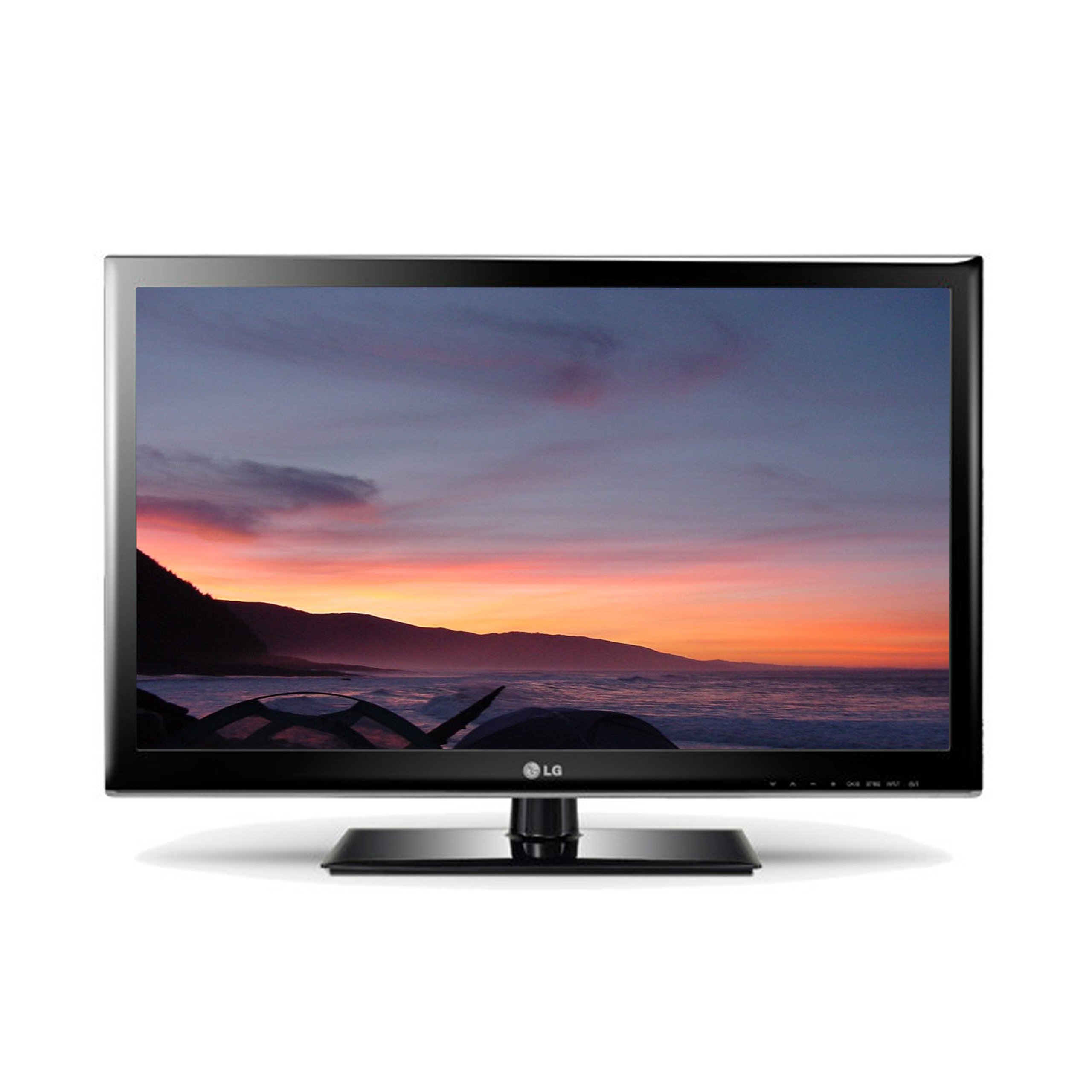
Image: The LG 42LM3400 TV shown with its included stand.
Орнотуу колдонмосу
Стендди бекитүү
- Carefully place the TV screen-down on a soft, flat surface (e.g., a blanket or foam) to prevent damage.
- Стенд негизин телевизордун астындагы монтаждоо тешиктери менен тууралаңыз.
- Secure the stand to the TV using the provided screws. Ensure all screws are tightened firmly.
- Телевизорду этияттык менен көтөрүп, туруктуу, тегиз жерге коюңуз.
Дубалга орнотуу (кошумча)
If you choose to wall mount your TV, ensure you use a VESA-compliant wall mount kit appropriate for the TV's size and weight. Follow the instructions provided with your wall mount kit. Remove the stand before wall mounting.
Тышкы түзмөктөрдү туташтыруу
The LG 42LM3400 offers various connection ports for external devices:
- HDMI порттору: Connect Blu-ray players, game consoles, cable/satellite boxes, or other HDMI-enabled devices using HDMI cables.
- Антенна/кабель киргизүү: Connect an antenna or cable TV signal to the RF input port.
- Оптикалык санарип аудио чыгышы: For connecting to a soundbar or home theater system with an optical audio input.
- USB порттору: USB сактагыч түзүлүштөрүн туташтыруу үчүн view сүрөттөр, видеолор же музыка угуу.
Телевизоруңузду иштетүү
Негизги функциялар
- Күйгүзүү/өчүрүү: Телевизорду күйгүзүү же өчүрүү үчүн алыстан башкаруу пультундагы же телевизордогу кубат баскычын басыңыз.
- Канал тандоо: Use the CH ▲/▼ buttons to change channels or enter channel numbers directly using the numeric buttons.
- Үндү көзөмөлдөө: Use the VOL +/- buttons to adjust the volume level.
- Киргизүүнү тандоо: Press the INPUT button to cycle through available input sources (HDMI, AV, Component, TV).
Алыстан башкарууну колдонуу
The remote control allows you to access all TV functions. Point the remote control directly at the TV's remote sensor. Ensure there are no obstructions between the remote control and the TV.
Using 3D Features
Your LG 42LM3400 TV supports 3D viewing. To experience 3D content:
- Ensure you are watching 3D-compatible content (e.g., a 3D Blu-ray movie).
- Wear the passive 3D glasses provided or compatible LG passive 3D glasses.
- The TV should automatically detect 3D content. If not, you may need to manually activate 3D mode through the TV's picture settings menu.
Smart TV and Internet Services
The LG 42LM3400 provides access to various internet services. Connect your TV to your home network via an Ethernet cable or a compatible Wi-Fi adapter (sold separately) to access features such as:
- Web Браузер
- Streaming applications like Hulu and Netflix
Navigate these services using your remote control. An on-screen keyboard will appear for text input.
Кароо жана тейлөө
- Экранды тазалоо: Экранды жумшак, түксүз чүпүрөк менен акырын сүртүңүз. өжөр белгилери үчүн, жеңил гampкездемени суу же атайын экран тазалагыч менен сүртүп, андан кийин дароо кургатыңыз. Суюктукту экранга түз чачпаңыз.
- Кабинетти тазалоо: Телевизордун шкафын жумшак, кургак чүпүрөк менен сүртүңүз. Абразивдүү тазалагычтарды же эриткичтерди колдонуудан алыс болуңуз.
- Чаңдандыруу: Чаңдын топтолушун алдын алуу үчүн желдетүү тешиктерин үзгүлтүксүз чаңдан тазалап туруңуз, анткени бул иштин натыйжалуулугуна таасир этиши мүмкүн.
- Сактагыч: If storing the TV for an extended period, unplug it from the power outlet and cover it to protect against dust. Store in a cool, dry place.
Кыйынчылыктарды табуу боюнча колдонмо
Кардарларды колдоо кызматына кайрылуудан мурун, кеңири таралган көйгөйлөр жана чечимдер үчүн төмөнкү таблицаны караңыз:
| Көйгөй | Мүмкүн болгон себеп / Чечим |
|---|---|
| Күч жок | Ensure the power cord is securely plugged into the TV and the wall outlet. Check if the outlet is functional. |
| Сүрөт жок, бирок Үн бар | Check the input source. Ensure the external device (e.g., cable box) is powered on and connected correctly. |
| Үн жок, бирок Сүрөт бар | Check the volume level. Ensure Mute is not activated. Verify audio cable connections for external devices. |
| Пульт иштебейт | Батареяларды алмаштырыңыз. Пульт менен сыналгынын сенсорунун ортосунда эч кандай тоскоолдук жок экенин текшериңиз. |
| 3D Effect Not Visible | Ensure you are watching 3D content and wearing compatible 3D glasses. Check 3D settings in the TV menu. |
Техникалык мүнөздөмөлөр
| Өзгөчөлүк | Спецификация |
|---|---|
| Модель аты | 42LM3400 |
| Screen Size | 42 дюйм |
| Дисплей технологиясы | LED |
| Резолюция | 1080p (1920 x 1080) |
| Жаңыртуу ылдамдыгы | 60 Гц |
| Дисплей түрү | Түздөн-түз LED |
| Өзгөчө өзгөчөлүк | Flat Screen, 3D Capable |
| Колдоого алынган Интернет кызматтары | Browser, Hulu, Netflix |
| Байланыш технологиясы | Yes (Internet connectivity) |
| Башкаруу ыкмасы | Алыстан башкаруу |
| Тюнер түрү | ATSC |
| Элемент Салмагы | 40 фунт |
| Өндүрүүчү | LG |
Кепилдик маалыматы жана Кардарларды колдоо
For specific warranty details regarding your LG 42LM3400 TV, please refer to the warranty card included with your product or visit the official LG webсайт. Кепилдиктин шарттары аймакка жана сатуучуга жараша өзгөрүшү мүмкүн.
If you encounter issues that cannot be resolved using the troubleshooting guide, or require further assistance, please contact LG Customer Support. Contact information can typically be found on the LG official webсайтында же продукт документациясында.