
1. Киришүү
The Logitech Extreme 3D PRO Joystick is designed to provide precise and flexible control for PC gaming, particularly flight simulators. It features 12 programmable action buttons, an 8-way hat switch, and a rapid-fire trigger, offering extensive customization for various gaming experiences.

Сүрөт 1: Алдыңкы view of the Logitech Extreme 3D PRO Joystick.
2. Орнотуу
2.1 Системалык талаптар
- Operating System: Compatible with Desktop PC platforms.
- Connectivity: Available USB port.
2.2 Connecting the Joystick
- Компьютериңиз күйгүзүлгөнүн текшериңиз.
- Компьютериңизден жеткиликтүү USB портун табыңыз.
- Plug the USB connector of the Logitech Extreme 3D PRO Joystick into the USB port.
- The operating system should automatically detect and install the necessary drivers. Allow a few moments for the installation to complete.
- Once installed, the joystick is ready for use. You may need to configure specific button mappings within your game's settings.
3. Операция
The Logitech Extreme 3D PRO Joystick offers a range of controls for enhanced gaming precision.
3.1 Негизги өзгөчөлүктөрү
- 12 Programmable Action Buttons: Customize functions for various in-game actions.
- 8 тараптуу шляпа алмаштыргыч: Provides quick and easy control for camera views or weapon selection.
- Тез от алдыруучу триггер: Designed for quick and responsive firing in combat scenarios.
- Precise Twist Handle: Offers rudder control for flight simulation, allowing for accurate yaw movements.
- Smooth Throttle Control: Integrated throttle for managing engine speed.

2-сүрөт: жогорудан ылдыйга view highlighting the numerous programmable buttons on the joystick base and stick.
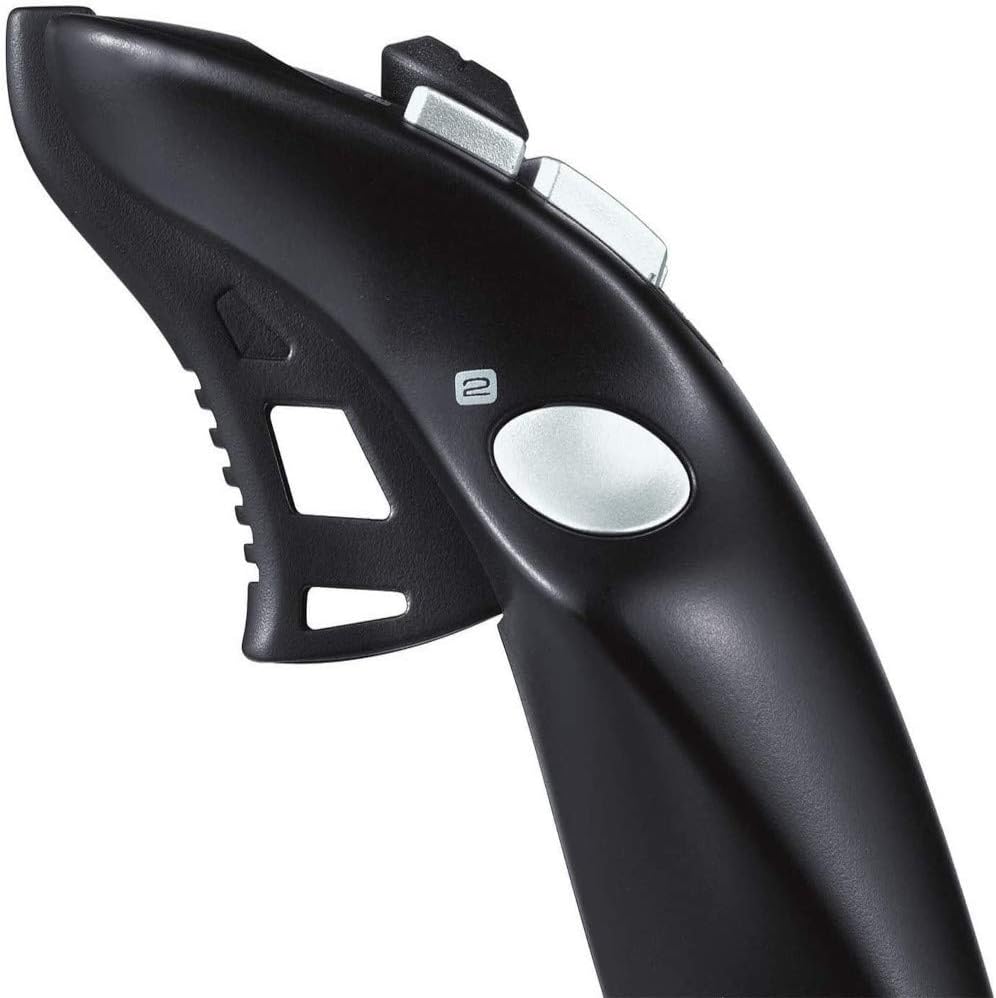
Figure 3: Detail of the rapid-fire trigger and hat switch on the joystick handle.

Figure 4: The integrated throttle control for engine speed adjustment.
3.2 Башкаруу элементтерин ыңгайлаштыруу
Most games allow for in-game customization of joystick buttons and axes. Refer to your game's control settings menu to assign specific functions to the 12 action buttons, hat switch, and twist handle for optimal performance.
4. Техникалык тейлөө
4.1 Тазалоо
- Disconnect the joystick from your computer before cleaning.
- Use a soft, dry cloth to wipe down the surface of the joystick.
- өжөр кир үчүн, бир аз гampкездемени суу же жумшак, абразивдүү эмес тазалоочу каражат менен сүртүңүз. Күчтүү химиялык заттардан алыс болуңуз.
- Ensure the joystick is completely dry before reconnecting it to your computer.
4.2 Сактоо
Store the joystick in a cool, dry place away from direct sunlight and extreme temperatures to prevent damage to electronic components and plastic materials.
5. Кыйынчылыктарды
5.1 Joystick Not Detected
- USB кабели иштеген USB портуна бекем сайылганын текшериңиз.
- Компьютериңиздеги башка USB портун колдонуп көрүңүз.
- Restart your computer and try reconnecting the joystick.
- Түзмөктүн тизмеде бар-жогун билүү үчүн операциялык тутумуңуздун Түзмөк менеджерин (Windows) же Система маалыматын (macOS) текшериңиз.
5.2 Buttons or Axes Not Responding
- Verify that the joystick is properly configured within your game's control settings.
- Операциялык системаңыздын оюн контроллеринин жөндөөлөрү аркылуу джойстикти калибрлеңиз.
- Ensure no other conflicting input devices are connected.
6. Техникалык шарттар
| Өзгөчөлүк | Деталь |
|---|---|
| Бренд | Logitech G |
| Модель аты | FBA_942-000008 |
| Байланыш технологиясы | USB |
| Controller Type | Джойстик |
| Шайкеш түзмөктөр | Desktop, PC |
| Элемент Салмагы | 2.38 фунт |
| Продукциянын өлчөмдөрү (LxWxH) | 8.27 x 8.86 x 9.06 дюйм |
| Түс | Black N Silver |
| Өзгөчөлүктөрү | 12 action buttons, an eight-way hat switch, and a rapid-fire trigger. |
7. Кепилдик жана колдоо
The Logitech Extreme 3D PRO Joystick is covered by a manufacturer's limited warranty. For detailed warranty information, product registration, and technical support, please visit the official Logitech G webсайтына кириңиз же өнүмүңүз менен кошо берилген кепилдик картасын караңыз. Кепилдик талаптары үчүн сатып алганыңызды тастыктаган документти сактап коюңуз.
Кошумча жардам алуу үчүн, сиз иш сапары менен болот Logitech G Store on Amazon.