
Introduction
Thank you for choosing the iHip IP-IV-NPR Fiber Cord Headphones. This manual provides essential information for the proper setup, operation, and maintenance of your new headphones. Please read these instructions carefully before use to ensure optimal performance and longevity of your product.
Продукт бүттүview
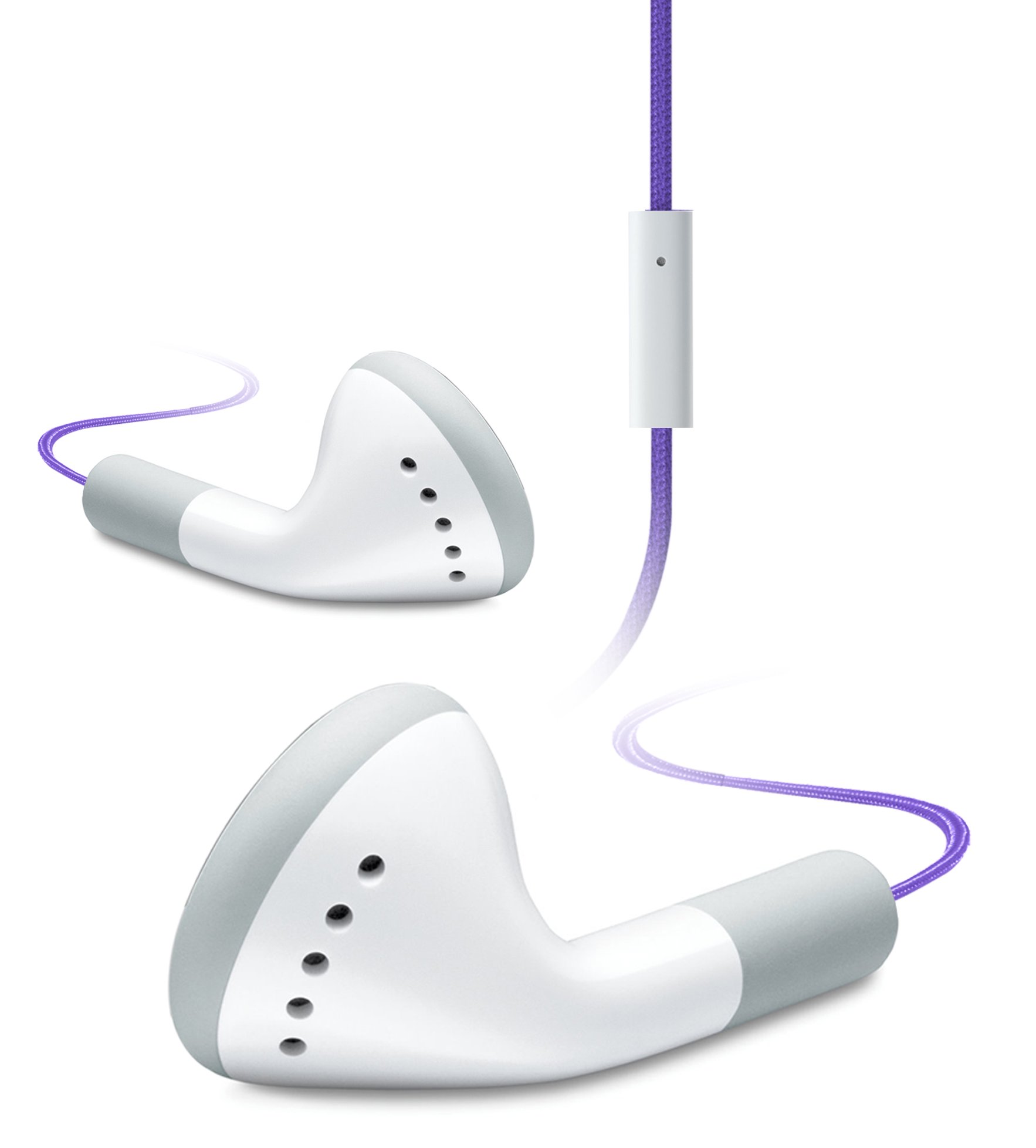
Image of the iHip IP-IV-NPR Fiber Cord Headphones, showcasing the purple color and in-line microphone.
The iHip IP-IV-NPR headphones are designed for a clear audio experience with the convenience of an in-line microphone. They feature a durable fiber cord and are compatible with a wide range of smartphones and portable devices.
Негизги өзгөчөлүктөрү:
- Fiber Cord Technology: Enhances durability and reduces tangling.
- High-efficiency Driver: Delivers clear and balanced audio output.
- Extended Bass Response: Provides richer low-frequency sounds.
- In-Line Microphone: Allows for hands-free communication.
- 3 Custom Fitted Ear Tips: Ensures a comfortable and secure fit for various ear sizes.
- Кеңири шайкештик: Designed to work with most smartphones, including iPhone, iPad, and iPod touch models.
Жайгашуу
1. Choosing the Right Ear Tips:
The headphones come with three sizes of silicone ear tips (small, medium, large). Selecting the correct size is crucial for comfort, sound quality, and noise isolation.
- Алдын ала орнотулган кулак учтарын акырындык менен алып салыңыз.
- Try each size to determine which provides the most comfortable and secure fit in your ear canal. A good seal will improve bass response and block out external noise.
- Once selected, firmly attach the new ear tips to the headphone nozzles.
2. Түзмөгүңүзгө туташуу:
The iHip IP-IV-NPR headphones use a standard 3.5mm audio jack for connection.
- Locate the 3.5mm headphone jack on your smartphone, tablet, or audio player.
- Insert the headphone's 3.5mm plug firmly into the device's audio jack until it clicks into place.
- Аудио үзгүлтүктөргө жол бербөө үчүн байланыштын коопсуз экенин текшериңиз.
Иштөө нускамалары
Аудио ойнотуу:
Once connected, you can control audio playback directly from your device. The in-line microphone unit may also feature a single button for basic controls.
- Ойнотуу/тындыруу: Press the button on the in-line microphone once to play or pause audio.
- Кийинки трек: Кийинки трекке өтүү үчүн баскычты эки жолу тез басыңыз.
- Мурунку трек: Мурунку трекке кайтуу үчүн баскычты үч жолу тез басыңыз.
Using the In-Line Microphone:
The integrated microphone allows for hands-free calling when connected to a compatible smartphone.
- Чалууга жооп берүү/аяктоо: Press the button on the in-line microphone once to answer an incoming call or end an active call.
- Чакырууну четке кагуу: Кирүүчү чалууну четке кагуу үчүн баскычты болжол менен эки секунд басып туруңуз.
- Үн Жардамчысын жандыруу: Press and hold the button for approximately two seconds (when not on a call) to activate your device's voice assistant (e.g., Siri, Google Assistant).
Эскертүү: Үндү башкаруу, адатта, туташкан түзмөгүңүздөн түздөн-түз башкарылат.
Техникалык тейлөө
Тазалоо:
- Кулактын учтарын жумшак, d менен үзгүлтүксүз тазалаңызamp cloth. You may remove the ear tips for a more thorough cleaning with mild soap and water, ensuring they are completely dry before reattaching.
- Кулакчындын корпусун жана шнурун кургак, жумшак чүпүрөк менен сүртүңүз. Катуу химиялык заттарды же абразивдүү материалдарды колдонуудан алыс болуңуз.
- Ensure no moisture enters the headphone drivers or the 3.5mm jack.
Сактагыч:
- Store your headphones in a clean, dry place away from extreme temperatures.
- Avoid tightly wrapping the cord to prevent damage to the internal wiring.
- Keep headphones away from sharp objects that could cut or fray the fiber cord.
Проблемаларды чечүү
| Көйгөй | Мүмкүн себеп | Чечим |
|---|---|---|
| Үн жок же үнү төмөн | Headphone plug not fully inserted; device volume too low; incorrect audio output selected on device. | Ensure the 3.5mm plug is fully inserted. Increase device volume. Check device audio settings to confirm output is set to headphones. |
| Үн бурмаланган же үзгүлтүккө учурайт | Loose connection; damaged cable; dirty audio jack on device. | Re-insert the plug firmly. Try headphones with another device to rule out device issue. Clean device's audio jack if necessary. |
| Микрофон иштебей жатат | Headphone plug not fully inserted; device microphone settings; app permissions. | Ensure the 3.5mm plug is fully inserted. Check your device's microphone settings and app permissions for the app you are using. |
| Poor fit or falling out of ears | Туура эмес кулактын учунун өлчөмү. | Experiment with the different ear tip sizes provided to find the most secure and comfortable fit. |
Техникалык шарттар
- Бренд: iHip
- Модель номери: IP-IV-NPR
- Форма фактору: Кулакта
- Байланыш технологиясы: Зымдуу (3.5 мм уяча)
- Кабель өзгөчөлүктөрү: Fiber Cord, Retractable (referring to material durability, not physical retraction)
- Кошумча өзгөчөлүктөр: In-Line Microphone, Noise Isolation (passive)
- Түсү: Кызгылт көк
- UPC: 817851020640
Кепилдик жана колдоо
For warranty information or technical support, please refer to the documentation included with your purchase or visit the official iHip webсайт. Ар кандай кепилдик дооматтары үчүн сатып алганыңыздын далилин сактаңыз.
If you experience issues not covered in this manual, please contact iHip customer service for further assistance.