
Keystone KSTAD70B
Keystone KSTAD70B 70-Pint Dehumidifier User Manual
1. Киришүү
This manual provides essential information for the safe and efficient operation of your Keystone KSTAD70B 70-Pint Dehumidifier. This unit is designed to remove up to 70 pints of moisture from the air daily, suitable for rooms up to 4500 square feet. Key features include electronic controls with an LED display, a 24-hour timer, a transparent water level indicator, and a full bucket alert with automatic shutoff. It also offers a continuous draining option and a removable, easy-to-clean dust filter with a clean-filter alert. The auto-restart function preserves your settings after a power outage, and rolling casters facilitate easy movement.
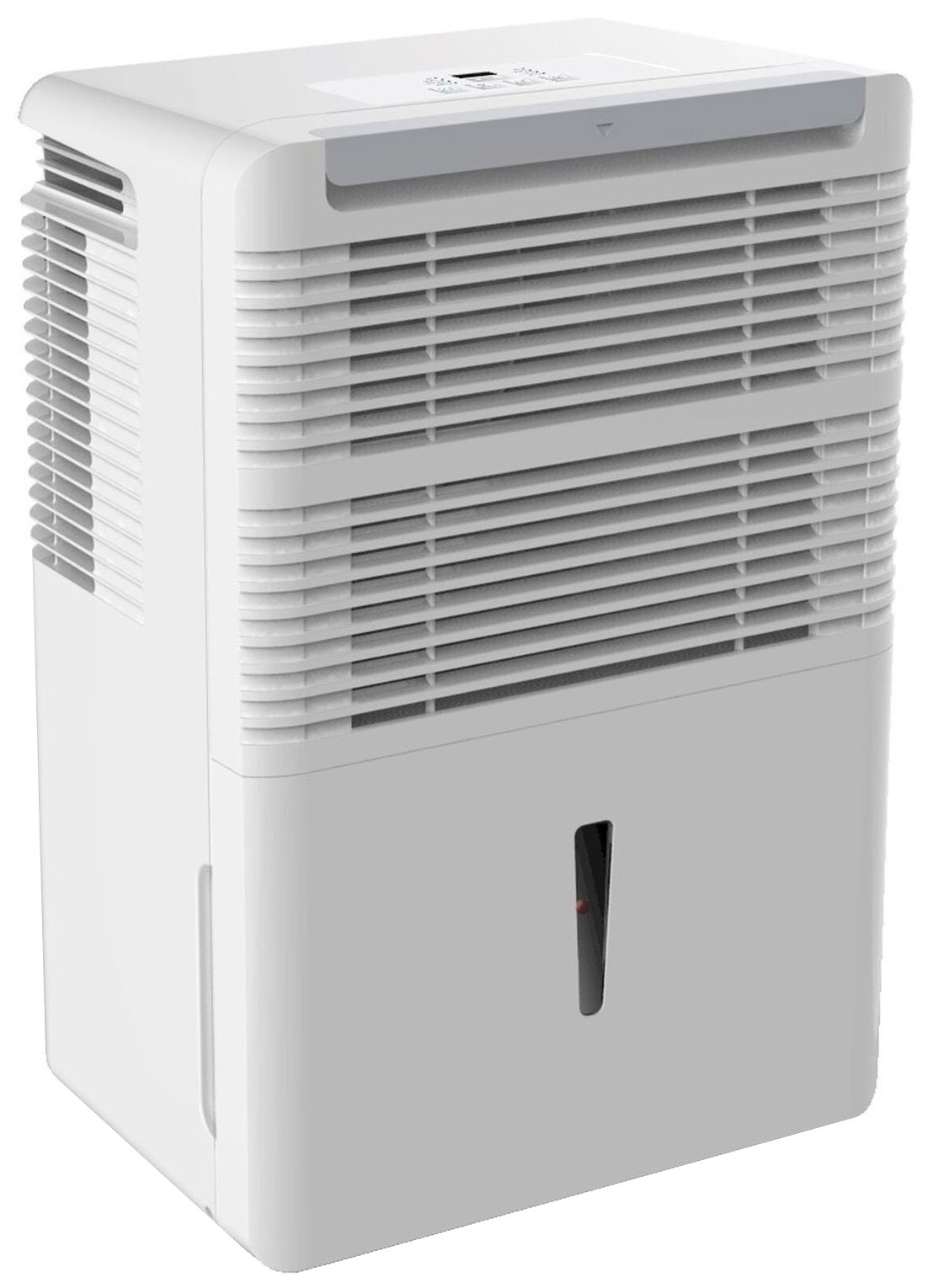
Сүрөт 1: Алдыңкы view of the Keystone KSTAD70B Dehumidifier.
2. Коопсуздук маалыматы
Please read all safety instructions before operating the dehumidifier to prevent injury or damage. Keep this manual for future reference.
- Always connect the unit to a properly grounded electrical outlet of the correct voltage.
- Электр шнурунун же сайгычтын бузулушу менен аппаратты иштетпеңиз.
- Ensure adequate clearance (at least 12-18 inches) around the air intake and outlet to prevent overheating and ensure efficient operation.
- Вентиляторду жаппаңыз.
- Кургаткычты суунун жанында же өтө нымдуу чөйрөдө колдонбоңуз.
- Тазалоодон же техникалык тейлөөдөн мурун блокту электр розеткасынан сууруп алыңыз.
- Бул шайман физикалык, сезүү же акыл-эс жөндөмү начар же тажрыйбасы жана билими жок адамдар (анын ичинде балдар) үчүн, эгерде алардын коопсуздугуна жооптуу адам тарабынан көзөмөлсүз же шайманды колдонуу боюнча көрсөтмө болбосо, колдонууга арналбайт.
- Аппаратта химиялык эриткичтерди же абразивдүү тазалоочу каражаттарды колдонбоңуз.
3. Орнотуу жана жайгаштыруу
3.1 Пакеттен чыгаруу
Нымдандыргычты таңгагынан этияттык менен чыгарыңыз. Таңгактоочу материалдарды келечекте сактоо же ташуу үчүн сактап коюңуз. Түзмөктү жеткирүүдөгү кандайдыр бир бузулууларды текшериңиз.
3.2 Орнотуу
For optimal performance, place the dehumidifier in a location where air can circulate freely around it. The unit circulates air from the sides, not the top. Therefore, avoid placing it directly in a corner or against walls. Maintain a minimum clearance of 12-18 inches (30-45 cm) on all sides to ensure proper airflow.
3.3 Баштапкы күйгүзүү
Электр шнурын жерге туташтырылган электр розеткасына сайыңыз. Азыр агрегат ишке даяр.
4. Иштөө нускамалары
4.1 Башкаруу панелинин үстүнөview

Figure 2: Control panel of the Keystone KSTAD70B Dehumidifier.
The control panel features an LED display and various buttons for setting the dehumidifier's functions:
- Кубат баскычы: Агрегатты күйгүзөт же өчүрөт.
- Күйөрман баскычы: Adjusts fan speed (typically Low, Medium, High).
- Таймер баскычы: 24 сааттык күйгүзүү/өчүрүү таймерин орнотот.
- Өйдө/төмөн жебелер: Adjust humidity level settings or timer duration.
- Чыпка көрсөткүчү: Аба чыпкасы тазалоону талап кылганда күйөт.
- Толук көрсөткүч: Illuminates when the water bucket is full and needs emptying.
- Уландысы (үзгүлтүксүз) индикатору: Illuminates when the unit is set for continuous operation.
- Турбо режими: Activates maximum dehumidification.
- Кадимки режим: Standard dehumidification operation.
- Авто эритүү: Automatically defrosts the coils if ice builds up.
4.2 Керектүү нымдуулук деңгээлин орнотуу
Press the Up or Down arrow buttons to set your desired humidity level. The unit will operate until the set humidity is reached, then cycle on and off to maintain it. The recommended humidity range for comfort is typically between 45% and 55%.
4.3 Үзгүлтүксүз иштөө
To run the dehumidifier continuously, select the 'Cont.' setting. In this mode, the unit will operate regardless of the ambient humidity level. Note that when continuous operation is selected, the humidity setpoint buttons will not respond.
4.4 Таймер функциясы
Use the Timer button to program the unit to turn on or off automatically after a set number of hours (up to 24 hours).
4.5 Auto-Restart
The unit features an auto-restart function that saves your settings. In the event of a power outage, the dehumidifier will automatically resume operation with the last settings once power is restored.
5. Техникалык тейлөө
Үзгүлтүксүз тейлөө сиздин нымдагычыңыздын оптималдуу иштешин жана узак иштөөсүн камсыздайт.
5.1 Суу чакасын бошотуу
When the water bucket is full, the 'Full' indicator light will illuminate, and the unit will automatically shut off. Carefully remove the bucket and empty the collected water. Reinsert the bucket firmly until it clicks into place to resume operation.

Figure 3: Removing the water collection bucket.

Figure 4: Transparent water level indicator.
5.2 Үзгүлтүксүз төгүү опциясы
For continuous operation without emptying the bucket, you can connect a standard garden hose (not included) to the unit's low-level drain. The unit includes an adapter with a clear hose that pushes onto a smooth plastic fitting inside the unit. This adapter has male hose threads for attaching a garden hose. Ensure the hose is routed downwards to a suitable drain to allow gravity to remove the water.
5.3 Аба чыпкасын тазалоо
The 'Filter' indicator light will remind you when it's time to clean the air filter. A clean filter ensures efficient operation and better air quality. To clean, lift the filter straight up from the top at the front corner of the unit and slide it out. Wash the filter with warm, soapy water, rinse thoroughly, and allow it to air dry completely before reinserting.

5-сүрөт: Тазалоо үчүн аба чыпкасын алып салуу.
6. Кыйынчылыктарды
Колдоо кызматына кайрылуудан мурун, бул жалпы көйгөйлөрдү чечүү кадамдарын жасап көрүңүз:
| Көйгөй | Мүмкүн себеп | Чечим |
|---|---|---|
| Кургаткыч күйгүзбөйт. | No power; power cord loose; 'Full' indicator on. | Check power supply; ensure cord is plugged in; empty water bucket. |
| Агрегат иштейт, бирок нымсызданбайт. | Air filter clogged; room temperature too low; unit size too small for area. | Clean air filter; ensure room temperature is above 41°F (5°C); consider unit placement. |
| Агрегат ызы-чуу. | Түзмөк тегиз эмес; желдеткич тыгылып калган. | Place on a flat, stable surface; check for obstructions in fan area. |
| Агрегаттан суу агып жатат. | Water bucket not properly seated; continuous drain hose loose or clogged. | Ensure bucket is fully inserted; check continuous drain hose connection and clear any blockages. |
7. Техникалык шарттар
| Өзгөчөлүк | Деталь |
|---|---|
| Бренд | Keystone |
| Модель аты | KSTAD70B |
| нымдуулуктун күч жөндөмдүүлүгү | Күнүнө 70 Пинт |
| Сунушталган бөлмө өлчөмү | 4500 чарчы футка чейин |
| Түс | Ак |
| Өзгөчөлүктөр | Automatic Restart, Automatic Shutoff |
| Ылдамдыктын саны | 3 |
| Иштөө режими | Normal, Turbo, Auto-Defrost |
| Ватtage | 720 ватт |
| Элемент Салмагы | 40 фунт |
| Продукциянын өлчөмдөрү (L x W x Y) | 11.25 x 15.5 x 23.25 дюйм |
| Сунушталган Колдонуулар | Турак жай |
8. Кепилдик маалыматы
The Keystone KSTAD70B Dehumidifier comes with a 1 жылдык кепилдик on parts and labor, and a чектелген 5 жылдык кепилдик on the sealed system. Please refer to the physical warranty card included with your product for full terms and conditions.
9. Кардарларды колдоо кызматы
For product registration, warranty claims, or technical assistance, please refer to the contact information provided in the physical instruction manual that came with your dehumidifier. Online registration or direct manufacturer contact information may not be readily available; therefore, retaining your original manual is important for support inquiries.
Ask a question about this manual
Ask about setup, troubleshooting, compatibility, parts, safety, or missing instructions. Manuals+ will review the question and use this page’s manual context to help answer it.