
Introduction
The WD Elements portable hard drive provides reliable, high-capacity storage for your digital files. Designed for portability, it offers fast data transfer rates through USB 3.0 and is backward compatible with USB 2.0 devices. This drive is ideal for backing up photos, videos, and other important documents on the go. It is compatible with both PC and Mac systems, though reformatting may be required for Mac use.
Кутуда эмне бар
- WD Elements Portable Hard Drive (500GB)
- USB 3.0 Кабель
- Quick Start Guide
Жайгашуу
Follow these steps to set up your WD Elements portable hard drive:
- Дискти туташтыруу: Plug the small end of the included USB 3.0 cable into the USB port on the WD Elements drive.
- Компьютерге туташуу: Plug the larger end of the USB 3.0 cable into an available USB port on your computer. For optimal performance, use a USB 3.0 port (often blue). The drive is also compatible with USB 2.0 ports.
- Алгачкы таануу: Your computer should automatically detect the drive. For Windows operating systems (Windows 8, 7, Vista, XP), the drive is pre-formatted and ready for use.
- Mac шайкештиги: If you are using a Mac, the drive will need to be reformatted for full compatibility. Refer to your Mac's operating system documentation for instructions on how to reformat an external drive using Disk Utility. Эскертүү: Кайра форматтоо дисктеги бардык маалыматтарды өчүрөт.
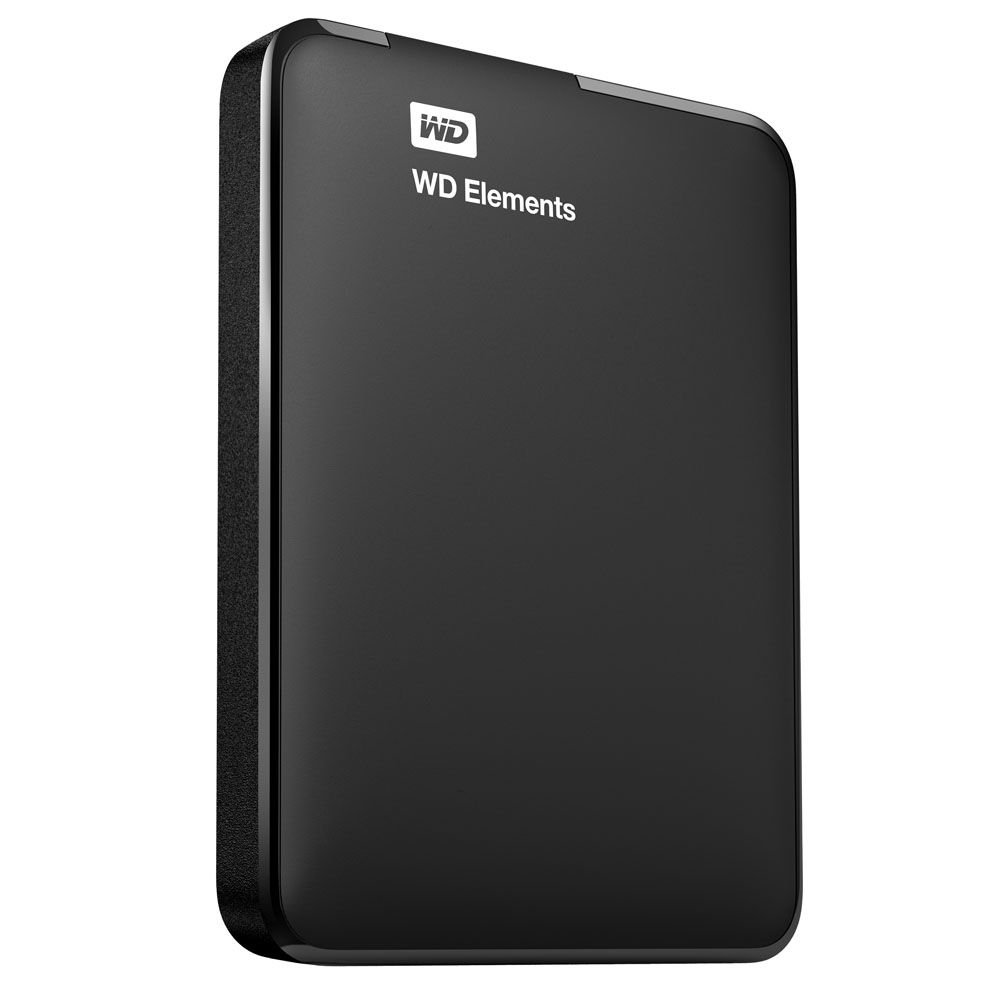
Image: The WD Elements portable hard drive with its USB 3.0 cable, ready for connection to a computer. This illustrates the compact size and simple connection method.
Иштөө нускамалары
Once connected and recognized by your computer, the WD Elements drive functions like any other storage device.
- Өткөрүлүүдө Files: Сүйрөп барып таштай аласыз files and folders directly to and from the WD Elements drive using your computer's file изилдөөчү (Windows) же Finder (Mac).
- камдык: Use your operating system's built-in backup features or third-party backup software to regularly back up your important data to the drive.
- Коопсуз алып салуу: Дайындардын бузулушуна жол бербөө үчүн, аны компьютериңизден ажыратуудан мурун, аны ар дайым коопсуз чыгарып салыңыз же ажыратыңыз.
- Windows: Система тактасындагы "Жабдыкты коопсуз алып салуу жана медианы чыгаруу" сүрөтчөсүн чыкылдатып, андан кийин WD Elements дискин тандаңыз.
- Mac: Drag the drive icon from the desktop to the Trash, or right-click (Control-click) the drive icon and select "Eject".
Техникалык тейлөө
Proper care ensures the longevity and reliability of your hard drive:
- Физикалык коргоо: Дискти түшүрүүдөн же физикалык соккуларга кабылуудан качыңыз, анткени бул ички компоненттерге зыян келтириши мүмкүн.
- Экологиялык шарттар: Дискти экстремалдык температурадан, тике күн нурунан жана жогорку нымдуулуктан алыс кармаңыз.
- Тазалоо: Use a soft, dry cloth to clean the exterior of the drive. Do not use liquid cleaners.
- Кадимки камдык көчүрмөлөр: While the drive is designed for reliability, it is good practice to maintain backups of critical data on multiple storage devices.
Проблемаларды чечүү
If you encounter issues with your WD Elements drive, consider the following:
- Диск аныкталган жок:
- USB кабели дискке да, компьютерге да туташтырылганын текшериңиз.
- Дискти компьютериңиздин башка USB портуна туташтырууга аракет кылыңыз.
- Мүмкүн болсо, дискти башка USB кабели менен текшериңиз.
- For Mac users, ensure the drive has been correctly reformatted for macOS.
- Жай өткөрүү ылдамдыгы:
- Verify that you are connected to a USB 3.0 port on your computer for maximum speed. USB 2.0 ports will result in slower transfer rates.
- Компьютериңиздин драйверлери жаңыртылганын текшериңиз.
- Drive Goes to Sleep / Delays:
- The drive may enter a low-power sleep mode after a period of inactivity. This is normal behavior to conserve energy.
- There might be a slight delay when accessing the drive after it has entered sleep mode as it wakes up.
- Маалыматтын бузулушу:
- Дискти ажыратуудан мурун ар дайым "Аппаратты коопсуз алып салуу" (Windows) же "Чыгаруу" (Mac) функциясын колдонуңуз.
- If data corruption occurs, you may need to reformat the drive, which will erase all data.
Техникалык шарттар
| Модель номери | WDBUZG5000ABK-NESN |
| Сактоо сыйымдуулугу | 500 ГБ |
| Интерфейс | USB 3.0 (USB 2.0 менен артка шайкеш келет) |
| Форма фактору | 2.5 Inches (Portable) |
| Өлчөмдөрү (LxWxH) | 4.4 x 3.2 x 0.6 дюйм (11.18 x 8.13 x 1.52 см) |
| Салмагы | 4.8 унция (136 грамм) |
| Операциялык системанын шайкештиги | Formatted for Windows (8, 7, Vista, XP). Reformatting required for Mac. |
| Түс | Кара |
| Өндүрүүчү | Western Digital |
Кепилдик маалымат
Western Digital products are manufactured to the highest standards of quality and reliability. This product is covered by a limited warranty. For detailed information regarding the warranty period, terms, and conditions applicable to your region, please refer to the warranty statement included with your product or visit the official Western Digital webсайт.
Колдоо
For technical support, product registration, or additional resources, please visit the official Western Digital support website. You can find FAQs, troubleshooting guides, software downloads, and contact information for customer service.
Батыш санариптик колдоо Webсайт: support.wdc.com