
Introduction
The Adesso AKB-132UB Multimedia Desktop Keyboard is designed to enhance your computing experience with its 104-key layout and integrated multimedia and internet hotkeys. This keyboard features quiet membrane key switches for a comfortable and responsive typing experience. It connects to your computer via a USB interface.
Пакеттин мазмуну
Пакетиңизде бардык буюмдар бар экенин текшериңиз:
- Adesso AKB-132UB Multimedia Desktop Keyboard
- Quick Start Guide
Жайгашуу
- Компьютериңизди өчүрүү: For optimal installation, it is recommended to power off your computer before connecting the keyboard.
- USB кабелин туташтыруу: Locate an available USB port on your computer. Plug the USB connector of the Adesso AKB-132UB keyboard firmly into the USB port. Note: Some USB keyboards may be sensitive to the specific port used. If the keyboard does not function, try a different USB port, preferably one directly on the computer's motherboard (e.g., at the back of a desktop PC) rather than a USB hub.
- Компьютериңизди күйгүзүңүз: Turn on your computer. The operating system should automatically detect and install the necessary drivers for the keyboard.
- Функционалдуулугун текшерүү: Once the drivers are installed, test the keyboard by typing in a text editor or navigating your system. The Num Lock, Caps Lock, and Scroll Lock indicator lights should function correctly.
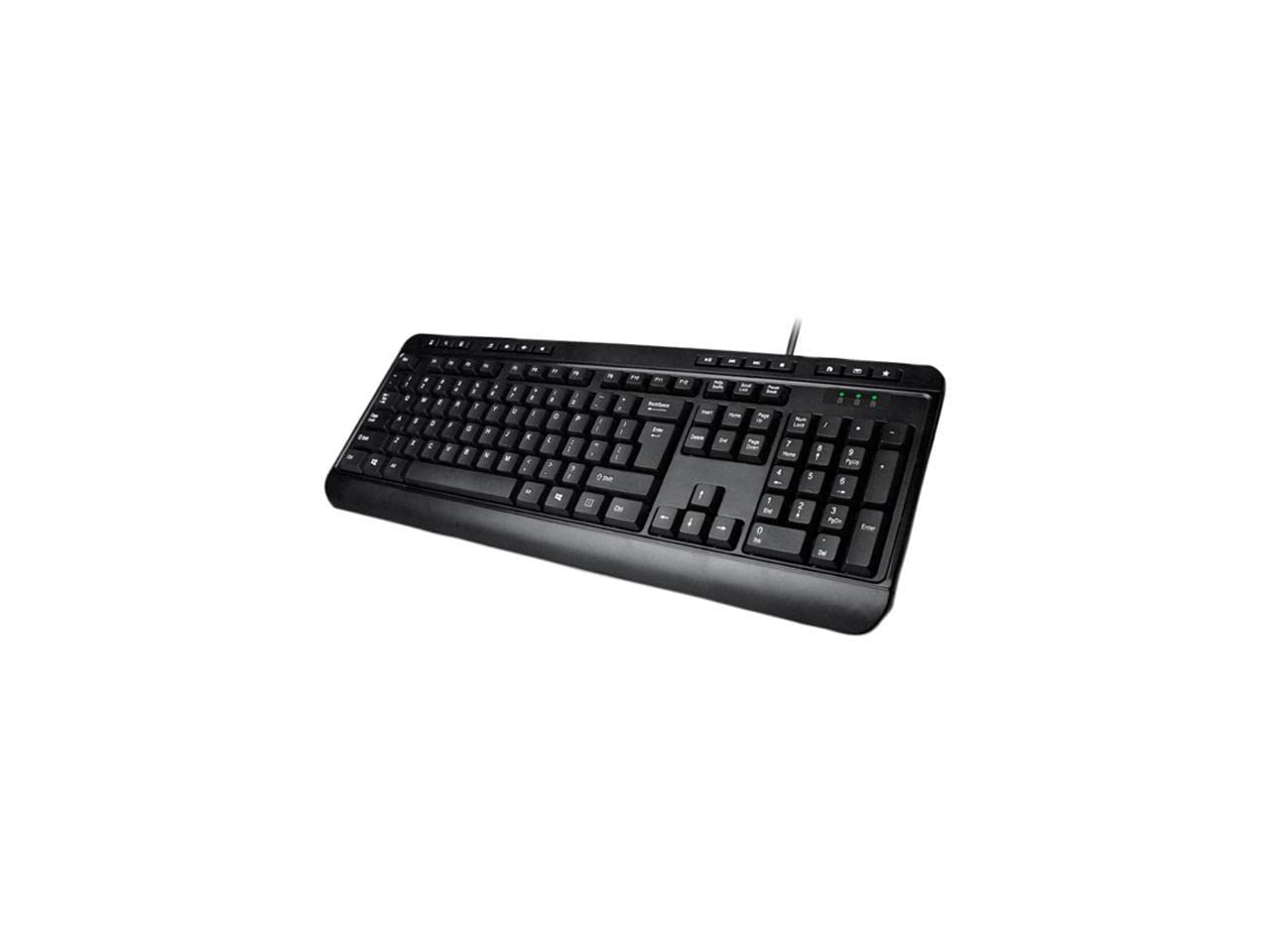
Image: Adesso AKB-132UB Multimedia Desktop Keyboard. This image shows the full keyboard with its standard 104-key layout and the attached USB cable for connection.
Иштөө нускамалары
Standard Keyboard Functions
The Adesso AKB-132UB features a standard 104-key US layout. Keys operate as labeled. The keyboard utilizes membrane switches, providing a quiet and tactile typing experience.
- Индикатор жарыктары: Located above the numeric keypad, these lights indicate the status of Num Lock, Caps Lock, and Scroll Lock.
- Жөнгө салынуучу кыйшаюусу: The keyboard includes foldable feet on the underside to adjust the typing angle for comfort.
Мультимедиялык баскычтар
The keyboard includes 8 dedicated multimedia hotkeys for quick access to media player controls:
- Медиа ойноткуч: Opens your default media player application.
- Үнүн азайтуу: Системанын көлөмүн азайтат.
- Көлөмү: Системанын көлөмүн көбөйтөт.
- Үнсүз: Toggles the system sound on or off.
- Ойнотуу/тындыруу: Медиа ойнотууну ойнойт же тындырат.
- Мурунку трек: Skips to the previous track in your media player.
- Кийинки трек: Skips to the next track in your media player.
- Токтотуу: Медиа ойнотууну токтотот.
Windows & Internet Hotkeys
The keyboard also features 6 hotkeys for common Windows and Internet functions:
- Менин компьютерим: Opens the "This PC" or "My Computer" window.
- Издөө: Opens the system search utility.
- Калькулятор: Launches the Windows Calculator application.
- Почта: Демейки электрондук почта кардарыңызды ачат.
- Үй: Сиздин демейки ачат web browser to its home page.
- Сүйүктүүлөр: Сиздин ачат web browser's favorites/bookmarks.
Техникалык шарттар
| Өзгөчөлүк | Деталь |
|---|---|
| Бренд | Adesso |
| Модель номери | АКБ-132УБ |
| Байланыш технологиясы | Зымдуу (USB) |
| Баскычтоптун жайгашуусу | 104-Key US Layout (QWERTY) |
| Ачкыч түрү | Мембраналык өчүргүчтөр |
| Мультимедиялык баскычтар | 8 (Media Player, Volume Down, Volume Up, Mute, Play/Pause, Previous Track, Next Track, Stop) |
| Windows & Internet Hotkeys | 6 (My Computer, Search, Calculator, Mail, Home, Favorites) |
| Көрсөткүчтөр | Num Lock, Caps Lock, Scroll Lock |
| Life Cycle | 5 миллион басуу |
| Түс | Кара |
| Материал | Пластик |
| Элемент Салмагы | 1.5 фунт |
Проблемаларды чечүү
- Баскычтоп жооп бербейт:
- USB кабели компьютериңиздеги иштеген USB портуна бекем туташып турганын текшериңиз.
- Try plugging the keyboard into a different USB port, especially a direct port on the computer's rear, bypassing any USB hubs.
- Иштөө тутумуна аппаратты кайра аныктоого уруксат берүү үчүн компьютериңизди өчүрүп күйгүзүңүз.
- Test the keyboard on another computer to determine if the issue is with the keyboard or your computer's setup.
- Keys Not Functioning Correctly or Unexpected Characters:
- Операциялык системаңыздын жөндөөлөрүндө туура клавиатура жайгашуусу тандалганын текшериңиз.
- Ачкычтардын астына эч кандай бөтөн нерселер кирип кетпешин текшериңиз.
- For specific keys like the 'Enter' key, be aware that some keyboard layouts may place the backslash key adjacent to it. Familiarization with the physical layout is key.
- Wobbly Keyboard:
- Ensure the keyboard is placed on a flat, stable surface.
- Check if the adjustable tilt feet are fully extended or retracted evenly.
Техникалык тейлөө
To maintain the performance and longevity of your Adesso AKB-132UB keyboard:
- Тазалоо: жумшак, бир аз колдонуу damp cloth to wipe the surface of the keyboard. Avoid using harsh chemicals or abrasive cleaners. For cleaning between keys, use compressed air to remove dust and debris.
- Төгүлгөндөн сактаныңыз: Ички бөлүктөргө зыян келтирбөө үчүн клавиатурадан суюктуктарды алыс кармаңыз.
- Сактагыч: Клавиатураны көпкө чейин колдонбогон учурда, аны таза, кургак жерде сактаңыз.
Кепилдик жана колдоо
The Adesso AKB-132UB Multimedia Desktop Keyboard comes with a 1 жылдык чектелген кепилдик сатып алынган күндөн тартып. Бул кепилдик нормалдуу колдонуудагы материалдардагы жана жасалгадагы кемчиликтерди камтыйт.
For technical support, warranty claims, or further assistance, please contact Adesso customer service. Refer to the official Adesso webакыркы байланыш маалыматы үчүн сайт.
Эскертүү: Бул продукт Калифорния штатына рак жана тубаса кемтиктерди же башка репродуктивдик зыян келтирерин белгилүү болгон химиялык заттарды камтыйт.