
Introduction
This manual provides detailed instructions for the installation and operation of the TooQ TQDS-802B Dual Bay SATA Docking Station. This device allows for easy connection of 2.5-inch and 3.5-inch SATA I/II/III hard drives or solid-state drives (SSDs) to your computer via USB 3.0, and features an offline cloning function for direct drive duplication without a PC.
Пакеттин мазмуну
- TooQ TQDS-802B Dual Bay SATA Docking Station
- Кубат адаптери (DC 12V)
- USB 3.0 Type-A to Type-B Cable
- User Manual
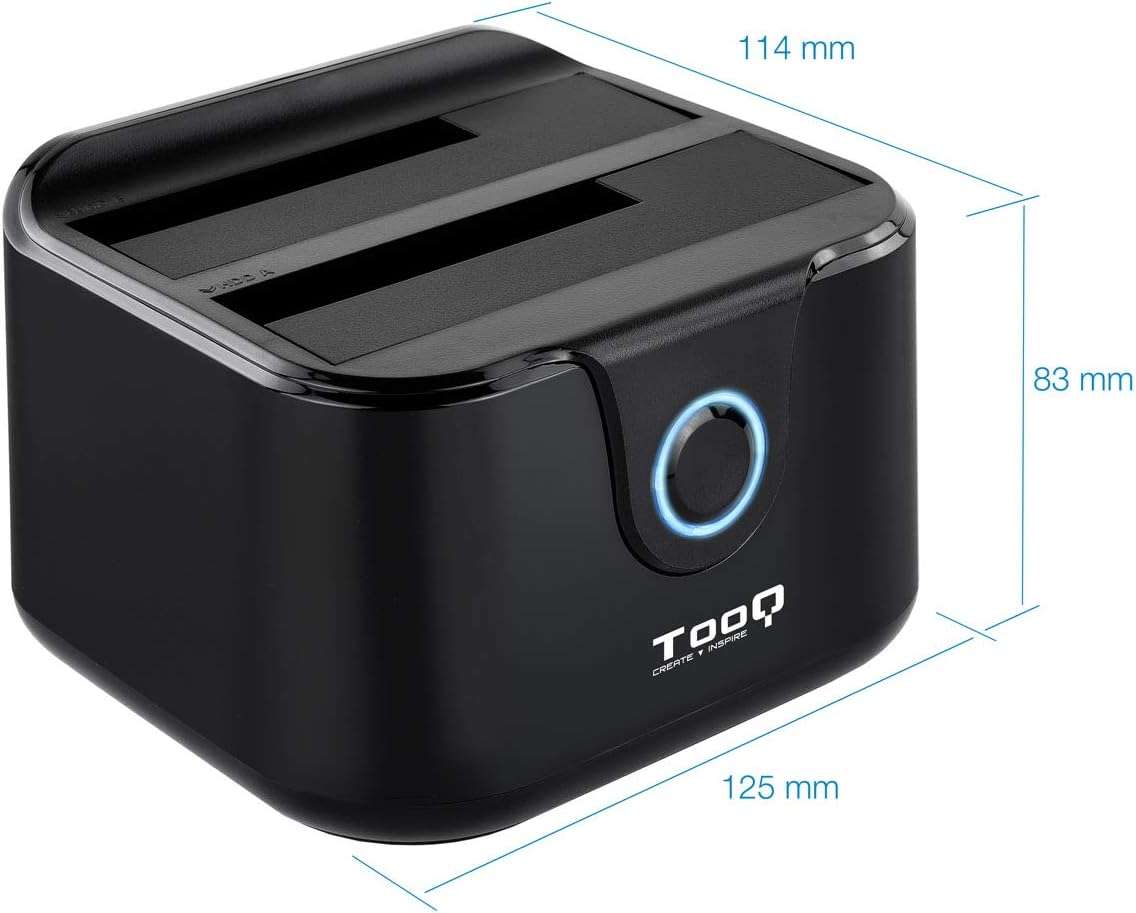
Image: Package contents including the docking station, power adapter, and USB 3.0 cable.
Продукт бүттүview
Front Panel

Сүрөт: алдыңкы view of the docking station. The central button serves as the Clone button, surrounded by an LED indicator.
- LED көрсөткүчү: Illuminates to indicate power and activity.
- Клондоо баскычы: Initiates the offline disk cloning process.
Арткы панель

Сүрөт: Арткы view of the docking station, detailing the power switch, DC 12V power input, and USB-B port for computer connection.
- ON/OFF которуу: Док-станцияны күйгүзөт же өчүрөт.
- DC 12V уячасы: Камтылган кубат адаптерине туташат.
- USB-B порт: Connects the docking station to your computer via the USB 3.0 cable.
Жогорку View (Drive Bays)

Сүрөт: Жогорку view showing two drive bays, labeled A and B, designed to accommodate both 2.5-inch and 3.5-inch SATA HDDs/SSDs.
- Drive Bay A: For inserting the source drive during cloning, or a primary drive for data access. Compatible with 2.5" and 3.5" SATA drives.
- Drive Bay B: For inserting the target drive during cloning, or a secondary drive for data access. Compatible with 2.5" and 3.5" SATA drives.
Жайгашуу
- Туташуу кубаты: Connect the included power adapter to the DC 12V jack on the rear of the docking station, then plug the adapter into a power outlet. Do not power on the device yet.
- Connect to Computer (Optional for Data Transfer): If you intend to use the docking station for data transfer with a computer, connect the USB 3.0 cable from the USB-B port on the docking station to an available USB 3.0 port on your computer.
- Дисктерди киргизүү: Gently insert your 2.5-inch or 3.5-inch SATA hard drives or SSDs into the drive bays (A and/or B) until they are firmly seated. Ensure the SATA connectors align correctly.
- Күйгүзүү: Flip the ON/OFF switch on the rear panel to the 'ON' position. The LED indicator will illuminate.
Иштөө нускамалары
A. Data Transfer (Connected to PC)
When connected to a computer via USB, the docking station functions as an external drive enclosure. Insert one or two SATA drives into the bays. Your operating system should automatically detect the drives. You can then access, read, and write data to them as you would with any other external storage device.
- Ensure the docking station is powered on and connected to your computer.
- Insert the SATA drive(s) into the bays.
- The drives will appear as removable storage in your computer's file изилдөөчү.
- For safe removal, always eject the drives through your operating system before powering off the docking station or disconnecting the USB cable.
B. Offline Clone Function
The offline clone function allows you to duplicate a source drive to a target drive without needing a computer connection. The target drive must be equal to or larger in capacity than the source drive.
- Дисктерди даярдоо: Ensure both the source drive (the drive you want to copy FROM) and the target drive (the drive you want to copy TO) are free of errors. All data on the target drive will be erased during the cloning process.
- Дисктерди киргизүү:
- салыңыз Баштапкы диск ичине Бей А.
- салыңыз Максаттуу Drive ичине Бей Б.
- Компьютерден ажыратыңыз: Ensure the USB cable is disconnected from the computer. The docking station must be operating independently for offline cloning.
- Күйгүзүү: Turn on the docking station using the ON/OFF switch.
- Клондоону баштоо: басып, кармап туруңуз Клондоо баскычы for approximately 3-5 seconds until the LED indicator begins to flash. Release the button.
- Прогресс мониторинги: The LED indicator will show the cloning progress. It will typically flash or change color to indicate different stages (e.g., 25%, 50%, 75%, 100%).
- Аяктоо: Once the cloning process is complete, the LED indicator will stop flashing and remain solid. You can then power off the docking station and remove the drives.
Important: Do not interrupt the cloning process by powering off the device or removing drives, as this may lead to data corruption on both drives.
Техникалык тейлөө
- Keep the docking station in a clean, dry environment, away from direct sunlight and extreme temperatures.
- Аппаратты түшүрүүдөн же катуу таасирлерден сактаныңыз.
- Сыртын жумшак, кургак чүпүрөк менен тазалаңыз. Суюк тазалоочу каражаттарды же эриткичтерди колдонбоңуз.
- Иштеп жаткан учурда аппараттын айланасында туура желдетүүнү камсыз кылыңыз.
Проблемаларды чечүү
Drive Not Detected by Computer
- Ensure the docking station is powered on and the USB cable is securely connected to both the docking station and the computer.
- Компьютериңиздеги башка USB портуна туташып көрүңүз.
- Verify that the hard drive is properly seated in the bay.
- Check Disk Management (Windows) or Disk Utility (macOS) to see if the drive is recognized but unformatted or unallocated.
- Test the drive directly in a computer or with another enclosure to rule out drive failure.
Offline Clone Fails or Does Not Start
- Ensure the USB cable is disconnected from the computer. Offline cloning requires the device to be standalone.
- Verify that the source drive is in Bay A and the target drive is in Bay B.
- Максаттуу дисктин сыйымдуулугу баштапкы дисктин сыйымдуулугуна барабар же андан чоң экенин ырастаңыз.
- Ensure both drives are properly inserted and seated.
- Press and hold the Clone button for the specified duration (3-5 seconds) until the LED indicator responds.
- Check for any errors on the source drive before attempting to clone.
Техникалык шарттар
| Модель номери | TQDS-802B |
| Бренд | ТООК |
| Шайкеш келген дисктер | 2.5" and 3.5" SATA I/II/III HDDs/SSDs |
| Drive Bays | 2 (Dual Bay) |
| PC үчүн интерфейс | USB 3.0 (USB 2.0 менен артка шайкеш келет) |
| Маалыматтарды өткөрүү ылдамдыгы | 5.0 Гбит/сек чейин (USB 3.0) |
| Оффлайн клондоо функциясы | Supported (PC-independent) |
| Максималдуу диск сыйымдуулугу | Up to 2.0 TB (32-bit/64-bit systems) and 3.0 TB or more (64-bit systems) |
| Колдоого алынган OS | Windows, macOS, Linux (for USB connection) |
| Электр камсыздоо | DC 12V кубат адаптери |
| Өлчөмдөр | Болжол менен 125 мм x 114 мм x 83 мм |
| Салмагы | 350 грамм |

Image: Dimensions of the TooQ TQDS-802B Dual Bay SATA Docking Station.
Кепилдик жана колдоо
TOOQ products are designed for reliability and performance. For warranty information, please refer to the warranty card included with your product or visit the official TOOQ website. For technical support or further assistance, please contact TOOQ customer service through their official channels.
Manufacturer: Tooq & Nanocable Spain