
1. Киришүү
This manual provides essential information for the safe and efficient operation of your Optoma EH500 High Brightness Projector. The Optoma EH500 is designed for business and educational environments, offering 1080p resolution, 4,700 lumens brightness, and extensive connectivity options. Please read this manual thoroughly before using the projector and retain it for future reference.
2. Кутуда эмне бар
Төмөндө тизмеленген нерселердин баары пакетиңизге камтылганын текшериңиз:
- Optoma Technology EH500 Data Series DLP 3D Projector
- IR Remote Mouse Control
- 2 x AAA Batteries (for Remote)
- AC Power Cord
- VGA-VGA кабели
- Объективдин капкагы
- Ташуу кутусу
- Multilingual CD-ROM User's Manual
- 3-Year Limited Optoma Express Service Warranty
- 1-Year Limited Lamp Кепилдик
3. Продукт бүтүп калдыview
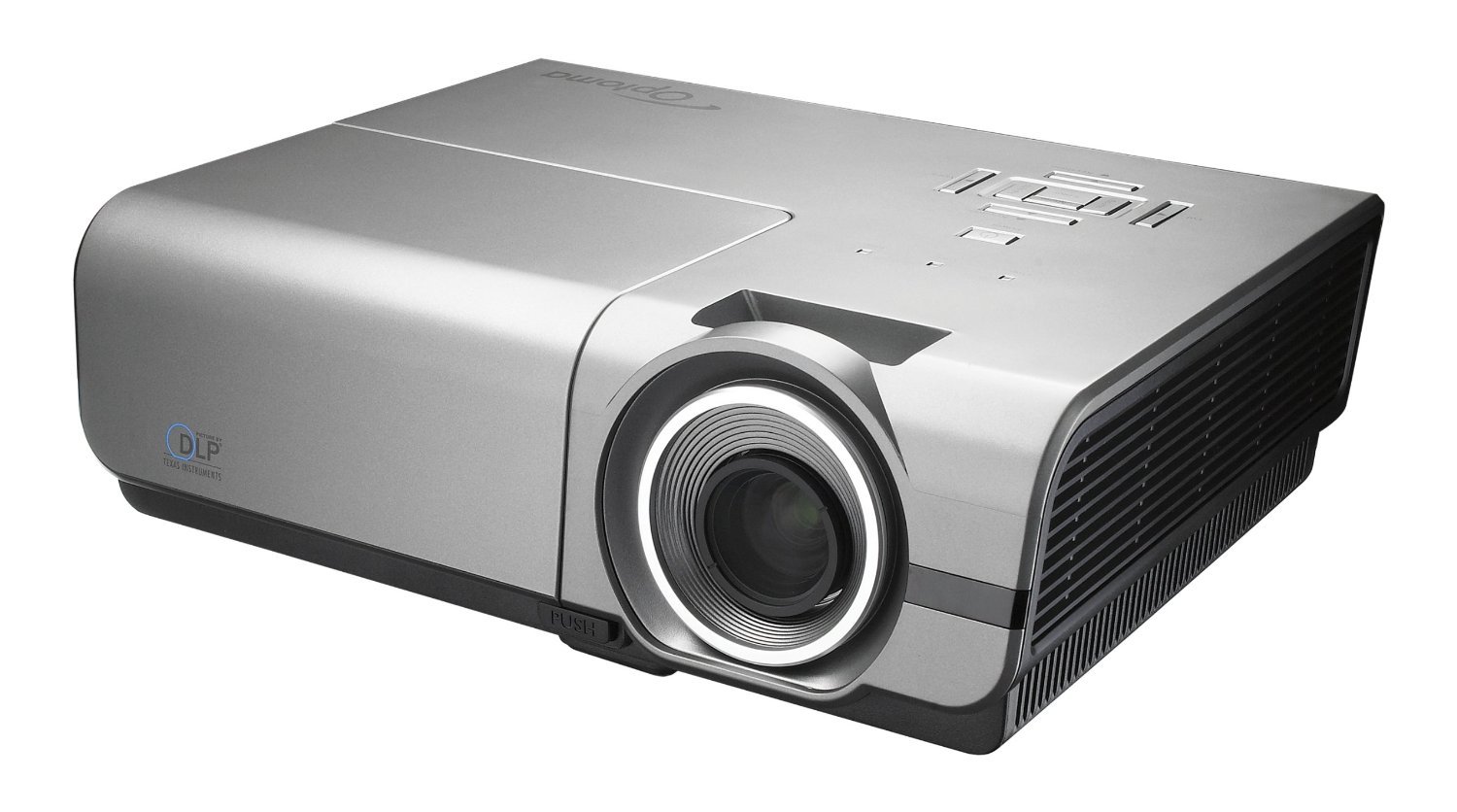
3.1-сүрөт: Фронт view of the Optoma EH500 projector, showcasing the lens and sleek design.

3.2-сүрөт: Rear panel of the Optoma EH500, displaying the comprehensive array of connectivity ports including HDMI, VGA, DisplayPort, USB, and network connections.

3.3-сүрөт: Top panel of the Optoma EH500, showing the power button, menu navigation, keystone correction, and source selection controls.
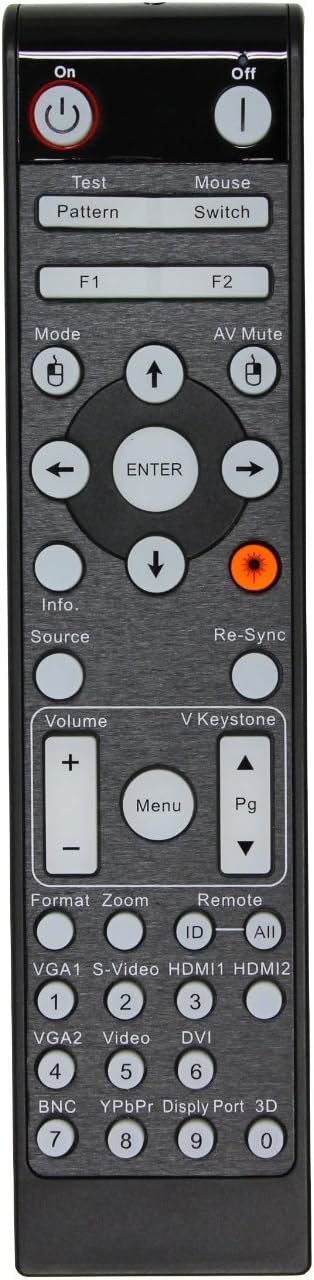
3.4-сүрөт: The remote control for the Optoma EH500, featuring dedicated buttons for power, menu, source selection, volume, and keystone adjustment.
4. Орнотуу
4.1 Орнотуу
Position the projector on a stable, flat surface or mount it securely to a ceiling. Ensure adequate ventilation around the unit. The distance from the screen will determine the image size. For optimal image quality, ensure the projector is centered with the screen.
4.2 Кубат туташтыруу
- Connect the AC power cord to the projector's power inlet.
- Электр шнурунун экинчи учун жерге туташтырылган электр розеткасына сайыңыз.
- The power LED on the projector will illuminate, indicating standby mode.
4.3 Баштапкы туташуу
Connect your video source (e.g., laptop, Blu-ray player) to the projector using an appropriate cable (HDMI, VGA, DisplayPort, S-Video, or Composite Video). Refer to the 'Connectivity' section for port details.
5. Иштөө нускамалары
5.1 Күйгүзүү/өчүрүү
- Күйгүзүү үчүн: Press the Power button on the projector's top panel or the remote control. The projector will initiate its startup sequence.
- Өчүрүү үчүн: Press the Power button twice. The first press will display a confirmation message; the second press will shut down the projector.
5.2 Киргизүү булагын тандоо
Press the 'Source' button on the projector or remote control to cycle through available input sources (HDMI 1, HDMI 2, VGA 1, VGA 2, DisplayPort, S-Video, Composite Video). Select the input corresponding to your connected device.
5.3 Сүрөттү тууралоо
- Фокус: Проектордун линзасындагы фокус шакекчесин сүрөт так жана даана болгонго чейин айландырыңыз.
- Чоңойтуу: Adjust the zoom ring on the projector lens to achieve the desired image size.
- Негизги ташты оңдоо: Use the 'Keystone' buttons (up/down arrows) on the projector or remote to correct trapezoidal image distortion. Note that the EH500 primarily offers vertical keystone correction.
- Меню навигациясы: Press the 'Menu' button to access settings for picture, audio, display, and system. Use the arrow buttons to navigate and 'Enter' to confirm selections.
6. Байланыш
The Optoma EH500 offers a wide range of connectivity options:
- HDMI (x2): Жогорку тактыктагы санариптик видео жана аудио киргизүү үчүн.
- VGA кирүүсү (x2): Компьютерлерден аналогдук видео киргизүү үчүн.
- VGA чыгышы: For connecting to an external monitor or display.
- DisplayPort: For high-resolution digital video input.
- S-Video: Стандарттык сапаттагы видео киргизүү үчүн.
- Композиттик видео: Стандарттык сапаттагы видео киргизүү үчүн.
- Audio In (x2) / Audio Out: For analog audio connections.
- USB: Кызмат же микропрограммалык камсыздоону жаңыртуу үчүн.
- RJ45 (LAN): For network control and management via Crestron RoomView.
- RS-232C: For serial control using HEX or ASCII commands.
- 12V триггер: Автоматташтырылган экранды башкаруу үчүн.
7. Негизги өзгөчөлүктөрү
- Incredible Picture Quality: Experience presentations with vibrant colors and sharp, clear text and graphics, enabled by 1080p full high definition and a 10,000:1 contrast ratio.
- Жогорку жарыктык: Enjoy 4,700 lumens of brightness, suitable for well-lit meeting rooms, conference rooms, training rooms, and classrooms.
- Network Control with Crestron RoomView: Set up complete network control and management of up to 250 projectors, ideal for large installations in business and educational environments.
- RS-232 Control: Take control of the projector using HEX or ASCII commands via an RS-232 cable for integrated system management.
- Green by Design: The EH500 consumes less than 1 watt in standby mode, significantly reducing energy consumption. It features automatic shut down and remote management for energy conservation.
- Full 3D Compatibility: Display true 3D content from various 3D sources, including 3D Blu-ray Disc players and 3D broadcasting. Supports 144Hz rapid-refresh rate for ultra-smooth, flicker-free images (Optoma 3D glasses required).
8. Техникалык тейлөө
8.1 Линзаны тазалоо
Use a soft, lint-free cloth specifically designed for optical lenses. Avoid abrasive cleaners or cloths that could scratch the lens surface.
8.2 Проекторду тазалоо Casing
Проекторду сүртүңүз casing жумшак менен, гamp кездеме. Катуу химиялык заттарды же эриткичтерди колдонбоңуз.
8.3 Лamp Алмаштыруу
Проектор лamp чектелген өмүрү бар. Качан лamp life is nearing its end, a warning message will appear on the screen. Refer to the detailed instructions in the full user manual (on CD-ROM) for safe lamp replacement procedures. Always use genuine Optoma replacement lamps.
8.4 Аба чыпкасын тейлөө
Regularly clean or replace the air filter to ensure proper ventilation and prevent overheating. Consult the full user manual for specific instructions on accessing and maintaining the air filter.
9. Кыйынчылыктарды
- Сүрөт жок: Ensure the power cord is securely connected and the projector is powered on. Verify that the correct input source is selected and the video cable is properly connected to both the projector and the source device.
- Сүрөт бүдөмүк: Adjust the focus ring on the projector lens. Ensure the projector is placed at an appropriate distance from the screen.
- Сүрөт трапеция формасында: Сүрөттүн формасын тууралоо үчүн негизги ташты оңдоо баскычтарын колдонуңуз.
- Проектордун ысып кетиши: Ensure adequate ventilation around the projector. Clean or replace the air filter if it is clogged.
- Алыстан башкаруу иштебейт: Check and replace the batteries. Ensure there are no obstructions between the remote and the projector's IR receiver.
For more detailed troubleshooting steps, please refer to the comprehensive user manual provided on the CD-ROM.
10. Техникалык шарттар
| Өзгөчөлүк | Спецификация |
|---|---|
| Бренд | Optoma |
| Модель номери | EH500 |
| Жарыктык рейтинги | 4700 Lumens |
| Display Resolution | 1920 x 1080 (1080p) |
| Элемент Салмагы | 8.5 фунт |
| Продукциянын өлчөмдөрү | 12.8 x 10.2 x 4.3 дюйм |
| Байланыш технологиясы | HDMI, Wireless (optional dongle), DisplayPort, VGA, S-Video, Composite, RJ45, RS-232C |
| Өзгөчө өзгөчөлүк | 3D-Ready, Internet-Ready (via Crestron RoomView) |
| Сунушталган Колдонуулар | Business, Home Cinema |
| Түс | Ак |
11. Кепилдик жана колдоо
Your Optoma EH500 projector comes with a 3-Year Limited Optoma Express Service Warranty and a 1-Year Limited Lamp Warranty. For warranty claims, technical support, or service inquiries, please contact Optoma customer support through their official webсайтына же толук колдонуучу колдонмосунда берилген байланыш маалыматына кайрылыңыз.
For the most up-to-date support resources, including FAQs and driver downloads, visit the official Optoma webсайт: www.optoma.com