
Introduction
Thank you for choosing the MIPRO MU-55HN Headset Microphone. This manual provides essential information for the proper setup, operation, and maintenance of your device. The MU-55HN features an omnidirectional capsule for excellent off-axis response, capturing sound from all directions. Its flexible and durable headset frame, combined with comfortable, soft ear-hooks, ensures a secure and ideal fit for extended use.
Please read this manual thoroughly before using the microphone to ensure optimal performance and longevity.
Продукт бүттүview
The MIPRO MU-55HN is a wired headset microphone designed for clear audio capture. It is equipped with an omnidirectional condenser capsule, making it suitable for various vocal applications where consistent sound pickup is desired regardless of head movement.
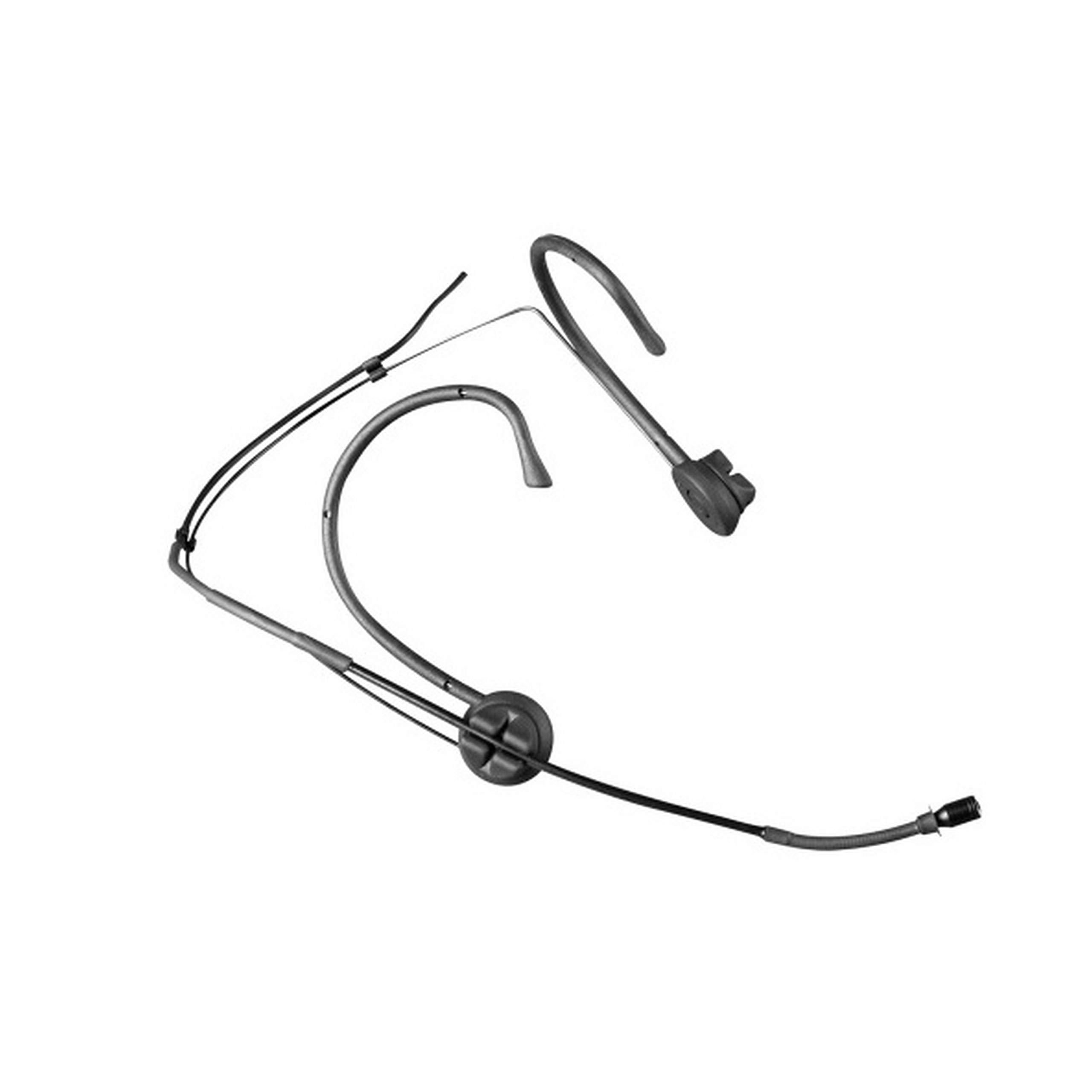
Image: The MIPRO MU-55HN headset microphone, featuring a slender boom arm and ear-hooks for secure placement.
The headset is designed for comfort and stability, allowing users to wear it for extended periods without discomfort. It connects via a 3.5 mm jack, compatible with a wide range of audio equipment.
Жайгашуу
- Микрофонду таңгактан чыгаруу: Carefully remove the MU-55HN headset microphone from its packaging. Inspect for any visible damage.
- Аудио түзмөккө туташуу: Locate the 3.5 mm jack connector on the microphone cable. Plug this connector into the corresponding 3.5 mm microphone input port on your audio device (e.g., transmitter, mixer, amplifier, or computer sound card). Ensure the connection is secure.
- Position the Headset: Place the headset over your ears, ensuring the ear-hooks sit comfortably and securely behind your ears. The flexible frame allows for minor adjustments to fit different head sizes.
- Микрофондун штангасын тууралоо: Gently bend the microphone boom arm to position the microphone capsule approximately 1-2 cm (0.4-0.8 inches) from the corner of your mouth. Avoid placing it directly in front of your mouth to minimize plosive sounds.
- Кабелди бекемдөө: Route the microphone cable in a way that prevents it from snagging or interfering with your movement. Use cable clips if necessary to secure it to clothing.
Иштөө нускамалары
- Аудио түзмөгүңүздү күйгүзүңүз: Ensure your connected audio device (e.g., transmitter, mixer) is powered on and configured for microphone input.
- Киргизүү пайдасын коюу: Adjust the input gain or volume level on your audio device. Start with a low gain setting and gradually increase it while speaking into the microphone at your normal speaking volume. Monitor the audio levels to prevent clipping or distortion.
- Perform a Sound Check: Speak or sing into the microphone as you would during normal use. Listen to the output through your monitoring system (headphones or speakers) to ensure clear audio and appropriate volume levels.
- Оптималдуу жайгаштыруу: Due to its omnidirectional polar pattern, the MU-55HN picks up sound from all directions. Maintain consistent distance from the microphone for stable audio levels.
- Пикирлерден качуу: If using speakers, position them away from the microphone to prevent audio feedback. Adjust microphone gain and speaker volume as needed.
Техникалык тейлөө
- Тазалоо: Use a soft, dry cloth to wipe down the microphone boom and headset frame after each use. For stubborn grime, a slightly damp cloth with mild soap can be used, ensuring no moisture enters the microphone capsule.
- Сактагыч: Store the microphone in a clean, dry place, preferably in its original packaging or a protective case, to prevent dust accumulation and physical damage.
- Кабельге кам көрүү: Avoid sharply bending or twisting the microphone cable. Coil it loosely when storing to prevent internal wire damage.
- Колдонуу: Handle the microphone gently. Avoid dropping it or subjecting it to strong impacts, which can damage the delicate internal components.
Проблемаларды чечүү
| Көйгөй | Мүмкүн себеп | Чечим |
|---|---|---|
| Үн чыгышы жок | Microphone not properly connected; Audio device input gain too low; Audio device not powered on. | Ensure 3.5 mm jack is fully inserted; Increase input gain on audio device; Verify audio device is powered on. |
| Төмөн же бурмаланган үн | Incorrect gain setting; Microphone too far from mouth; Damaged cable. | Adjust input gain; Reposition microphone closer to mouth (1-2 cm); Inspect cable for damage, replace if necessary. |
| Кайтарым байланыш (кычыраган үн) | Microphone too close to speakers; High gain setting. | Move microphone further from speakers; Reduce input gain or speaker volume. |
| Headset discomfort | Improper fit or adjustment. | Adjust the flexible frame and ear-hooks for a more comfortable and secure fit. |
Техникалык шарттар
| Модель номери | MU 55-HNS |
| Бренд | Мипро |
| Микрофон форма фактору | Гарнитура |
| Полярдык үлгү | Көп багыттуу |
| Байланыш технологиясы | Зымдуу |
| Туташтыргыч түрү | 3.5 мм Джек |
| Өзгөчө өзгөчөлүк | XLR (Note: Primary connector is 3.5mm Jack) |
| Аудио сезгичтиги | 49 децибел |
| Шайкеш түзмөктөр | Баяндамачы |
| Камтылган компоненттер | Микрофон |
| Power Source | Электр зымдары |
| Каналдардын саны | 1 |
| Элемент Салмагы | 12 фунт |
Кепилдик жана колдоо
For warranty information and technical support, please refer to the documentation included with your purchase or visit the official MIPRO webсайт. Кепилдиктин шарттары аймакка жана сатуучуга жараша өзгөрүшү мүмкүн.
If you encounter issues not covered in this troubleshooting section, please contact MIPRO customer support or your authorized dealer for assistance.