
Introduction
Бул колдонмо сиздин VCOM Cat5e калыпталган патч кабелиңизди, NP511-150 моделин туура колдонуу жана тейлөө боюнча маанилүү маалыматты берет. Бул кабель ишенимдүү тармактык байланыш үчүн иштелип чыккан, компьютерлер, роутерлер, коммутаторлор жана модемдер сыяктуу түзмөктөрдүн ортосунда маалыматтарды өткөрүп берүүнү жеңилдетет.
Продукциянын оптималдуу иштешин жана узак мөөнөттүү кызмат кылуусун камсыз кылуу үчүн орнотуудан жана колдонуудан мурун ушул колдонмону кылдат окуп чыгыңыз.
Продукт өзгөчөлүктөрү
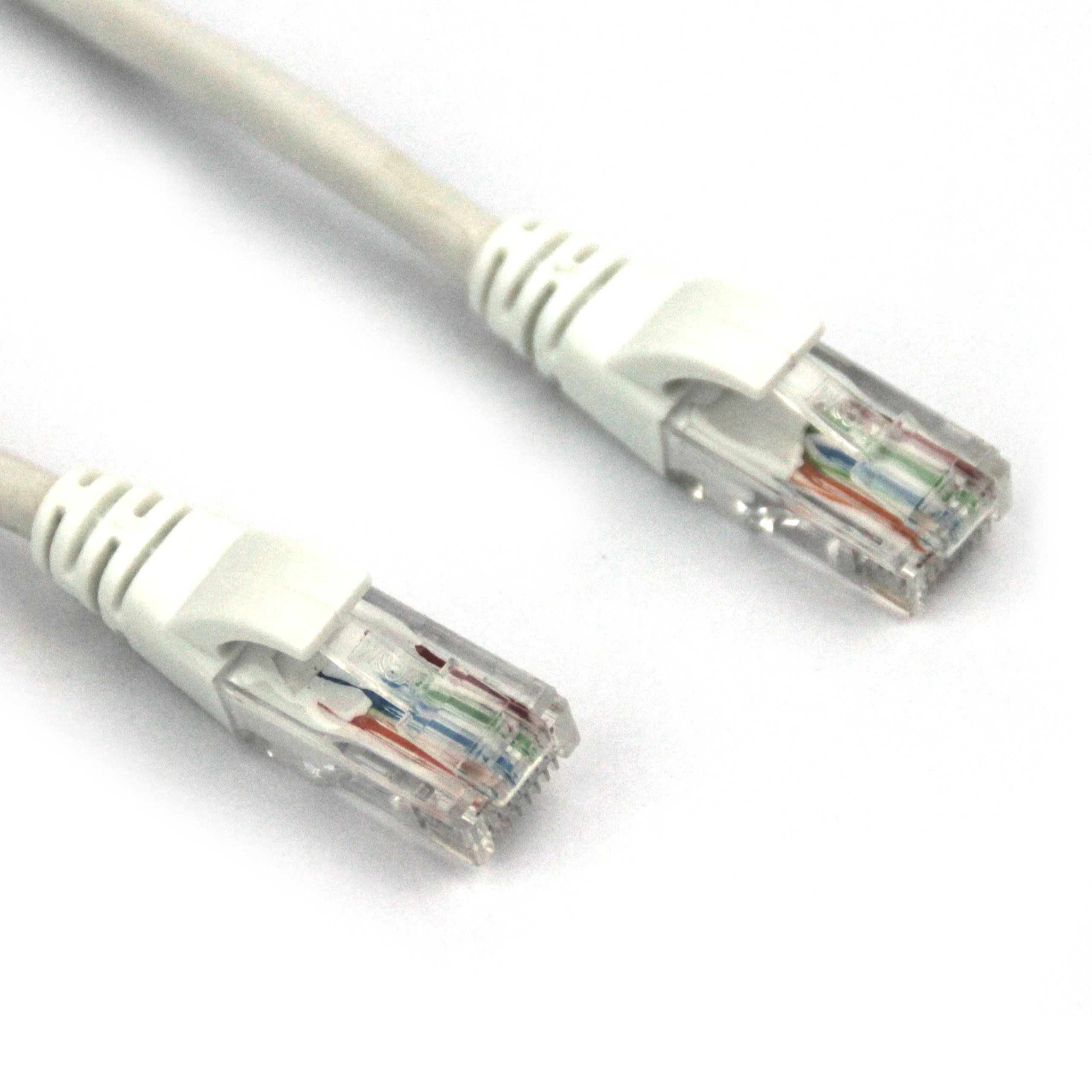
Бул сүрөттө VCOM Cat5e калыпка салынган патч кабели көрсөтүлгөн. Анын эки учунда бирден RJ45 туташтыргычы бар, алардын ичиндеги буралган жуп зымдарды көрсөткөн тунук пластик корпустары бар. Туташтыргычтарда ак калыпка салынган чыңалуудан сактануучу өтүктөр бар. Кабелдин өзү ак түстө жана бышык көрүнөт.
- Кабель түрү: Cat5e UTP калыпка салынган патч кабели 0.4CCA.
- Кабелдин узундугу: 150 фут (болжол менен 45.72 метр).
- Калыпка салынган туташтыргычтар: RJ45 (8P8C) туташтыргычтары бышыктыгын жана колдонуунун жеңилдигин жогорулатуу үчүн сайма менен калыпка салынган пластик менен жабдылган.
- Жогорку сапаттагы өткөргүчтөр: RJ45 туташтыргычтарынын ичиндеги металл тазалагычтарampКычкылтексиз жезден (OFC) жасалган, бул сигналдын оптималдуу өткөрүлүшүн камсыз кылат.
- Стандарттык шайкештик: Зымдардын өткөрүмдүүлүгү Cat5e стандарттарына ылайык келет жана 4 бекем буралган жуп (8 өзөк) менен иштейт.
- Изоляция: Өзөктүү зымдар жогорку сапаттагы изоляция жана минималдуу сигнал жоготуусу үчүн HDPE материалы менен изоляцияланган.
Жайгашуу
- Портторду аныктоо: Туташтыргыңыз келген түзмөктөрдөгү (мисалы, роутер, модем, компьютер, тармак коммутатору) Ethernet портторун (RJ45) табыңыз.
- Биринчи түзмөктү туташтыруу: VCOM Cat5e кабелинин бир учун биринчи түзмөгүңүздөгү жеткиликтүү Ethernet портуна салыңыз. Туташтыргычтын бекем орнотулганын текшериңиз.
- Экинчи түзмөктү туташтыруу: VCOM Cat5e кабелинин экинчи учун экинчи түзмөгүңүздөгү жеткиликтүү Ethernet портуна сайыңыз. Дагы бир жолу, чыкылдатуу коопсуз экенине ынаныңыз.
- Байланышты текшерүү: Көпчүлүк түзмөктөрдө Ethernet портунун жанында индикатор жарыгы (LED) болот, ал ийгиликтүү туташуу орнотулганда күйөт же жымыңдайт.
Эки түзмөк тең күйгүзүлүп, тармактык байланыш үчүн конфигурацияланганын текшериңиз. Белгилүү бир тармак жөндөөлөрү үчүн ар бир түзмөктүн колдонмосун караңыз.
Иштөө нускамалары
VCOM Cat5e калыптанган патч кабели пассивдүү түрдө иштейт, туташкан түзмөктөрдүн ортосунда маалымат сигналдарын өткөрөт. Туура туташтырылгандан кийин, кабель колдонуучунун эч кандай өз ара аракеттенүүсүн талап кылбастан тармактык байланышты жеңилдетет.
- Маалыматтарды өткөрүү: Кабель 100 Мбит/сек (Fast Ethernet) чейинки маалыматтарды берүү ылдамдыгын колдойт жана 10BASE-T жана 100BASE-TX тармактары үчүн ылайыктуу.
- Тармактык тиркемелер: Интернетке, жергиликтүү тармактарга (LAN), медиа агымына, онлайн оюндарга жана башка тармакка көз каранды иш-аракеттерге туташуу үчүн колдонуңуз.
- Шайкештик: Стандарттуу RJ45 Ethernet порту бар каалаган түзмөк менен шайкеш келет.
Техникалык тейлөө
Туура кам көрүү VCOM Cat5e кабелиңиздин иштөө мөөнөтүн узартат. Төмөнкү көрсөтмөлөрдү аткарыңыз:
- Ийилгенден качыңыз: Кабелди өтө ийип, бүктөп же кескин бүктөп албаңыз, анткени бул ички зымдарга зыян келтирип, иштешин начарлатышы мүмкүн.
- Коннекторлорду коргоо: RJ45 туташтыргычтарын кабелдин өзүнөн эмес, калыпка салынган корпусунан кармаңыз. Ажыратканда кабелди зымдан тартпаңыз.
- Тазалык: Туташтыргычтарды чаңдан жана таштандылардан таза кармаңыз. Зарыл болсо, кургак, мамыксыз чүпүрөк менен акырын тазалаңыз.
- Сактагыч: Колдонулбай турганда, кабелди бош ороп, кургак, мелүүн чөйрөдө, күн нуру түз тийбеген же өтө жогорку температурадан алыс сактаңыз.
- Айлана-чөйрөнү коргоо: Бул кабель имараттын ичинде да, сыртында да колдонууга ылайыкташтырылган. Бирок, сыртта колдонуу үчүн, узак мөөнөттүү кызмат кылуу үчүн аны катаал аба ырайынын түздөн-түз таасиринен коргоңуз.
Проблемаларды чечүү
| Көйгөй | Мүмкүн себеп | Чечим |
|---|---|---|
| Тармак туташуусу жок | Кабель толук орнотулган эмес; кабель бузулган; порт туура эмес. | Эки RJ45 туташтыргычы тең тиешелүү портторуна бекем орнотулганын текшериңиз. Түзмөктөгү башка портту колдонуп көрүңүз. Кабелдин көрүнгөн бузулууларын (ийилген жерлерин, кесилген жерлерин) текшериңиз. Эгерде бар болсо, башка жакшы белгилүү кабель менен сынап көрүңүз. |
| Тармактын ылдамдыгы жай | Кабелдин бузулушу; тармактын тыгыны; түзмөктөгү көйгөйлөр. | Cat5e кыска аралыкта 1 Гбит/сек чейин ылдамдыкты колдосо, узак аралыкка иштөө үчүн анын типтүү иштеши 100 Мбит/сек түзөт. Тармак түзмөктөрүңүздүн туура конфигурацияланганын текшериңиз. Тармактын ылдамдыгына таасир этүүчү башка факторлорду (мисалы, роутердин иштеши, интернет провайдери) текшериңиз. Кабелдин бузулгандыгын текшериңиз. |
| үзгүлтүктүү байланыш | Байланыш бошоп калган; кабелдик тоскоолдук; порттун бузук болушу. | Кабелдин эки учун тең кайра орнотуңуз. Кабелдин электр линияларына же башка электромагниттик тоскоолдук булактарына параллель эместигин текшериңиз. Башка порт же түзмөк менен текшериңиз. |
Эгерде мүчүлүштүктөрдү оңдоо кадамдары көйгөйдү чечпесе, VCOM кардарларды колдоо кызматына кайрылууну же тармак адисине кайрылууну карап көрүңүз.
Техникалык шарттар
| Атрибут | Деталь |
|---|---|
| Бренд | VCOM |
| Модель номери | NP511-150 |
| Кабель түрү | Cat5e UTP калыпталган патч кабели |
| Туташтыргыч түрү | RJ45 |
| Connector Gender | Эркектен эркекке |
| Узундук | 150 фут (болжол менен 45.72 метр) |
| Түс | Ак |
| Зым аркылуу өткөрүү | 4 тыгыз буралган жуп (8 өзөк), 0.4CCA |
| Изоляциялык материал | HDPE |
| Ички/тышкы колдонуу | Ички, сырткы |
| Элемент Салмагы | 2.58 фунт (болжол менен 1.17 кг) |
| Продукциянын өлчөмдөрү (LxWxH) | 11.02 x 0.02 x 9.84 дюйм (пакеттелген) |
| UPC | 840273101192 |
Кепилдик жана колдоо
VCOM өнүмдөрү жогорку сапаттагы стандарттарга ылайык өндүрүлөт. Кепилдик жөнүндө так маалымат алуу үчүн, сатып алууңузга тиркелген документтерди караңыз же расмий VCOM веб-сайтына кириңиз. webсайт. Жалпы колдоо суроолору көбүнчө ушул колдонмонун көйгөйлөрдү чечүү бөлүмүн карап чыгуу же VCOM кардарларды тейлөө кызматына кайрылуу аркылуу чечилиши мүмкүн.
Кошумча жардам алуу үчүн, сураныч, баш багыңыз Amazon'догу VCOM дүкөнү же алардын расмий колдоо каналдары.