
Introduction
Welcome to your iFrogz Orion Headphones. This manual provides essential information for the proper setup, operation, and maintenance of your device. Please read these instructions carefully before using your headphones.
Пакеттин мазмуну
- iFrogz Orion Headphones
- Бул Колдонмо
Продукт бүттүview
The iFrogz Orion headphones are designed for audio playback and communication. They feature a 40mm driver for sound delivery and an integrated in-line remote with a microphone for call and music control. The foldable design enhances portability.
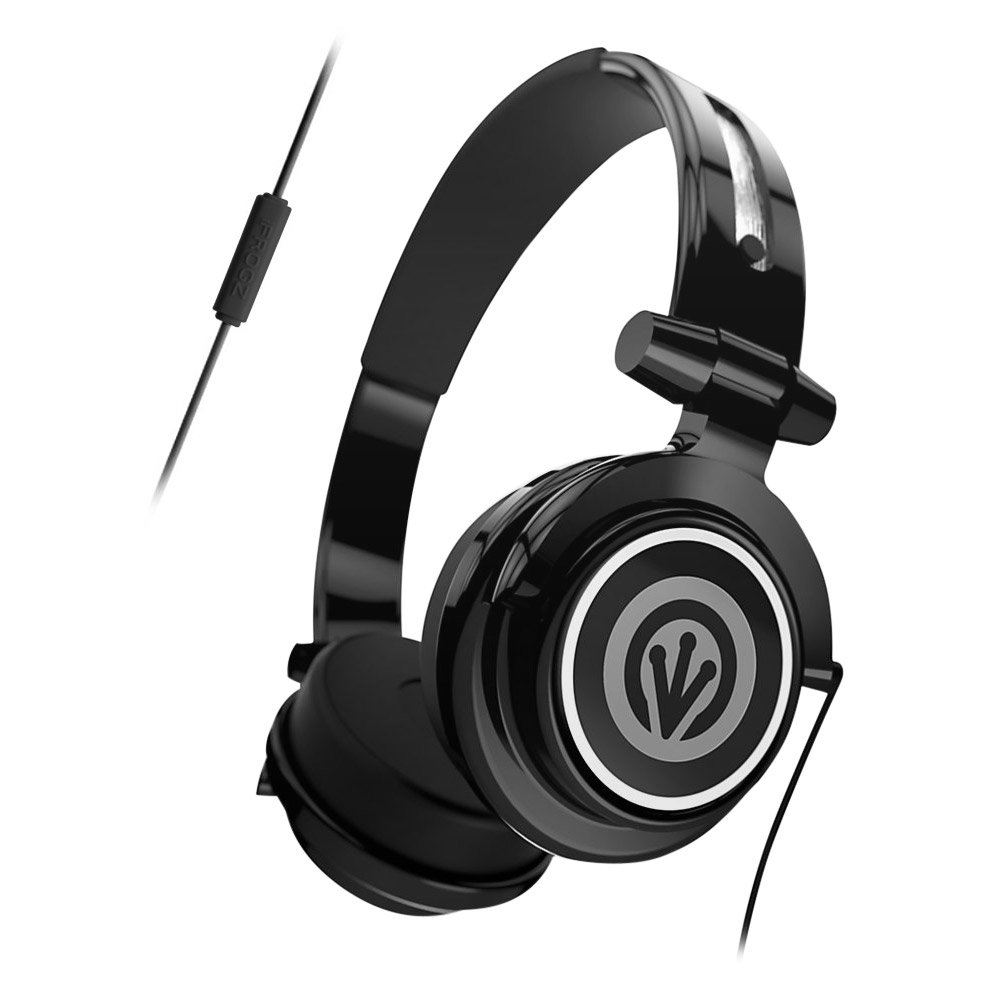
Image: iFrogz Orion Headphones, front view, black color, showcasing кулакчындарды жана баш орогучту.
Жайгашуу
Наушникти туташтыруу
- Locate the 3.5mm audio jack on your iFrogz Orion headphones.
- Insert the 3.5mm audio jack firmly into the compatible audio port of your device (e.g., smartphone, tablet, computer).
- Ensure the connection is secure for optimal audio performance.
Иштөө нускамалары
Аудио ойнотуу
Once connected, audio from your device will play through the headphones. Adjust the volume using your device's native volume controls.
Using the In-Line Remote/Microphone
- Музыкалык башкаруу: Press the single button once to play or pause audio playback.
- Чалууларды башкаруу: Press the single button once to answer an incoming call. Press it again to end an active call.
- The integrated microphone allows for hands-free communication during calls.
Техникалык тейлөө
- Тазалоо: Use a soft, dry cloth to clean the exterior surfaces of the headphones. Do not use liquid cleaners, abrasive materials, or solvents, as these may damage the finish or internal components.
- Сактагыч: When not in use, fold the headphones for compact storage. Store them in a cool, dry place, away from direct sunlight, excessive heat, or extreme cold.
- Кабельге кам көрүү: Avoid sharp bends, kinks, or excessive pulling on the audio cable to prevent internal wire damage.
Проблемаларды чечүү
Үн жок
- Ensure the 3.5mm audio jack is fully inserted into both the headphones and the audio source device.
- Check the volume level on your audio source device and ensure it is not muted.
- Test the headphones with a different audio source to determine if the issue is with the headphones or the original device.
Микрофон иштебейт
- Verify that the headphones are securely connected to your device.
- Check your device's audio settings to ensure the external microphone is selected and enabled.
Техникалык шарттар
| Өзгөчөлүк | Description |
|---|---|
| Айдоочунун өлчөмү | 40мм |
| Байланыш | Зымдуу (3.5 мм аудио уячасы) |
| Control | In-line single-button remote/microphone |
| Дизайн | Бүктөлүүчү, жеңил |
| Материал | Пластик |
| Элемент Салмагы | 8.8 унция |
| Өлчөмдөр | 8.78 x 6.46 x 3.35 дюйм |
| Модель номери | IF-ORI-BLK |
| UPC | 848467004830 |
Кепилдик жана колдоо
For detailed warranty information, product registration, or customer support, please visit the official iFrogz website or contact their customer service department directly. Please retain your purchase receipt as proof of purchase for any warranty claims.