
1. Киришүү
This manual provides essential instructions for the safe and efficient installation, operation, and maintenance of your Intel DPS-750PB AXX750WPS 750W Power Supply. This power supply unit (PSU) is designed to provide stable and reliable power to your personal computer components. Please read this manual thoroughly before proceeding with installation or operation.
2. Коопсуздук маалыматы
Жабдууларыңызга зыян келтирбөө же жаракат албоо үчүн ар дайым төмөнкү коопсуздук чараларын сактаңыз:
- Кубатты өчүрүү: Before installing, removing, or servicing the power supply, always ensure the computer is turned off and unplugged from the wall outlet.
- Туура Жерге салуу: Ensure your computer system is properly grounded to prevent electrical shock.
- Ачпа: The power supply unit contains high voltage компоненттери. в ачпагылаasing; there are no user-serviceable parts inside. Opening the unit will void the warranty and poses a risk of electric shock.
- Вентиляция: Электр булагынын айланасында жетиштүү аба айланышын камсыз кылыңыз. Желдетүүчү тешиктерди жаппаңыз.
- Нымдуулук: Keep the power supply away from water, humidity, and other liquids.
- Температура: Operate the power supply within its specified temperature range. Avoid extreme heat or cold.
3. Пакеттин мазмуну
Пакетиңизде төмөнкү заттар бар экенин текшериңиз:
- Intel DPS-750PB AXX750WPS 750W Power Supply Unit
- (Power cable and mounting screws may be included depending on the retailer)
4. Орнотуу жана орнотуу
Follow these steps to install your Intel DPS-750PB AXX750WPS power supply:
- Даярдоо: Turn off your computer completely and unplug the power cord from the wall outlet. Open your computer case.
- Эски PSUну алып салуу (эгер бар болсо): If replacing an existing power supply, disconnect all cables from the motherboard and components. Unscrew and remove the old PSU from the case.
- Жаңы PSU орнотуу: Carefully slide the Intel DPS-750PB AXX750WPS into the power supply bay of your computer case. Ensure the fan is oriented correctly for optimal airflow (usually facing downwards or towards the rear vent).
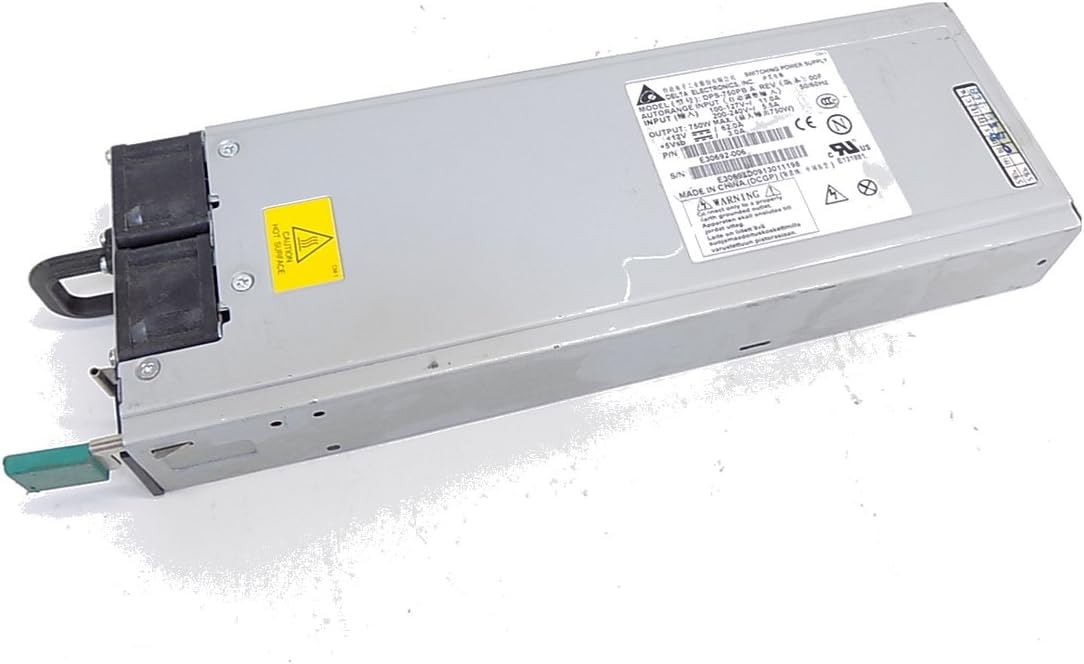
Сүрөт 4.1: Алдыңкы view of the Intel DPS-750PB AXX750WPS Power Supply, showing the cooling fan and AC power input.
- Secure the PSU: Align the screw holes on the power supply with those on the computer case. Secure the PSU using the appropriate screws (typically 4 screws).
- Кабелдерди туташтыруу: Connect the power supply cables to your motherboard and other components. Refer to your motherboard manual for specific connector locations.
- 24-пин ATX Motherboard Connector: Бул негизги кубат кабелин энелик платага туташтырыңыз.
- 4/8-pin CPU Power Connector: Connect this to the CPU power socket on your motherboard.
- PCIe Connectors: Connect these to your graphics cards (if applicable).
- SATA Power Connectors: Connect these to your SATA hard drives, SSDs, and optical drives.
- Перифериялык (Molex) туташтыргычтар: Connect these to other peripherals that require Molex power.

4.2-сүрөт: Арткы view of the Intel DPS-750PB AXX750WPS Power Supply, illustrating the various output connectors for system components.
- Кабелдик башкаруу: Корпустун ичиндеги аба агымын жана эстетиканы жакшыртуу үчүн кабелдерди тыкан өткөрүңүз.
- Ишти жабуу: Бардык туташуулар коопсуз болгондон кийин, компьютериңиздин корпусун жабыңыз.
5. Иштөө нускамалары
Ийгиликтүү орнотуудан кийин, системаңызды иштетүү үчүн бул кадамдарды аткарыңыз:
- Туташуу кубаты: Plug the AC power cord into the power supply's inlet and then into a grounded wall outlet.
- Күйгүзүү: Кубат булагынын артындагы кубат которгучун 'ON' (I) абалына которуңуз.
- Компьютерди иштетүү: Press the power button on your computer case. The system should power on and begin the boot sequence.
- Кадимки операция: The power supply will operate quietly, providing stable power to your components. The fan will adjust its speed based on the internal temperature to maintain optimal cooling.
6. Техникалык тейлөө
Үзгүлтүксүз техникалык тейлөө электр менен камсыздооңуздун узак мөөнөттүү иштешин жана оптималдуу иштешин камсыз кылууга жардам берет:
- Желдетүүчү тешиктерди таза кармаңыз: Ensure that the intake and exhaust vents of the power supply are not obstructed by dust, cables, or other objects.
- Чаңды тазалоо: Periodically (e.g., every 6-12 months), use compressed air to gently clean dust from the power supply's fan and vents. Ensure the computer is powered off and unplugged before cleaning.
- Кабелдик текшерүү: Occasionally inspect all power cables connected to the PSU for any signs of wear, fraying, or loose connections.
7. Кыйынчылыктарды
If you encounter issues with your power supply, refer to the following troubleshooting tips:
- Кубат жок:
- AC кубат шнуру кубат булагына жана розеткага бекем сайылганын текшериңиз.
- Кубат булагынын арткы жагындагы кубат которгучу "ON" (I) абалында экенин текшериңиз.
- Розетканын иштеп жатканын башка түзмөк менен сынап көрүү менен текшериңиз.
- Confirm all internal power cables (24-pin ATX, CPU, PCIe, SATA) are firmly connected.
- Системанын туруксуздугу/Кокус өчүрүүлөр:
- Электр менен камсыздоонун кубаттуулугун текшериңизtage (750W) сиздин системаңыздын бардык компоненттери үчүн жетиштүү.
- Check for overheating. Ensure proper ventilation and clean any dust from the PSU fan and case.
- Бардык кубат туташуулары коопсуз экенин текшериңиз.
- Ашыкча желдеткич ызы-чуу:
- Желдеткичтин белгилүү бир деңгээлдеги ызы-чуусу, айрыкча жүктөм астында, кадыресе көрүнүш.
- If the noise is unusually loud or grinding, it may indicate dust buildup or a failing fan. Clean the fan as described in the Maintenance section.
Эгерде бул кадамдарды жасагандан кийин көйгөйлөр чечилбесе, кардарларды колдоо кызматына же квалификациялуу техникке кайрылыңыз.
8. Техникалык шарттар
The following table details the technical specifications of the Intel DPS-750PB AXX750WPS Power Supply:
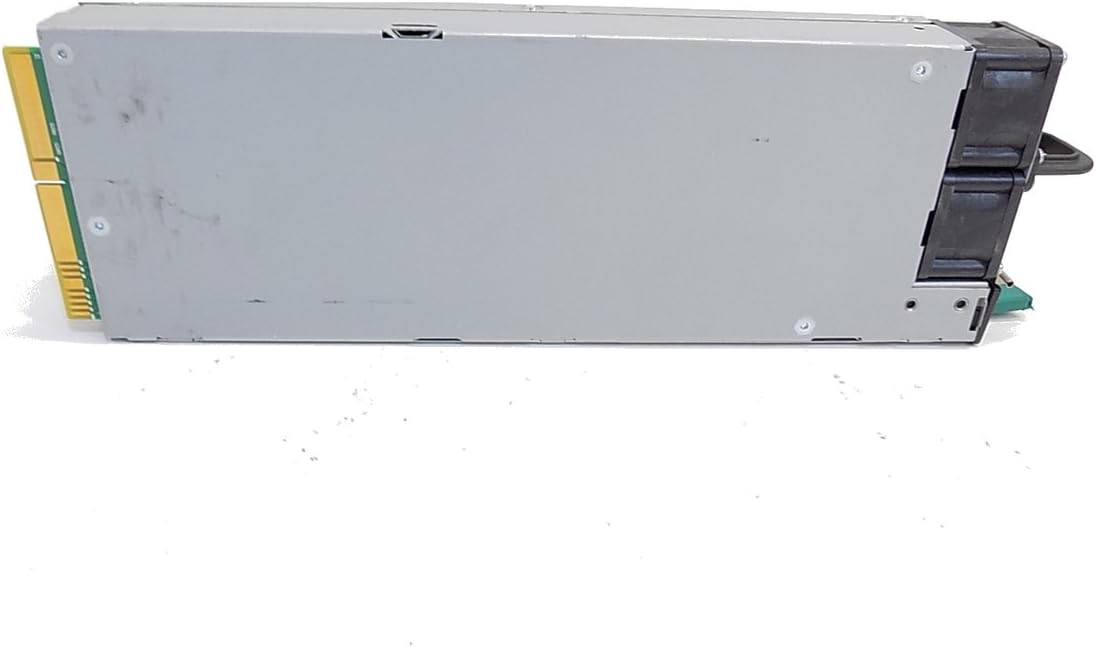
8.1-сүрөт: Каптал view of the Intel DPS-750PB AXX750WPS Power Supply, showing the product label with detailed specifications.
| Өзгөчөлүк | Спецификация |
|---|---|
| Модель аты | AXX750WPS |
| Бренд | Intel |
| Шайкеш түзмөктөр | Персоналдык компьютер |
| Туташтыргыч түрү | ATX |
| Чыгуу Wattage | 750 Ватт |
| Форма фактору | ATX |
| Муздатуу ыкмасы | Аба |
| Элемент Салмагы | 5 фунт |
| Күйөрмандардын саны | 1 |
| Максималдуу киргизүү көлөмүtage | 240 вольт (AC) |
| Минималдуу киргизүү көлөмүtage | 110 вольт (AC) |
| UPC | 796762576876 |
| Өндүрүүчү бөлүгүнүн номери | AXX750WPS |
9. Кепилдик маалыматы
This Intel power supply is covered by a manufacturer's warranty. The specific terms and duration of the warranty may vary based on your region and point of purchase. Please retain your proof of purchase for warranty claims. For detailed warranty information, refer to the official Intel webсайтка же сатуучуга кайрылыңыз.
10. Кардарларды колдоо кызматы
For technical assistance, troubleshooting beyond this manual, or warranty inquiries, please contact Intel customer support through their official website. You may also reach out to your product retailer for support.
When contacting support, please have your product model (AXX750WPS) and serial number (if available) ready.