
1. Киришүү
This manual provides essential instructions for the safe and efficient operation of your ICOM BC-152 charger. Please read this manual thoroughly before using the charger to ensure proper setup, operation, and maintenance. Keep this manual for future reference.
2. Коопсуздук маалыматы
Always observe the following safety precautions to prevent injury, damage to the charger, or damage to the device being charged.
- Use only with compatible ICOM battery packs. Using incompatible batteries may cause fire, explosion, or injury.
- Заряддоочу түзүлүштү жамгырга, нымдуулукка же экстремалдык температурага дуушар кылбаңыз.
- Заряддагычты ажыратпаңыз же өзгөртпөңүз. Бардык тейлөөлөрдү квалификациялуу кызматкерлерге тапшырыңыз.
- Электр розеткасын камсыз кылыңызtage заряддагычтын спецификацияларына дал келет.
- Заряддоочу түзүлүштү жылуулук булактарынан жана түз күн нурунан алыс кармаңыз.
- Колдонулбаганда же тазалоодон мурун заряддагычты розеткадан сууруп алыңыз.
3. Орнотуу
3.1 Пакеттен чыгаруу
Carefully remove the ICOM BC-152 charger from its packaging. Verify that all components are present:
- ICOM BC-152 Charger Unit
- AC Adapter (if included)
- Көрсөтмө (бул документ)
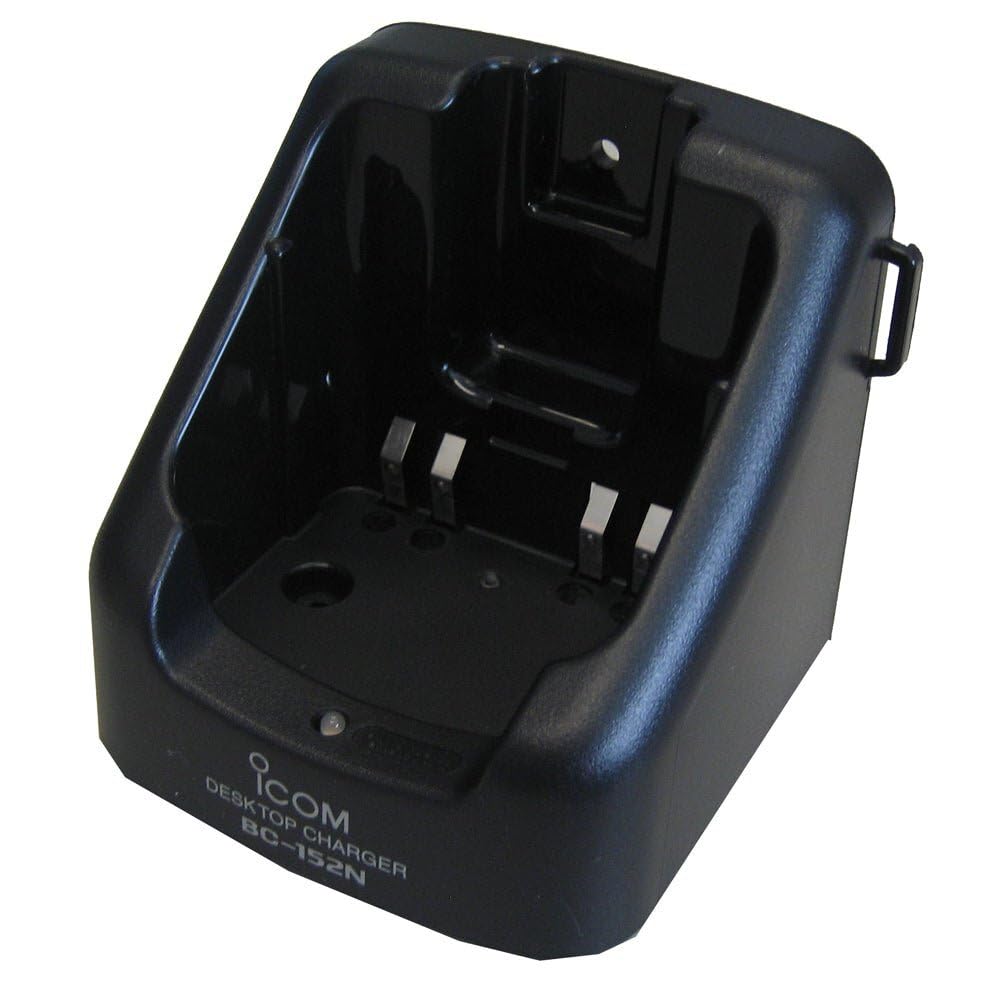
Figure 1: The ICOM BC-152 charger unit. This image shows the compact black charger with a single slot for a battery pack.
3.2 Кубатты туташтыруу
- Connect the AC adapter cable to the DC input jack on the rear of the BC-152 charger unit.
- AC адаптерин стандарттуу розеткага сайыңыз.
- Заряддагыч азыр колдонууга даяр.
4. Иштөө нускамалары
4.1 Батарея топтомун заряддоо
Follow these steps to charge a compatible ICOM battery pack:
- Ensure the charger is connected to a power source as described in Section 3.2.
- Carefully insert the battery pack into the charging slot of the BC-152 charger. Ensure it is seated firmly.
- Observe the charging indicator light.
4.2 Индикатор жарыктары
The BC-152 charger features an LED indicator to show the charging status:
- Кызыл (катуу): Батарея учурда заряддалууда.
- Жашыл (катуу): Charging is complete. The battery pack is fully charged.
- Жаркылдаган кызыл: Charging error or battery fault. Remove the battery and re-insert. If the error persists, consult the troubleshooting section.
- Жарык жок: Charger is not connected to power, or no battery is inserted.
Charging time may vary depending on the battery's capacity and its current charge level. Typically, a fully depleted battery will take approximately 2-4 hours to charge.
5. Техникалык тейлөө
5.1 Тазалоо
Оптималдуу аткарууну жана көрүнүштү сактоо үчүн:
- Тазалоодон мурун дайыма заряддагычты розеткадан сууруп алыңыз.
- Кубаттоочу түзүлүштүн сыртын сүртүү үчүн жумшак, кургак чүпүрөктү колдонуңуз.
- Абразивдүү тазалагычтарды, эриткичтерди же катуу химиялык заттарды колдонбоңуз.
- Ensure no moisture enters the charging slot or power input.
5.2 Сактоо
When not in use for extended periods, store the charger in a cool, dry place, away from direct sunlight and extreme temperatures. Disconnect it from the power supply.
6. Кыйынчылыктарды
If you encounter issues with your BC-152 charger, refer to the table below for common problems and solutions.
| Көйгөй | Мүмкүн себеп | Чечим |
|---|---|---|
| Заряддоочу түзүлүштүн индикатору өчүк. | No power supply or battery not inserted. | Check AC adapter connection. Ensure battery is correctly inserted. |
| Индикатордун жарыгы кызыл түстө күйүп-өчөт. | Battery fault or charging error. | Remove and re-insert the battery. Try a different compatible battery if available. |
| Батарея заряддалбайт. | Faulty battery, charger, or power supply. | Verify power connection. Test with a known good battery. If problem persists, contact support. |
7. Техникалык шарттар
| Бренд | ICOM |
| Модел | BC-152 |
| Киргизүү көлөмүtage | 12-16V DC (via AC adapter) |
| Output Voltage | 8.4V DC |
| Заряддоо агымы | Болжол менен. 450mA |
| Өлчөмдөрү (W×H×D) | Approx. 80 × 50 × 90 mm (3.1 × 2.0 × 3.5 inches) |
| Салмагы | 0.18 фунт (болжол менен 82 г) |
| Түс | Кара |
Эскертүү: Техникалык мүнөздөмөлөр жакшыртуу максатында эскертүүсүз өзгөртүлүшү мүмкүн.
8. Кепилдик маалыматы
ICOM products are manufactured with high-quality components and are subject to rigorous quality control. This product is covered by a limited warranty against defects in materials and workmanship. The specific terms and duration of the warranty may vary by region. Please refer to the warranty card included with your purchase or visit the official ICOM webтолук кепилдик маалымат алуу үчүн сайт.
Бул кепилдик туура эмес колдонуудан, кырсыктан, уруксатсыз өзгөртүүдөн же туура эмес орнотуудан келип чыккан зыянды камтыбайт.
9. Кардарларды колдоо кызматы
If you have any questions, require technical assistance, or need to report a problem that cannot be resolved using the troubleshooting guide, please contact ICOM customer support.
ICOM America Inc.
Visit ICOM America's Contact Page
Please have your product model (BC-152) and serial number ready when contacting support.