
Sharp LC-32LE551U
Sharp LC-32LE551U 32-Inch LED TV Instruction Manual
Model: LC-32LE551U
Introduction
This manual provides essential information for the safe and efficient operation of your Sharp LC-32LE551U 32-Inch 1080p 60Hz LED TV. Please read these instructions thoroughly before using the television and retain them for future reference.
The Sharp AQUOS LC-32LE551U is designed to deliver a high-quality viewing experience with its 1080p Full HD resolution and 60Hz refresh rate. It features an advanced AQUOS panel structure for clear picture, vibrant color, and detailed imagery.
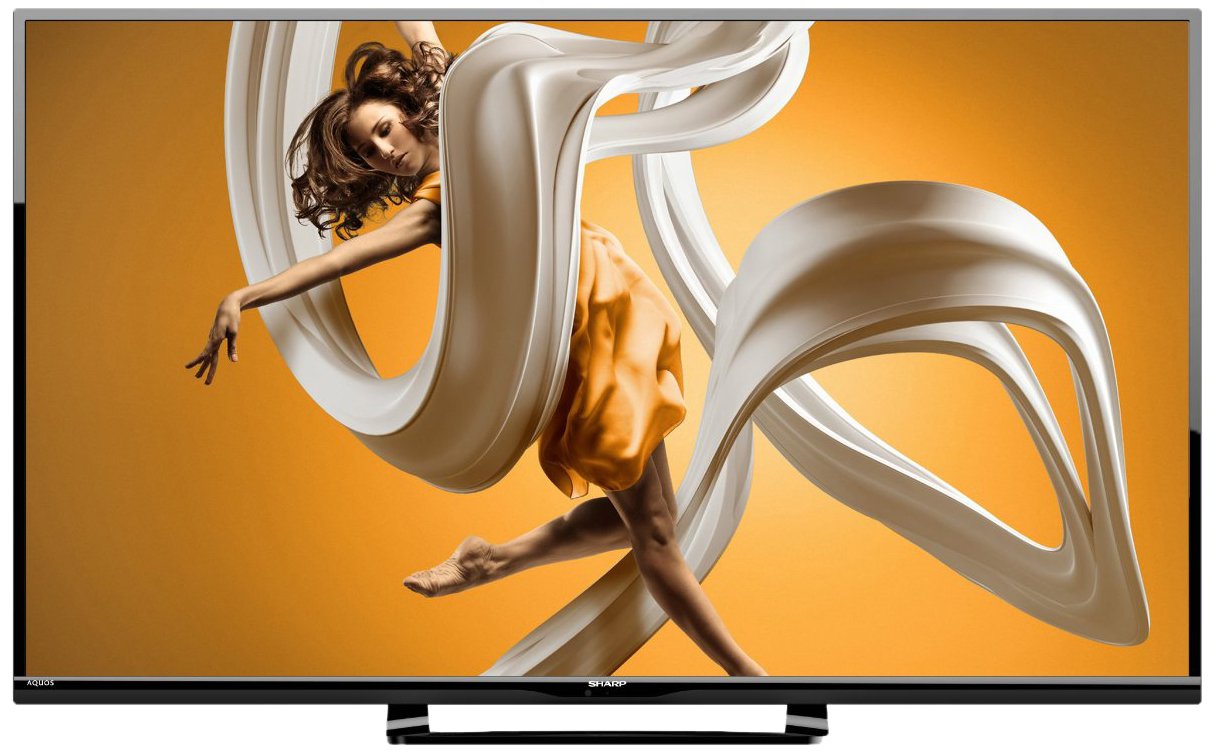
Сүрөт 1: Алдыңкы view of the Sharp LC-32LE551U 32-inch LED TV, showcasing анын ичке алкагы жана стенди.
Кутуда эмне бар
Орнотууну улантуудан мурун таңгакта бардык элементтер бар экенин текшериңиз.
- Sharp LC-32LE551U 32-Inch LED TV
- Алыстан башкаруу
- TV Stand components (base and neck)
- Электр кабели
- Колдонуучунун Колдонмосу (бул документ)
- 2 AA батарейка (алыстан башкаруу үчүн)
Жайгашуу
1. Стендди бекитүү
Телевизоруңузга стендди бекитүү үчүн:
- Сыналгынын экранын кылдаттык менен ылдый каратып жумшак, таза бетке коюңуз.
- Стенддин моюнун сыналгынын артындагы монтаждоо тешиктери менен тууралаңыз.
- Берилген бурамалар менен стенддин мойнун телевизорго бекитиңиз.
- Attach the stand base to the stand neck, ensuring it is firmly connected.
- Сыналгыны этияттык менен тик абалына туруктуу, түз жерде көтөрүңүз.

2-сүрөт: Side profile of the Sharp LC-32LE551U, illustrating its slim design suitable for stand placement or wall mounting.
2. Тышкы түзмөктөрдү туташтыруу
The TV features various input ports for connecting external devices such as Blu-ray players, game consoles, and cable/satellite boxes.
- HDMI порттору (x2): For high-definition digital audio and video. Supports HDMI 1.4a with HDCP.
- USB порт (x1): Медияны ойнотуу үчүн USB сактагыч түзмөктөрдү туташтыруу үчүн files.
- Component Input (x1): For analog high-definition video (YPbPr) and stereo audio.
- Composite-Video Input (x1): For standard-definition analog video and stereo audio.
- Антенна/кабель киргизүү: Антеннаны же кабелдик ТВ сигналын туташтыруу үчүн.

3-сүрөт: Каптал view of the Sharp LC-32LE551U, highlighting the accessible input ports including HDMI and USB.
3. Телевизорду күйгүзүү
- Кубат шнурун телевизордун кубат киргизүү булагына, андан кийин розеткага туташтырыңыз.
- Insert the two AA batteries into the remote control, observing polarity.
- басыңыз КҮЧ пульттагы же телевизордун өзүндөгү баскычты басыңыз.
- Тил тандоо жана каналды сканерлөө, анын ичинде баштапкы орнотуу үчүн экрандагы нускамаларды аткарыңыз.
Телевизорду иштетүү
1. Алыстан башкаруу функциялары
The remote control allows you to access all TV functions. Familiarize yourself with the button layout:
- КҮЧ: Телевизорду күйгүзөт же өчүрөт.
- КИРҮҮ: Selects the input source (HDMI1, HDMI2, Component, Composite, TV).
- МЕНЮ: Accesses the main menu for picture, sound, and system settings.
- VOLUME +/-: Үн деңгээлин тууралайт.
- CHANNEL +/-: Телеканалдарды өзгөртөт.
- NAVIGATION BUTTONS (Up/Down/Left/Right/OK): Менюларды кыдырып, тандоолорду ырастайт.
- ЧЫГУУ: Учурдагы менюдан же экрандагы дисплейден чыгат.
2. Киргизүү булагын тандоо
Туташкан түзмөктөр арасында которулуу үчүн:
- басыңыз INPUT алыстан башкаруудагы баскыч.
- колдонуу Өйдө/Төмөн navigation buttons to highlight the desired input source.
- басыңыз OK тандооңузду ырастоо үчүн баскычты басыңыз.
3. Сүрөт жана үн жөндөөлөрүн тууралоо
Access the TV's menu to customize your viewугуу жана угуу тажрыйбасы:
- басыңыз МЕНЮ пульттагы баскыч.
- багыттоо Сүрөт or Үн навигация баскычтарын колдонуп жөндөөлөрдү өзгөртүңүз.
- Select options such as Brightness, Contrast, Color, Sharpness, Backlight, Sound Mode, Bass, Treble, etc.
- Жөндөөлөрдү колдонуп тууралаңыз Сол оң баскычтар.
- Басыңыз ЧЫГУУ менюну жабуу үчүн.
Техникалык тейлөө
Туура кам көрүү жана техникалык тейлөө телевизоруңуздун кызматын узартат.
1. Экранды тазалоо
- Тазалоодон мурун дайыма сыналгыдан ажыратыңыз.
- Use a soft, lint-free cloth (e.g., microfiber) to gently wipe the screen.
- өжөр белгилери үчүн, жеңил гampчүпүрөккө суу же атайын экран тазалоочу каражат. Эч качан суюктукту түздөн-түз экранга чачпаңыз.
- Avoid using abrasive cleaners, solvents, or alcohol-based solutions, as these can damage the screen surface.
2. Кабинетти тазалоо
- Телевизордун шкафын сүртүңүз жана жумшак, кургак чүпүрөк менен туруңуз.
- Do not use any liquid cleaners on the cabinet.
3. Жалпы кам көрүү
- Ашыкча ысып кетүүнүн алдын алуу үчүн телевизордун айланасында жетиштүү желдетүүнү камсыз кылыңыз.
- Телевизорду күн тийе турган жерге же жылуулук булактарынын жанына коюудан алыс болуңуз.
- Телевизорду нымдан жана чаңдан коргоңуз.
- When moving the TV, always lift it from the bottom and avoid putting pressure on the screen.
Проблемаларды чечүү
Кардарларды колдоо кызматына кайрылуудан мурун, төмөнкү жалпы маселелерди жана чечимдерди караңыз.
| Көйгөй | Мүмкүн болгон себеп / Чечим |
|---|---|
| Күч жок |
|
| Сүрөт жок, бирок үн бар |
|
| Үн жок, бирок сүрөт бар |
|
| Пульт иштебей жатат |
|
| Сүрөттүн сапаты начар (бүдөмүк, бурмаланган) |
|
Техникалык шарттар
Detailed technical specifications for the Sharp LC-32LE551U LED TV.
| Өзгөчөлүк | Деталь |
|---|---|
| Модель номери | LC-32LE551U |
| Screen Size | 32 дюйм |
| Дисплей технологиясы | LED |
| Резолюция | 1080p Full HD (1920 x 1080) |
| Жаңыртуу ылдамдыгы | 60 Гц |
| Аспект катышы | 16:9 |
| Динамикалык контраст катышы | 4,000,000:1 |
| Жооп убактысы | 2 Миллисекунд |
| HDMI порттору | 2 (HDMI 1.4a with HDCP, CEC & ARC) |
| USB порттору | 1 2.0 (USB XNUMX) |
| Компонент киргизүү | 1 |
| Composite-Video Input | 1 |
| Аудио чыгаруу | 20W total speaker power output, Dolby/MTS decoders |
| Тюнер түрү | ATSC |
| Монтаж түрү | Table Mount (VESA compatible for wall mounting, hardware sold separately) |
| Өнүмдүн Өлчөмдөрү (Ж x Y x D) | 28.4" x 18.5" x 5.5" (стенд менен) |
| Элемент Салмагы | 10.36 фунт |
| Энергияны керектөө | 120 Volts, 20 Watts (Estimated Yearly Energy Cost: $7.4) |
| Энергетикалык сертификация | Energy Star 6.0 менен шайкеш келет |
| Камтылган компоненттер | Remote Control, Stand, TV |


Figure 4: Energy Guide label (left) showing estimated yearly energy cost and a diagram (right) illustrating the dimensions of the Sharp LC-32LE551U TV.
Кепилдик жана колдоо
Кепилдик маалымат
The Sharp LC-32LE551U LED TV comes with a 1 жылдык чектелген кепилдик from the date of purchase. This warranty covers manufacturing defects in materials and workmanship under normal use. It does not cover damage caused by misuse, accidents, unauthorized modifications, or external causes.
For full terms and conditions of the warranty, please refer to the warranty card included with your product or visit the official Sharp webсайт.
Кардарларды колдоо
If you encounter issues that cannot be resolved using the troubleshooting guide, or if you require further assistance, please contact Sharp customer support.
- Онлайн колдоо: Visit the official Sharp support website for FAQs, software updates, and contact options.
- Телефондук колдоо: Refer to your product registration card or the Sharp webаймактык кардарларды тейлөө телефон номерлери үчүн сайт.
- When contacting support, please have your TV's model number (LC-32LE551U) and serial number ready.
Ask a question about this manual
Ask about setup, troubleshooting, compatibility, parts, safety, or missing instructions. Manuals+ will review the question and use this page’s manual context to help answer it.