
Introduction
This manual provides essential information for the proper setup, operation, and maintenance of your Sharp HT-SB602 2.1 Channel 310W Bluetooth Sound Bar. Designed to enhance the audio experience for televisions, particularly 60-inch class and larger models, this system features a sound bar and a wireless subwoofer, offering 310 watts of total power output. It includes Bluetooth connectivity for wireless audio streaming, dual HDMI inputs, NFC functionality for easy pairing, an IR Blaster, 3D support, Dolby and DTS decoding, and an optical input.
Please read these instructions thoroughly before using the product to ensure safe and optimal performance. Keep this manual for future reference.
Кутуда эмне бар
Таңгакта бардык компоненттер бар экенин текшериңиз:
- Үн тилкесинин бирдиги
- Зымсыз сабвуфер
- Алыстан башкаруу
- Wall Mount Brackets and Screws
- Электр шнурлары
- Көрсөтмө (бул документ)
Жайгашуу
1. Жайгаштыруу
The sound bar can be placed horizontally in front of your television or wall-mounted. Ensure the wireless subwoofer is placed within a reasonable range of the sound bar for optimal wireless connection.
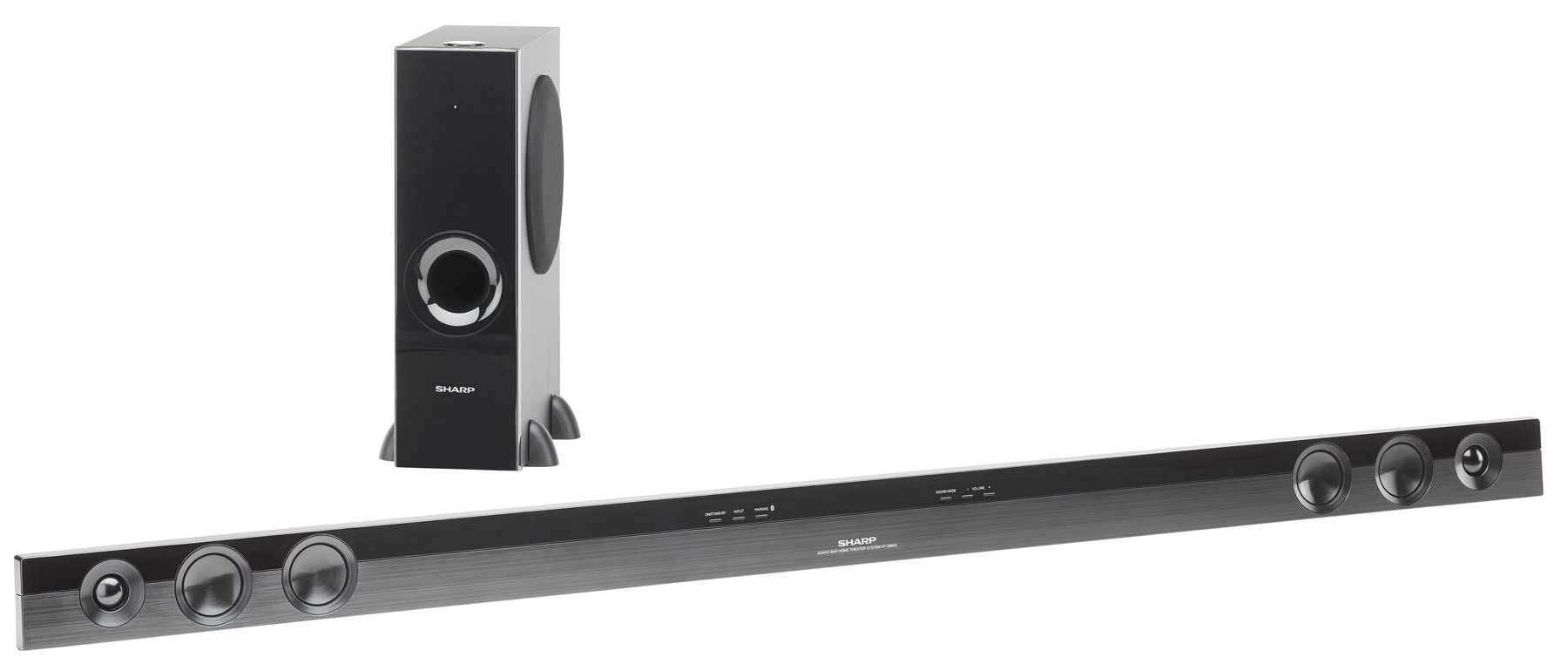
Image: The Sharp HT-SB602 sound bar and its accompanying wireless subwoofer, shown in a typical home theater setup.
2. Байланыштар
Connect the sound bar to your television and other audio sources using the appropriate cables. Ensure all connections are secure.
- HDMI туташуулары: Use HDMI cables to connect your source devices (e.g., Blu-ray player, game console) to the HDMI IN 1 or HDMI IN 2 ports on the sound bar. Connect the HDMI OUT (ARC) port on the sound bar to the HDMI ARC port on your TV.
- Оптикалык туташуу: For digital audio, connect an optical cable from your TV's optical output to the OPTICAL IN port on the sound bar.
- Аналогдук туташуу: For analog audio, connect an RCA audio cable from your TV's audio output to the AUDIO IN ports on the sound bar.
- Кубат туташуу: Connect the power cords to the sound bar and wireless subwoofer, then plug them into a wall outlet.

Сүрөт: Жакын план view of the rear panel of the Sharp HT-SB602 sound bar, highlighting the HDMI IN 1, HDMI IN 2, AUDIO IN, and OPTICAL IN ports for various audio connections.
3. Зымсыз сабвуферди жупташтыруу
The wireless subwoofer should automatically pair with the sound bar upon powering on. If pairing does not occur automatically, refer to the troubleshooting section for manual pairing instructions.
Иштеп жатат
1. Күйгүзүү/өчүрүү
басыңыз КҮЧ button on the remote control or the sound bar to turn the unit on or off.
2. Киргизүүнү тандоо
басыңыз INPUT button on the remote control repeatedly to cycle through the available input sources (HDMI 1, HDMI 2, Optical, Analog, Bluetooth).
3. Bluetooth Жупташтыруу
Bluetooth түзмөгүн туташтыруу үчүн:
- Үн тилкесинен Bluetooth киргизүүсүн тандаңыз.
- Мобилдик түзмөгүңүздө Bluetooth'ду иштетиңиз жана жеткиликтүү түзмөктөрдү издеңиз.
- Select "Sharp HT-SB602" from the list to pair.
- For NFC-enabled devices, simply tap your device to the NFC area on the sound bar for quick pairing.
4. Үндү башкаруу
колдонуу VOLUME + жана Көлөмү - buttons on the remote control to adjust the master volume. The subwoofer volume can be adjusted separately using the SW VOL + жана SW VOL - баскычтар.
5. Үн режимдери
The sound bar may offer various sound modes (e.g., Movie, Music, News). Refer to the remote control buttons for specific mode selection, if available.
Техникалык тейлөө
To maintain the performance and appearance of your sound bar system:
- Беттерди жумшак, кургак чүпүрөк менен сүртүңүз.
- Do not use liquid cleaners, abrasive cleaners, or solvents, as these can damage the finish.
- Вентиляция тешиктери жабылбаганын текшериңиз.
Проблемаларды чечүү
If you encounter issues with your Sharp HT-SB602, consult the following common solutions:
| Көйгөй | Чечим |
|---|---|
| Күч жок | Check that the power cords are securely connected to both the sound bar/subwoofer and the wall outlet. Ensure the outlet is functional. |
| Үн жок | Verify the correct input source is selected. Check all audio cable connections. Increase the volume on both the sound bar and your TV/source device. Ensure the subwoofer is paired. |
| Bluetooth жупташтыруу ишке ашпай калды | Ensure the sound bar is in Bluetooth mode. Place your Bluetooth device within 1 meter of the sound bar. Turn off and on Bluetooth on your device. Clear previous pairings if necessary. |
| Пульт иштебей жатат | Check and replace the batteries in the remote control. Ensure there are no obstructions between the remote and the sound bar's IR sensor. |
| Сабвуфер туташпай жатат | Ensure both the sound bar and subwoofer are powered on. If automatic pairing fails, manually pair by pressing the PAIR button on the back of the subwoofer and then the PAIR button on the sound bar (refer to specific manual for exact button locations if not clearly marked). |
Техникалык шарттар
| Өзгөчөлүк | Деталь |
|---|---|
| Бренд | Sharp |
| Модель номери | HT-SB602 |
| Динамиктин максималдуу чыгаруу күчү | 620 Ватт |
| Байланыш технологиясы | Bluetooth, HDMI, NFC, Optical |
| Аудио чыгаруу режими | Surround Sound, 3D Audio |
| Монтаж түрү | Бар тоо, дубал монтаждоо |
| Динамик түрү | Саундбар |
| Кошумча функциялар | Зымсыз сабвуфер |
| Элементтин өлчөмдөрү (D x W x Y) | 8.34"D x 57.13"W x 18.38"H |
| Элемент Салмагы | 7.9 фунт |
| Шайкеш түзмөктөр | Компьютер, ноутбук, смартфон, планшет, телевизор |
| Киргизүүлөр | 2 HDMI, 1 оптикалык, 1 аналогдук |
| Power Source | Электр зымдары |
| Алыстан башкаруунун батареялары | 2 AA батарейка (кошулган) |
Кепилдик
This Sharp HT-SB602 Sound Bar system comes with a 1 жылдык Чектелген Кепилдик. Please retain your proof of purchase for warranty claims. For detailed terms and conditions, refer to the warranty card included with your product or contact Sharp customer support.
Колдоо
For further assistance, technical support, or service inquiries, please visit the official Sharp website or contact their customer service department. You can find more information and products from Sharp at their official store: Sharp Brand Store.