
1. Продукт бүтүп калдыview
The A&D Medical UA-651 is a digital upper arm blood pressure monitor designed for home use. It features simple one-button operation for quick and accurate measurements. The device utilizes advanced inflation and deflation technology for faster and more comfortable readings. Key features include a large digital LCD screen, memory storage for up to 60 readings, and compatibility with the A&D Heart Track App for enhanced health tracking.
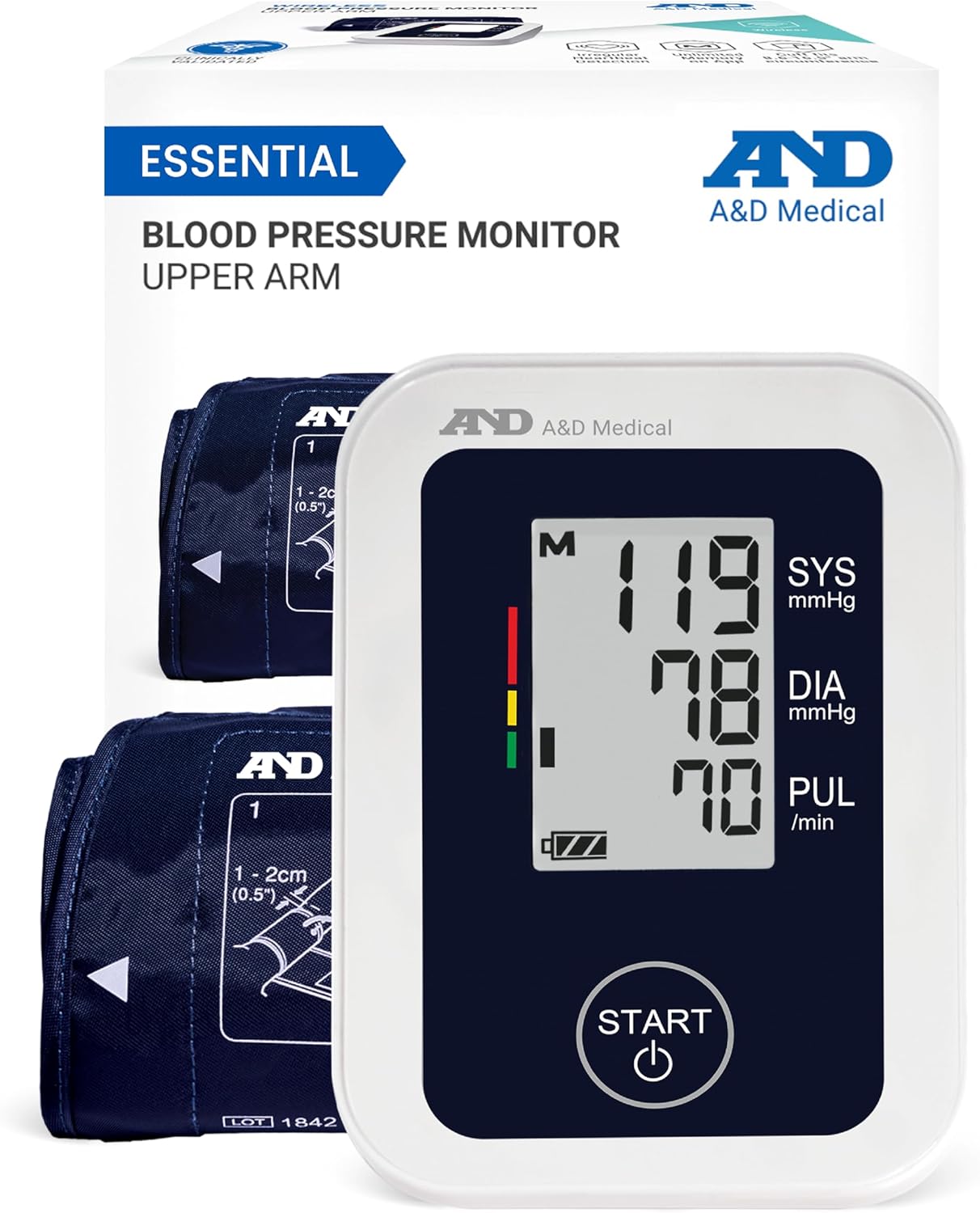
Image 1.1: The A&D Medical UA-651 Blood Pressure Monitor, showing the device, cuff, and product packaging.
2. Орнотуу нускамалары
2.1. Кутудан чыгаруу жана камтылган компоненттер
Бардык компоненттерди таңгактан кылдаттык менен алып салыңыз. Төмөндө саналып өткөн нерселердин бардыгы бар экенин текшериңиз:
- 1 x A&D Medical UA-651 Upper Arm Blood Pressure Monitor
- 1 x Wide Range Blood Pressure Cuff (8.6"-16.5" / 22-42cm)
- 1 x Instruction Manual
- 1 x Quick Start Guide
- 4 x AA батарейкалар

Image 2.1: All items included in the product box, ready for initial setup.
2.2. Powering the Device (Batteries / AC Adapter)
The UA-651 can be powered by the included AA batteries or an optional AC adapter (sold separately).
- Батарея орнотуу: Open the battery compartment on the back of the monitor. Insert the 4 AA batteries, ensuring correct polarity (+/-). Close the compartment securely.
- AC адаптер (кошумча): If using an AC adapter, plug the adapter into the AC port located on the back of the monitor and then into a wall outlet.

Image 2.2: Steps for installing batteries or connecting an AC adapter to the monitor.
2.3. Cuff Selection and Placement
Accurate cuff sizing is crucial for reliable readings. The UA-651 includes a wide-range cuff (8.6"-16.5" / 22-42cm). Other cuff sizes (Small, Medium, Large) are available separately for personalized fit.
Determining Correct Cuff Size:
- Allow your arm to hang naturally at your side.
- Locate the midpoint between your elbow and shoulder.
- Measure the circumference of your upper arm at this midpoint to confirm your fit against the cuff size ranges.

Image 2.3: Visual guide for measuring your arm to select the appropriate cuff size.
Манжеттин жайгашуусу:
- Wrap the cuff on the bare skin of your left upper arm, approximately 1-2 cm above the elbow, with your palm facing up.
- Ensure the cuff is snug but not too tight; you should be able to slide two fingers underneath.
- Connect the cuff's air tube securely into the monitor's air jack on the side.

Image 2.4: Step-by-step guide for correctly wrapping the cuff on your arm.
3. Иштөө нускамалары
3.1. Ченөө алуу
Follow these steps for an accurate blood pressure reading:
- Өлчөө үчүн даярдануу: Sit quietly for at least 5 minutes before taking a measurement. Ensure your back is supported, your feet are flat on the floor, and your arm is resting on a flat surface with the cuff at heart level. Avoid talking or moving during the measurement.
- Өлчөөнү баштоо: басыңыз START button. The cuff will begin to inflate automatically.
- Окуу дисплейи: Өлчөө аяктагандан кийин, монитор систолалык басымыңызды, диастоликалык басымыңызды жана пульстун жыштыгын көрсөтөт.
- Өчүрүү: The monitor will automatically power off after a period of inactivity, or you can press the START өчүрүү үчүн кайра басыңыз.

Image 3.1: Recommended posture and pre-measurement guidelines for accurate readings.

Image 3.2: Simplified steps for taking a blood pressure measurement.
3.2. Эстутум функциясы
The UA-651 can store up to 60 readings. To recall past measurements:
- Монитор өчүк менен, басыңыз M button (Memory button).
- The most recent reading will be displayed first. Press M кайра-кайра эски окуулар боюнча жылдыруу үчүн.
- The monitor also features Snapshot Averaging, which automatically calculates the average of all stored readings to help determine baseline blood pressure.
3.3. A&D Heart Track App Integration
Enhance your health tracking by manually logging and tracking measurements with the free A&D Heart Track App.
- Download the A&D Heart Track App from the iOS App Store or Google Play Store.
- Колдонмонун ичинде каттоо эсебин түзүңүз.
- Manually enter your blood pressure readings from the UA-651 into the app.
- The app allows for unlimited storage, tracking trends, adding notes, and sharing records.
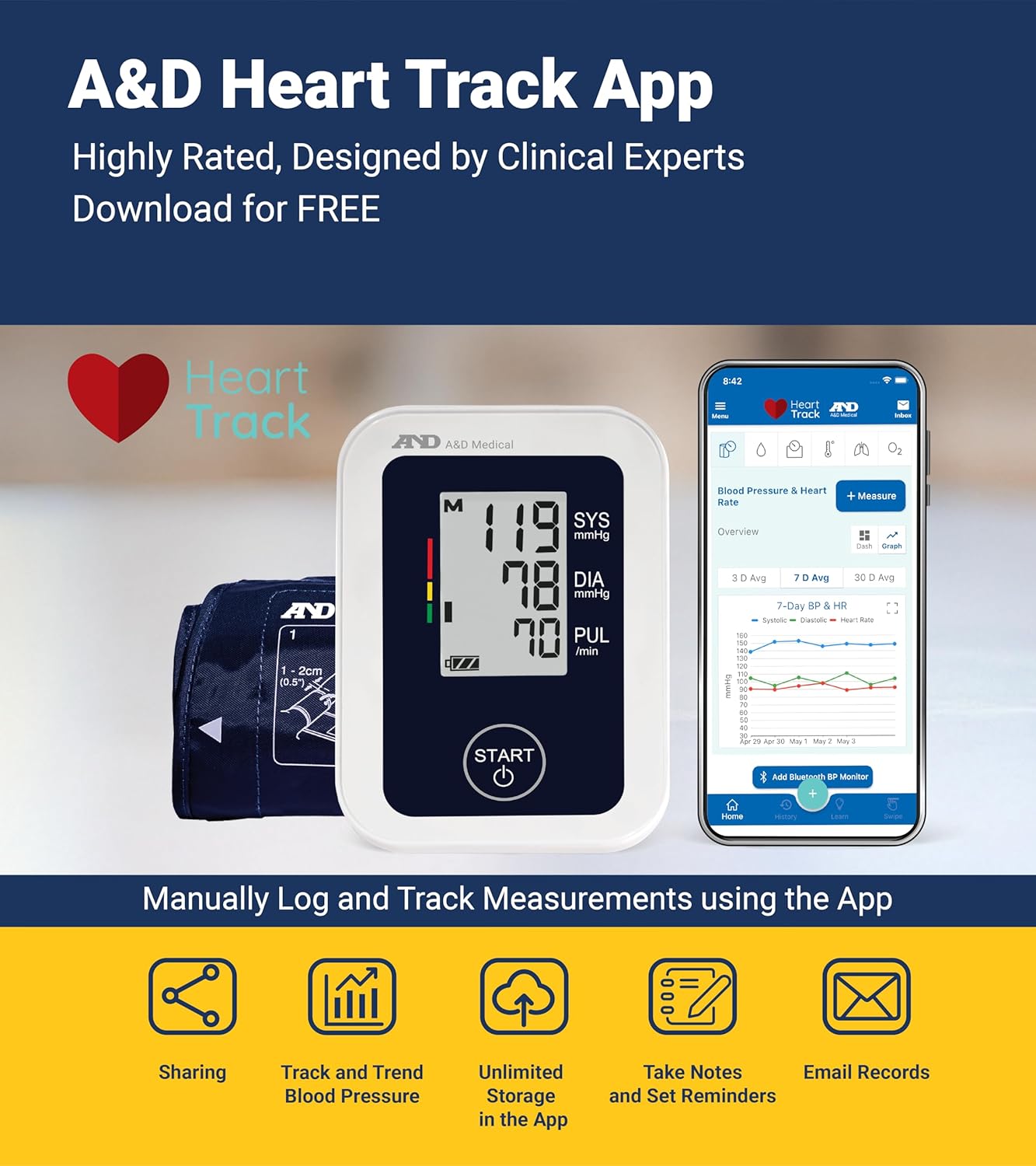
Image 3.3: The A&D Heart Track App for manual logging and tracking of measurements.

Image 3.4: Steps for setting up and using the A&D Heart Track App.
4. Техникалык тейлөө
4.1. Тазалоо
To ensure the longevity and hygiene of your monitor:
- Мониторду жана манжетти жумшак, кургак чүпүрөк менен сүртүңүз.
- Зарыл болсо, чүпүрөктү жеңил колдонуу dampсуу же жумшак жуучу каражат менен эритип алыңыз. Абразивдүү тазалоочу каражаттарды колдонбоңуз же түзмөктү сууга салбаңыз.
- Сактоодон же кийинки колдонуудан мурун аппарат толугу менен кургатылганын текшериңиз.
4.2. Сактоо
Store the monitor and cuff in a clean, dry place away from direct sunlight, extreme temperatures, and humidity. Remove batteries if the device will not be used for an extended period.
5. Кыйынчылыктарды
If you encounter issues with your UA-651 monitor, refer to the following common solutions:
| Көйгөй | Мүмкүн себеп | Чечим |
|---|---|---|
| Монитор күйбөйт | Dead or incorrectly installed batteries; AC adapter not connected | Replace batteries, ensuring correct polarity. Check AC adapter connection. |
| Ката билдирүү көрсөтүлдү | Cuff not applied correctly; movement during measurement; irregular heartbeat detected | Reapply cuff as per instructions. Remain still and silent during measurement. If irregular heartbeat persists, consult a healthcare professional. |
| Так эмес окуулар | Incorrect cuff size; improper cuff placement; incorrect measurement posture | Verify cuff size and placement. Ensure correct posture and follow pre-measurement guidelines. |
| Манжет үйлөнбөйт | Air tube not securely connected; air leakage | Check that the air tube is firmly inserted into the monitor. Inspect cuff and tube for any damage or leaks. |
If the problem persists after attempting these solutions, please refer to the full user manual or contact A&D Medical customer support.
6. Техникалык шарттар
| Өзгөчөлүк | Деталь |
|---|---|
| Модель номери | UA-651 |
| Дисплей түрү | LCD |
| Power Source | 4 AA Batteries (included) or AC Adapter (optional) |
| Эс | 60 окуу |
| Cuff Size (Included) | Wide Range Cuff (8.6"-16.5" / 22-42cm) |
| Продукциянын өлчөмдөрү | 5.1"L x 3.8"W x 2.7"Th (approx.) |
| Элемент Салмагы | 300 грамм (болжол менен) |
| Жаш аралыгы | бойго жеткен |
| Колдонмонун шайкештиги | A&D Heart Track App (iOS 12.0+, Android 5.0+) |
7. Кепилдик жана колдоо
7.1. Кепилдик маалыматы
A&D Medical products are designed for durability and reliability. While specific warranty terms may vary, a 5-year protection plan is often available for this product. Please refer to the official A&D Medical website or the full user manual for detailed warranty information.
7.2. Кардарларды колдоо кызматы
For further assistance, technical support, or inquiries, please contact A&D Medical customer service. You can also find the complete user manual for the UA-651 monitor online:
Колдонуучунун толук нускасын жүктөп алыңыз (PDF)
Visit the official A&D Medical webкошумча ресурстар жана байланыш маалыматы үчүн сайт: A&D Medical Store