
1. Киришүү
The Cooler Master CM Storm QuickFire Rapid-i is a mechanical gaming keyboard designed for performance and durability. It features full LED backlighting with ActivLite Technology, allowing for dynamic lighting effects and per-key customization. This keyboard is equipped with a 32-bit ARM processor for advanced lighting control without the need for software. Its tenkeyless form factor provides a compact design, ideal for gaming setups and travel.
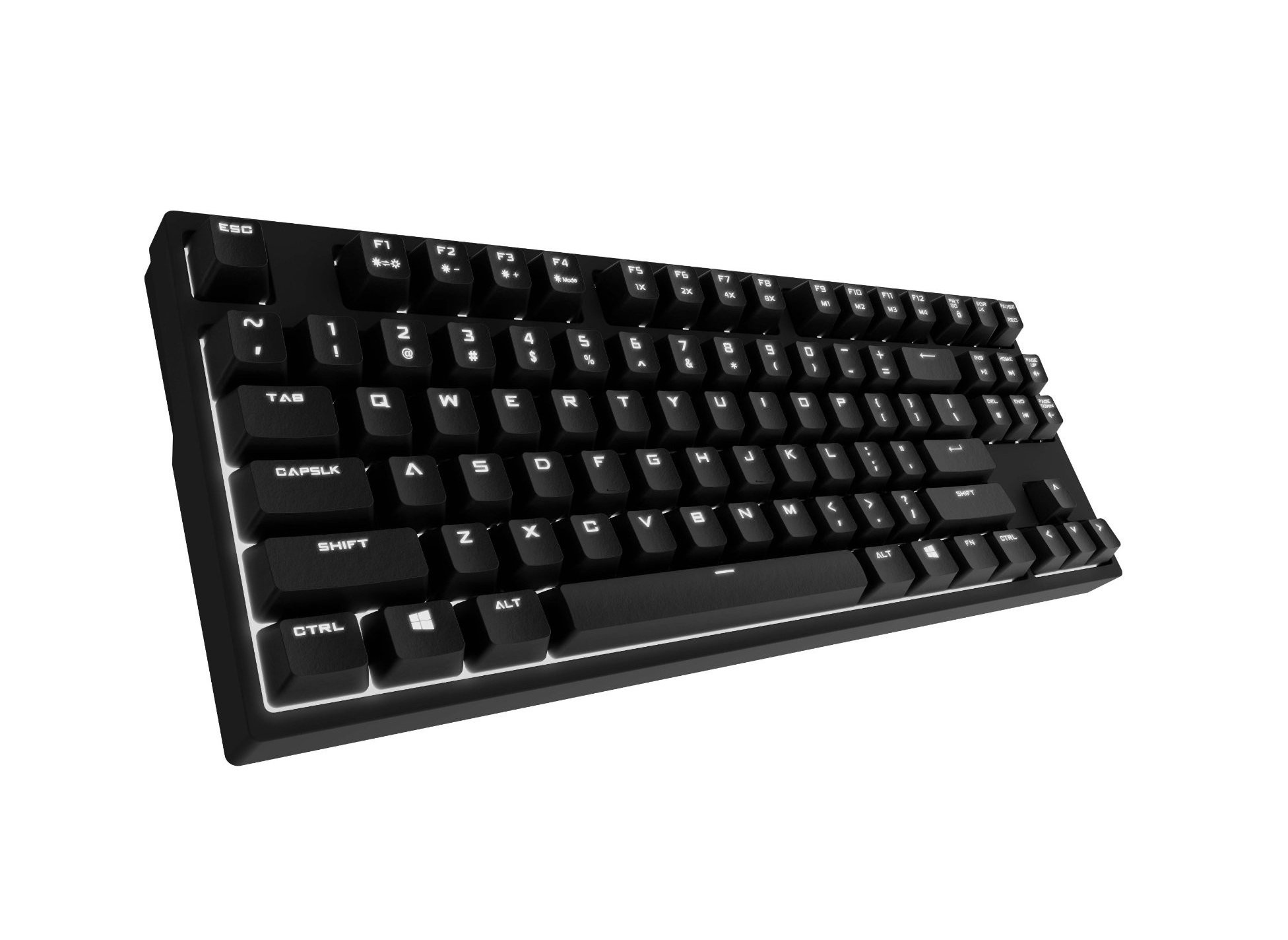
Image 1.1: Cooler Master CM Storm QuickFire Rapid-i Mechanical Gaming Keyboard.
2. Пакеттин мазмуну
Пакетиңизде бардык буюмдар бар экенин текшериңиз:
- Cooler Master CM Storm QuickFire Rapid-i Keyboard
- 1.8m Detachable Braided USB Cable
- Колдонуучунун Колдонмосу (бул документ)
3. Продукциянын өзгөчөлүктөрү
- Fully Mechanical CHERRY MX Brown Keyswitches: Provides tactile feedback with low noise, optimized for gaming.
- Tenkeyless Form Factor: Compact and ergonomic design for portability and improved mouse positioning.
- Fully White LED Backlit: Ensures visibility in low-light environments.
- ActivLite Technology: Features instant response and trailing light effects, powered by a 32-bit ARM processor.
- Individual Key Lighting: Allows saving up to 4 different lighting profileар кандай тиркемелер же оюндар үчүн s.
- 1.8m Detachable Braided Cable: Durable and convenient for transport.
- N-Key Rollover: Registers an unlimited number of simultaneous keypresses, preventing ghosting.
4. Орнотуу
4.1 Баскычтопту туташтыруу
- Locate the detachable 1.8m braided USB cable.
- Connect the micro-USB end of the cable to the port on the back of the QuickFire Rapid-i keyboard.
- Кабелдин стандарттуу USB-A учун компьютериңиздеги жеткиликтүү USB портуна туташтырыңыз.
- The keyboard is plug-and-play compatible with Windows operating systems and should be recognized automatically.

Image 4.1: Connecting the detachable USB cable to the keyboard.
5. Иштөө нускамалары
5.1 Негизги баскычтоп функциялары
The QuickFire Rapid-i functions as a standard QWERTY keyboard. All keys perform their labeled actions. Special functions are typically accessed via the Function (Fn) key combined with other keys.
5.2 ActivLite Technology and LED Backlighting
The keyboard features fully white LED backlighting with ActivLite Technology, offering various lighting modes and effects. These effects are controlled directly from the keyboard using key combinations, without requiring software.
- Ыкчам жооп: Keys light up immediately upon press.
- Trailing Effect: Keys remain lit for a short duration after being pressed, creating a trailing light effect.
- Жарыктыкты жөндөө: Колдонуу Fn + F1 (жарыктыкты азайтуу) жана Fn + F2 (increase brightness) to adjust the LED intensity.
- Жарык режимдери: Cycle through various pre-programmed lighting modes using Fn + F3 чейин Fn + F8. Refer to the keyboard's keycap legends for specific mode indicators.

Сүрөт 5.1: Мисample of LED backlighting on the QuickFire Rapid-i.
5.3 Per-Key Lighting and Profiles
The QuickFire Rapid-i allows users to customize individual key lighting and save up to 4 different profiles directly on the keyboard's onboard memory.
- Entering Customization Mode: Басыңыз Fn + F9 to enter the per-key lighting customization mode. The keyboard LEDs may flash to indicate this mode.
- Selecting Keys: Press any key you wish to toggle its LED on or off.
- Saving a Profile: Once your desired lighting pattern is set, press Fn + F10, Fn + F11, Fn + F12, же Fn + Басып чыгаруу экраны to save the current lighting pattern to one of the four available profiles. The keyboard will confirm the save.
- Pro жүктөлүүдөfile: To load a saved profile, жөн гана басыңыз Fn + F10, Fn + F11, Fn + F12, же Fn + Басып чыгаруу экраны corresponding to the desired profile.
- Exiting Customization Mode: Басыңыз Fn + F9 again to exit customization mode.

Image 5.2: Customizing individual key lighting for a personalized profile.
5.4 N-Key оодарылып кетүү (NKRO)
The QuickFire Rapid-i supports N-Key Rollover, meaning every single keypress is registered accurately, regardless of how many keys are pressed simultaneously. This feature is crucial for fast-paced gaming where multiple commands might be executed at once.
6. Техникалык тейлөө
6.1 Баскычтопту тазалоо
- Тазалоодон мурун клавиатураны компьютерден ажыратыңыз.
- Бир аз жумшак, түксүз кездемени колдонуңуз dampачкыч капкактарын жана шассиди сүртүү үчүн суу же жумшак тазалоо эритмеси менен жабыңыз.
- Суюктуктарды клавиатурага түздөн-түз чачуудан алыс болуңуз.
- Ачкычтардын ортосундагы чаң жана таштанды үчүн кысылган абаны колдонуңуз.
- Do not use harsh chemicals, abrasives, or solvents as they may damage the keyboard's finish or keycap legends.
6.2 Кабельге кам көрүү
- Avoid sharp bends or kinks in the detachable braided cable.
- When disconnecting, pull from the connector head, not the cable itself.
7. Кыйынчылыктарды
7.1 Баскычтоп жооп бербейт
- USB кабели клавиатурага жана компьютерге бекем туташып турганын текшериңиз.
- Баскычтопту компьютериңиздин башка USB портуна туташтырууга аракет кылыңыз.
- Системага тиешелүү маселени болтурбоо үчүн баскычтопту башка компьютерде сынап көрүңүз.
- Компьютериңизди өчүрүп күйгүзүңүз.
7.2 LED Backlighting Not Working or Flickering
- Check if the brightness is set to minimum using Fn + F1. Increase brightness with Fn + F2.
- Жарыктандыруу режимдери аркылуу айланыңыз Fn + F3 чейин Fn + F8 башка режимдердин иштеп жатканын көрүү үчүн.
- Ensure you are not in a custom profile with all LEDs turned off. Try loading a different profile or resetting the lighting.
- Клавиатураны ажыратып, кайра туташтырыңыз.
7.3 Keys Not Registering Correctly (Ghosting)
- The QuickFire Rapid-i features N-Key Rollover, which should prevent ghosting. If you experience this, ensure the keyboard is connected directly to a USB port on your computer, not through a hub.
- Clean the affected keys as described in the Maintenance section.
- If the issue persists, contact Cooler Master support.
8. Техникалык шарттар
| Бренд | Cooler Master |
| Модель аты | SGK-4040-GKCB1 (CHERRY MX Brown switch) |
| Модель номери | SGK-4040-GKCM1-US |
| Которуу түрү | CHERRY MX күрөң (тактилдүү) |
| Байланыш технологиясы | Зымдуу (ажырылуучу USB кабель) |
| Баскычтоптун жайгашуусу | QWERTY, Tenkeyless Form Factor |
| Арткы жарыктандыруу | Fully White LED, ActivLite Technology, Per-Key Lighting |
| Процессор | 32-bit ARM Processor |
| N-Key Rollover | Колдоого алынган |
| Кабелдин узундугу | 1.8 meters (Braided, Detachable) |
| Шайкеш Операция системасы | Windows |
| Продукциянын өлчөмдөрү (L x W x Y) | 14.13" x 5.43" x 1.54" (35.89см x 13.79см x 3.91см) |
| Элемент Салмагы | 2.05 фунт (0.93 кг) |
| Коргоочу материал | Пластик |
9. Кепилдик жана колдоо
9.1 Кепилдик маалыматы
The Cooler Master CM Storm QuickFire Rapid-i Mechanical Gaming Keyboard comes with a 12 айлык кепилдик сатып алынган күндөн тартып. Бул кепилдик өндүрүш кемчиликтерин жана нормалдуу колдонуудан келип чыккан маселелерди камтыйт. Бул туура эмес пайдалануу, кырсыктар, уруксатсыз өзгөртүүлөр же туура эмес тейлөөдөн улам келтирилген зыянды камтыбайт.
Кепилдик дооматтары үчүн сатып алганыңыздын далилин сактап коюңуз.
9.2 Техникалык колдоо
Техникалык жардам, бул колдонмодон тышкары көйгөйлөрдү чечүү же кепилдик суроо үчүн Cooler Master расмий колдоо бөлүмүнө кайрылыңыз. website or contact their customer service department. Contact information can typically be found on the Cooler Master official webсайт.
Эскертүү: Продукциянын мүнөздөмөлөрү жана кепилдик шарттары алдын ала эскертүүсүз өзгөртүлүшү мүмкүн.