
Introduction
This manual provides instructions for the NISSAN CWTWB1U840 Key Fob, a keyless entry remote designed for compatible Nissan vehicles. This device allows for remote locking, unlocking, and other functions, enhancing convenience and security.
Шайкештик: This key fob is compatible with various Nissan models. To ensure compatibility, verify that the FCC ID and part number on your current remote match CWTWB1U840. Known compatible vehicles include:
- 2012-2014 Nissan Versa
- 2013 Nissan Sentra
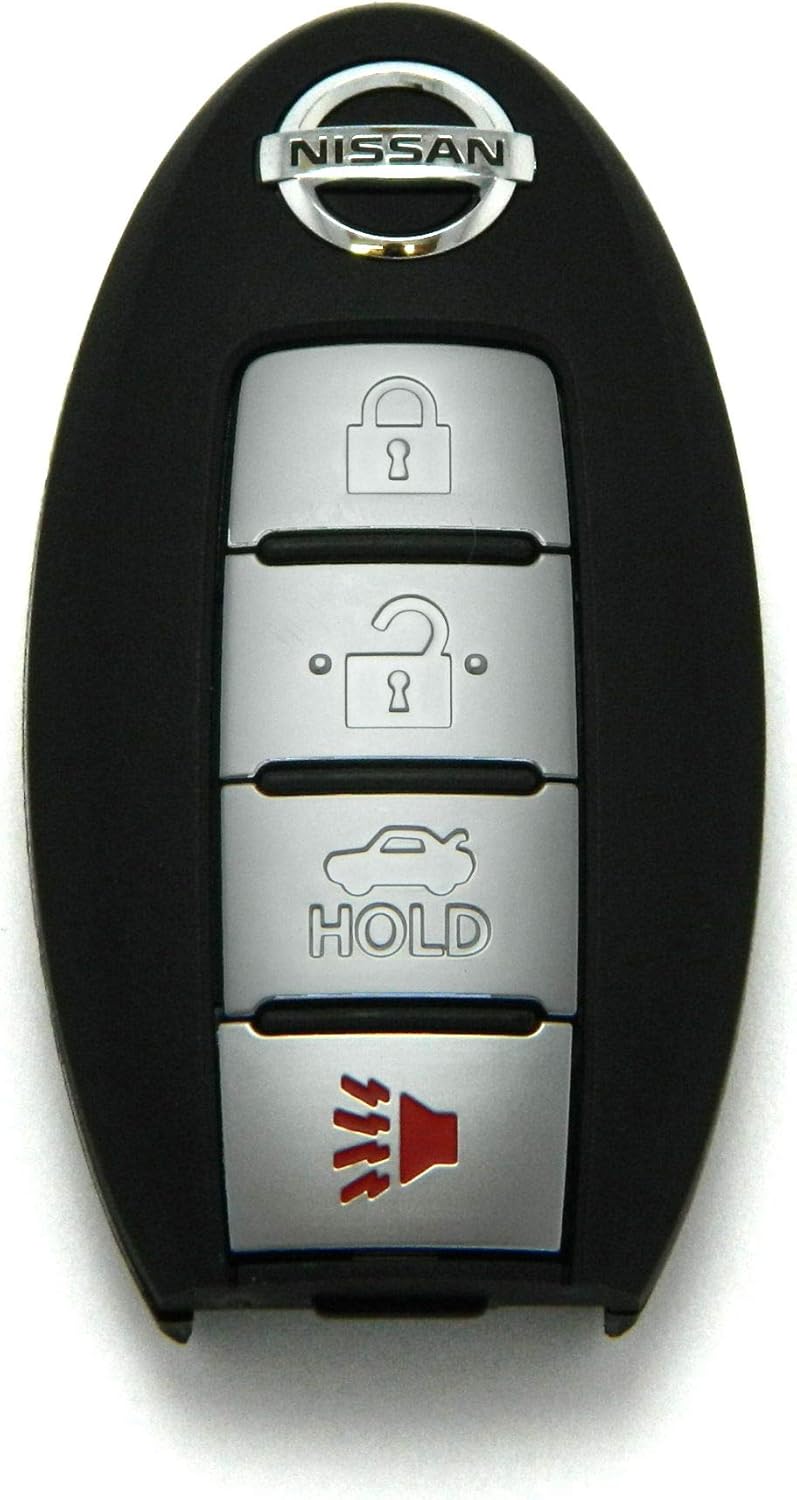
Сүрөт 1: Алдыңкы view of the NISSAN CWTWB1U840 Key Fob, showing the Nissan logo and four buttons: Lock, Unlock, Trunk/Hold, and Panic.
Орнотуу жана программалоо
The NISSAN CWTWB1U840 Key Fob requires programming to function with your vehicle. This process links the remote to your car's keyless entry system.
Programming the Key Fob
Most Nissan key fobs require specialized equipment for programming. It is highly recommended to have the key fob programmed by a qualified automotive locksmith or a Nissan dealership. While some vehicles may support self-programming procedures, these vary by model and year and often require specific steps that are not universally applicable.
- Кесиптик программалоо: Contact a local automotive locksmith or Nissan dealership for programming services. They possess the necessary tools and expertise to correctly link the key fob to your vehicle.
- Self-Programming (if applicable): Research specific programming instructions for your exact Nissan model and year. Be aware that incorrect procedures can prevent the fob from working.
Key Blade Cutting
If your vehicle uses a physical key blade integrated into the key fob, this blade will need to be cut to match your vehicle's ignition and door locks. This service is typically performed by an automotive locksmith or dealership.
Иштөө нускамалары
Once programmed, your NISSAN CWTWB1U840 Key Fob provides convenient access and security functions. Refer to Image 1 for the layout of the four buttons:
- Кулпу баскычы (Жабылган кулпу сүрөтчөсү): Press once to lock all vehicle doors. The vehicle's lights may flash, and the horn may chirp to confirm locking.
- Кулпуну ачуу баскычы (Асма кулпуну ачуу сүрөтчөсү): Press once to unlock the driver's door. Press twice within a few seconds to unlock all vehicle doors. The vehicle's lights may flash to confirm unlocking.
- Trunk/Hold Button (Car with Open Trunk Icon): Press and hold for approximately 1-2 seconds to open the trunk or liftgate (if equipped).
- Panic Button (Speaker Icon with Sound Waves): Press and hold for approximately 1-2 seconds to activate the vehicle's alarm system. Press again or insert the key into the ignition to deactivate.
Иштөө диапазону: The effective operating range of the key fob can vary depending on environmental conditions, battery strength, and vehicle location. For optimal performance, operate the fob within close proximity to the vehicle.
Техникалык тейлөө
Батареяны алмаштыруу
If the key fob's range decreases significantly or it stops responding, the battery may need replacement. The NISSAN CWTWB1U840 Key Fob typically uses a CR2032 coin cell battery.
- Locate the small notch or opening on the side or back of the key fob casing.
- Carefully pry open the casing кичинекей жалпак баштуу бурагычты же тыйынды колдонуп.
- Remove the old battery, noting its orientation (positive (+) side up or down).
- Жаңы CR2032 батареясын туура багыт менен кыстарыңыз.
- Ачкычтын эки жарымын тегиздеңизasing and press them firmly together until they snap shut.
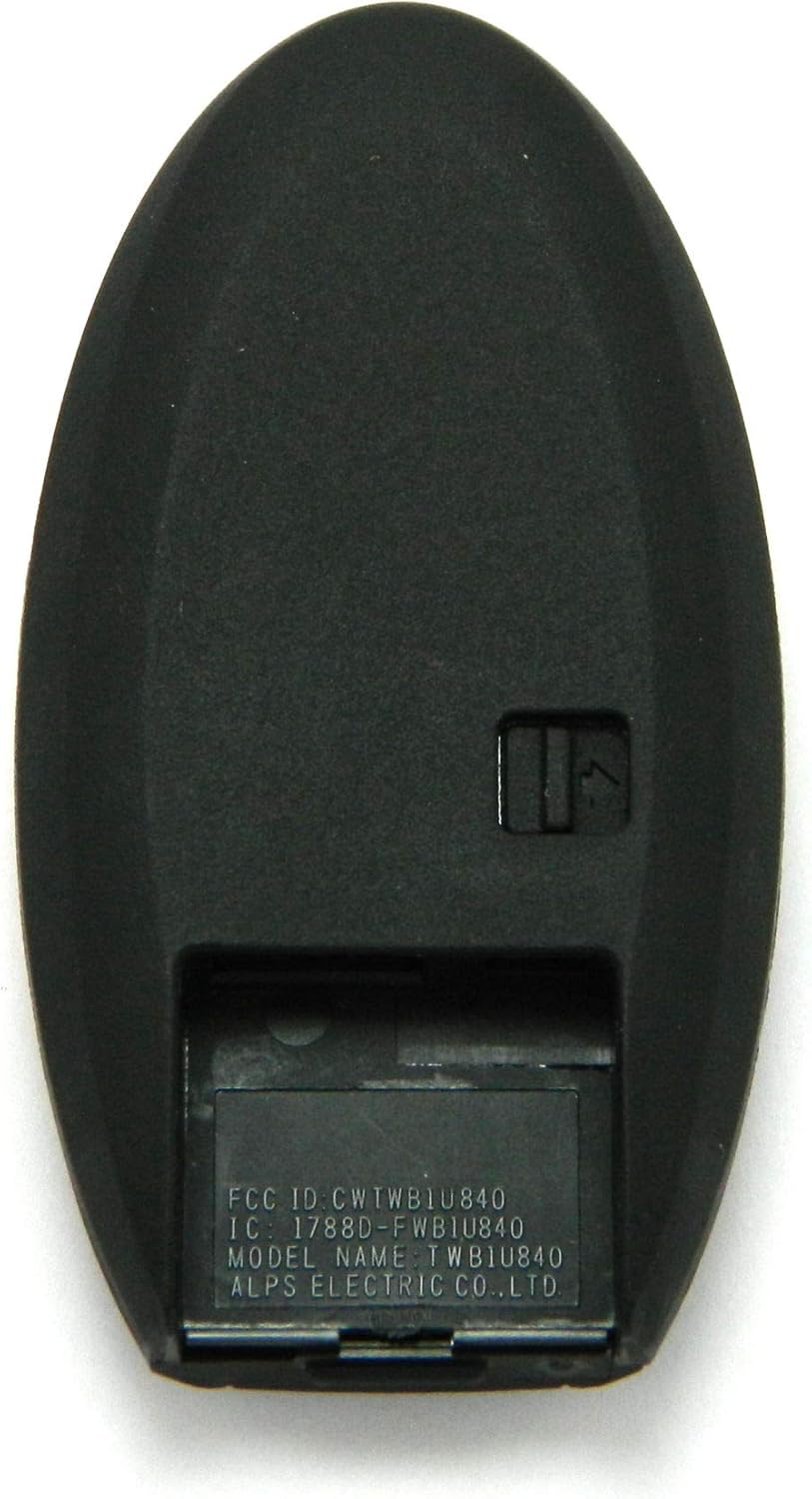
Сүрөт 2: Артка view of the NISSAN CWTWB1U840 Key Fob, displaying the FCC ID and IC information, and indicating the location of the battery compartment cover.
Эскертүү: Эски батареяларды жергиликтүү эрежелерге ылайык таштаңыз.
Проблемаларды чечүү
| Көйгөй | Мүмкүн себеп | Чечим |
|---|---|---|
| Key fob does not respond or has reduced range. | Батарея начар же өлүп калган. | Батареяны алмаштырыңыз (Техникалык тейлөө бөлүмүн караңыз). |
| Key fob is not locking/unlocking doors after programming. | Incorrect programming or programming failure. | Re-attempt programming or consult a professional locksmith/dealership. Ensure the FCC ID and part number match your vehicle's requirements. |
| Key fob starts the car but does not operate door locks. | Partial programming success or internal defect. | Consult a professional locksmith or dealership for diagnosis and complete programming. |
| Баскычтар жооп бербей жатат же тыгылып калган. | Physical damage or debris. | Inspect the fob for damage. If damaged, replacement may be necessary. |
Техникалык шарттар
- Бренд: NISSAN
- Модель аты: CWTWB1U840
- Өндүрүүчү бөлүгүнүн номери: NISSAN CWTWB1U840 4BTN
- FCC ID: CWTWB1U840
- IC: 1788D-FWB1U840
- Түсү: Кара
- Материал: Пластик
- Button Quantity: 4
- Элемент Салмагы: 0.05 килограмм
- Унаа тейлөө түрү: Машина
- UPC: 780742947251
Кепилдик жана колдоо
For questions regarding your NISSAN CWTWB1U840 Key Fob, including compatibility, programming, or operational issues, please refer to your vehicle's owner's manual or contact a certified Nissan dealership or automotive locksmith.
While specific warranty details are not provided in this manual, it is advisable to retain your purchase receipt for any potential warranty claims or returns. Many retailers offer a satisfaction guarantee or return policy for a limited period after purchase.