
1. Киришүү
The VAIS Technology SL3b-T Bluetooth Audio Adapter provides seamless wireless audio streaming for compatible Toyota vehicles manufactured between 2004 and 2012. This add-on unit integrates directly with your vehicle's factory stereo system, allowing you to stream music, podcasts, and audio apps from any Bluetooth-enabled device. It retains the use of factory steering wheel controls for audio management and includes a built-in USB charging port for convenience.
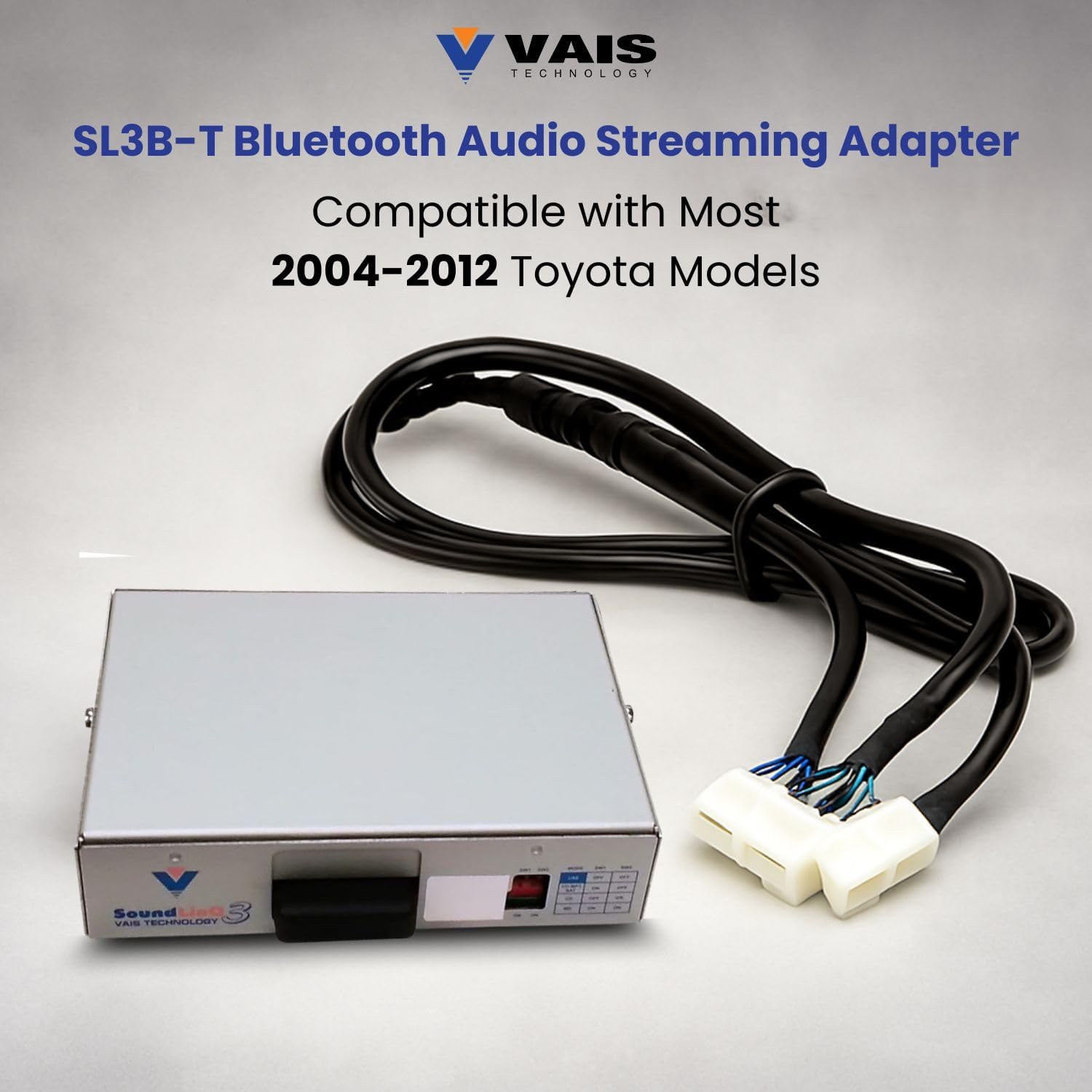
Image 1.1: The SL3b-T Bluetooth Audio Adapter unit with its accompanying wiring harness.
2. Негизги өзгөчөлүктөрү
- Wireless Bluetooth Music Integration: Adds seamless wireless audio streaming to your Toyota's factory stereo system.
- Broad Toyota Compatibility (2004–2012): Designed to fit most Toyota vehicles from 2004 to 2012, installing behind the factory radio without dashboard modifications.
- Retains Factory Steering Wheel Controls: Continue to use original steering wheel audio buttons for volume, track selection, and playback.
- Built-In High-Speed USB Charging Port: Charge smartphones and other devices quickly.
- Premium Bluetooth Chipset for Clear Sound: Ensures crisp, consistent, and stable audio transmission.

Image 2.1: Visual representation of the SL3b-T's core features, including wireless streaming, device compatibility, steering wheel control, and plug-and-play installation.
3. Шайкештик
The SL3b-T adapter is compatible with most Toyota vehicles manufactured between 2004 and 2012. It is crucial to verify your specific vehicle's compatibility before installation. Refer to the detailed compatibility guide provided by VAIS Technology to ensure proper fitment and functionality with your factory radio system.

Image 3.1: Excerpt from the VAIS Technology Integration Application Guide, detailing compatible Toyota and Lexus models and their corresponding adapter types.
4. Пакеттин мазмуну
Орнотууну баштоодон мурун, бардык компоненттер бар экенин текшериңиз:
- SL3b-T Bluetooth Audio Adapter Unit
- Vehicle-Specific Wiring Harness
- Колдонуучунун Колдонмосу (бул документ)
5. Орнотуу
The SL3b-T adapter is designed for a plug-and-play installation, typically requiring no special tools or modifications to your vehicle's wiring. Installation involves connecting the adapter behind your factory radio.
Орнотуу кадамдары:
- Remove the Radio: Carefully remove the factory radio from your dashboard to access the rear connections. Consult your vehicle's service manual or an online resource for specific instructions on removing your radio.
- Туташтыргычтар: Connect the provided automotive-grade plug-and-play harnesses to the back of your radio. Ensure all connections are secure.
- Mount the Adapter: Secure the SL3b-T adapter unit in a suitable location behind the dashboard, ensuring it does not interfere with any moving parts or vehicle components.
- Reinstall Radio: Carefully reinstall your factory radio and reassemble the dashboard components.
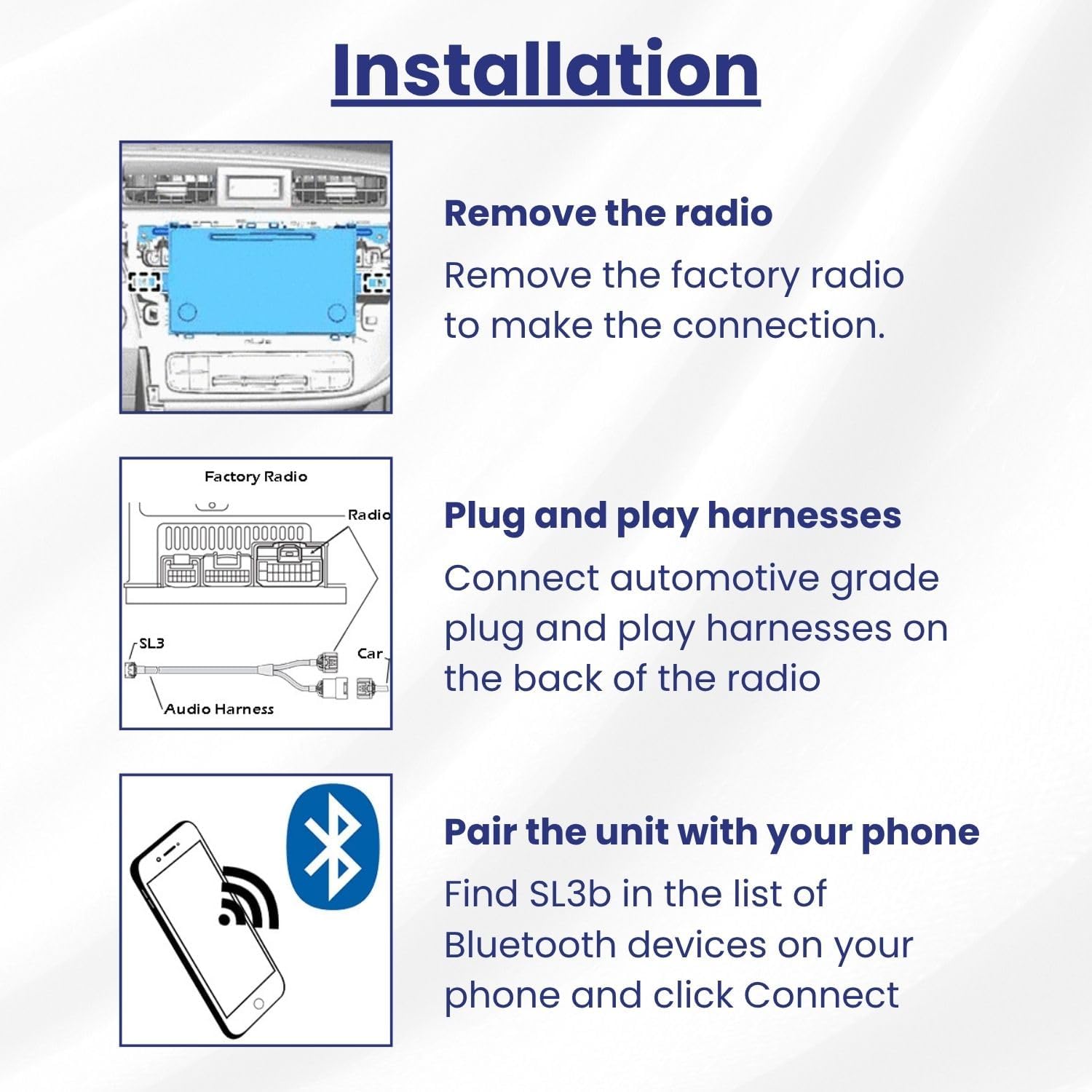
Image 5.1: Illustrated guide for removing the factory radio and connecting the SL3b-T harnesses.

Image 5.2: The SL3b-T adapter is designed for quick installation without specialized tools.
6. Орнотуу жана жупташтыруу
After installation, you need to pair your Bluetooth device with the SL3b-T adapter.
Жупташуу көрсөтмөлөрү:
- Turn on Vehicle: Унааңыздын кыймылдаткычын иштетиңиз.
- Bluetooth иштетүү: On your mobile device, navigate to the Bluetooth settings and ensure Bluetooth is enabled.
- Издөө Түзмөк: Your device should detect the SL3b-T adapter. It will typically appear as "SL3b" or a similar identifier.
- Туташуу: Select the SL3b-T from the list of available devices to establish a connection.
- Байланышты ырастоо: Once paired, your device will indicate a successful connection.
The adapter may require emulation to your factory unit for full functionality, including track information display and stable Bluetooth connection. Refer to the detailed instructions provided with your unit for specific emulation procedures if needed.
7. Иштөө нускамалары
Once paired, you can stream audio and control playback using your vehicle's existing controls.
Аудио агым:
- Play music or audio from any app on your paired device. The audio will be routed through your vehicle's speakers.
- Use your factory radio controls or steering wheel controls to adjust volume, skip tracks, and pause/play.

Image 7.1: Enjoying wireless music streaming through the vehicle's audio system.
Расмий продукт Video:
Video 7.1: An official video from VAIS Technology demonstrating Bluetooth music streaming functionality for compatible Toyota and Lexus models.
8. USB кубаттоочу порт
The SL3b-T adapter includes a dedicated USB port for charging your mobile devices. This port provides high-speed charging to keep your smartphone or other gadgets powered during your drives. Note that this USB port is for power delivery only and does not support data transfer for audio playback.
9. Кыйынчылыктарды
If you encounter issues with your SL3b-T adapter, try the following:
- Аудио чыгышы жок:
- Ensure your device is successfully paired and connected to the SL3b-T.
- Check the volume levels on both your mobile device and the car stereo.
- Verify that the car stereo input is set to the correct source (e.g., CD Changer, AUX, or a specific disc number if emulated).
- If the issue persists, try disconnecting and reconnecting the adapter's power, or perform a factory reset on your car's audio system if applicable.
- Bluetooth'тун өчүрүлүшү:
- Ensure your mobile device is within range of the adapter.
- Forget the SL3b-T device from your phone's Bluetooth settings and re-pair it.
- Check for any firmware updates for your mobile device or the adapter (if available from VAIS Technology).
- Рулдун башкаруу элементтери иштебейт:
- Confirm that the adapter is correctly installed and all harnesses are securely connected.
- Ensure your car's audio system is in the correct mode for the adapter to intercept controls.
10. Техникалык тейлөө
The SL3b-T Bluetooth Audio Adapter requires minimal maintenance. Keep the unit free from excessive dust and moisture. Do not attempt to open the adapter casing, as this will void the warranty and may damage the device.
11. Техникалык шарттар
| Модель номери | SL3b-T |
| Бренд | VAIS технологиясы |
| Connectivity Technologies | Bluetooth, USB |
| Шайкеш түзмөктөр | Any Bluetooth-capable device |
| Туташтыргыч түрү | Микро USB (заряддоо үчүн) |
| Түс | Кара |
| Элемент Салмагы | 1.1 фунт |
| Пакеттин өлчөмдөрү | 8 x 4.9 x 3.5 дюйм |
12. Кепилдик жана колдоо
For warranty information, technical support, or further assistance, please contact VAIS Technology directly through their official webсайт же кардарларды тейлөө каналдары. Кепилдик боюнча дооматтар үчүн сатып алуунун далили катары сатып алуу квитанцияңызды сактап коюңуз.