
Introduction
This manual provides detailed instructions for the EMOS E0042 Wireless Digital Thermometer. This device is designed to accurately measure and display both indoor and outdoor temperatures using a main unit and a remote wireless sensor. Please read this manual thoroughly before use to ensure proper operation and longevity of your device.

Image showing the EMOS E0042 Wireless Digital Thermometer in its retail packaging.
Пакеттин мазмуну
The EMOS E0042 package includes the following components:
- 1x EMOS E0042 Main Display Unit
- 1x EMOS Wireless Outdoor Sensor

Image showing the EMOS E0042 main display unit and the wireless outdoor sensor.
Продукт өзгөчөлүктөрү
The EMOS E0042 Wireless Digital Thermometer offers a range of features for convenient temperature monitoring:
- Clear and easy-to-read LCD display with large digits.
- Ички жана сырткы температураны бир эле учурда көрсөтүү.
- Wireless outdoor sensor with a transmission range of up to 100 meters (open area).
- Temperature measurement range: Indoor 0 °C to 60 °C, Outdoor -40 °C to +60 °C.
- Temperature resolution: 0.1 °C.
- Main unit suitable for tabletop placement or wall mounting.
- Sensor designed for outdoor use.
- Powered by AAA batteries (not included).
Icon indicating indoor and outdoor temperature measurement capabilities.
Жайгашуу
1. Батареяны орнотуу
The main unit and the wireless sensor each require 2x AAA 1.5V batteries (not included).
Негизги дисплей блогу:
- Батарея бөлүмүн негизги дисплейдин арткы бетинен табыңыз.
- Батарея уясынын капкагын ачыңыз.
- Туура полярдуулукту (+/-) камсыз кылып, 2 AAA батарейкасын салыңыз.
- Батарея уясынын капкагын бекем жабыңыз.
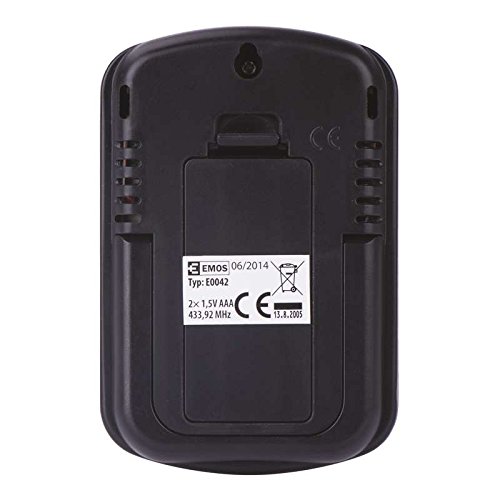
Арткы view of the EMOS E0042 main display unit, showing the battery compartment and wall-mount hole.
Зымсыз тышкы сенсор:
- Locate the battery compartment on the back of the wireless outdoor sensor.
- Батарея уясынын капкагын ачыңыз.
- Туура полярдуулукту (+/-) камсыз кылып, 2 AAA батарейкасын салыңыз.
- Батарея уясынын капкагын бекем жабыңыз.
- The sensor will automatically begin transmitting data.
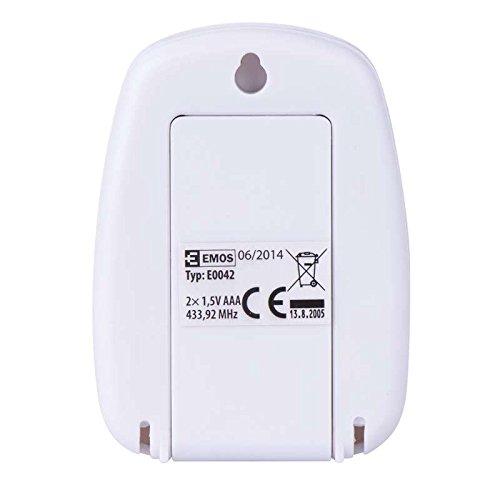
Арткы view of the EMOS wireless outdoor sensor, showing the battery compartment.
2. Sensor Pairing
The main unit and sensor should automatically pair once batteries are installed. If the outdoor temperature is not displayed, ensure both units are within range and try re-inserting the batteries in both units.
3. Жайгаштыруу
Негизги дисплей блогу:
Place the main unit indoors on a flat surface using its integrated stand, or mount it on a wall using the hanging hole on the back. Ensure it is in a location where the display is easily visible and not exposed to direct sunlight or extreme temperature fluctuations.
Side view of the EMOS E0042 main display unit, showing its integrated stand for tabletop placement.
Зымсыз тышкы сенсор:
Position the wireless sensor outdoors in a shaded area, protected from direct rain and sunlight, to ensure accurate temperature readings. The maximum effective range between the sensor and the main unit is 100 meters in an open area. Walls, obstacles, and electronic interference can reduce this range.
Иштөө нускамалары
Reading Temperatures
Once powered on and paired, the main display unit will show two temperature readings:
- ЧЫГЫШ: This indicates the outdoor temperature measured by the wireless sensor.
- IN: This indicates the indoor temperature measured by the main display unit itself.
The temperature is displayed in degrees Celsius (°C).
Дисплей
The large LCD screen provides clear, simultaneous readings of both indoor and outdoor temperatures.
Техникалык тейлөө
Тазалоо
Аппаратты тазалоо үчүн аны жумшак, гamp кездеме. Абразивдүү тазалоочу каражаттарды же эриткичтерди колдонбоңуз, анткени алар дисплейге жеasing.
Батареяны алмаштыруу
When the display becomes dim or readings are inconsistent, it is time to replace the batteries in both the main unit and the wireless sensor. Follow the battery installation steps outlined in the "Setup" section.
Проблемаларды чечүү
| Көйгөй | Мүмкүн себеп | Чечим |
|---|---|---|
| Негизги блокто дисплей жок. | Батареялар өлүп калган же туура эмес салынган. | Батареянын полярдуулугун текшерип, жаңы AAA батарейкалары менен алмаштырыңыз. |
| Outdoor temperature not displayed or shows "--". | Sensor out of range, batteries dead, or interference. | Move sensor closer to the main unit. Replace sensor batteries. Ensure no strong electronic interference sources are nearby. Re-pair by removing and re-inserting batteries in both units. |
| Температураны туура эмес көрсөткүчтөр. | Сенсор түз күн нуруна, жамгырга же жылуулук булактарына дуушар болот. | Relocate the sensor to a shaded, protected area. Ensure proper ventilation around both units. |
Техникалык шарттар
| Өзгөчөлүк | Деталь |
|---|---|
| Модель номери | E0042 |
| Бренд | EMOS |
| Жабык температура диапазону | 0 °Cден 60 °Cге чейин |
| Тышкы температура диапазону | -40 °Cден +60 °Cге чейин |
| Температуранын чечилиши | 0.1 °C |
| Зымсыз диапазон | 100 метрге чейин (ачык аянт) |
| Жыштык | 433 МГц |
| Негизги блоктун электр менен камсыздоосу | 2x AAA 1.5V батарейкалар (киргизилген эмес) |
| Sensor Power Supply | 2x AAA 1.5V батарейкалар (киргизилген эмес) |
| Негизги бирдиктин өлчөмдөрү (L x W x Y) | 8.5 x 5.6 x 1.8 см |
| Сенсордун өлчөмдөрү (L x W x Y) | 6.8 x 4.9 x 2.0 см |
| Дисплей түрү | Санарип LCD |
| Байланыш технологиясы | RF (Радио жыштыгы) |
| Материал | Пластик |
| Сертификаттар | CE |
Коопсуздук маалыматы
For detailed safety guidelines and important warnings, please refer to the official Safety Information PDF document provided by the manufacturer. Коопсуздук маалыматын (PDF) жүктөп алыңыз
Кепилдик жана колдоо
EMOS products are manufactured to high-quality standards. For warranty information or technical support, please contact your retailer or the official EMOS customer service. Keep your purchase receipt as proof of purchase.