
1. Киришүү
This manual provides detailed instructions for the setup, operation, and maintenance of your QANBA Q2 PRO LED Arcade Joystick. Designed for an authentic arcade experience, this fightstick is compatible with PlayStation 3 (PS3) and PC platforms. Please read this manual thoroughly before use to ensure optimal performance and longevity of your device.
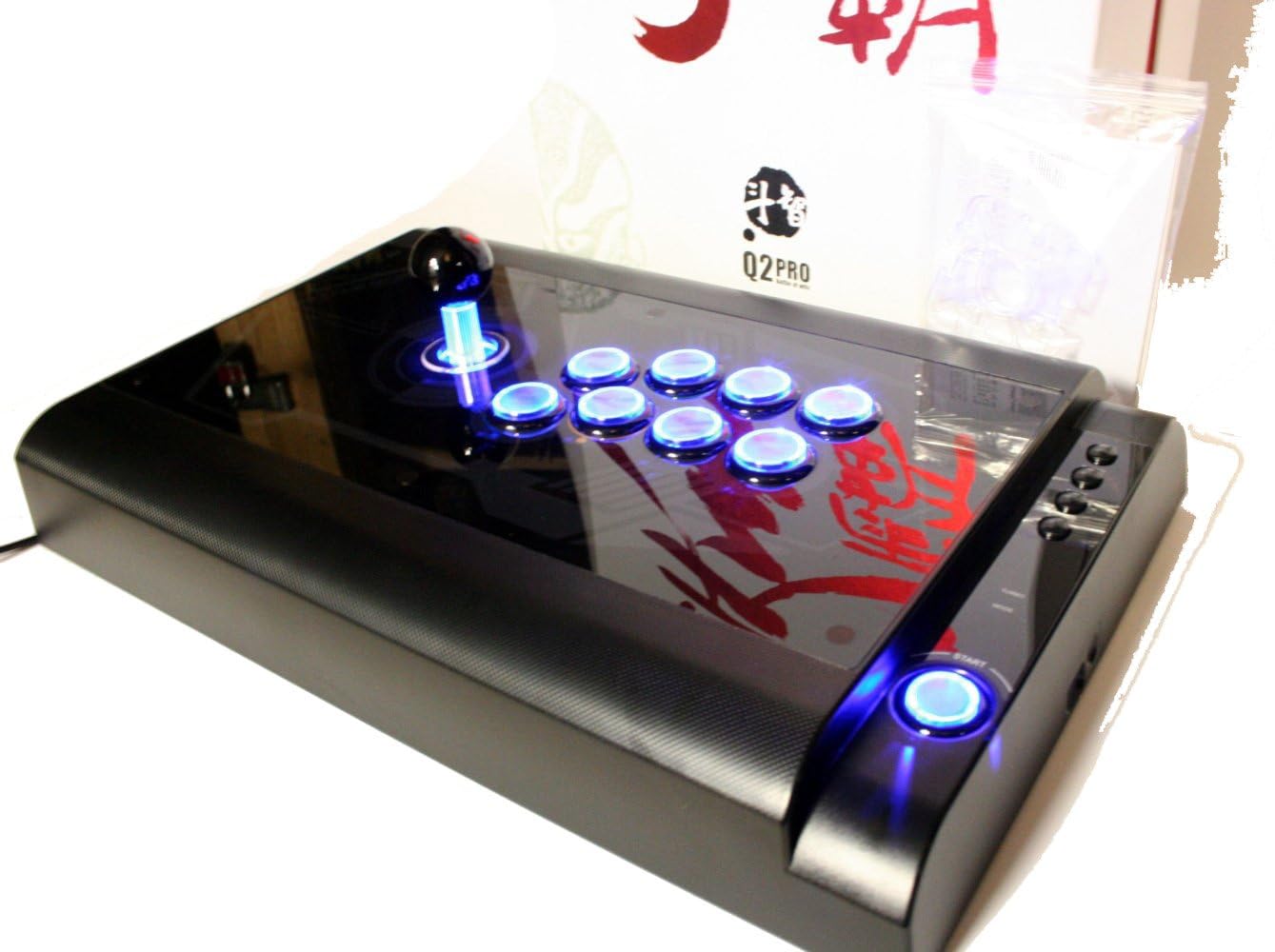
Image 1.1: The QANBA Q2 PRO LED Arcade Joystick with its signature blue LED lighting activated.
2. Пакеттин мазмуну
Төмөндө тизмеленген нерселердин баары пакетиңизде бар экенин текшериңиз:
- QANBA Q2 PRO LED Arcade Joystick
- USB Connection Cable (integrated or separate)
- Көрсөтмө (бул документ)
- Spare parts (e.g., button caps, joystick restrictor gate - may vary by region/package)

Image 2.1: The QANBA Q2 PRO LED Arcade Joystick alongside its product box.
3. Өзгөчөлүктөрү
The QANBA Q2 PRO LED Arcade Joystick offers several features designed to enhance your gaming experience:
- LED жарыктандыруу: Buttons and joystick feature vibrant blue LED lighting for visual appeal.
- Көп платформа шайкештиги: Seamlessly switch between PlayStation 3 and PC.
- Жогорку сапаттагы компоненттер: Equipped with durable arcade-grade joystick and buttons for precise input.
- Эргономикалык дизайн: Comfortable layout for extended gaming sessions.
- Мыкты курулуш: Built to withstand intense gameplay.

Image 3.1: The QANBA Q2 PRO LED Arcade Joystick demonstrating its illuminated buttons and joystick.
4. Орнотуу
4.1 PlayStation 3 (PS3) менен туташуу
- Ensure your PS3 console is powered off or in standby mode.
- Locate an available USB port on your PS3 console.
- Connect the USB cable from the QANBA Q2 PRO LED Arcade Joystick to the USB port on your PS3.
- Power on your PS3. The console should automatically detect the joystick.
- The joystick's LEDs will illuminate, indicating a successful connection.
4.2 Компьютерге туташуу
- Компьютериңиз күйгүзүлгөнүн текшериңиз.
- Компьютериңиздеги жеткиликтүү USB портун табыңыз.
- Connect the USB cable from the QANBA Q2 PRO LED Arcade Joystick to the USB port on your PC.
- Your operating system (e.g., Windows) will typically detect and install the necessary drivers automatically. This may take a few moments.
- Once drivers are installed, the joystick's LEDs will illuminate.
- You may need to configure the joystick within your game's control settings or through your operating system's game controller settings.
5. Иштөө нускамалары
The QANBA Q2 PRO LED Arcade Joystick features a standard arcade button layout and a responsive joystick for precise control.
5.1 Негизги башкаруу каражаттары
- Джойстик: Used for directional input (Up, Down, Left, Right, and diagonals).
- Аракет баскычтары: Typically arranged in an 8-button layout, corresponding to game actions (e.g., punch, kick, jump).
- Баштоо/Тандоо баскычтары: Located on the side or top panel, used for pausing games, navigating menus, etc.
- PS Button (for PS3): Functions as the PlayStation button on a standard controller.
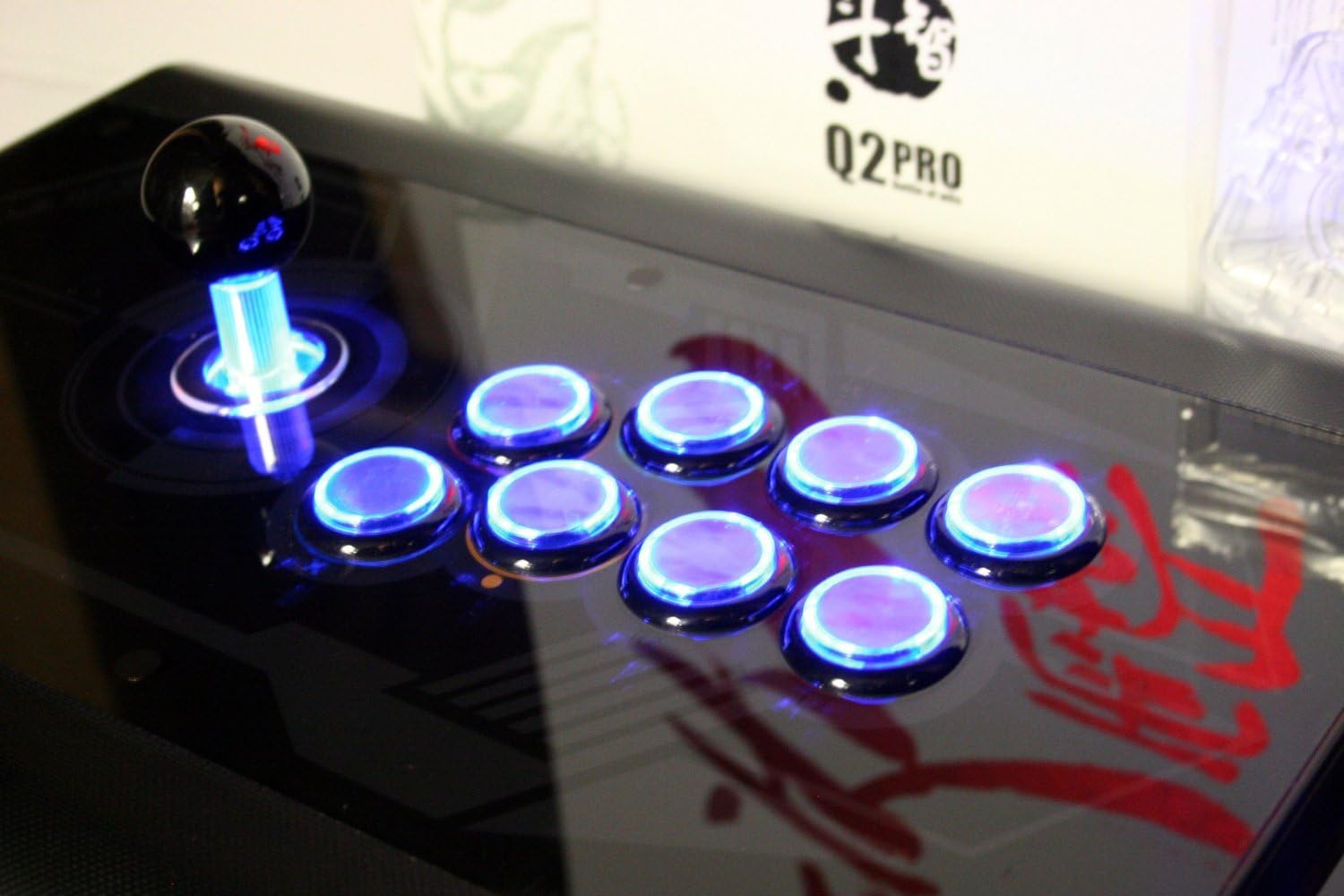
Сүрөт 5.1: деталдуу view of the joystick and action buttons with their blue LED illumination.
5.2 LED Functionality
The blue LEDs on the joystick and buttons will automatically illuminate when the device is powered on and connected to a compatible system (PS3 or PC). There are no user-configurable settings for the LED lighting on this model.
5.3 Mode Switching (PS3/PC)
The QANBA Q2 PRO LED Arcade Joystick automatically detects the connected platform (PS3 or PC). No manual mode switching is required. Ensure the joystick is connected to the correct platform's USB port.
6. Техникалык тейлөө
Proper maintenance ensures the longevity and performance of your arcade joystick.
- Тазалоо: Use a soft, dry cloth to wipe down the surface of the joystick. For stubborn marks, a slightly damp жумшак самын менен чүпүрөктү колдонсо болот, андан кийин дароо кургатуу керек. Абразивдүү тазалагычтардан же эриткичтерден качыңыз.
- Сактагыч: Store the joystick in a cool, dry place away from direct sunlight and extreme temperatures. Protect it from dust when not in use.
- Кабельге кам көрүү: Avoid sharp bends or kinks in the USB cable. Do not pull the cable forcefully when disconnecting.
7. Кыйынчылыктарды
If you encounter issues with your QANBA Q2 PRO LED Arcade Joystick, refer to the following common solutions:
| Көйгөй | Мүмкүн чечим |
|---|---|
| Joystick not recognized by PS3/PC. |
|
| Buttons or joystick not responding. |
|
| Светодиоддор жарык бербей жатат. |
|
8. Техникалык шарттар
- Модел: Q2 PRO LED
- Шайкештик: PlayStation 3 (PS3), PC
- Байланыш: USB
- Киргизүү: 8-way joystick, 8 action buttons, Start/Select/PS buttons
- Жарыктандыруу: Blue LED illumination for joystick and buttons
- Өлчөмдөрү жана Салмагы: Refer to product packaging for specific measurements.
9. Кепилдик жана колдоо
QANBA products are manufactured to high-quality standards. For information regarding warranty coverage, technical support, or replacement parts, please refer to the warranty card included with your product or visit the official QANBA webсайт. Кепилдик дооматтар үчүн сатып алганыңыздын далилин сактаңыз.
Official QANBA Webсайт: www.qanba.com (Эскертүү: Бул толтургуч URL, please refer to actual product documentation for correct support links.)