
1. Продукт бүтүп калдыview
The Laserliner DistanceMaster Compact is a precise laser distance meter designed for accurate length, area, and volume measurements. It features a color display and a robust, ergonomically designed rubber casing, making it suitable for various environments, including construction sites and indoor applications.
Негизги өзгөчөлүктөрү:
- Precise point-accurate laser measurement for accurate length determination.
- Area and volume functions for calculating room sizes and material quantities.
- Measured value memory for up to 10 entries.
- Measuring accuracy of ±3 mm up to 25 meters.
- Internal measuring range from 0.1 meters to 25 meters.
- Two selectable reference points for measurement: front and rear.
- Min/Max function for determining diagonals, vertical, and horizontal distances.
- Illuminated three-line color LCD display for clear readability.
- Robust, ergonomically designed rubber casing with IP54 protection against dust and splashing water.
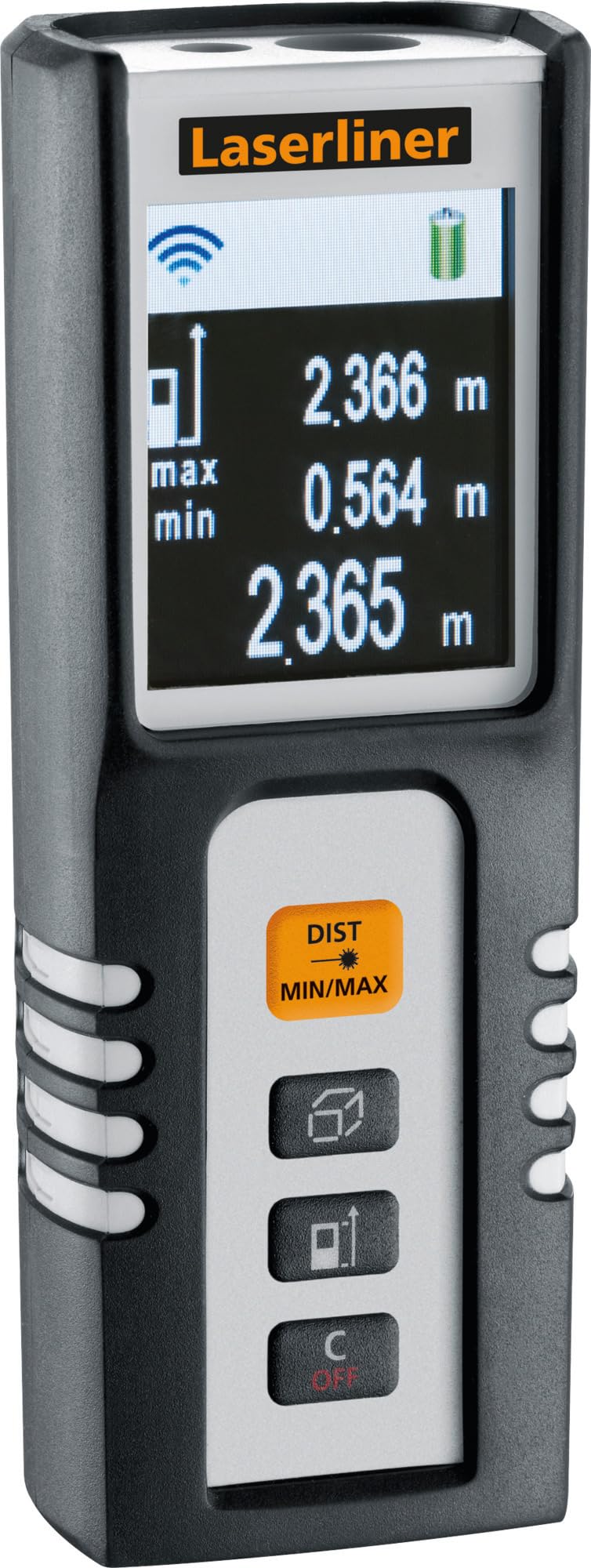
Image 1.1: The Laserliner DistanceMaster Compact laser rangefinder with its protective carrying case. The device features a clear digital display showing measurement readings and battery status.
2. Орнотуу
2.1 Батареяны орнотуу
The DistanceMaster Compact requires two AAA batteries for operation. These are typically included with the device.
- Аппараттын артындагы батарея бөлүкчөсүнүн капкагын табыңыз.
- Бөлүктү ачуу үчүн капкакты жылдырыңыз же ачыңыз.
- Бөлүмдүн ичинде көрсөтүлгөндөй, туура полярдуулукту (+/-) текшерип, эки AAA батарейкасын салыңыз.
- Батарея уясынын капкагын бекем жабыңыз.
2.2 Күйгүзүү/өчүрүү
Аппаратты күйгүзүү үчүн басыңыз DIST баскычы. Өчүрүү үчүн басып, кармап туруңуз C/OFF баскычы.
3. Иштөө нускамалары
3.1 Негизги аралыкты өлчөө
For a single distance measurement:
- Лазер нурун максаттуу бетке багыттаңыз.
- басыңыз DIST баскычын бир жолу. Дисплейде өлчөнгөн аралык пайда болот.
3.2 Area and Volume Measurement
The device can calculate area and volume automatically after taking the necessary measurements.
- менен баскычын басыңыз square/cube icon to select area or volume mode.
- Follow the on-screen prompts to measure the required dimensions (length, width, height).
- Эсептелген аймак же көлөм көрсөтүлөт.

Image 3.1: The laser rangefinder being used to measure dimensions for calculating the area of a wall, illustrating its practical application for material estimation.
3.3 Min/Max Tracking
The Min/Max function allows for continuous measurement, displaying the minimum and maximum distances recorded during a sweep. This is useful for finding diagonals or precise horizontal/vertical distances.
- басып, кармап туруңуз DIST MIN/MAX баскычы.
- Sweep the device across the desired area. The display will continuously update with the minimum and maximum measured values.
- Басыңыз DIST MIN/MAX again to stop tracking.

Сүрөт 3.2: деталдуу view of the control panel, highlighting the 'DIST MIN/MAX' button used for continuous measurement and tracking.
3.4 Маалымат чекитин тандоо
The measurement reference point can be switched between the front and rear of the device. This is important for accurate measurements depending on where the device is placed.
- менен баскычын басыңыз жебе сүрөтчөсү to toggle between front and rear reference points. The active reference point will be indicated on the display.
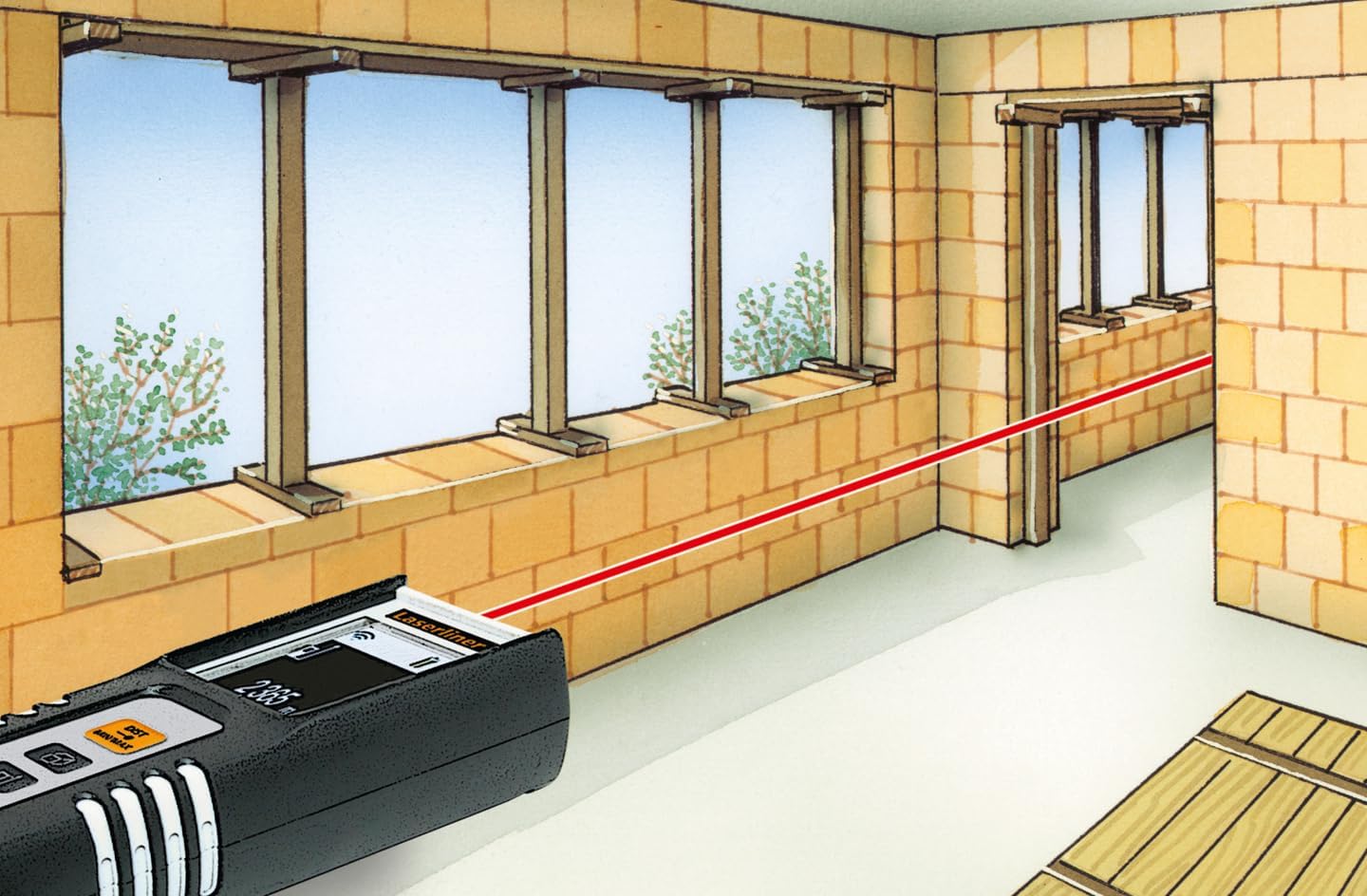
Image 3.3: The laser rangefinder in use, demonstrating a distance measurement across a room, emphasizing the importance of selecting the correct reference point.
3.5 Эстутум функциясы
The device can store up to 10 measured values. To access or clear the memory, refer to the on-screen menu or specific button combinations detailed in the full manual (not provided here).
4. Техникалык тейлөө
4.1 Тазалоо
- Аппаратты жумшак менен сүртүңүз, гamp кездеме. Абразивдүү тазалагычтарды же эриткичтерди колдонбоңуз.
- Keep the laser lens clean and free from dust or debris to ensure accurate measurements.
4.2 Сактоо
- Колдонулбаган учурда аппаратты коргоочу капкасында сактаңыз.
- Агып кетпеш үчүн аппарат узак убакыт бою колдонулбаса, батареяларды алып салыңыз.
- Кургак жерде, экстремалдык температурадан алыс сактаңыз.
5. Кыйынчылыктарды
- Түзмөк күйбөйт: Check battery polarity and ensure batteries are not depleted. Replace if necessary.
- Туура эмес өлчөөлөр: Ensure the laser lens is clean. Verify the correct reference point is selected. Avoid measuring through transparent surfaces or highly reflective materials.
- Дисплей көйгөйлөрү: Эгерде дисплей күңүрт же жыпылыктап турса, батарейкаларды алмаштырыңыз.
6. Техникалык шарттар

Image 6.1: The vibrant color LCD display of the DistanceMaster Compact, designed for clear visibility of measurements and functions.
| Өзгөчөлүк | Спецификация |
|---|---|
| Модель номери | 080.936A |
| Өлчөө диапазону | 0.1 мден 25 мге чейин (0.3 футтан 82 футка чейин) |
| Тактык | ±3 мм |
| Өлчөө бирдиктери | Метрлер (м), Фут (фут), Дюйм (дюйм) |
| Лазердик класс | 2 |
| Толкун узундугу | 650 нм |
| Memory Records | 10 |
| Дисплей | Illuminated 3-line color LCD |
| Электр камсыздоо | 2 x AAA щелочтуу батарейкалар (кошулган) |
| Иштөө температурасы | -10 °Cден 40 °Cге чейин (14 °F менен 104 °F) |
| Коргоо рейтинги | IP54 (чаң жана чачыраган суудан корголгон) |
| Материал | Rubber casing |
| Түс | Кара, Ак |
| Продукциянын өлчөмдөрү | 110 мм (H) x 43 мм (W) x 27 mm (D) |
| Продукт Салмагы | 100 грамм |

Image 6.2: The robust design of the laser rangefinder, featuring anti-shock rubber for durability and protection in demanding environments, indicated by the IP54 rating.
7. Кепилдик жана колдоо
For warranty information, technical support, or service inquiries regarding your Laserliner DistanceMaster Compact, please refer to the official Laserliner webсайтка же кардарларды тейлөө бөлүмүнө кайрылыңыз. Сатып алуу квитанциясын кепилдик дооматтары үчүн сатып алуунун далили катары сактаңыз.
Кошумча жардам алуу үчүн, сиз иш сапары менен болот Laserliner official webсайт.