
1. Киришүү
The JAM Transit Micro Sport Buds HX-EP510BL are wireless Bluetooth earbuds designed for active lifestyles. They offer a secure fit, sweat resistance, and hands-free calling capabilities, making them suitable for various activities including running, gym workouts, and general use. This manual provides instructions for setting up, operating, and maintaining your earbuds.
2. Кутуда эмне бар
Пакетиңизде бардык буюмдар бар экенин текшериңиз:
- JAM Transit Micro Sport Buds (HX-EP510BL)
- Ташуу баштыгы
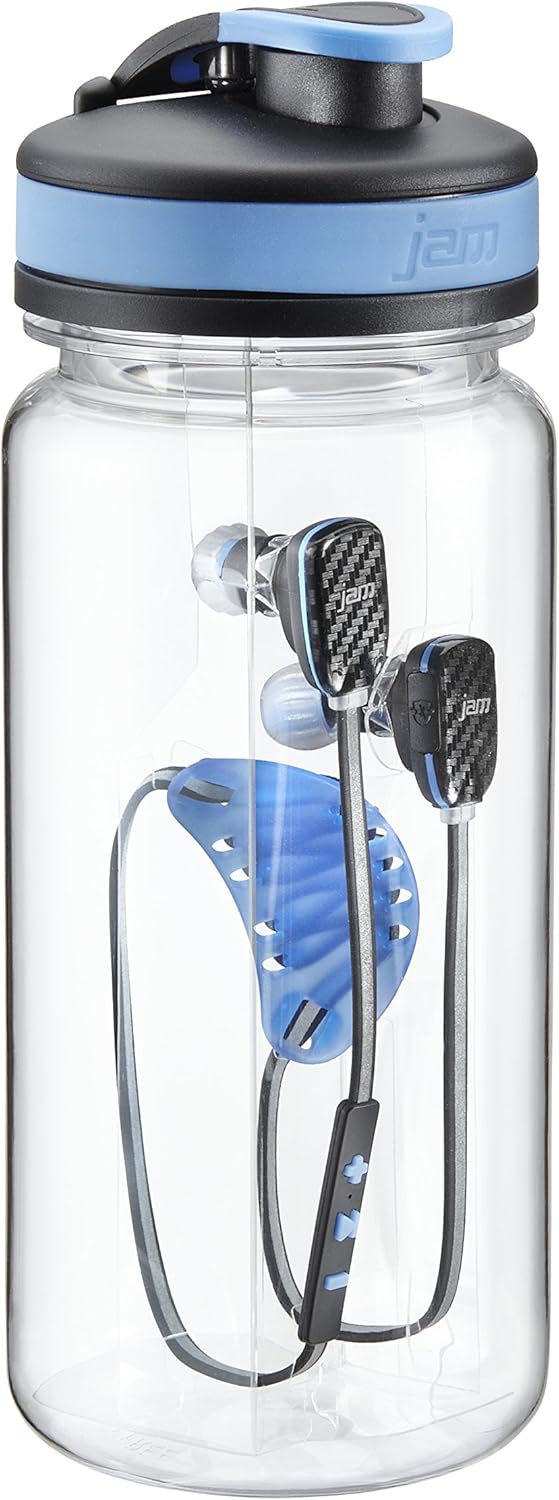
- Water Bottle (packaging)
- Корд башкаруу системасы
- Колдонуучунун Колдонмосу (бул документ)
- Multiple ear tip sizes for custom fit
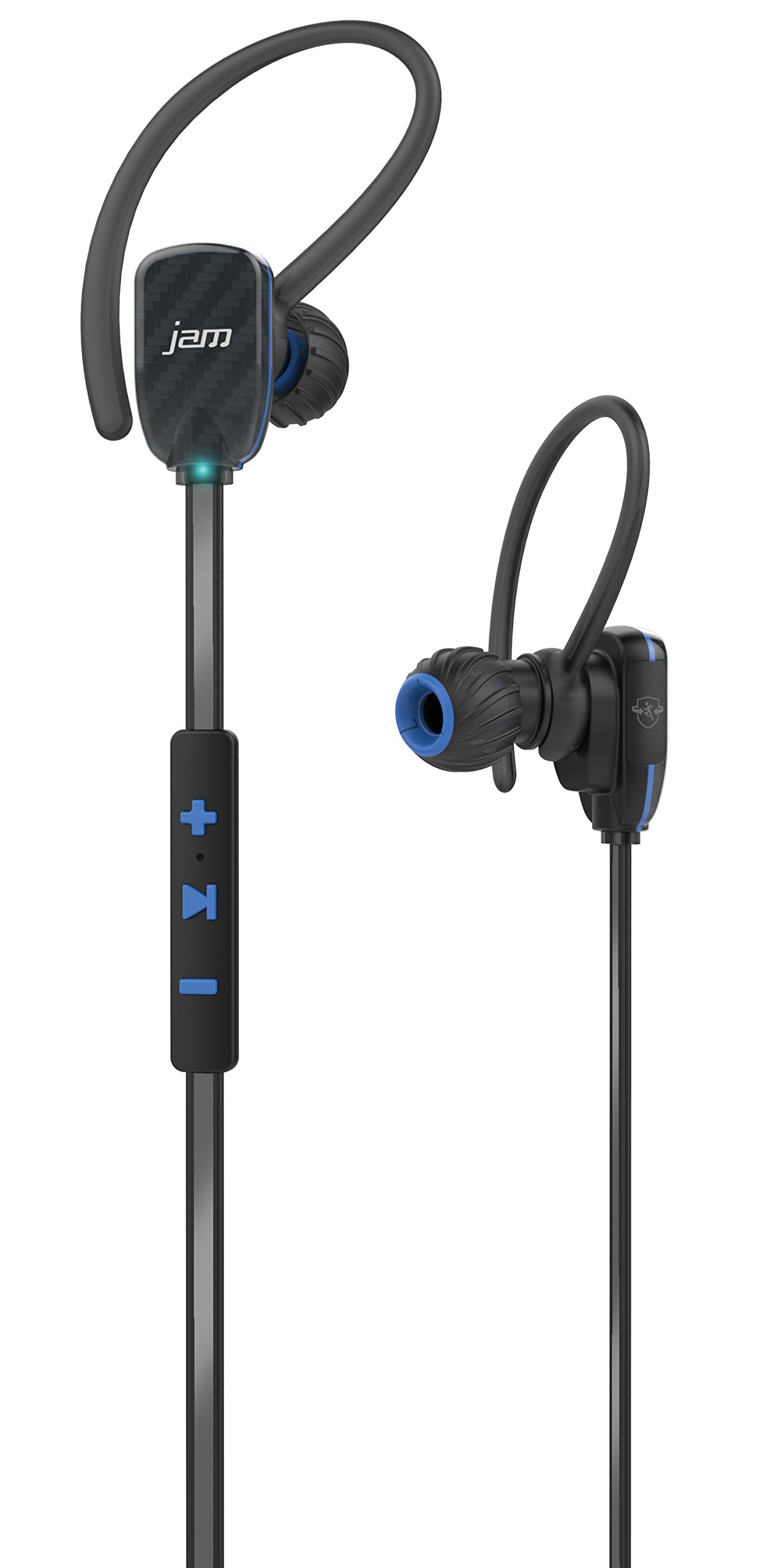
Image: JAM Transit Micro Sport Buds HX-EP510BL, including the earbuds, cord management, and the water bottle packaging.
3. Продукт бүтүп калдыview
Familiarize yourself with the components of your JAM Transit Micro Sport Buds:
- Кулакчындар: The main audio output components, designed for in-ear placement.
- Интернеттеги алыстан башкаруу пульту: Located on the reflective cord, this unit contains buttons for media control, volume adjustment, and microphone for calls.
- Микрофон: Integrated into the in-line remote for hands-free calling.
- Reflective Cord: Connects the two earbuds and enhances visibility during nighttime use.
- Заряддоо порту: Typically located on the in-line remote, used for recharging the internal battery.
- Кулак кеңештери: Various sizes are provided to ensure a comfortable and secure fit.
Сүрөт: деталдуу view of the JAM Transit Micro Sport Buds, highlighting the earbud design and the in-line control panel on the reflective cord.
4. Орнотуу
4.1 Кулакчындарды заряддоо
- Locate the charging port on the in-line remote control.
- Connect the provided charging cable to the earbuds and to a USB power source.
- Allow approximately 1 hour for a full charge, which provides up to 10 hours of playtime.
- The indicator light will change to show charging status (e.g., red for charging, blue/off for fully charged).
4.2 Selecting Ear Tips and Achieving a Secure Fit
- Experiment with the different sizes of ear tips included in the package.
- Choose the ear tips that provide the most comfortable and secure seal in your ear canal. A good seal is crucial for optimal sound quality and bass response.
- Insert the earbuds into your ears, ensuring the reflective cord sits comfortably around your neck or behind your head.
- Utilize the cord management system to adjust the length of the cord for a snug fit, preventing movement during physical activity.
4.3 Bluetooth жупташтыруу
- Кулакчындар кубатталып, өчүрүлгөнүн текшериңиз.
- Press and hold the power button on the in-line remote until the indicator light flashes rapidly (e.g., alternating red and blue), indicating pairing mode.
- Bluetooth иштетилген түзмөгүңүздө (смартфон, планшет ж.б.) Bluetooth жөндөөлөрүнө өтүңүз.
- Издөө available devices and select "JAM Transit Micro Sport Buds" (or similar name).
- Once connected, the indicator light on the earbuds will typically turn solid blue or flash slowly. A voice prompt may also confirm the connection.
- The earbuds can connect wirelessly within a 30-foot range of your device.
5. Иштөө нускамалары
5.1 Күйгүзүү/өчүрүү
- Күйгүзүү: Press and hold the power button until the indicator light illuminates and a power-on tone is heard.
- Өчүрүү: Press and hold the power button until the indicator light turns off and a power-off tone is heard.
5.2 Музыканы ойнотуу
- Ойнотуу/тындыруу: Press the multi-function button (often the center button on the remote) once to play or pause music.
- Кийинки трек: Press and hold the '+' button (or specific next track button) for approximately 2 seconds.
- Мурунку трек: Press and hold the '-' button (or specific previous track button) for approximately 2 seconds.
5.3 Үндү башкаруу
- Көлөмүн жогорулатуу: '+' баскычын басыңыз.
- Көлөмдү азайтуу: '-' баскычын басыңыз.
5.4 Чалууларды башкаруу
- Чалууга жооп берүү/аяктоо: Press the multi-function button once during an incoming call to answer, or once during a call to end it.
- Чакырууну четке кагуу: Кирүүчү чалуу учурунда көп функциялуу баскычты болжол менен 2 секунд басып туруңуз.
- Микрофондун үнүн басуу: The left earbud can be muted to hear your surroundings during a call. Refer to specific button functions for muting, usually a quick double-press or a dedicated button.
6. Техникалык тейлөө
6.1 Тазалоо
- Кулак учтарын дайыма жумшак, кургак чүпүрөк менен тазалаңыз.
- Зарыл болсо, кулактын учтарын алып салыңыз жана кайра кийерден мурун аларды жумшак самын жана суу менен жууп, алардын толук кургап калганын текшериңиз.
- Wipe the earbuds and cord with a slightly damp cloth to remove sweat or dirt. Avoid using harsh chemicals or abrasive materials.
6.2 Сактоо
- When not in use, store the earbuds in the provided carrying pouch to protect them from dust and damage.
- Ашыкча температурада же жогорку нымдуулукта сактоодон алыс болуңуз.
6.3 Сууга туруктуулук
The JAM Transit Micro Sport Buds are waterproof, making them suitable for use during workouts and in light rain. However, they are not designed for submersion in water. Ensure the charging port cover is securely closed to maintain water resistance.
7. Кыйынчылыктарды
7.1 Кулакчындар күйбөй жатат
- Ensure the earbuds are fully charged. Connect them to a power source and allow sufficient charging time.
- Кубат баскычын бекем басып, бир нече секунд кармап туруңуз.
7.2 Түзмөк менен жупташуу мүмкүн эмес
- Make sure the earbuds are in pairing mode (flashing indicator light).
- Ensure Bluetooth is enabled on your device and it is within the 30-foot range.
- Forget or remove previous pairings for the earbuds on your device and attempt to pair again.
- Restart both the earbuds and your Bluetooth device.
7.3 Үн жок же үн сапаты начар
- Кулакчындардын жана туташкан түзмөгүңүздүн үн деңгээлин текшериңиз.
- Кулакчындардын кулагыңызга туура орнотулганын жана жакшы жабылганын текшериңиз.
- Кулакчындар түзмөгүңүздөгү туура аудио чыгышка туташып турганын текшериңиз.
- Тоскоолдуктарды же аралыкка байланыштуу көйгөйлөрдү болтурбоо үчүн түзмөгүңүзгө жакыныраак жылыңыз.
7.4 Батареянын иштөө мөөнөтү кыска
- Колдонуудан мурун кулакчындардын толук заряддалганын текшериңиз.
- Батареянын иштөө мөөнөтү үн деңгээлине жана колдонуу режимине жараша өзгөрүшү мүмкүн.
- Over time, all rechargeable batteries experience degradation.
8. Техникалык шарттар
| Модель номери | HX-EP510BL |
| Бренд | Jam Audio |
| Байланыш технологиясы | Зымсыз (Bluetooth) |
| Bluetooth диапазону | 30 фут (9 метр) чейин |
| Батареянын иштөө мөөнөтү | 10 саатка чейин ойноо убактысы |
| Заряддоо убактысы | Болжол менен 1 саат |
| Сууга туруктуулук деңгээли | Суу өткөрбөйт |
| Кулак жайгаштыруу | Кулакта |
| Өзгөчөлүктөрү | Microphone, Speakerphone, Reflective Cord, Cord Management System |
| Салмагы | 0.2 Pounds (earbuds) |
9. Кепилдик жана колдоо
For warranty information, technical support, or customer service inquiries, please refer to the official Jam Audio webсайтка же түздөн-түз кардарларды колдоо менен байланышыңыз. Кепилдик дооматтар үчүн сатып алганыңыздын далилин сактаңыз.
Official Jam Audio Webсайт: Visit the Jam Audio Store