
Introduction
The Rocketek FBA_RT-CR7 is a versatile USB 3.0 7-in-1 multi-memory card reader designed for efficient data transfer from various memory card types to your computer. It supports simultaneous reading and writing of up to 5 cards, offering high-speed performance and broad compatibility across multiple operating systems.
Продукт өзгөчөлүктөрү
- 7-жылы-1 картаны окугуч: Supports CF, XD, MS, SD, and Micro SD card types.
- Бир эле учурда окуу/жазуу: Capable of reading and writing to 5 different memory cards concurrently.
- USB 3.0 SuperSpeed: Achieves data transfer speeds up to 5Gbps, significantly faster than USB 2.0.
- Кеңири шайкештик: Works with Mac OS, Linux, Chrome OS, and Windows XP/Vista/7/8/8.1/10.
- Plug & Play: Орнотуу үчүн драйверлердин кереги жок.
- Компакт дизайн: Portable and easy to carry, ideal for travel.
- Камтылган коргоо: Features over-current, over-voltage, жана кыска туташуулардан коргоо.
- LED көрсөткүчү: A blue LED light indicates connection and data activity.
Пакеттин мазмуну
- 1 x Rocketek FBA_RT-CR7 USB 3.0 7-in-1 Multi Memory Card Reader
- 1 x USB 3.0 Cable (with USB-C to USB-A adapter)
Орнотуу нускамалары
- Карта окугучту туташтырыңыз: Plug the USB 3.0 cable from the card reader into an available USB port on your computer. If your computer has a USB-C port, use the provided USB-C to USB-A adapter.
- Күч көрсөткүчү: The blue LED indicator on the card reader will light up when successfully connected to your computer.
- Эстутум картасын салыңыз: Carefully insert your memory card into the corresponding slot on the card reader. Ensure the card is inserted correctly according to its orientation. The LED indicator will flicker during data transfer.
- Кирүү маалыматтары: Your computer will automatically detect the card reader and the inserted memory card. You can then access the card's contents through your file explorer (Windows) or Finder (Mac OS).

Figure 1: ашыкview of card reader slots and supported card types.
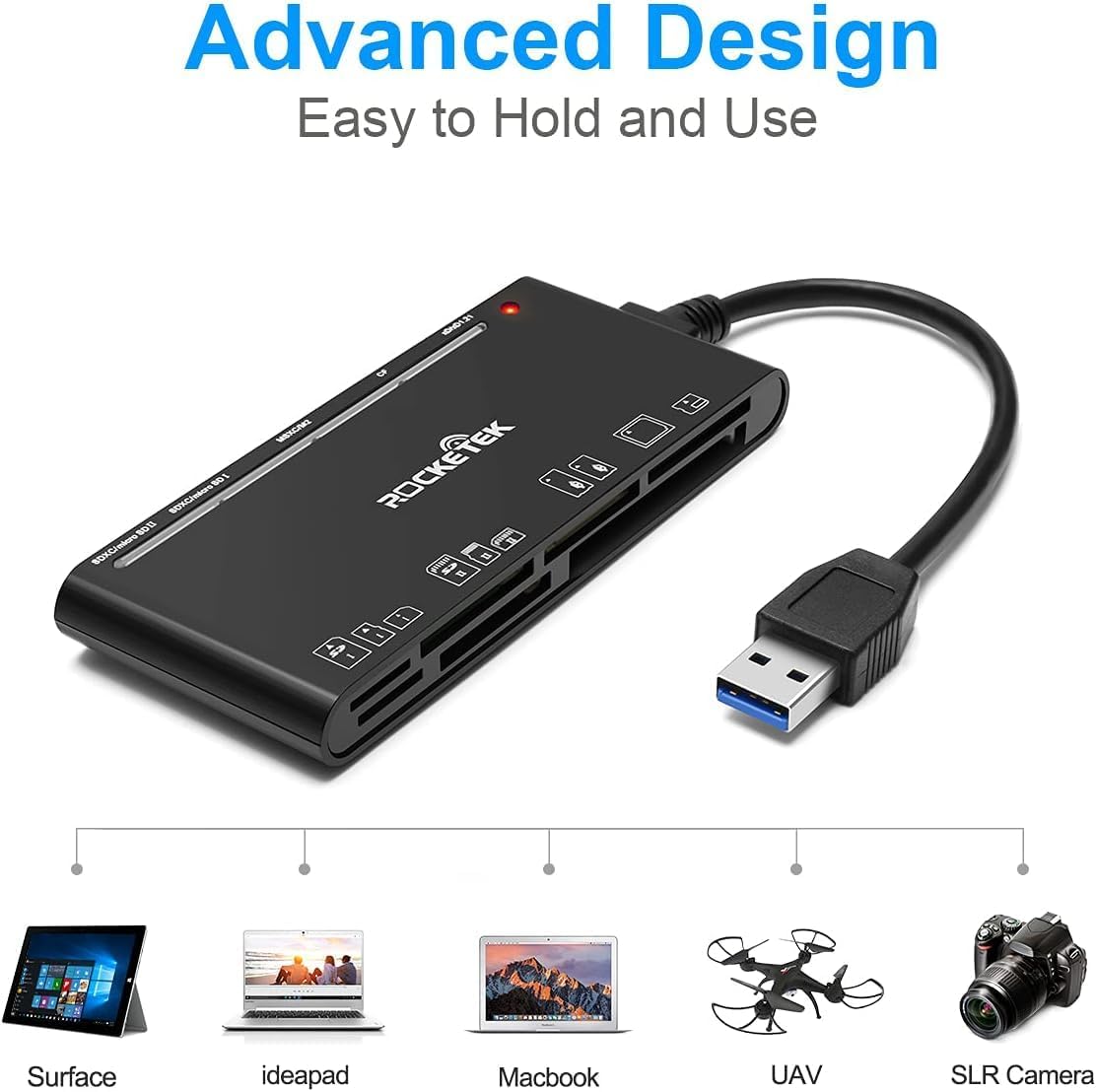
Figure 2: Card reader connected to a laptop, showing operating system compatibility.
Video 1: Demonstration of the Rocketek 7-in-1 Multi Memory Card Reader, showcasing its various card slots, USB 3.0 connectivity, and LED indicator light during operation.
Иштөө нускамалары
- Карталарды киргизүү: Gently push the memory card into the appropriate slot until it clicks into place. Do not force the card.
- Окуу/Жазуу маалыматтары: Once the card is inserted and detected, you can drag and drop files to and from the card. The blue LED indicator will blink during active data transfer.
- Бир эле учурда колдонуу: The card reader supports reading and writing to multiple cards simultaneously. Ensure proper file management to avoid data conflicts.
- Ejecting Cards: Before removing a memory card, always safely eject it from your computer's operating system to prevent data corruption.

Figure 3: Multiple memory cards inserted into the reader, demonstrating simultaneous access.
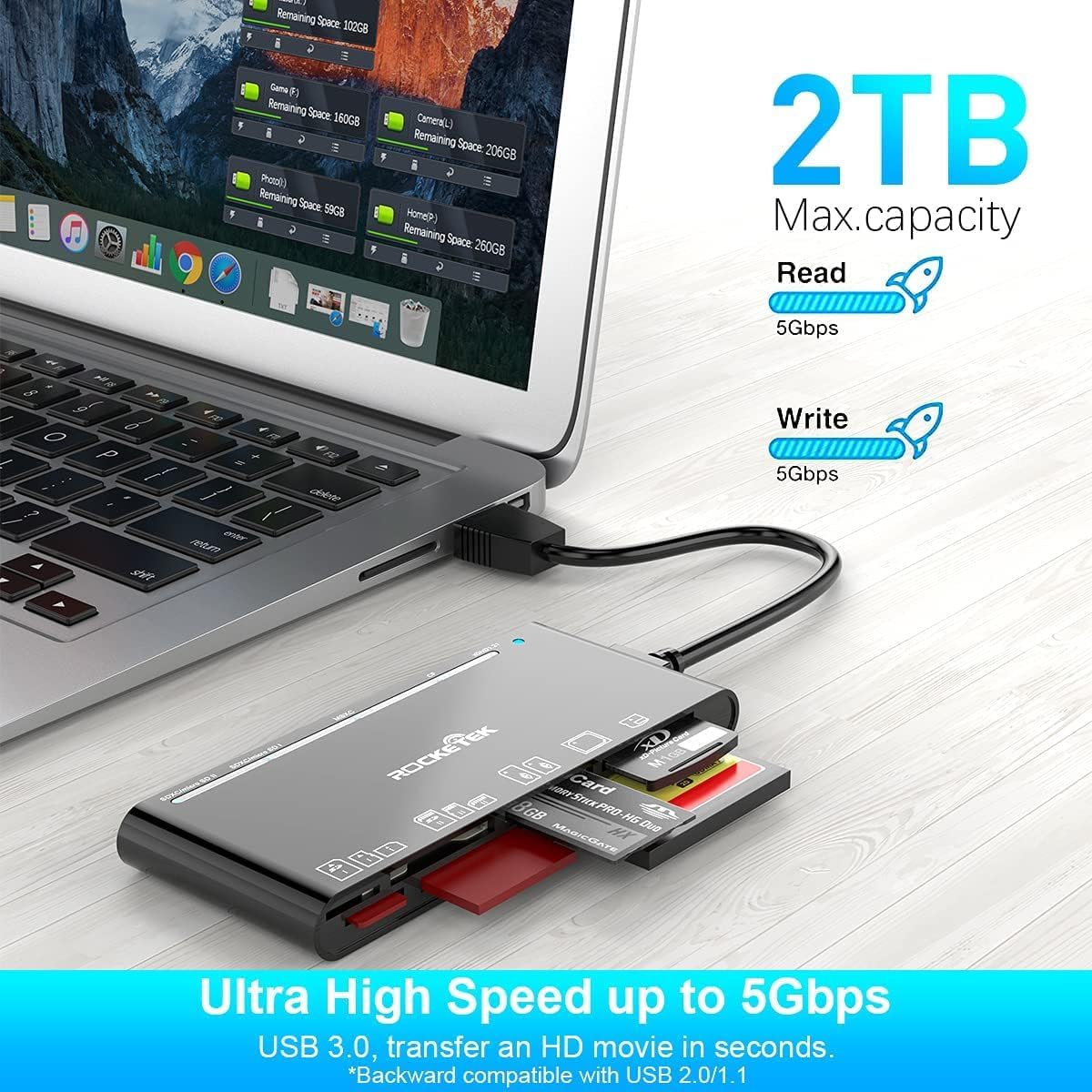
Figure 4: Highlighting the 5Gbps data transfer speed and 2TB maximum capacity.
Шайкештик
Колдоого алынган операциялык системалар:
- Windows XP / Vista / 7/8 / 8.1 / 10
- Mac OS (including MacBook Pro/Air)
- Linux
- Chrome OS
Колдоого алынган медиа түрлөрү:
- CompactFlash (CF card, high-speed CF UDMA)
- SD Card (SD, SDXC up to 2TB, SDHC, RS-MMC, miniSD)
- Micro SD (Micro SD, Micro SDXC, Micro SDHC)
- Memory Stick (MS, M2, MSXC, Memory Stick PRO Duo, Memory Stick Pro)
- xD Picture Card
Техникалык шарттар
| Бренд | Rocketek |
| Модель аты | FBA_RT-CR7 |
| Байланыш технологиясы | USB түрү А |
| Аппараттык интерфейс | USB 3.0 |
| Маалыматтарды өткөрүү ылдамдыгы | 5 Гбит/сек |
| Slot Count | 7 (supporting 5 simultaneous reads/writes) |
| Түс | Кара |
| Элементтин өлчөмдөрү (L x W x Y) | 6.1" x 2.9" x 0.4" |
| Элемент Салмагы | 9.07 г |
Техникалык тейлөө жана кам көрүү
- Тазалоо: Use a soft, dry cloth to clean the exterior of the card reader. Avoid using liquid cleaners or solvents.
- Сактагыч: Карта окугучту салкын, кургак жерде, күн нуру түз тийбеген жана өтө жогорку температурадан алыс сактаңыз.
- Колдонуу: Avoid dropping the device or subjecting it to strong impacts. Do not bend or twist the cable excessively.
- Порт коргоо: Keep the card slots free from dust and debris.
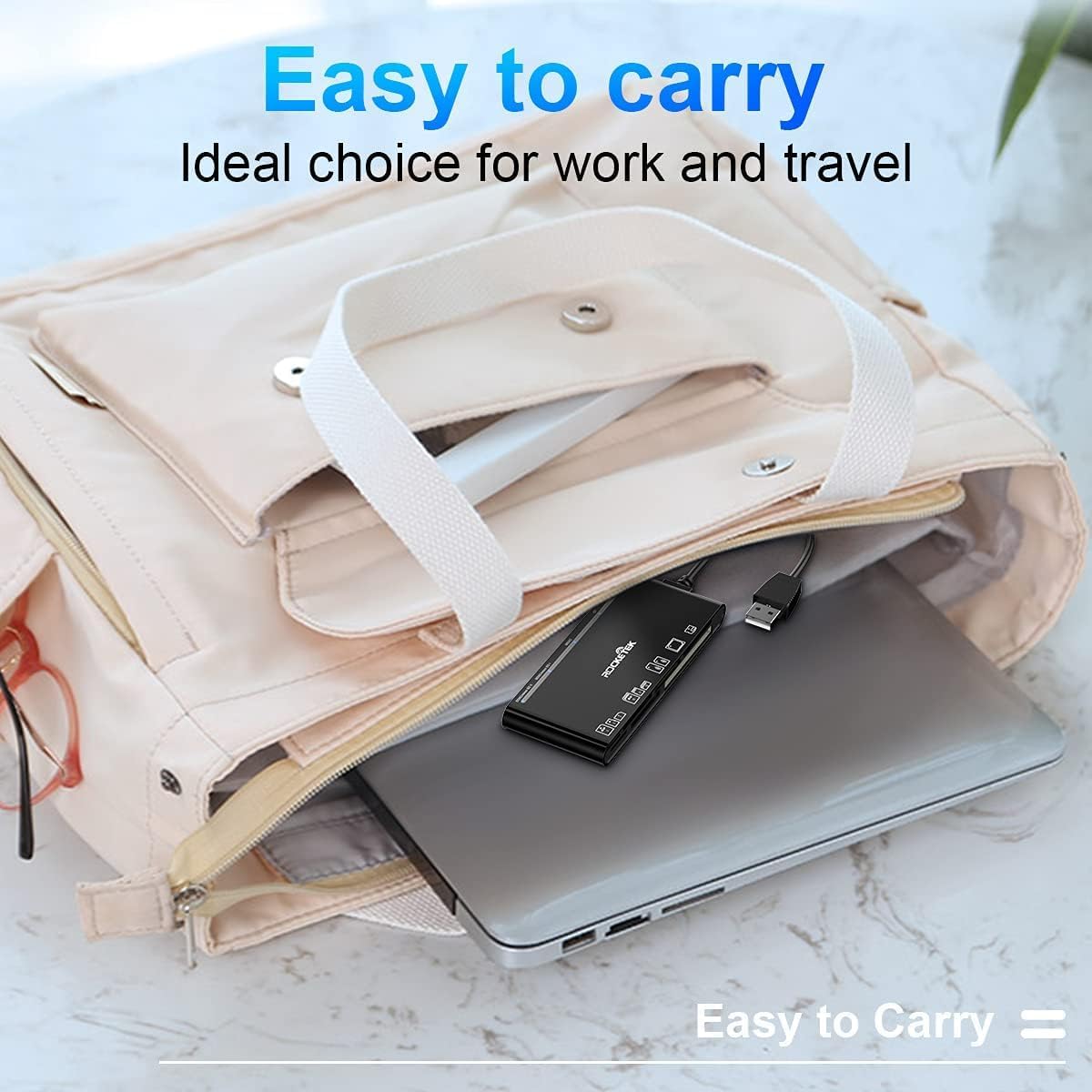
Figure 5: The card reader's compact size, suitable for portability.
Проблемаларды чечүү
- Түзмөк аныкталган жок:
- Ensure the USB cable is securely connected to both the card reader and your computer.
- Компьютериңиздеги башка USB портуна туташып көрүңүз.
- Компьютериңизди өчүрүп күйгүзүңүз.
- Memory Card Not Recognized:
- Verify that the memory card is fully inserted into the correct slot.
- Check if the memory card is damaged or corrupted. Try it in another device if possible.
- Ensure your operating system supports the file эстутум картасынын системасы.
- Жай берилиштерди өткөрүү:
- Ensure the card reader is connected to a USB 3.0 port on your computer for optimal speed.
- Verify that your memory card itself supports high-speed data transfer.
- Чоң мезгилде бир нече талап кылынган колдонмолорду иштетүүдөн качыңыз file которуулар.
- LED индикатору күйбөйт:
- Confirm the card reader is properly connected to a powered USB port.
- If using a USB hub, ensure it is powered.
Кепилдик жана колдоо
The Rocketek FBA_RT-CR7 USB 3.0 7-in-1 Multi Memory Card Reader comes with a 2 жылдык кепилдик from the date of purchase. This warranty covers manufacturing defects and ensures the product performs as described under normal use.
For technical support, warranty claims, or any inquiries regarding your product, please contact Rocketek customer service through the retailer's platform or visit the official Rocketek webбайланыш маалыматы үчүн сайт.