
Supersonic IQ3710DJBT
Supersonic IQ Sound IQ-3710DJBT Portable DJ Speaker User Manual
Модель: IQ-3710DJBT
Маанилүү коопсуздук нускамалары
Please read all instructions carefully before operating this device. Keep this manual for future reference.
- Бул шайманды жамгырга же нымга тийгизбеңиз.
- Эч кандай желдетүүчү тешиктерди жаап албаңыз.
- Радиаторлор, жылуулук регистрлери, мештер же башка аппараттар (анын ичинде) сыяктуу жылуулук булактарынын жанына орнотпоңуз ampкөтөргүчтөр) жылуулукту пайда кылуучу.
- Электр зымын басып же кысылып калуудан, айрыкча, сайгычтардан, ыңгайлуу идиштерден жана шаймандан чыккан жеринен сактаңыз.
- Өндүрүүчү тарабынан көрсөтүлгөн тиркемелерди/аксессуарларды гана колдонуңуз.
- Чагылган бороондо же узак убакыт бою колдонбогондо бул шайманды розеткадан ажыратыңыз.
- Бардык тейлөөнү квалификациялуу тейлөө кызматкерлерине тапшырыңыз. Аппарат кандайдыр бир жол менен бузулганда тейлөө талап кылынат.
Продукт бүттүview
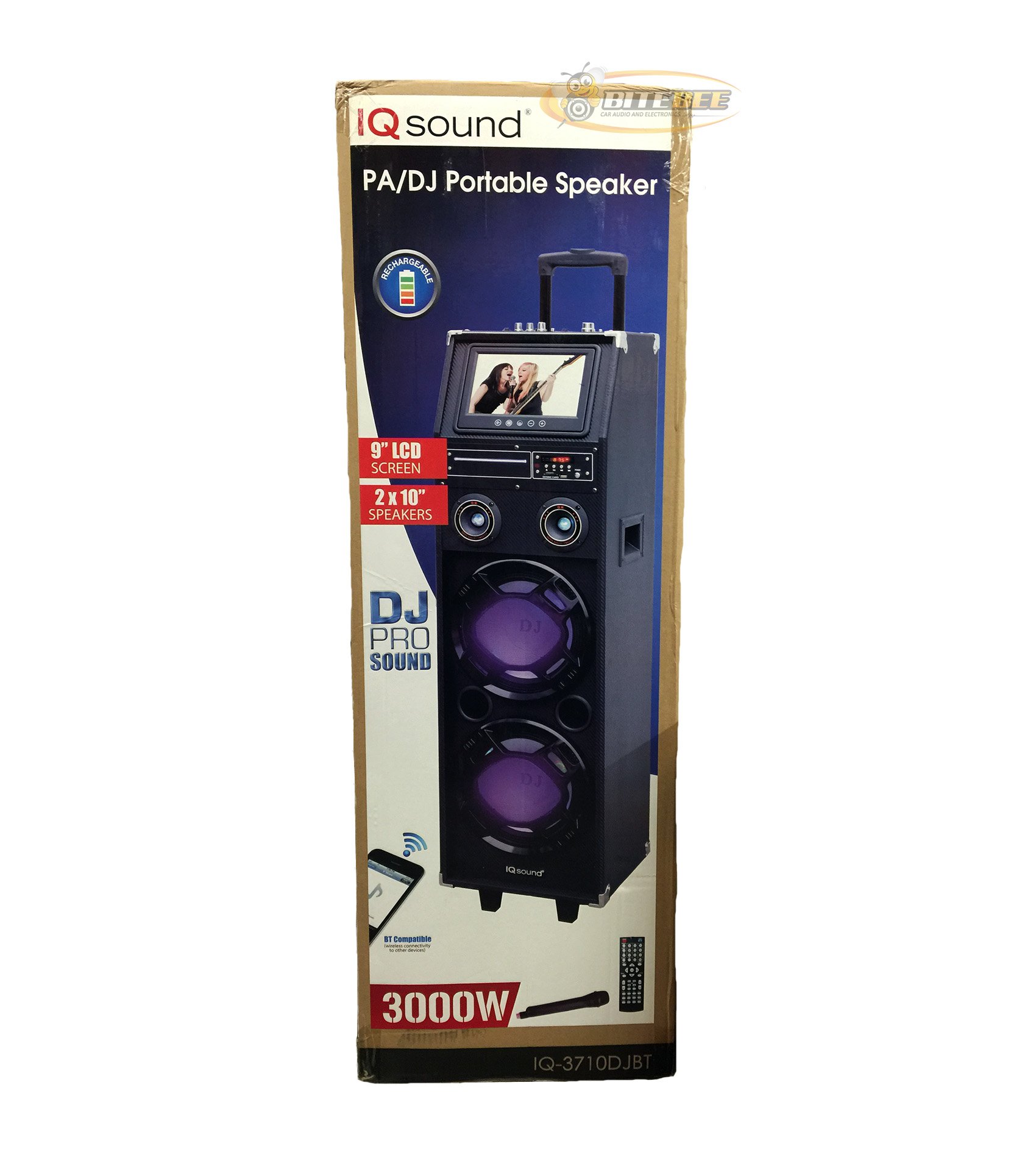
Сүрөт: алдыңкы view of the Supersonic IQ Sound IQ-3710DJBT Portable DJ Speaker, showcasing its dual speakers, 9-inch LCD screen, and control panel.
Өзгөчөлүктөрү
- Dual 10-inch Full Range Speakers
- Built-in Bluetooth for wireless audio streaming
- FM Radio tuner
- 5-Band Equalizer for audio customization
- 9-inch LCD Display for video and menu navigation
- Built-in Rechargeable Battery for portability
- Integrated LED Lights for visual effects
- Multimedia Compatible (supports various video and music formats)
- USB Input for external audio devices
- Медиа ойнотуу үчүн SD карта уячасы
- 1 Гитара менен киргизүү
- 1 Microphone Jack (includes 1 microphone)
- Алыстан башкаруу камтылган
- Built-in Handle and Wheels for easy transport
Пакеттин мазмуну
- IQ-3710DJBT Portable DJ Speaker
- Кубаттуу адаптер
- Микрофон
- Алыстан башкаруу
- Колдонуучунун Колдонмосу (бул документ)
Controls and Connections (General)
The main control panel is located on the top or rear of the speaker, featuring buttons for power, mode selection, playback controls (play/pause, skip), volume adjustment, EQ settings, and light controls. Input ports for USB, SD card, microphone, and guitar are also present. The 9-inch LCD display provides visual feedback for media playback, FM radio tuning, and menu navigation.
Жайгашуу
1. Батареяны заряддоо
- Connect the included power adapter to the speaker's DC input port.
- Plug the power adapter into a standard wall outlet (AC 100-240V, 50/60Hz).
- The charging indicator light (if present) will illuminate. Allow approximately 6-8 hours for a full charge before first use.
- The speaker can be used while charging.
2. Баштапкы күйгүзүү
- Ensure the speaker is fully charged or connected to a power source.
- Locate the Power button (usually on the control panel) and press it to turn on the speaker.
- The LCD display will illuminate, and the speaker will enter the default mode.
3. Перифериялык түзүлүштөрдү туташтыруу
Микрофон: Insert the included microphone's cable into the Microphone Jack.
Гитара: Insert your guitar's cable into the Guitar Input.
Иштөө нускамалары
Режим тандоо
басыңыз РЕЖИМ button on the control panel or remote control to switch between available modes: Bluetooth, FM Radio, USB, SD, and AUX (if applicable). The current mode will be displayed on the LCD screen.
Bluetooth операциясы
- Динамикти күйгүзүп, төмөнкүгө которуңуз: Bluetooth режими using the MODE button. The LCD will display "Bluetooth" or a similar indicator.
- Bluetooth иштетилген түзмөгүңүздө (мисалы, смартфон, планшет) Bluetooth'ду иштетиңиз жана жеткиликтүү түзмөктөрдү издеңиз.
- тандоо "IQ-3710DJBT" аппараттардын тизмесинен.
- Once paired, the speaker will emit a confirmation sound, and you can now play audio wirelessly from your device.
- Use your device or the speaker's controls for playback (play/pause, skip tracks, volume).
FM радиосунун иштеши
- которуштуруу FM радио режими MODE баскычын колдонуу.
- басыңыз ОЙНОО/ТЫНЫТТЫРУ button (or a dedicated scan button) to automatically scan and save available FM stations.
- колдонуу МУРУНКУ КИЙИНКИ Сакталган станциялар арасында багыт алуу үчүн баскычтарды басыңыз.
- Adjust the volume using the main volume knob or remote control.
USB/SD карта ойнотуу
- USB флэш-дискти салыңыз USB порт же SD картаны SD карта уячасы.
- The speaker should automatically switch to USB or SD mode and begin playing media. If not, press the РЕЖИМ туура киргизүүнү тандоо үчүн баскыч.
- Use the playback controls (play/pause, previous/next) on the speaker or remote to manage your media.
- The 9-inch LCD display will show file information and video playback (if applicable).
Эквалайзер (EQ) жөндөө
The 5-band EQ allows you to fine-tune the audio output. Locate the EQ controls on the speaker's panel. Adjust the sliders or knobs for different frequency bands (e.g., bass, mid-range, treble) to achieve your desired sound profile.
Microphone and Guitar Use
Once connected, adjust the individual volume controls for the microphone and guitar (if available) on the speaker's control panel. The main volume knob controls the overall output.
LED жарыктарды башкаруу
басыңыз ЧЫРАКТАР button (or similar) on the control panel or remote to cycle through different light modes or to turn the lights on/off.
LCD дисплей
The 9-inch LCD display shows current mode, track information, FM frequency, and can play video files from USB or SD card. Navigate menus using the dedicated navigation buttons or remote control.
Техникалык тейлөө
- Тазалоо: Use a soft, dry cloth to clean the exterior of the speaker. Do not use abrasive cleaners or solvents. For the LCD screen, use a screen-specific cleaning solution and a microfiber cloth.
- Батареяга кам көрүү: To prolong battery life, fully charge the speaker before first use and recharge it regularly, even if not in frequent use. Avoid completely draining the battery. Store in a cool, dry place.
- Сактагыч: When not in use for extended periods, store the speaker in a cool, dry environment, away from direct sunlight and extreme temperatures.
- Транспорт: Utilize the built-in handle and wheels for easy and safe transport of the speaker.
Проблемаларды чечүү
| Көйгөй | Мүмкүн себеп | Чечим |
|---|---|---|
| Динамик күйбөйт. | Battery is drained or power adapter is not connected. | Connect the power adapter and charge the speaker. Ensure the power outlet is functional. |
| Үн чыгышы жок. | Volume is too low, incorrect mode selected, or device not properly connected. | Increase volume. Verify correct mode (Bluetooth, USB, FM). Reconnect Bluetooth device or reinsert USB/SD card. Check microphone/guitar connections. |
| Bluetooth жупташуусу болбой жатат. | Speaker not in Bluetooth mode, device too far, or interference. | Ensure speaker is in Bluetooth mode. Move device closer to speaker. Turn off and on Bluetooth on your device. Try pairing again. |
| FM радиосун кабыл алуу начар. | Алсыз сигнал же тоскоолдук. | Динамикти жакшыраак кабыл алуу бар жерге жылдырыңыз. Кайрадан авто-сканерлөөнү аткарыңыз. |
| USB/SD media not playing. | Колдоого алынбайт file format, corrupted media, or improper insertion. | Ensure media is inserted correctly. Check file formats (refer to specifications for supported types). Try a different USB drive or SD card. |
Техникалык шарттар
- Модел: IQ-3710DJBT
- Бренд: Supersonic
- Динамик түрү: Portable DJ Speaker
- Баяндамачылар: 2 x 10 дюймдук толук диапазон
- Дисплей: 9 дюймдук LCD
- Байланыш: Bluetooth, USB
- Киргизүүлөр: USB, SD Card, Microphone (1), Guitar (1)
- Радио: FM тюнери
- Мадам: 5-тилкелүү EQ
- Кубат булагы: Built-in Rechargeable Battery, AC Power Adapter
- Өлчөмдөрү (L x W x Y): 15 x 14 x 45 дюйм (болжол менен)
- Салмагы: 54 фунт (болжол менен)
- Камтылган аксессуарлар: Microphone, Remote Control, Power Adapter
Кепилдик жана колдоо
This product comes with a standard manufacturer's warranty. For specific warranty terms and conditions, please refer to the warranty card included in your package or visit the official Supersonic webсайт.
For technical support, service inquiries, or to purchase replacement parts, please contact Supersonic customer service. Contact information can typically be found on the product packaging or the official brand webсайт.
Онлайн колдоо: www.supersonicinc.com (This is a placeholder link, please verify the actual support URL.)
Ask a question about this manual
Ask about setup, troubleshooting, compatibility, parts, safety, or missing instructions. Manuals+ will review the question and use this page’s manual context to help answer it.