
Introduction
This CD-ROM contains digital reproductions of the official factory repair and service manuals for 1992 Chevrolet C/K Truck models. It is designed to provide detailed, step-by-step instructions, clear illustrations, exploded view diagrams, schematics, and specifications necessary for vehicle maintenance and repair.
The CD-ROM includes the following original publications:
- 1936-page "1992 Chevrolet Trucks C/K Models Service Manual"
- 319-page "1992 Chevrolet Trucks C/K Models Service Manual Supplement Covering Natural Gas Models"
- 959-page "1992 Chevrolet Trucks Light Duty Truck Unit Repair Manual"
This resource is intended for individuals performing service, maintenance, or repair tasks on their 1992 Chevrolet C/K Truck, Silverado, Scottsdale, 454SS, Dually, Extended Cab, 1500, 2500, 3500 Gas & Diesel models.
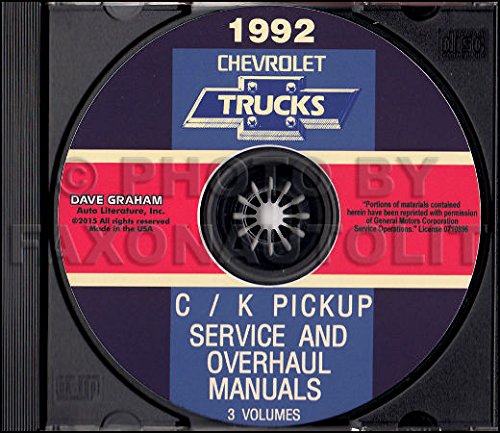
Image: Cover of the 1992 Chevrolet Truck & Pickup Service Manual CD-ROM, showing the product packaging.
Жайгашуу
- Системалык талаптар: Ensure your computer has a CD-ROM drive and a compatible operating system (e.g., Windows XP, Vista, 7, 8, 10, or macOS with appropriate compatibility software). A PDF reader application (such as Adobe Acrobat Reader) is recommended for optimal viewing of the manual content.
- CD салыңыз: Gently insert the CD-ROM into your computer's CD/DVD drive.
- Auto-run (Windows): If auto-run is enabled, a prompt may appear asking to open or run the CD content. Select the option to open the main application or view files.
- Кол менен кирүү: If auto-run does not initiate, navigate to "My Computer" or "This PC," locate your CD/DVD drive (e.g., D:), and double-click to open its contents. Look for an executable file (e.g., `setup.exe`, `start.exe`) or a main PDF document to begin.
Иштеп жатат
Once the CD-ROM content is accessible, follow these guidelines for effective use:
- Навигация: Most CD-ROM manuals are structured with an intuitive interface or a main index. Utilize the provided navigation tools, such as a table of contents, bookmarks, or search functions, to locate specific sections or topics.
- Издөө: Use the search function within your PDF reader or the CD's interface to find keywords, part numbers, or specific repair procedures. This is often the quickest way to locate relevant information.
- Viewing Diagrams and Illustrations: The manuals contain numerous diagrams and illustrations. Zoom in on images for greater detail as needed. Ensure your display settings are optimized for clear viewing.
- Басып чыгаруу: Individual pages or entire sections can typically be printed using your computer's standard print function. Refer to your PDF reader's help documentation for specific printing options.
- External Links: Some digital manuals may contain internal or external links to related sections or resources. Click on these links to navigate through the content efficiently.
Техникалык тейлөө
Proper care of your CD-ROM will ensure its longevity and continued functionality:
- Колдонуу: Always hold the CD-ROM by its edges or by the center hole to avoid touching the data surface.
- Тазалоо: If the CD-ROM becomes dirty, gently wipe the data surface with a soft, lint-free cloth, moving from the center outwards. Do not use abrasive materials or harsh chemicals.
- Сактагыч: Store the CD-ROM in its original case or a protective sleeve when not in use. Keep it away from direct sunlight, extreme temperatures, and high humidity.
- Чийүүлөрдү болтурбоо: Scratches on the data surface can prevent the CD-ROM from being read correctly. Handle with care to prevent damage.
Проблемаларды чечүү
If you encounter issues while using the CD-ROM, consider the following troubleshooting steps:
- CD Not Reading:
- Ensure the CD is inserted correctly into the drive.
- Check the CD for visible scratches or dirt; clean if necessary.
- Try the CD in another computer's CD-ROM drive to rule out a drive issue.
- Software Not Launching/Files Not Opening:
- Verify that you have a compatible PDF reader installed on your computer.
- Ensure your operating system meets the basic requirements for viewing PDF files.
- Disable any antivirus software temporarily if it is preventing the CD's content from loading (re-enable immediately after testing).
- Жай аткаруу:
- Системалык ресурстарды бошотуу үчүн фондо иштеп жаткан башка тиркемелерди жабыңыз.
- Ensure your computer's drivers for the CD-ROM drive are up to date.
Техникалык шарттар
| Өзгөчөлүк | Деталь |
|---|---|
| Продукт түрү | Service and Repair Manual on CD-ROM |
| Унаа камтуу | 1992 Chevrolet C/K Truck, Silverado, Scottsdale, 454SS, Dually, Extended Cab, 1500, 2500, 3500 Gas & Diesel models |
| Мазмун камтылган | 1992 Chevrolet Trucks C/K Models Service Manual (1936 pages), 1992 Chevrolet Trucks C/K Models Service Manual Supplement (319 pages), 1992 Chevrolet Trucks Light Duty Truck Unit Repair Manual (959 pages) |
| Total Page Count (Digital) | Болжол менен 3114 бет |
| Тил | Англисче |
| Жарыялоочу | GM CHEVY CHEVROLET GMC жүк ташуучу унааларын алып кетүү |
| Чыгарылган күнү | 1-январь, 2015-жыл |
Кепилдик жана колдоо
This product is a digital reproduction of original factory manuals. For any issues related to the physical CD-ROM or its content, please contact the seller or publisher directly. Specific warranty details for the CD-ROM itself are typically provided at the point of purchase or within the product packaging. Ensure to retain your proof of purchase for any support inquiries.


