
1. Киришүү
The Pentax HD PENTAX-D FA 24-70mm F2.8ED SDM WR is a high-performance standard zoom lens designed for Pentax K-mount digital SLR cameras. This lens offers exceptional imaging power across its versatile 24-70mm focal range, making it suitable for a wide array of photographic applications from ultra-wide-angle landscapes to standard portraits. Its robust weather-resistant construction ensures reliable performance in challenging outdoor conditions.
Негизги өзгөчөлүктөр төмөнкүлөрдү камтыйт:
- High-Performance Standard Zoom: Provides exceptional imaging power with a large F2.8 maximum aperture.
- Аба ырайына чыдамдуу курулуш: Special seals prevent water intrusion, ensuring dependability in various weather conditions.
- HD Coating: Enhances imaging power, producing high-contrast images with edge-to-edge sharpness, free of flare and ghosting.
- Exceptional Imaging Power: Newly designed optics with three ED optical elements accommodate super-high-resolution image sensors, delivering uniform image description over the entire field.
- Built-in SDM (Supersonic Direct-Drive Motor): Assures quiet, high-speed autofocus operation for swift reaction to subjects.
- Super Protect (SP) Coating: Fluorine treatment on the front lens surface prevents adhesion of dust, water drops, and grease.
- Quick-Shift Focus System: Allows instant switching to manual-focus operation after autofocus.
- Тегеректелген диафрагма: Produces a smooth, beautiful bokeh (defocus) effect.
2. Кутуда эмне бар
Upon opening your Pentax HD PENTAX-D FA 24-70mm F2.8ED SDM WR lens package, you should find the following items:
- HD PENTAX-D FA 24-70mm F2.8ED SDM WR Lens
- Алдыңкы линзанын капкагы
- Lens Mount Cap
- Lens Hood PH-RBD82
- Lens Case S120-150

Figure 2.1: The Pentax HD PENTAX-D FA 24-70mm F2.8ED SDM WR Lens.
3. Орнотуу
3.1 Линзаны камераңызга бекитүү
- Ensure both your camera and the lens are powered off.
- Линзанын арткы капкагын линзадан, ал эми корпус капкагын камерадан чыгарыңыз.
- Align the red mounting index on the lens with the red mounting index on your camera body.
- Объективди камеранын объектив орнотмосуна кыстарыңыз жана аны чыкылдатканча саат жебеси боюнча айлантыңыз. Линзаны мажбурлабаңыз.
- Ажыратуу үчүн, камеранын корпусундагы линзаны бошотуу баскычын басып, линзаны саат жебесине каршы айландырыңыз.
3.2 Линза капкагын бекитүү
The included lens hood (PH-RBD82) helps to block extraneous light and protect the front element of the lens.
- Линзанын капкагын линзанын алдыңкы тарабына тууралаңыз.
- Rotate the hood until it locks securely into position.
- To store the hood, you can reverse it and attach it to the lens.

Figure 3.1: The lens with the lens hood attached.
4. Объективди иштетүү
4.1 Автофокус (AF) жана кол менен фокустоо (MF)
- SDM (Supersonic Direct-Drive Motor): This lens features a built-in SDM for fast, quiet, and smooth autofocus operation.
- Quick-Shift Focus System: After the camera's AF system has achieved focus, you can instantly switch to manual focus by simply turning the focus ring. This allows for fine-tuning without needing to change the camera's focus mode.
- To switch between AF and MF, use the AF/MF switch on your camera body.
4.2 Чоңойтуу
Rotate the zoom ring to adjust the focal length between 24mm and 70mm. The F2.8 constant maximum aperture ensures consistent brightness throughout the zoom range.
4.3 Weather-Resistant Design
The lens's weather-resistant construction makes it suitable for use in light rain, mist, or dusty environments when paired with a weather-sealed Pentax DSLR camera. While designed for durability, avoid prolonged exposure to heavy rain or direct water immersion.
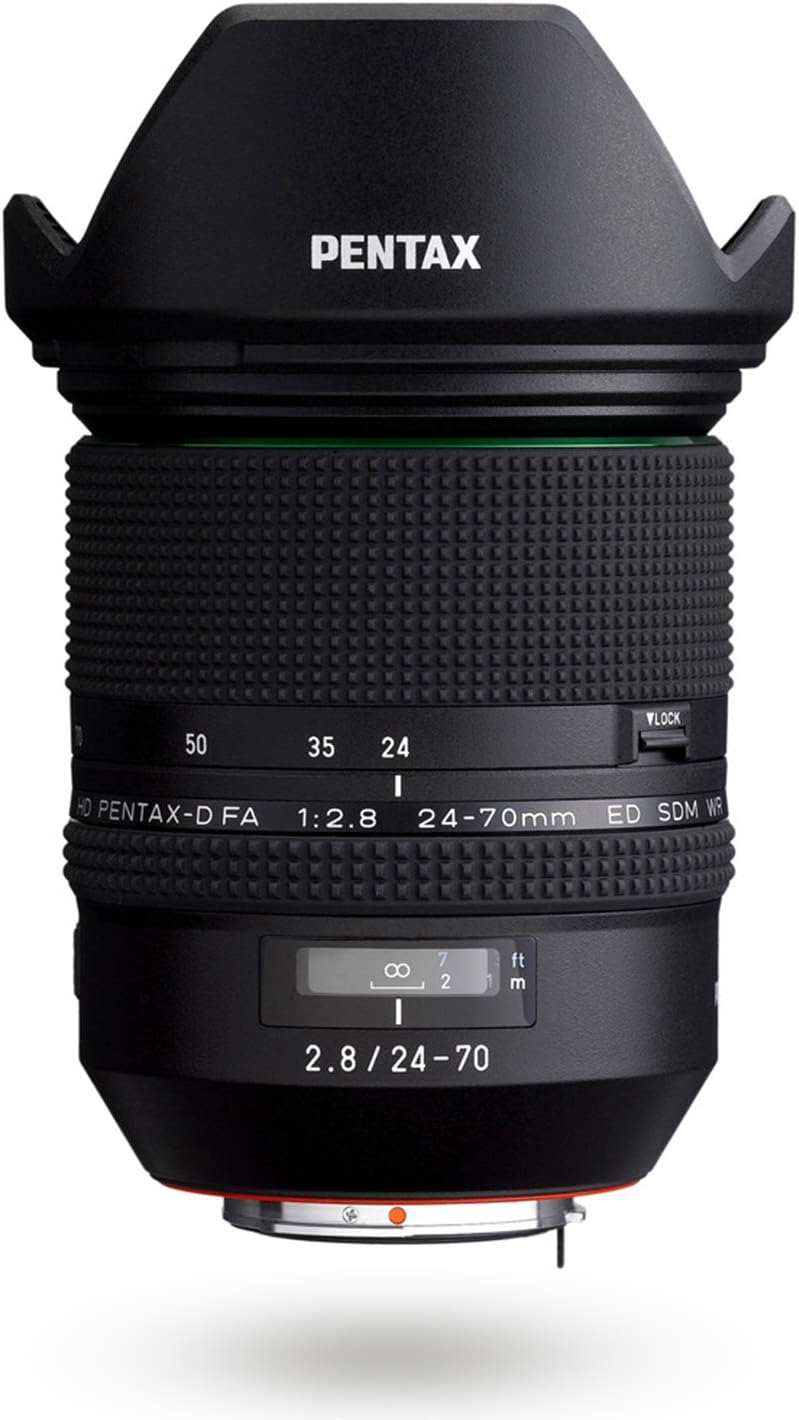
4.1-сүрөт: Каптал view of the lens, highlighting the zoom and focus rings.
5. Техникалык тейлөө
5.1 Линзаны тазалоо
- Чаң: Линзанын бетинен чаңды кетирүү үчүн үйлөгүч щетканы колдонуңуз.
- Тактар/Манжа издери: The Super Protect (SP) coating on the front element makes it easier to wipe away smudges. Use a clean, soft microfiber cloth specifically designed for optics. For stubborn marks, a small amount of lens cleaning fluid applied to the cloth (not directly to the lens) can be used.
- Линза элементтерине манжаларыңыз менен түздөн-түз тийүүдөн алыс болуңуз.
5.2 Сактоо
- Линза колдонулбай турганда ар дайым алдыңкы жана арткы линзанын капкактарын тагыңыз.
- Store the lens in its provided lens case (S120-150) or a padded camera bag to protect it from impacts and dust.
- Store in a cool, dry place away from direct sunlight and extreme temperatures. High humidity can lead to mold growth.
6. Кыйынчылыктарды
- Объектив камера тарабынан таанылган жок: Ensure the lens is securely mounted to the camera body. Power off and restart the camera. Check camera firmware for updates.
- Автофокус жай же так эмес: Check if the AF/MF switch on the camera is set to AF. Ensure there is sufficient light for the autofocus system. Clean the lens contacts on both the lens and camera body.
- Сүрөттөр бүдөмүк: Check focus settings (AF/MF). Ensure shutter speed is appropriate for the focal length to avoid camera shake. Verify that the lens elements are clean.
- Линза жылмакай масштабдабай жатат: Inspect the zoom ring for any obstructions. If the issue persists, contact customer support.
7. Техникалык шарттар
| Бренд | Pentax |
| Модель аты | HD PENTAX-D FA 24-70MM F/2.8 ED SDM WR |
| Модель номери | DFA 24-70mm F2.8ED SDM WR |
| Фокустун узундугу | 24-70мм |
| Максималдуу диафрагма | F2.8 |
| Минималдуу диафрагма | F2.8 |
| Линза орнотуу | Pentax KAF |
| Шайкеш камера моделдери | PENTAX K-1, PENTAX K-3, PENTAX K-70, etc. |
| Фокус түрү | Auto Focus (SDM) |
| Линза каптоо | HD Coating, Super Protect (SP) Coating |
| Image Stabilization | Digital, Optical (in-camera SR mechanism) |
| Сууга туруктуулук деңгээли | Сууга чыдамдуу |
| Диафрагма бычактарынын саны | 9 (Rounded Diaphragm) |
| Элемент Салмагы | 1.8 фунт |
| UPC | 027075293557 |
8. Кепилдик маалыматы
This Pentax lens comes with a 1 жылдык өндүрүүчүнүн кепилдиги. Please retain your proof of purchase for warranty claims. For detailed terms and conditions, refer to the warranty card included in your product packaging or visit the official Pentax support webсайт.
9. Колдоо
Should you require further assistance, technical support, or service for your Pentax HD PENTAX-D FA 24-70mm F2.8ED SDM WR lens, please contact Pentax customer service.
- Visit the official Pentax webколдоо булактары, көп берилүүчү суроолор жана байланыш маалыматы үчүн сайт.
- Refer to your camera's instruction manual for lens compatibility and specific camera settings.